 papermtn/slack-watchman
Slack 열거 및 노출된 비밀정보 탐지 도구





Slack에서 노출된 비밀을 모니터링하고 열거
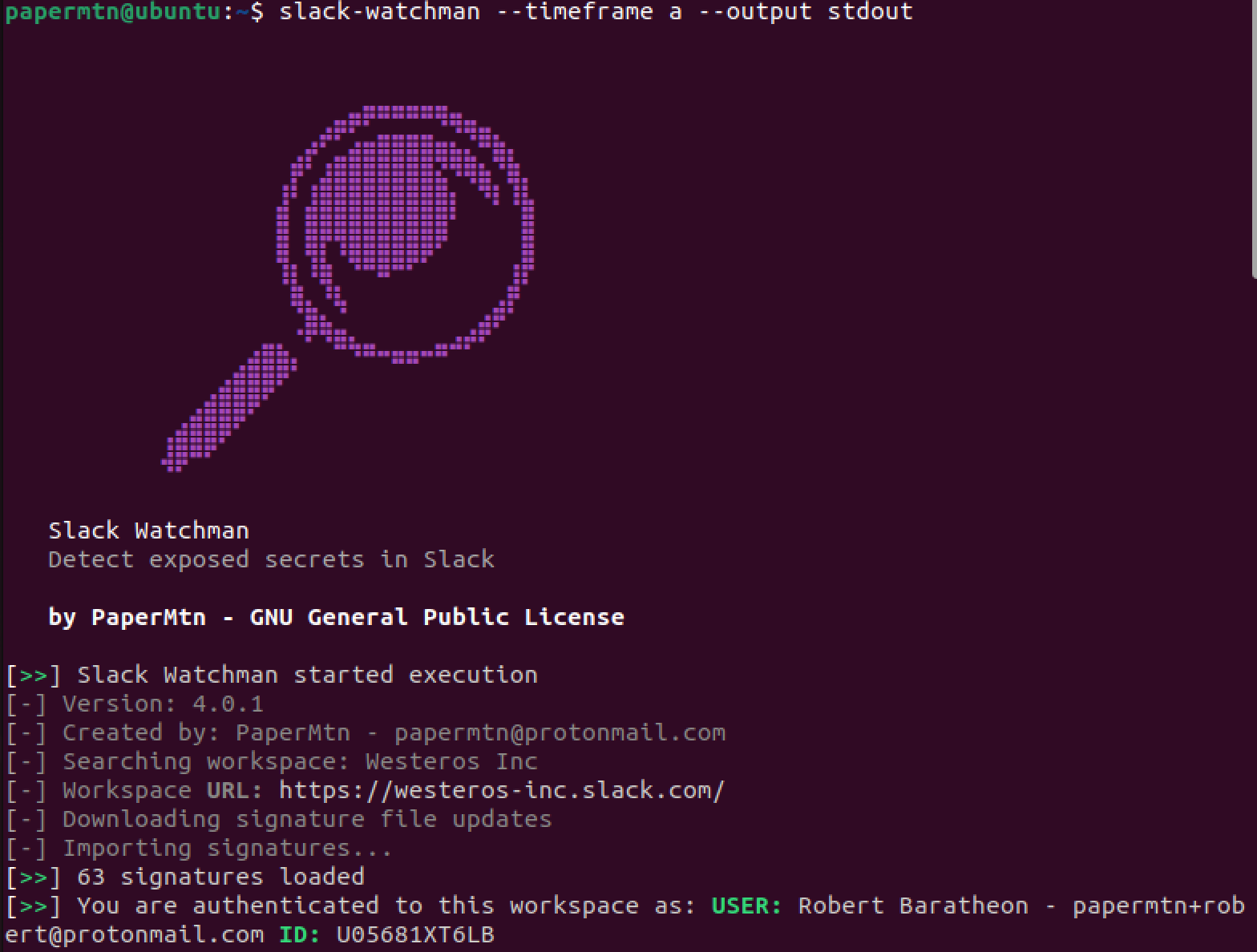
Slack Watchman은 Slack API를 사용하여 Slack 워크스페이스에 노출된 잠재적으로 민감한 데이터를 찾고, 레드팀, 블루팀, 퍼플팀을 위한 기타 유용한 정보를 열거하는 애플리케이션입니다.
Slack Watchman에 대한 자세한 내용은 제 블로그에서 확인할 수 있습니다.
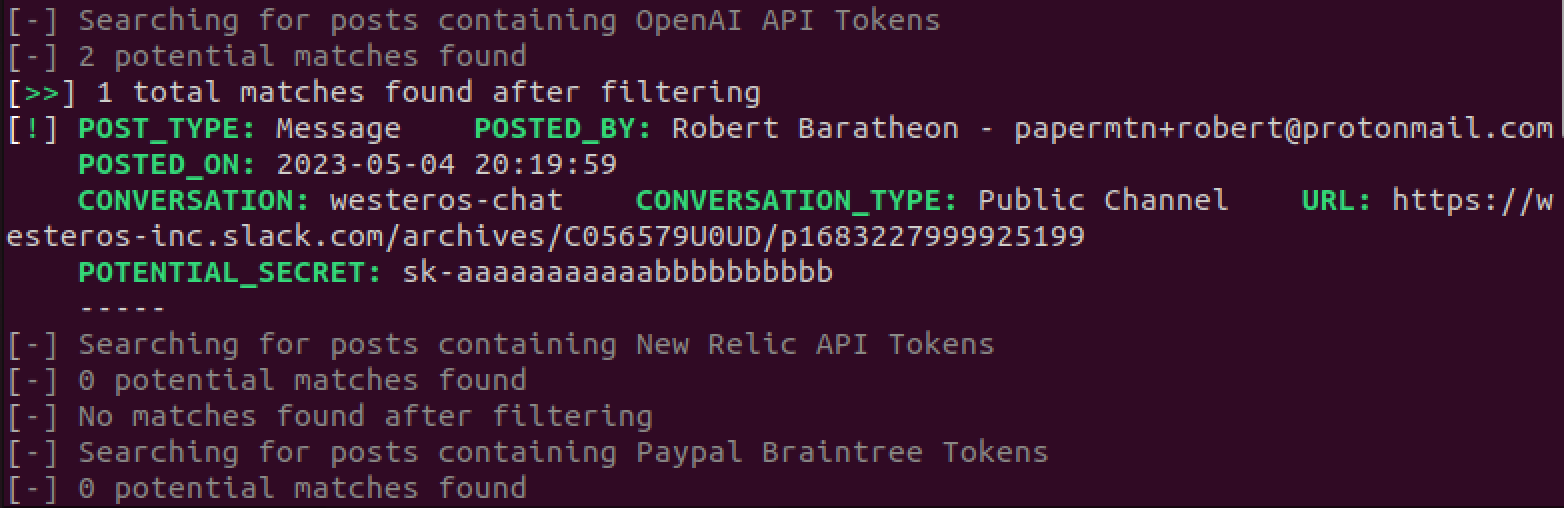
Slack Watchman은 다음을 찾습니다:
Slack Watchman을 실행하여 다음 범위까지 과거 결과를 검색할 수 있습니다:
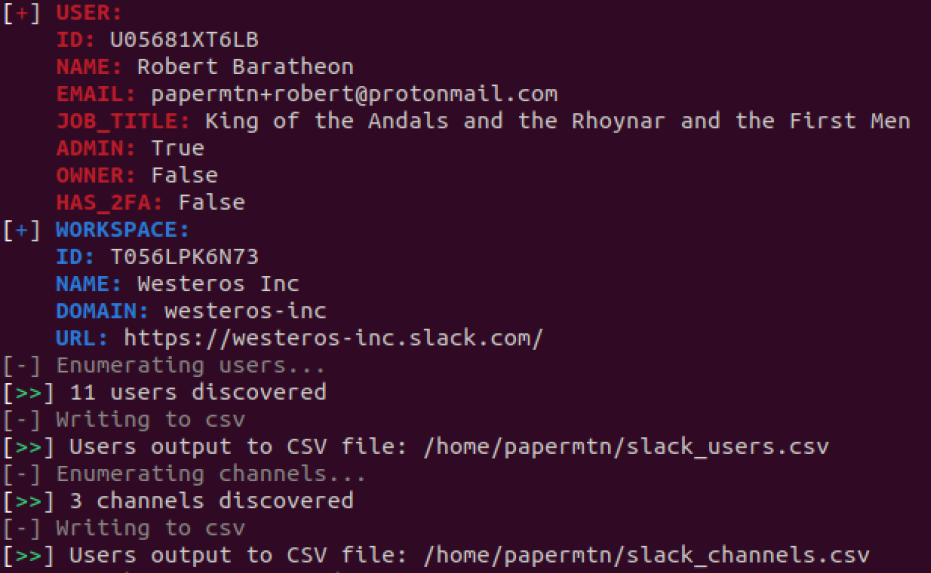
또한 다음을 열거합니다:
즉, 한 번의 심층 스캔 후 Slack Watchman을 정기적으로 실행하도록 예약하고 선택한 기간의 결과만 반환할 수 있습니다.
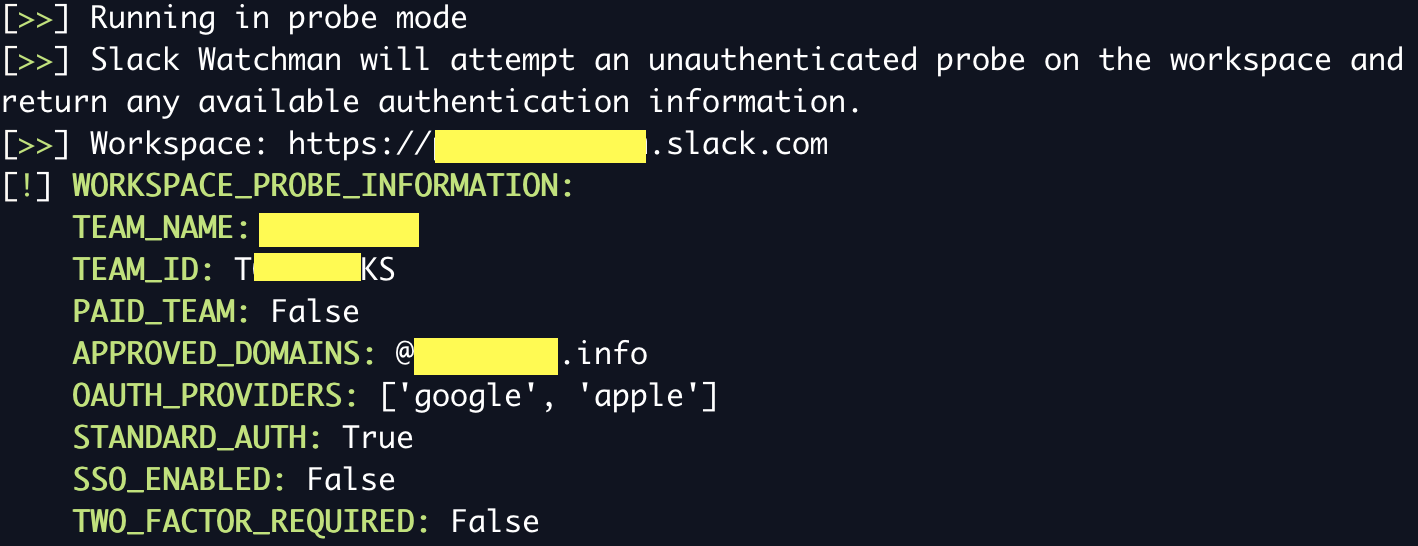
Slack Watchman을 비인증 프로브 모드로 실행하여 워크스페이스의 인증 옵션 및 기타 정보를 열거할 수 있습니다. 이 모드는 토큰이 필요하지 않으며 다음을 반환합니다:
이 모드를 실행하려면 --probe 플래그와 프로브할 워크스페이스 도메인을 지정하여 Slack Watchman을 사용하세요:
slack-watchman --probe https://domain.slack.com
Slack Watchman은 맞춤형 YAML 시그니처를 사용하여 Slack에서 일치하는 항목을 감지합니다. 이 시그니처는 중앙 Watchman Signatures 저장소에서 가져옵니다. Slack Watchman은 런타임에 시그니처 기반을 자동으로 업데이트하여 최신 시그니처로 비밀을 감지합니다.
Slack Watchman 실행 시 비활성화하려는 시그니처를 watchman.conf 파일의 disabled_signatures 섹션에 해당 ID를 추가하여 정의할 수 있습니다. 예:
slack_watchman:
  token: ...
  cookie: ...
  url: ...
  disabled_signatures:
    - tokens_generic_bearer_tokens
    - tokens_generic_access_tokens
시그니처의 ID는 Watchman Signatures 저장소의 개별 YAML 파일에서 확인할 수 있습니다.
Slack Watchman은 다음 로깅 옵션을 제공합니다:
Slack Watchman은 옵션을 지정하지 않으면 기본적으로 터미널 친화적인 stdout 로깅을 사용합니다. 이는 사람이 읽기 쉽도록 설계되었습니다.
JSON 로깅도 사용할 수 있으며, SIEM 또는 기타 로그 분석 플랫폼으로 수집하기에 적합합니다.
JSON 형식 로깅은 다음과 같이 파일로 쉽게 리디렉션할 수 있습니다:
slack-watchman --timeframe a --all --output json >> slack_watchman_log.json
Slack Watchman을 실행하려면 Slack API OAuth 액세스 토큰이 필요합니다. 간단한 Slack 앱을 만들어 얻을 수 있습니다.
앱에 다음 **사용자 토큰 범위(User Token Scopes)**를 추가해야 합니다:
channels:read
files:read
groups:read
im:read
links:read
mpim:read
remote_files:read
search:read
team:read
users:read
users:read.email
참고: 사용자 토큰은 토큰을 승인한 사용자를 대신하여 작동하므로, 서비스 계정으로 이 앱을 만들어 승인할 것을 권장합니다. 그렇지 않으면 앱이 개인 대화와 채팅에 접근할 수 있습니다.
Slack 앱은 애플리케이션 세부 정보와 승인할 범위를 정의하는 JSON 매니페스트로 만들 수 있습니다. Slack Watchman용 앱 매니페스트는 docs/app_manifest.json에서 찾을 수 있으며, Slack 앱 생성을 빠르게 진행하는 데 사용할 수 있습니다.
또는 Slack Watchman은 워크스페이스에 로그인한 각 사용자의 브라우저에 저장된 사용자 d 쿠키를 사용하여 Slack에 인증할 수도 있습니다.
쿠키 인증을 사용하려면 d 쿠키와 대상 워크스페이스의 URL을 제공해야 합니다. 그런 다음 Slack Watchman 실행 시 --cookie 플래그를 사용해야 합니다.
쿠키 인증에 대한 자세한 내용은 제 블로그에서 확인할 수 있습니다.
Slack Watchman은 먼저 환경 변수에서 Slack 토큰(선택한 경우 쿠키 토큰과 URL 포함)을 가져오려고 시도합니다.
SLACK_WATCHMAN_TOKENSLACK_WATCHMAN_COOKIESLACK_WATCHMAN_URL이 작업이 실패하면 .conf 파일에서 토큰을 로드하려고 시도합니다(아래 참조).
구성 옵션은 홈 디렉터리에 저장해야 하는 watchman.conf 파일로 전달할 수 있습니다. 파일은 YAML 형식을 따라야 하며 아래와 같아야 합니다:
slack_watchman:
  token: xoxp-xxxxxxxx
  cookie: xoxd-%2xxxxx
  url: https://xxxxx.slack.com
  disabled_signatures:
    - tokens_generic_bearer_tokens
    - tokens_generic_access_tokens
Slack Watchman은 런타임에 이 파일을 찾아 여기에서 구성 옵션을 사용합니다. 쿠키 인증을 사용하지 않는 경우 cookie와 url을 비워 두세요.
.conf 파일에 문제가 있는 경우 YAML 린터로 검사하세요.
예제 파일은 docs/example.conf에 있습니다.
참고: 쿠키와 URL 값은 선택 사항이며, 쿠키 인증을 사용하지 않을 경우 필요하지 않습니다.
Slack Watchman을 설치하는 권장 방법은 pipx를 사용하는 것입니다. 이 방식은 앱을 격리된 환경에 설치하고 시스템 PATH에서 사용할 수 있게 합니다:
pipx install slack-watchman
대안: pip로 설치
pip를 사용하여 Slack Watchman을 설치할 수도 있습니다:
python3 -m pip install slack-watchman
대안: 소스에서 빌드
릴리스 소스 파일을 다운로드한 다음 저장소의 최상위 디렉터리에서 다음을 실행하세요:
python3 -m pip build
python3 -m pip install --force-reinstall dist/*.whl
Slack Watchman은 Docker Hub에서 Docker 이미지로도 제공됩니다:
docker pull papermountain/slack-watchman:latest
그런 다음 필요한 환경 변수를 전달하면서 컨테이너에서 Slack Watchman을 실행할 수 있습니다:
// help
docker run --rm papermountain/slack-watchman -h

// scan all
docker run --rm -e SLACK_WATCHMAN_TOKEN=xoxp... papermountain/slack-watchman --timeframe a --all --output json
docker run --rm --env-file .env papermountain/slack-watchman --timeframe a --all --output stdout
Slack Watchman은 전역 명령으로 설치되며, 다음과 같이 사용합니다:
usage: slack-watchman [-h] [--timeframe {d,w,m,a}] [--output {json,stdout}] [--version] [--all] [--users] [--channels] [--pii] [--secrets] [--debug] [--verbose] [--cookie] [--probe PROBE_DOMAIN]

Monitoring and enumerating Slack for exposed secrets

options:
  -h, --help            show this help message and exit
  --timeframe {d,w,m,a}, -t {d,w,m,a}
                        How far back to search: d = 24 hours w = 7 days, m = 30 days, a = all time
  --output {json,stdout}, -o {json,stdout}
                        Where to send results
  --version, -v         show program's version number and exit
  --all, -a             Find secrets and PII
  --users, -u           Enumerate users and output them to .csv in the current working directory
  --channels, -c        Enumerate channels and output them to .csv in the current working directory
  --pii, -p             Find personal data: DOB, passport details, drivers licence, ITIN, SSN etc.
  --secrets, -s         Find exposed secrets: credentials, tokens etc.
  --debug, -d           Turn on debug level logging
  --verbose, -V         Turn on more verbose output for JSON logging. This includes more fields, but is larger
  --cookie              Use cookie auth using Slack d cookie. REQUIRES either SLACK_WATCHMAN_COOKIE and SLACK_WATCHMAN_URL environment variables set, or both values set in watchman.conf
  --probe PROBE_DOMAIN  Perform an un-authenticated probe on a workspace for available authentication options and other information. Enter workspace domain to probe
Slack Watchman을 실행하여 모든 항목을 검색하고 기본 stdout으로 출력할 수 있습니다:
slack-watchman --timeframe a --all
