 p0dalirius/smbclient-ng
smbclient-ng, SMB 공유와 상호작용하는 빠르고 사용자 친화적인 방법입니다.


smbclient-ng, SMB 공유와 상호작용하는 빠르고 사용자 친화적인 방법입니다.



[!NOTE] Go로 작성된 새 smbclient-ng를 확인해 보세요. 기본적으로 더 빠르고 크로스 플랫폼입니다!
acls: 현재 작업 디렉터리의 파일과 폴더에 대한 ACL을 나열합니다. 구문: aclsbat: 파일 내용을 보기 좋게 출력합니다. 구문: bat <file>bhead: 파일의 처음 n 줄을 보기 좋게 출력합니다. 구문: bhead <file>btail: 파일의 마지막 n 줄을 보기 좋게 출력합니다. 구문: btail <file>cat: 파일 내용을 가져옵니다. 구문: cat <file>cd: 현재 작업 디렉터리를 변경합니다. 구문: cd <directory>close: 원격 머신에 대한 SMB 연결을 닫습니다. 구문: closeconnect: 원격 머신에 연결합니다(연결 시간이 초과된 경우 유용). 구문: connectdir: 현재 작업 디렉터리의 내용을 나열합니다. 구문: direxit: smbclient-ng 스크립트를 종료합니다. 구문: exitget: 원격 파일을 가져옵니다. 구문: get [-r] <directory or file>help: 이 도움말 메시지를 표시합니다. 구문: helphead: 원격 파일의 처음 n 줄을 가져옵니다. 구문: head <file>history: 명령 기록을 표시합니다. 구문: historyinfo: 서버 및/또는 공유에 대한 정보를 가져옵니다. 구문: info [server|share]lbat: 로컬 파일 내용을 보기 좋게 출력합니다. 구문: lbat <file>lcat: 로컬 파일 내용을 출력합니다. 구문: lcat <file>lcd: 현재 로컬 디렉터리를 변경합니다. 구문: lcd <directory>lcp: 로컬 파일의 복사본을 만듭니다. 구문: lcp <srcfile> <dstfile>lls: 현재 로컬 디렉터리의 내용을 나열합니다. 구문: llslmkdir: 새 로컬 디렉터리를 만듭니다. 구문: lmkdir <directory>lpwd: 현재 로컬 디렉터리를 표시합니다. 구문: lpwdlrename: 로컬 파일의 이름을 변경합니다. 구문: lrename <oldfilename> <newfilename>lrm: 로컬 파일을 삭제합니다. 구문: lrm <file>lrmdir: 로컬 디렉터리를 삭제합니다. 구문: lrmdir <directory>ls: 현재 원격 작업 디렉터리의 내용을 나열합니다. 구문: lsltree: 로컬 디렉터리의 트리 뷰를 표시합니다. 구문: ltree [directory]metadata: 파일 또는 디렉터리에 대한 메타데이터를 가져옵니다. 구문: metadata <file|directory>mkdir: 새 원격 디렉터리를 만듭니다. 구문: mkdir <directory>module: 추가 기능을 위한 특정 모듈을 로드합니다. 구문: module <name>mount: 로컬 머신에 원격 공유의 마운트 지점을 생성합니다. 구문: mount <remote_path> <local_mountpoint>put: 로컬 파일 또는 디렉터리를 원격 디렉터리에 넣습니다. 구문: put [-r] <directory or file>reconnect: 원격 머신에 다시 연결합니다(연결 시간이 초과된 경우 유용). 구문: reconnectreset: TTY 출력을 재설정합니다. 바이너리 파일을 stdout에 출력한 후 깨진 경우 유용합니다. 구문: resetrm: 원격 파일을 삭제합니다. 구문: rm <file>rmdir: 원격 디렉터리를 삭제합니다. 구문: rmdir <directory>sessions: SMB 세션을 관리합니다. 구문: sessions [interact|create|delete|execute|list]shares: 원격 머신이 제공하는 SMB 공유를 나열합니다. 구문: sharessizeof: 폴더의 크기를 재귀적으로 계산합니다. 구문: sizeof [directory|file]tail: 원격 파일의 마지막 n 줄을 가져옵니다. 구문: tail <file>tree: 원격 디렉터리의 트리 뷰를 표시합니다. 구문: tree [directory]umount: 로컬 머신에서 원격 공유의 마운트 지점을 제거합니다. 구문: umount <local_mount_point>use: SMB 공유를 사용합니다. 구문: use <sharename>smbclient-ng를 설치하려면 pip, pip3 또는 pipx를 사용할 수 있습니다. 터미널에서 다음 명령 중 하나를 실행하여 smbclient-ng를 설치할 수 있습니다:
pip 사용:
python3 -m pip install smbclientng
pip3 사용:
pip3 install smbclientng
pipx 사용:
pipx install smbclientng
$ ./smbclient-ng.py
               _          _ _            _
 ___ _ __ ___ | |__   ___| (_) ___ _ __ | |_      _ __   __ _
/ __| '_ ` _ \| '_ \ / __| | |/ _ \ '_ \| __|____| '_ \ / _` |
\__ \ | | | | | |_) | (__| | |  __/ | | | ||_____| | | | (_| |
|___/_| |_| |_|_.__/ \___|_|_|\___|_| |_|\__|    |_| |_|\__, |
    by @podalirius_                             v2.1.8  |___/

usage: smbclientng [-h] [--debug] [--no-colors] [-l LOGFILE] [-T TIMEOUT] [-a ADVERTISED_NAME] [-C COMMAND] [-S STARTUP_SCRIPT] [-N] -H HOST [-P PORT] [-d DOMAIN] [-u USER]
                   [-p [PASSWORD] | --no-pass | --hashes [LMHASH:]NTHASH | --aes-key HEXKEY | -k | --kdcHost KDCHOST]

smbclient-ng, a fast and user-friendly way to interact with SMB shares.

options:
  -h, --help            show this help message and exit

Config:
  --debug               Enable debug mode.
  --no-colors           Disable colored output.
  -l LOGFILE, --logfile LOGFILE
                        Log file path.
  -T TIMEOUT, --timeout TIMEOUT
                        Timeout for SMB connections (default: 3s)
  -a ADVERTISED_NAME, --advertised-name ADVERTISED_NAME
                        Advertised machine name.

Commands:
  -C COMMAND, --command COMMAND
                        smbclient-ng commands to execute.
  -S STARTUP_SCRIPT, --startup-script STARTUP_SCRIPT
                        Startup script with commands.
  -N, --not-interactive
                        Non-interactive mode.

Target:
  -H HOST, --host HOST  Target SMB Server IP or hostname.
  -P PORT, --port PORT  Target SMB Server port (default: 445).

Authentication & Connection:
  -d DOMAIN, --domain DOMAIN
                        Authentication domain.
  -u USER, --user USER  Username for authentication.

Secrets:
  -p [PASSWORD], --password [PASSWORD]
                        Password.
  --no-pass             Do not prompt for a password.
  --hashes [LMHASH:]NTHASH
                        NT/LM hashes.
  --aes-key HEXKEY      AES key for Kerberos authentication.
  -k, --kerberos        Use Kerberos authentication.
  --kdcHost KDCHOST     Fully qualified domain name (FQDN) of key distribution center (KDC) for Kerberos.
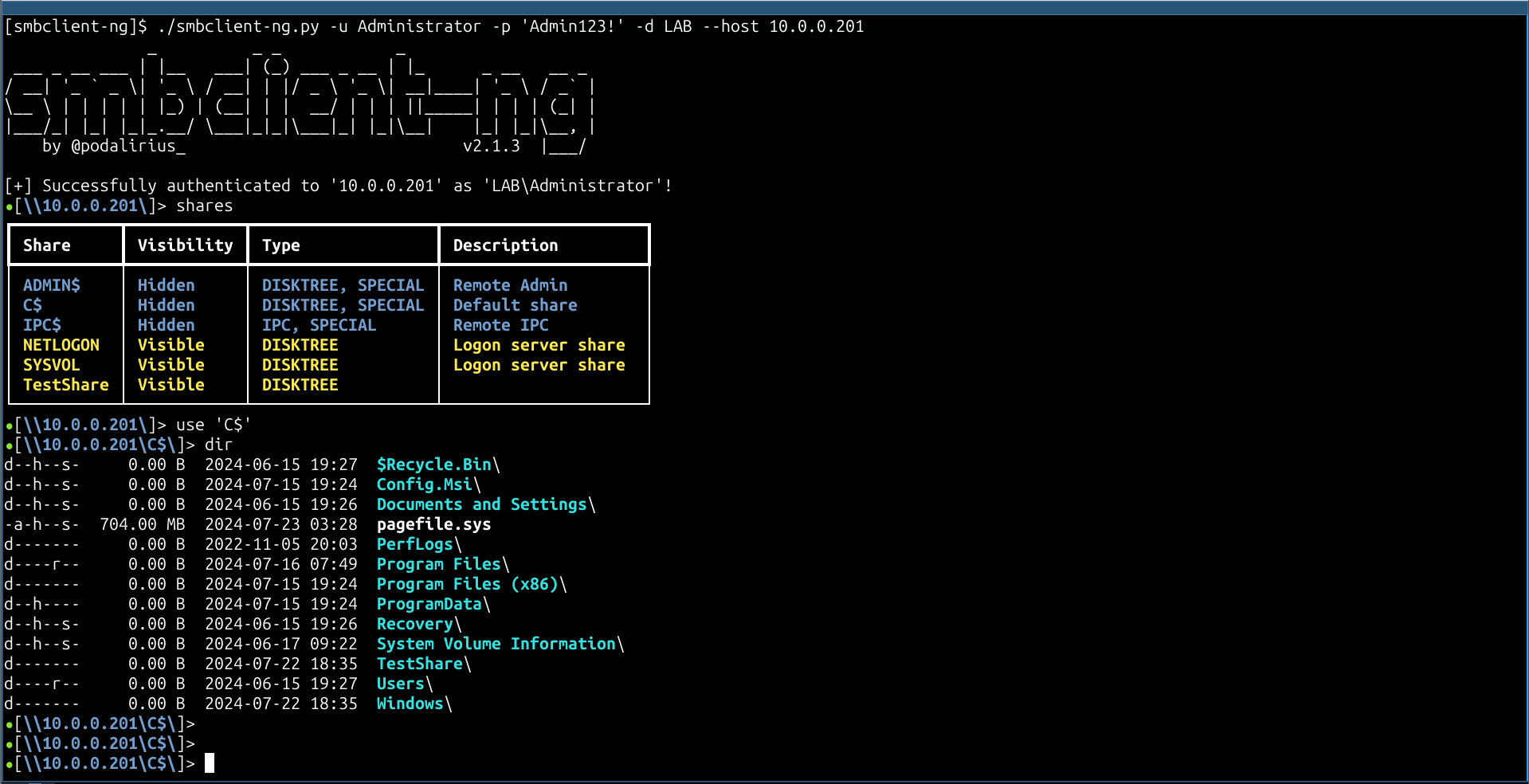
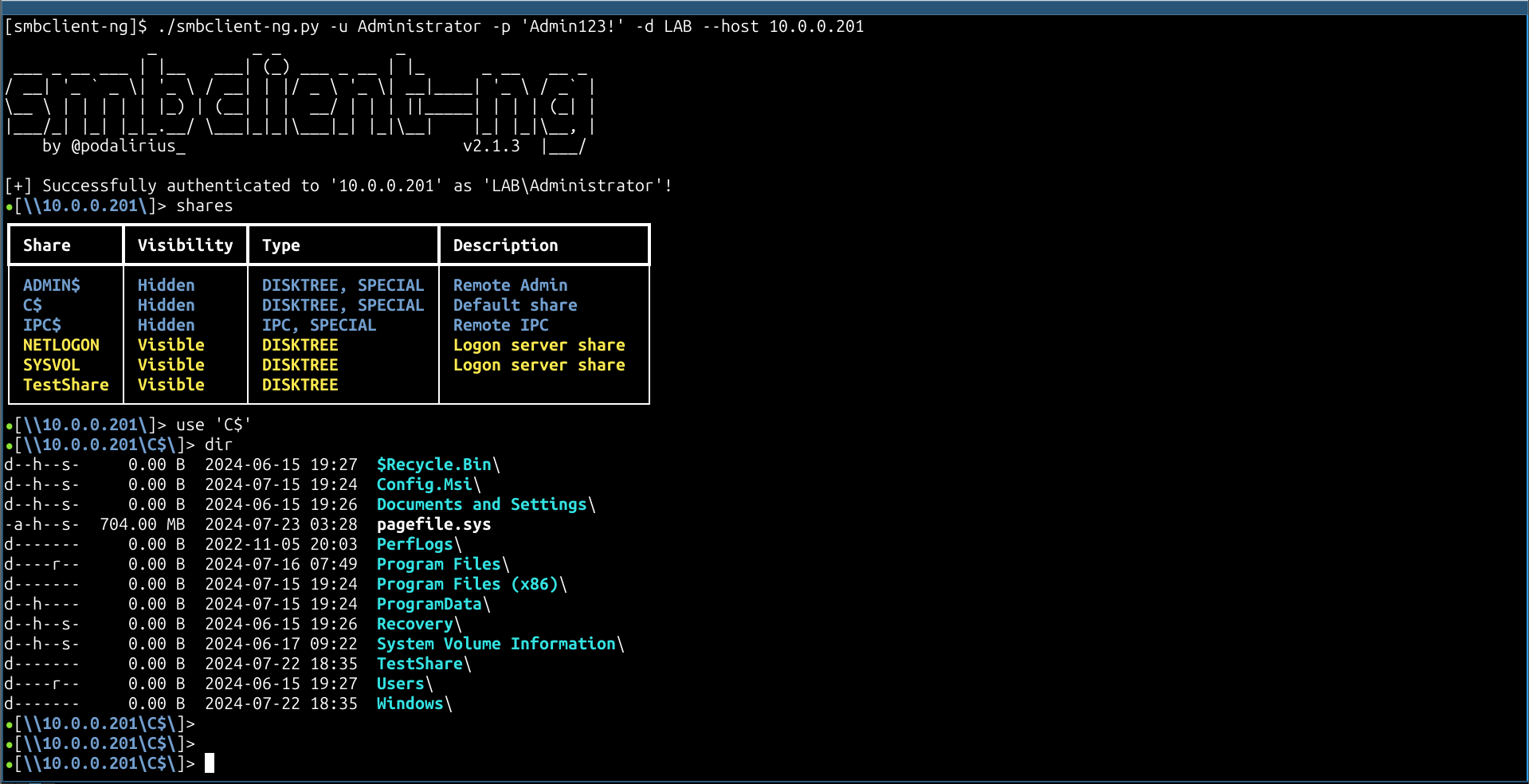
smbclient-ng -d "LAB" -u "Administrator" -p 'Admin123!' --host "10.0.0.201"
Pull Request는 언제나 환영합니다. 다른 기능을 추가하고 싶다면 이슈를 열어 주세요.
