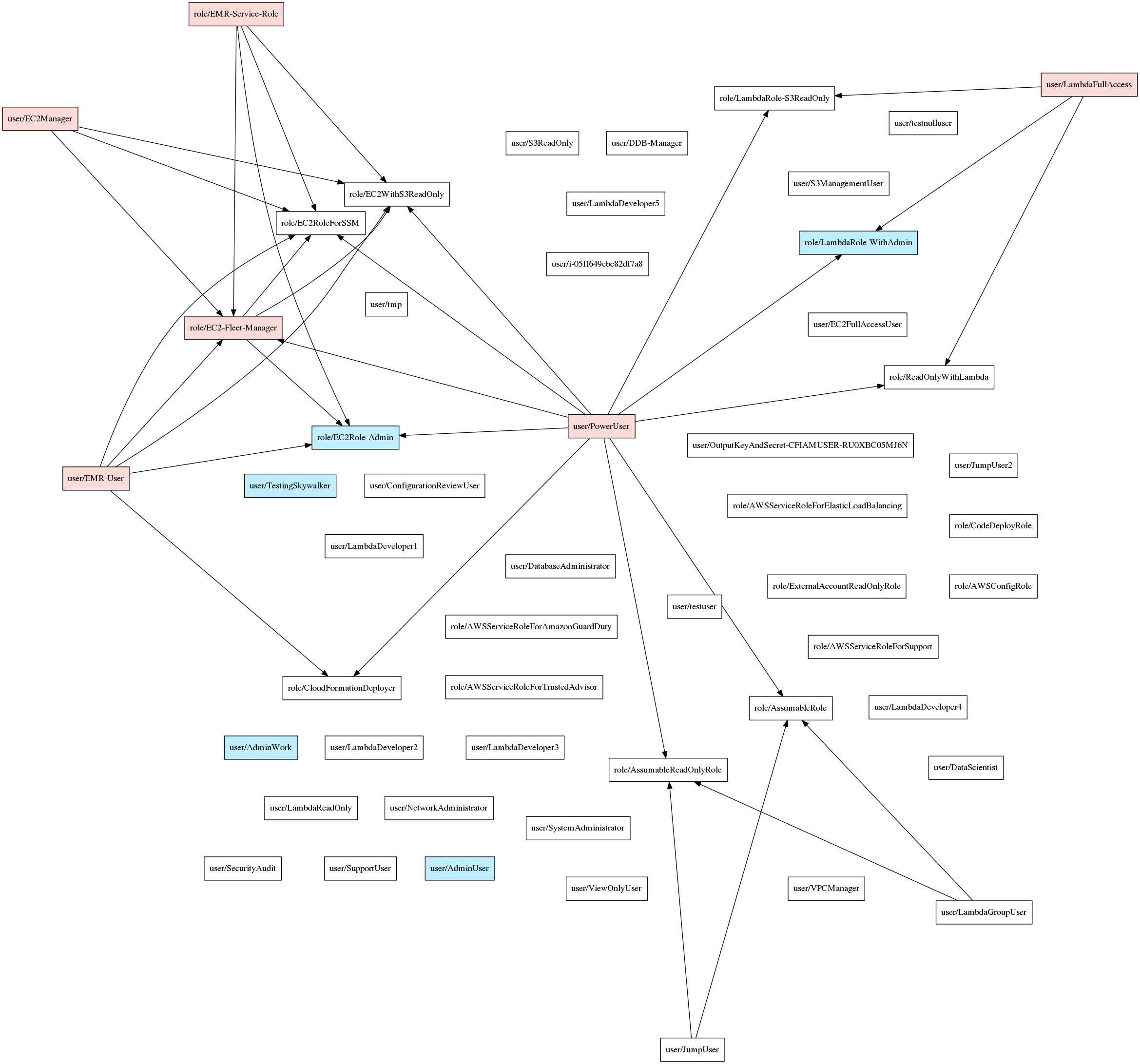

AWS에서 IAM 권한을 빠르게 평가하는 도구입니다.
Principal Mapper (PMapper)는 AWS 계정 또는 AWS 조직의 AWS Identity and Access Management (IAM) 구성에서 위험을 식별하기 위한 스크립트 및 라이브러리입니다. 계정 내의 다양한 IAM 사용자 및 역할을 방향 그래프로 모델링하여 권한 상승 및 공격자가 AWS의 리소스나 작업에 접근하기 위해 취할 수 있는 대체 경로를 확인할 수 있습니다.
PMapper는 AWS의 권한 부여 동작을 로컬에서 시뮬레이션하는 쿼리 메커니즘을 포함합니다. 특정 작업/리소스에 대한 접근 권한이 있는지 확인하는 쿼리를 실행할 때, PMapper는 사용자나 역할이 해당 작업/리소스에 접근 권한이 있는 다른 사용자나 역할에 접근할 수 있는지도 확인합니다. 이는 사용자가 S3 객체를 읽을 권한은 없지만 S3 객체를 읽을 수 있는 EC2 인스턴스를 실행할 수 있는 시나리오와 같은 경우를 포착합니다.
추가 정보는 프로젝트 위키에서 확인할 수 있습니다.
Principal Mapper는 botocore 라이브러리와 Python 3.5+를 사용하여 빌드되었습니다. 또한 pydot (pip에서 사용 가능) 및 graphviz (Windows, macOS, Linux에서 https://graphviz.org/ 에서 사용 가능)가 필요합니다.
pip install principalmapper
리포지토리를 클론합니다:
git clone [email protected]:nccgroup/PMapper.git
그런 다음 Pip으로 설치합니다:
cd PMapper
pip install .
(소스에서 클론한 후)
cd PMapper
docker build -t $TAG .
docker run -it $TAG
docker run ... 호출 시 -e|--env 또는 --env-file을 사용하여 자격 증명을 위한 AWS_* 환경 변수를 전달하거나, -v를 사용하여 ~/.aws/ 디렉토리를 마운트하고 AWS_CONFIG_FILE 및 AWS_SHARED_CREDENTIALS_FILE 환경 변수를 사용할 수 있습니다. 현재 Dockerfile은 pmapper -h가 준비된 셸과 함께 graphviz가 이미 설치된 상태로 제공됩니다.
명령줄을 통해 PMapper를 사용하는 방법에 대한 자세한 내용은 위키의 시작 페이지를 참조하세요. 모든 명령줄 기능 및 라이브러리 코드에 대한 전체 세부 정보를 제공하는 페이지도 있습니다.
다음은 간단한 예시입니다:
# Create a graph for the account, accessed through AWS CLI profile "skywalker"
pmapper --profile skywalker graph create
# [... graph-creation output goes here ...]

# Run a query to see who can make IAM Users
$ pmapper --profile skywalker query 'who can do iam:CreateUser'
# [... query output goes here ...]

# Run a query to see who can launch a big expensive EC2 instance, aside from "admin" users
$ pmapper --account 000000000000 argquery -s --action 'ec2:RunInstances' --condition 'ec2:InstanceType=c6gd.16xlarge'
# [... query output goes here ...]

# Run the privilege escalation preset query, skip reporting current "admin" users
$ pmapper --account 000000000000 query -s 'preset privesc *'
# [... privesc report goes here ...]

# Create an SVG representation of the admins/privescs/inter-principal access
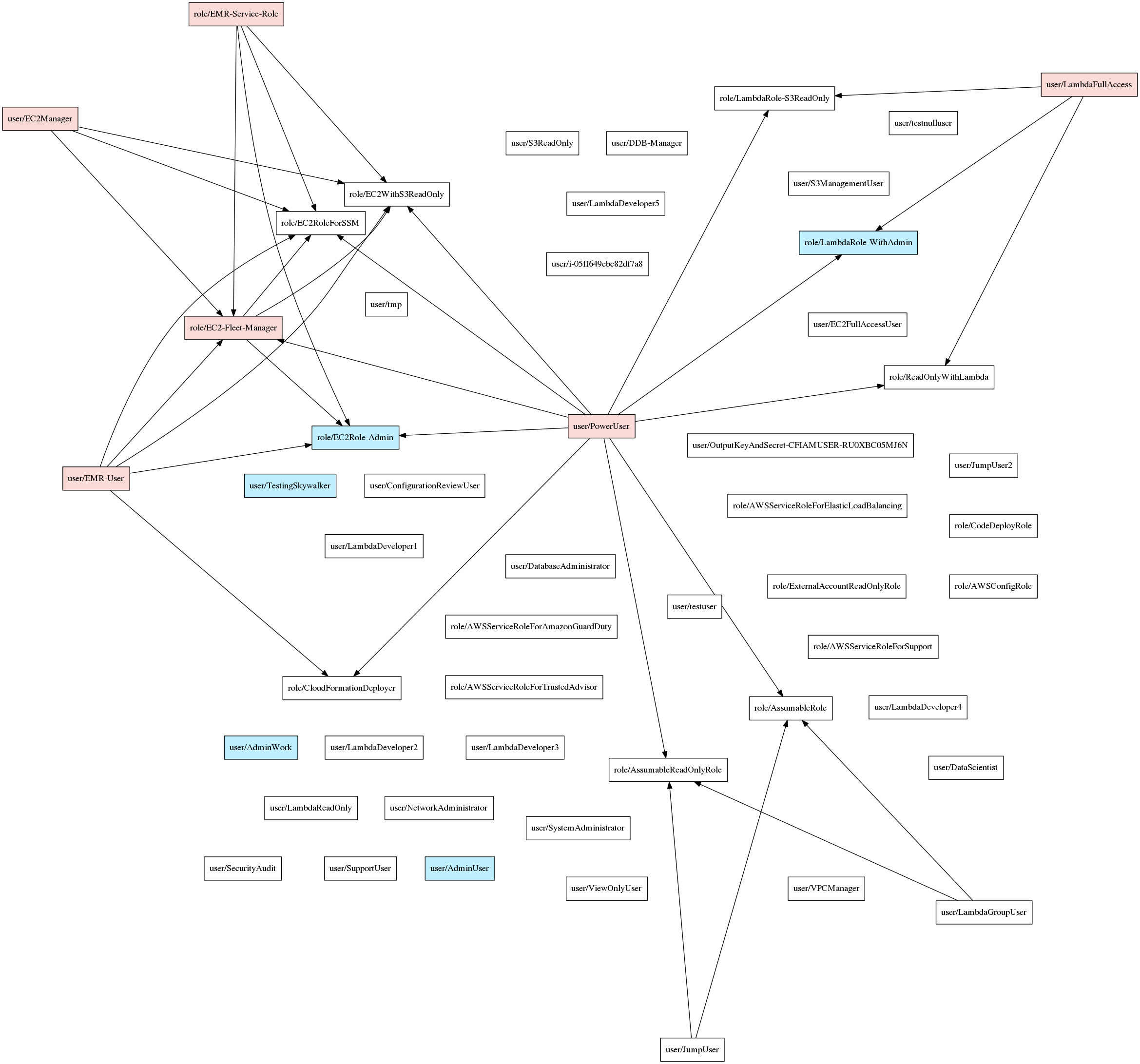
$ pmapper --account 000000000000 visualize --filetype svg
# [... information output goes here, file created ...]
--profile 사용에 유의하세요. 이는 AWS CLI와 동일하게 작동합니다. 또한 query/argquery/visualize 호출 시 --account 인수를 사용하면 작업할 계정을 확인하는 과정을 건너뛸 수 있습니다 (그렇지 않으면 PMapper가 이를 확인하기 위해 API 호출을 합니다).
시각화 예시:
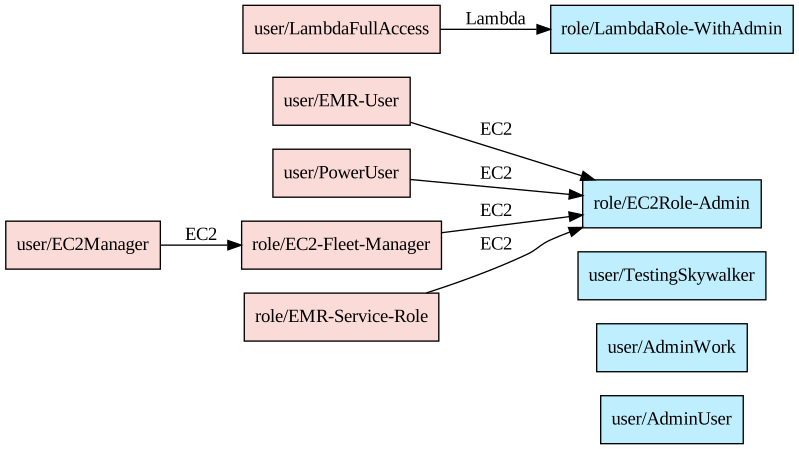
그리고 --only-privesc 사용 시:
언제나 환영하며 감사드립니다. 시작하기 전에 이슈를 통해 조율하고, 현재 개발 브랜치(일반적으로 vX.Y.Z-dev 형태)를 대상으로 풀 리퀘스트를 보내주세요.
Copyright (c) NCC Group and Erik Steringer 2019. This file is part of Principal Mapper.

  Principal Mapper is free software: you can redistribute it and/or modify
  it under the terms of the GNU Affero General Public License as published by
  the Free Software Foundation, either version 3 of the License, or
  (at your option) any later version.

  Principal Mapper is distributed in the hope that it will be useful,
  but WITHOUT ANY WARRANTY; without even the implied warranty of
  MERCHANTABILITY or FITNESS FOR A PARTICULAR PURPOSE.  See the
  GNU Affero General Public License for more details.

  You should have received a copy of the GNU Affero General Public License
  along with Principal Mapper.  If not, see <https://www.gnu.org/licenses/>.

