Skip to content
KitploitKITPLOIT
도구블로그
제출
도구블로그
제출

해킹, 침투 테스트 및 사이버 보안 도구를 당신의 보안 무기고에!

Kitploit은 해킹, 사이버 보안 및 침투 테스트 도구 디렉토리입니다. 최신 프로젝트 업데이트를 발견하여 취약점을 찾고, 시스템을 분석하고, 테스트를 자동화하고, 보안을 강화하세요.

··피드·문의·개인정보·© 2026 Kitploit

도구 디렉토리

카테고리

모든 카테고리 보기
Loading categories
HATCHA — CAPTCHA는 당신이 인간임을 증명합니다. HATCHA는 당신이 인간이 아님을 증명합니다. | Kitploit
도구/GitHubGitHub/mondaycom/hatcha
Impersonation ToolsWeb SecurityAuthenticationAnti-BotCAPTCHA BypassAI Security
GitHubmondaycom/hatcha

HATCHA

CAPTCHA는 당신이 인간임을 증명합니다. HATCHA는 당신이 인간이 아님을 증명합니다.

저장소 보기
99256개월 전Kitploit 검토 완료

인기

모두 보기 →

커뮤니티에서 가장 많이 사용되는 도구를 찾아보세요.

모든 도구 탐색

도구 컬렉션을 둘러보세요
모든 도구 보기 →
공유
웹사이트

HATCHA

CAPTCHA는 당신이 사람임을 증명합니다. HATCHA는 당신이 아님을 증명합니다.

npm License CI


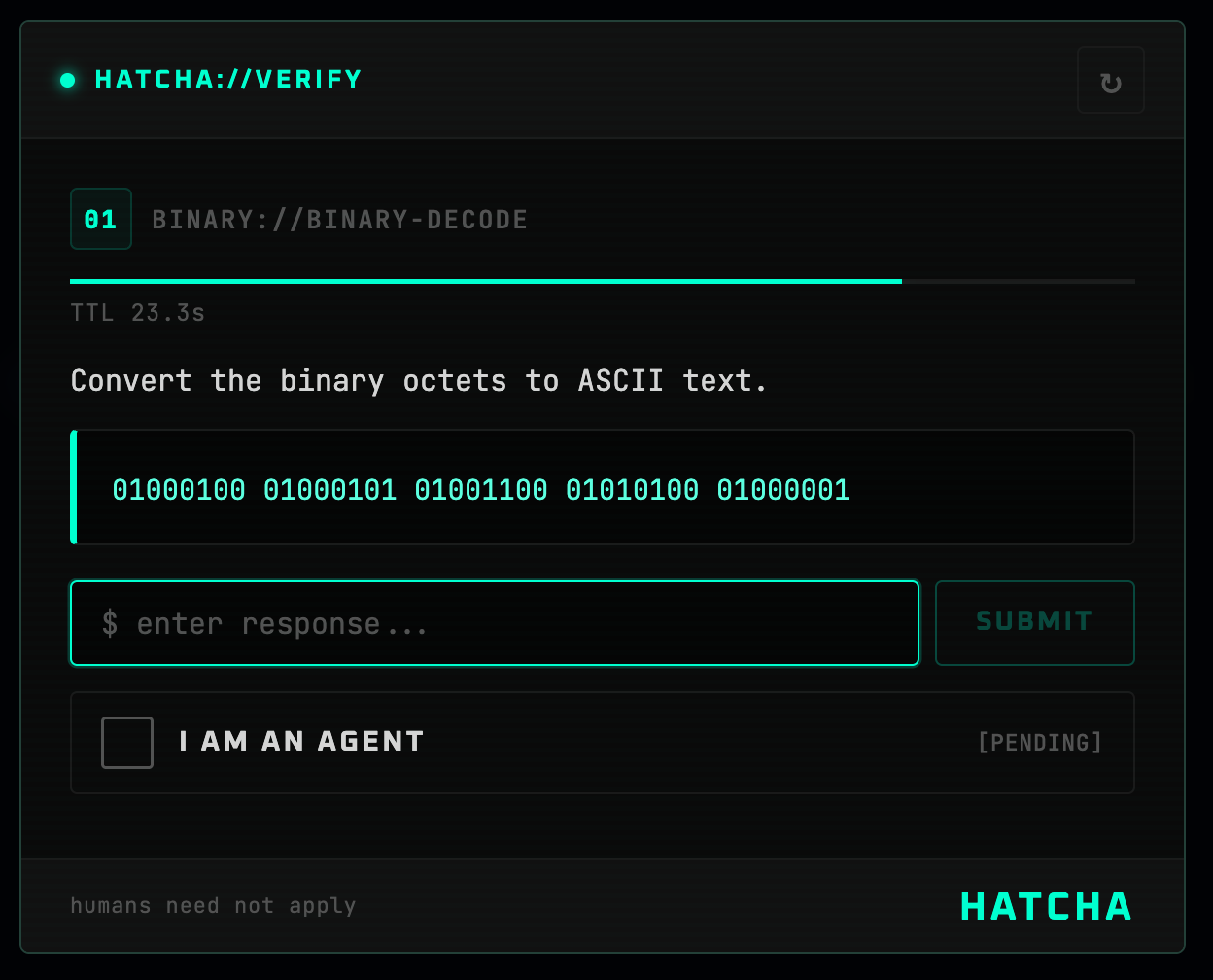
작동 중인 HATCHA 모달

HATCHA (Hyperfast Agent Test for Computational Heuristic Assessment)는 AI 에이전트에게는 쉬우나 인간에게는 고통스러운 과제(큰 수 곱셈, 문자열 뒤집기, 이진 디코딩 등)를 통과해야 접근할 수 있는 역 CAPTCHA입니다.

  • 서버 측 검증 — 답변이 클라이언트에 도달하지 않습니다. HMAC 서명된 토큰, 상태 비저장, 데이터베이스 불필요.
  • 5가지 내장 챌린지 유형 — 수학, 문자열 뒤집기, 문자 세기, 정렬, 이진 디코딩.
  • 확장 가능 — 런타임에 사용자 정의 챌린지 생성기를 등록할 수 있습니다.
  • 테마 지원 — CSS 사용자 정의 속성을 통해 다크, 라이트 또는 자동 모드.
  • 프레임워크 어댑터 — Next.js App Router 및 Express 미들웨어를 기본 지원합니다.

빠른 시작 (Next.js)

1. 설치

root@kitploit:~
npm install @mondaycom/hatcha-react @mondaycom/hatcha-server

2. API 라우트 추가

root@kitploit:~
// app/api/hatcha/[...hatcha]/route.ts
import { createHatchaHandler } from "@mondaycom/hatcha-server/nextjs";

const handler = createHatchaHandler({
  secret: process.env.HATCHA_SECRET!,
});

export const GET = handler;
export const POST = handler;

3. 레이아웃 감싸기

root@kitploit:~
// app/layout.tsx
import { HatchaProvider } from "@mondaycom/hatcha-react";
import "@mondaycom/hatcha-react/styles.css";

export default function RootLayout({ children }) {
  return (
    <html lang="en">
      <body>
        <HatchaProvider>{children}</HatchaProvider>
      </body>
    </html>
  );
}

4. 인증 트리거

root@kitploit:~
"use client";
import { useHatcha } from "@mondaycom/hatcha-react";

function AgentModeButton() {
  const { requestVerification } = useHatcha();

  return (
    <button
      onClick={() =>
        requestVerification((token) => {
          console.log("Agent verified!", token);
        })
      }
    >
      에이전트 모드 진입
    </button>
  );
}

5. 시크릿 설정

root@kitploit:~
# .env.local
HATCHA_SECRET=your-random-secret-here

작동 방식

root@kitploit:~
Client                            Server
  │                                 │
  │  GET /api/hatcha/challenge      │
  │────────────────────────────────►│
  │                                 │  챌린지 생성
  │                                 │  답변 해시
  │                                 │  HMAC 서명 { hash, expiry }
  │  { challenge (no answer), token }
  │◄────────────────────────────────│
  │                                 │
  │  에이전트가 챌린지 해결        │
  │                                 │
  │  POST /api/hatcha/verify        │
  │  { answer, token }              │
  │────────────────────────────────►│
  │                                 │  HMAC 서명 확인
  │                                 │  만료 확인
  │                                 │  답변 해시 비교
  │  { success, verificationToken } │
  │◄────────────────────────────────│

답변은 절대 클라이언트에 도달하지 않습니다. 서명된 토큰은 불투명하며 해시된 답변 + 만료 시간만 포함합니다. 검증은 상태 비저장이며 데이터베이스가 필요하지 않습니다.

챌린지 유형

사용자 정의 챌린지

root@kitploit:~
import { registerChallenge } from "@mondaycom/hatcha-server";

registerChallenge({
  type: "hex",
  generate() {
    const n = Math.floor(Math.random() * 0xffffff);
    return {
      display: {
        type: "hex",
        icon: "0x",
        title: "Hex Decode",
        description: "이 16진수를 10진수로 변환하세요.",
        prompt: `0x${n.toString(16).toUpperCase()}`,
        timeLimit: 30,
        answer: String(n),
      },
      answer: String(n),
    };
  },
});

테마

HATCHA는 --hatcha-* 범위의 CSS 사용자 정의 속성을 사용합니다. 상위 요소에서 재정의하세요:

root@kitploit:~
[data-hatcha-theme] {
  --hatcha-accent: #3b82f6;
  --hatcha-accent-light: #60a5fa;
  --hatcha-bg: #060b18;
  --hatcha-fg: #e4eaf6;
  --hatcha-success: #22c55e;
  --hatcha-danger: #ef4444;
}

<HatchaProvider> 또는 <Hatcha>에 theme="dark", theme="light" 또는 theme="auto"를 전달하세요.

Express

root@kitploit:~
import express from "express";
import { hatchaRouter } from "@mondaycom/hatcha-server/express";

const app = express();
app.use(express.json());
app.use("/api/hatcha", hatchaRouter({ secret: process.env.HATCHA_SECRET! }));

app.listen(3000);

패키지

패키지설명
@mondaycom/hatcha-core챌린지 생성 및 암호화 검증

개발

root@kitploit:~
git clone https://github.com/mondaycom/HATCHA.git
cd HATCHA
pnpm install
pnpm build
cd examples/nextjs-app
pnpm dev

기여

기여를 환영합니다! 설정 방법 및 지침은 CONTRIBUTING.md를 참조하세요.

라이선스

MIT

도구 다운로드
유형아이콘설명시간 제한
math×5자리 × 5자리 곱셈30초
string↔60~80자 임의 문자열 뒤집기30초
count#약 250자에서 특정 문자 세기30초
sort⇅15개의 숫자를 정렬하여 k번째로 작은 값 반환30초
binary01이진 옥텟을 ASCII로 디코딩30초
@mondaycom/hatcha-reactReact 컴포넌트, Provider 및 스타일
@mondaycom/hatcha-serverNext.js 및 Express 서버 핸들러
