 mhaskar/exchangefinder
주어진 도메인에 대한 Microsoft Exchange 인스턴스를 찾고 정확한 버전을 식별합니다


ExchangeFinder는 주어진 도메인에 대해 Microsoft Exchange 인스턴스를 찾기 위해 상위 공통 DNS 이름을 기반으로 하는 간단한 오픈 소스 도구입니다.
ExchangeFinder는 Microsoft Exchange 4.0부터 Microsoft Exchange Server 2019까지의 정확한 Microsoft Exchange 버전을 식별할 수 있습니다.
ExchangeFinder는 먼저 Exchange 서버에 일반적으로 사용되는 서브도메인을 확인하려고 시도한 다음, 서버가 보낸 응답의 내용을 분석하기 위해 몇 가지 HTTP 요청을 보내 해당 서버가 Microsoft Exchange를 사용하는지 여부를 식별합니다.
현재 이 도구는 Microsoft Exchange 4.0부터 Microsoft Exchange Server 2019까지의 모든 버전에 대한 시그니처를 가지고 있으며, Exchange가 X-OWA-Version 헤더를 통해 보낸 빌드 버전을 기반으로 정확한 버전을 식별할 수 있습니다.
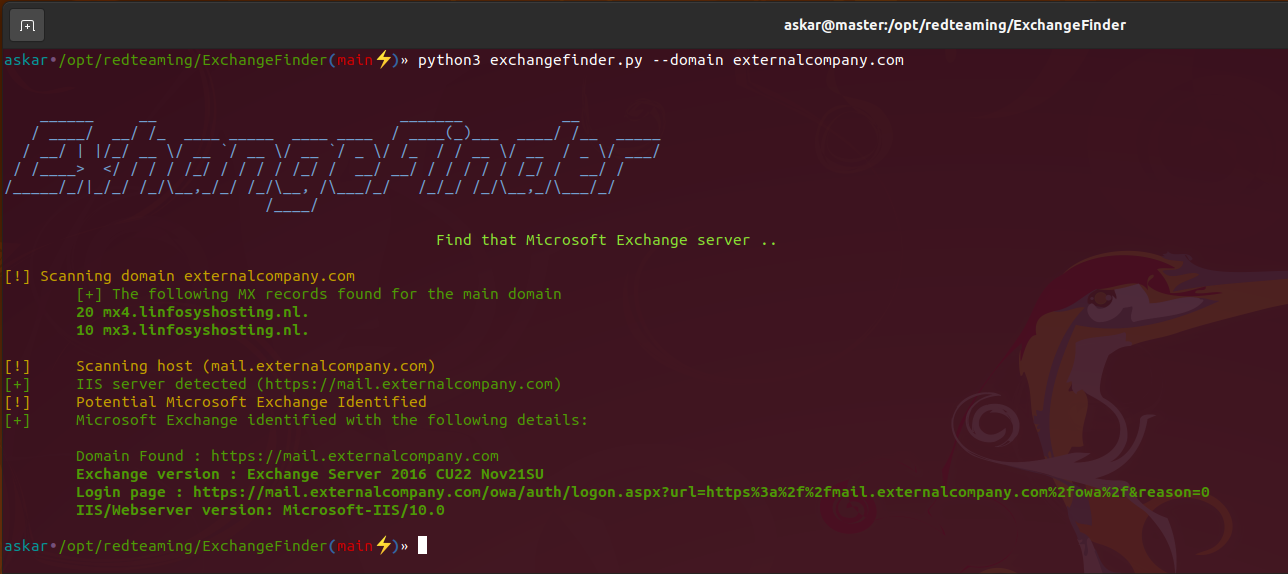
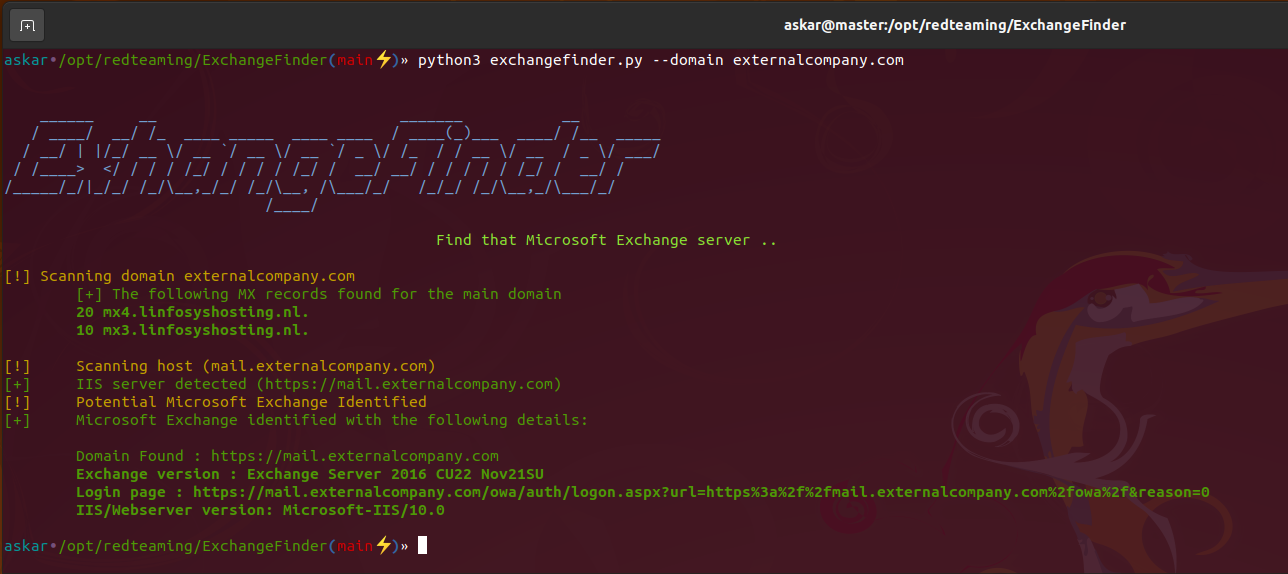
도구가 유효한 Microsoft Exchange 인스턴스를 발견하면 다음 결과를 반환합니다:
다음 명령을 사용하여 최신 버전의 ExchangeFinder를 클론하세요:
git clone https://github.com/mhaskar/ExchangeFinder
그런 다음 poetry install 명령을 사용하여 모든 요구 사항을 설치하세요.
┌──(kali㉿kali)-[~/Desktop/ExchangeFinder]
└─$ poetry install                                                                                                                   1 ⨯
Installing dependencies from lock file


Package operations: 15 installs, 0 updates, 0 removals

  • Installing pyparsing (3.0.9)
  • Installing attrs (22.1.0)
  • Installing certifi (2022.6.15)
  • Installing charset-normalizer (2.1.1)
  • Installing idna (3.3)
  • Installing more-itertools (8.14.0)
  • Installing packaging (21.3)
  • Installing pluggy (0.13.1)
  • Installing py (1.11.0)
  • Installing urllib3 (1.26.12)
  • Installing wcwidth (0.2.5)
  • Installing dnspython (2.2.1)
  • Installing pytest (5.4.3)
  • Installing requests (2.28.1)
  • Installing termcolor (1.1.0)

Installing the current project: ExchangeFinder (0.1.0)

┌──(kali㉿kali)-[~/Desktop/ExchangeFinder]
┌──(kali㉿kali)-[~/Desktop/ExchangeFinder]
└─$ python3 exchangefinder.py


    ______     __                           _______           __
   / ____/  __/ /_  ____ _____  ____ ____  / ____(_)___  ____/ /__  _____
  / __/ | |/_/ __ \/ __ `/ __ \/ __ `/ _ \/ /_  / / __ \/ __  / _ \/ ___/
 / /____>  </ / / / /_/ / / / / /_/ /  __/ __/ / / / / / /_/ /  __/ /
/_____/_/|_/_/ /_/\__,_/_/ /_/\__, /\___/_/   /_/_/ /_/\__,_/\___/_/
                             /____/

                                                Find that Microsoft Exchange server ..

[-] Please use --domain or --domains option

┌──(kali㉿kali)-[~/Desktop/ExchangeFinder]
└─$
도움말 배너를 보려면 -h 옵션을 사용할 수 있습니다:
askar•/opt/redteaming/ExchangeFinder(main⚡)» python3 exchangefinder.py -h


    ______     __                           _______           __
   / ____/  __/ /_  ____ _____  ____ ____  / ____(_)___  ____/ /__  _____
  / __/ | |/_/ __ \/ __ `/ __ \/ __ `/ _ \/ /_  / / __ \/ __  / _ \/ ___/
 / /____>  </ / / / /_/ / / / / /_/ /  __/ __/ / / / / / /_/ /  __/ /
/_____/_/|_/_/ /_/\__,_/_/ /_/\__, /\___/_/   /_/_/ /_/\__,_/\___/_/
                             /____/

                                                Find that Microsoft Exchange server ..

usage: exchangefinder.py [-h] [--domain DOMAIN] [--domains DOMAINS] [--useragent USERAGENT] [--output OUTPUT] [--verbose]

DNSStager main parser

optional arguments:
  -h, --help            show this help message and exit
  --domain DOMAIN       The target domain you want to scan (example.com)
  --domains DOMAINS     Path to domains file you want to scan (domains.txt)
  --useragent USERAGENT
                        Useragent to use, the default is "Mozilla/5.0 (Windows NT 10.0; Win64; x64) AppleWebKit/537.36 (KHTML, like Gecko) Chrome/104.0.0.0 Safari/537.36."
  --output OUTPUT       Export results to given .csv file
  --verbose             Show detailed output
askar•/opt/redteaming/ExchangeFinder(main⚡)»
단일 도메인을 스캔하려면 다음과 같이 --domain 옵션을 사용하세요:
askar•/opt/redteaming/ExchangeFinder(main⚡)» python3 exchangefinder.py --domain dummyexchangetarget.com


    ______     __                           _______           __
   / ____/  __/ /_  ____ _____  ____ ____  / ____(_)___  ____/ /__  _____
  / __/ | |/_/ __ \/ __ `/ __ \/ __ `/ _ \/ /_  / / __ \/ __  / _ \/ ___/
 / /____>  </ / / / /_/ / / / / /_/ /  __/ __/ / / / / / /_/ /  __/ /
/_____/_/|_/_/ /_/\__,_/_/ /_/\__, /\___/_/   /_/_/ /_/\__,_/\___/_/
                             /____/

                                                Find that Microsoft Exchange server ..

[!] Scanning domain dummyexchangetarget.com
	[+] The following MX records found for the main domain
	10 mx01.dummyexchangetarget.com.

[!] 	Scanning host (mail.dummyexchangetarget.com)
[+] 	IIS server detected (https://mail.dummyexchangetarget.com)
[!] 	Potential Microsoft Exchange Identified
[+] 	Microsoft Exchange identified with the following details:

	Domain Found : https://mail.dummyexchangetarget.com
	Exchange version : Exchange Server 2016 CU22 Nov21SU
	Login page : https://mail.dummyexchangetarget.com/owa/auth/logon.aspx?url=https%3a%2f%2fmail.dummyexchangetarget.com%2fowa%2f&reason=0
	IIS/Webserver version: Microsoft-IIS/10.0

[!] 	Scanning host (autodiscover.dummyexchangetarget.com)
[+] 	IIS server detected (https://autodiscover.dummyexchangetarget.com)
[!] 	Potential Microsoft Exchange Identified
[+] 	Microsoft Exchange identified with the following details:

	Domain Found : https://autodiscover.dummyexchangetarget.com
	Exchange version : Exchange Server 2016 CU22 Nov21SU
	Login page : https://autodiscover.dummyexchangetarget.com/owa/auth/logon.aspx?url=https%3a%2f%2fautodiscover.dummyexchangetarget.com%2fowa%2f&reason=0
	IIS/Webserver version: Microsoft-IIS/10.0

askar•/opt/redteaming/ExchangeFinder(main⚡)»
여러 도메인(대상)을 스캔하려면 --domains 옵션을 사용하여 다음과 같이 파일을 선택하세요:
askar•/opt/redteaming/ExchangeFinder(main⚡)» python3 exchangefinder.py --domains domains.txt
