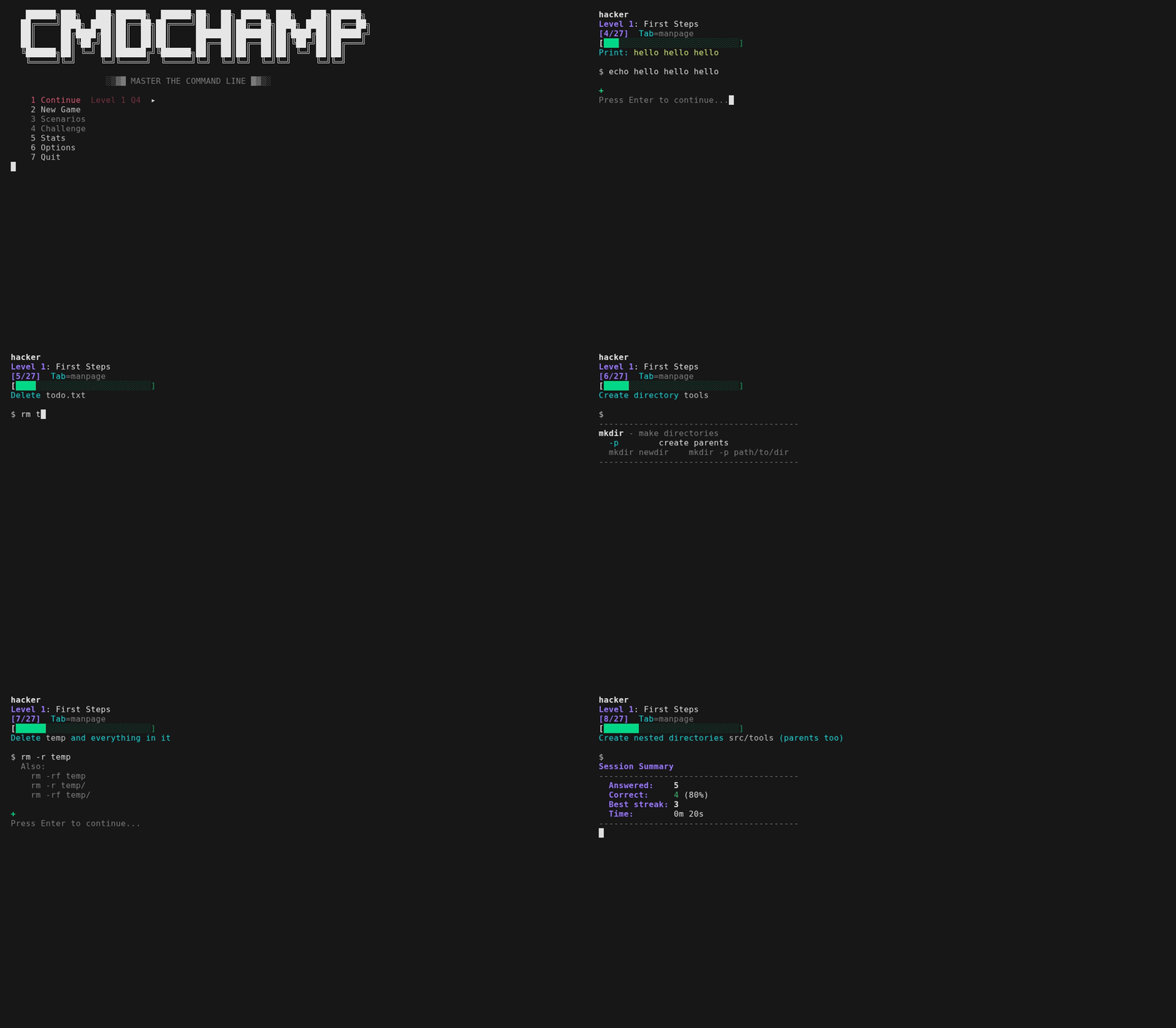


bash CLI 트레이너 — ls부터 권한 상승까지 30단계
Bash CLI 트레이너 — ls부터 권한 상승까지 30개 레벨.
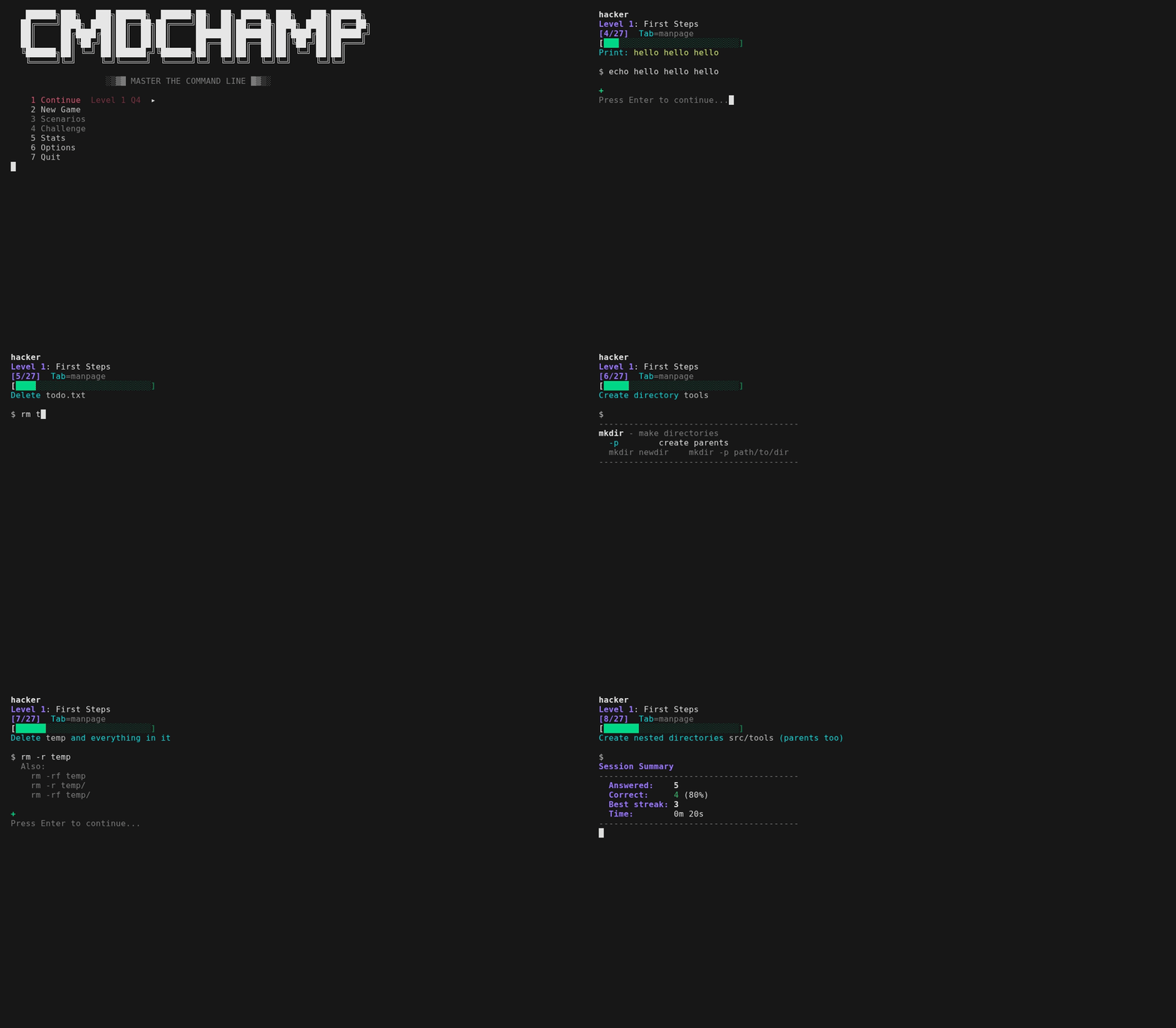
모든 질문은 실제 명령어를 입력하도록 요구합니다 — 즉각적인 피드백을 받고 다음으로 넘어가세요. 틀리면 단순히 답을 보여주지 않습니다: 여러분의 명령어가 출력한 결과와 원하는 결과를 비교해 보여주고, 파이프라인의 경우 각 단계의 줄 수를 보여줘서 어디서 실패했는지 알 수 있습니다. 텍스트 매칭 질문의 경우 여러분의 답에 가장 가까운 정답과 빠뜨린 정확한 플래그를 알려줍니다. 긴 방법으로 맞추면 짧은 방법도 보여줍니다 — cat f | grep -c X는 Shorter: grep -c X f를 얻습니다. 이는 더 적은 문자뿐 아니라 더 적은 파이프라인 단계에서도 트리거됩니다. 절약한 프로세스가 교훈이기 때문입니다. 많은 질문이 샌드박스의 실제 파일을 대상으로 실행되며, 모든 질문은 여러 유효한 문법을 허용합니다 (sort -u 또는 sort | uniq). 참조가 필요할 때 Tab으로 manpage를 토글할 수 있습니다 — 답변이 실행하는 모든 명령어에 대한 요약 페이지와 함께 의존하는 셸 문법 (x=$(cmd), ${var:-default}, ${path##*/})도 제공되므로 질문의 어떤 것도 추측할 필요가 없습니다. 실행 순서는 매번 무작위화되어 암기할 수 없습니다. 마스터리 시스템은 아는 것을 추적합니다: 질문을 두 번 맞추면 마스터하고, 틀리면 강등되어 더 빨리 다시 나타납니다. 5연속 정답은 파이어 모드를 트리거합니다 — 틀릴 때까지 계속되는 배너입니다.
각 레벨은 보스 라운드로 끝납니다 — manpage 없음, 30초 타이머, 4/5 통과. 실패하면 보스를 즉시 재도전하거나 연습으로 돌아갈 수 있습니다. 30개를 모두 이기면 챌린지 모드가 잠금 해제됩니다 — 최종 관문: 게임 전체의 도구를 하나의 파이프라인으로 구성하는 다중 명령어 체인. 각 30초, 목숨 하나, manpage 없음, 최고 점수가 기록입니다. 모든 체인은 샌드박스의 실제 출력으로 평가되므로 어떤 올바른 파이프라인이든 통과합니다. 각 실행은 또한 새로운 무작위 샌드박스를 구축합니다 — 다른 IP, 카운트, 호스트, 로그 데이터 — 그리고 회전하는 구분자, 정렬 순서, 집계를 가진 50개 이상의 체인 템플릿에서 추출하므로 가장 바쁜 IP, 최고 URL, 최고 카운트가 두 번 같지 않습니다. 첫 실행에는 짧은 튜토리얼과 이미 아는 레벨을 건너뛸 수 있는 배치 테스트가 포함됩니다.
bubblewrap을 사용하면 명령어가 실제 샌드박스 파일시스템에서 실행되고 실제 출력으로 평가됩니다. 내부 상자는 합성입니다 — 사용자 sandbox, 호스트 sandbox, 자체 /etc/passwd 및 커널 명령줄 — 따라서 입력하는 어떤 것도 실제 사용자 이름, 머신 이름 또는 디스크 레이아웃을 화면에 출력할 수 없으며, id, whoami, hostname은 어디서나 동일하게 응답합니다. 이제 포렌식 티어에도 적용됩니다: 레벨 28은 실제 샘플 바이너리(samples/target.bin)를 제공하고 플래그, 외부 유출 도메인, 유출된 API 키를 실제로 추출했는지 평가합니다 — 실제 JSON에 대한 jq 질문도 동일합니다. 최종 관문은 이러한 추출을 시간 제한 체인으로 구성합니다. 레벨 24-25도 이제 실제로 실행됩니다: 답변이 실행되는 동안 샌드박스 자체 네트워크 네임스페이스 내부의 localhost:8080에서 작은 HTTP 서비스가 시작되고, 세 개의 포트가 수신 대기하므로 curl, HTTP를 통한 jq, ss, nmap이 실제 반환한 내용으로 평가됩니다. 여러분의 머신에는 아무것도 노출되지 않습니다 — 네임스페이스가 여전히 모든 외부 연결을 차단하고 포트는 외부에서 보이지 않습니다. 샌드박스에서 실제로 실행할 수 없는 도구(wifi/RF, 실시간 캡처, 대용량 메모리/디스크 포렌식)만 텍스트 매칭으로 유지됩니다. 검색 레벨(16-17)은 rg/fd와 grep/find 문법을 모두 허용합니다. Vi 줄 편집이 내장되어 있습니다 — 모션, 연산자, 카운트, 레지스터, 실행 취소, 비주얼 모드(v/V, 끝 전환 o), 전체 맵은 ?로 확인할 수 있습니다.
Arch (AUR):
paru -S cmdchamp # 또는: yay -S cmdchamp
어디서나 (단일 파일):
mkdir -p ~/.local/bin && curl -sL https://raw.githubusercontent.com/mellen9999/cmdchamp/main/cmdchamp -o ~/.local/bin/cmdchamp && chmod +x ~/.local/bin/cmdchamp
필요시 PATH에 ~/.local/bin 추가: echo 'export PATH="$HOME/.local/bin:$PATH"' >> ~/.bashrc
또는 클론:
git clone https://github.com/mellen9999/cmdchamp.git
cd cmdchamp && make install
요구 사항: bash 4.4+, coreutils, awk
macOS: bash 3.2가 포함되어 있음 — 먼저 bash 4.4+ 설치: brew install bash
선택 사항: bubblewrap (bwrap) — 샌드박스 모드용 (Linux 전용) — 대부분의 데스크톱 배포판에 포함되어 있습니다. 없으면 답변은 텍스트 매칭만 됩니다
선택 사항: python3 — 샌드박스의 localhost HTTP 서비스를 제공하므로 레벨 24-25의 live api / live box 질문이 실제 출력으로 평가됩니다. 없으면 해당 질문은 텍스트 매칭으로 대체됩니다; 다른 것은 변경되지 않습니다
접근성: NO_COLOR 및 TERM=dumb을 지원합니다. 레이아웃은 COLUMNS / tput cols에 맞게 조정됩니다. 마스터리 바는 색상과 ✓ / ~ / x 기호를 모두 표시합니다 — 색상 없이도 읽을 수 있습니다.
터미널: 에뮬레이터뿐만 아니라 실제 직렬 터미널에서도 실행됩니다. cmdchamp는 터미널이 실제로 표시할 수 있는 것을 탐지하고 세 가지 렌더링 계층 중 하나를 선택합니다 — 유니코드, DEC ACS 선 그리기, 또는 순수 ASCII — 따라서 VT100/VT220/VT320/VT420 또는 Wyse에서도 프레임이 유지됩니다. 모노크롬 화면에서는 색상 구분이 굵게/반전으로 재인코딩됩니다. CMDCHAMP_ASCII=1 또는 CMDCHAMP_UNICODE=1로 계층을 강제할 수 있습니다. ./test_terminals.sh가 이를 검증합니다.
cmdchamp                # 게임 메뉴 실행
cmdchamp explain 'CMD'  # 모든 명령어 설명 - 모든 플래그와 주변 셸 문법
cmdchamp autopsy        # 자신의 셸 히스토리를 읽고 커리큘럼에 매핑
cmdchamp daily          # 오늘의 데일리 건틀릿 플레이 (모두에게 동일한 실행)
cmdchamp daily 2026-02-16   # 특정 날짜의 실행 다시 플레이 (친구와 경쟁)
cmdchamp play           # 자유 플레이 샌드박스: 아무 명령어나 입력하고 실행 확인
cmdchamp --no-sandbox   # 샌드박스 비활성화 (텍스트 매칭 전용)
cmdchamp reset          # 모든 진행 상황 초기화
cmdchamp test           # 자체 테스트 실행
cmdchamp version        # 버전 출력
cmdchamp help           # 도움말 표시
cmdchamp explain (또는 cmdchamp x)은 독립 도구로 사용되는 Tab 패널입니다: 약 300개 명령어에 대한 수제 페이지와 주변 셸 문법, 오프라인, 네트워크 없음, 의존성 없음. 따옴표로 묶인 명령어나 단어를 받으며 둘 다 없으면 stdin을 읽습니다 — 따라서 history | tail -1 | cmdchamp x는 방금 실행한 것을 설명합니다. 명령어를 알면 종료 코드 0, 모르면 1을 반환합니다.
cmdchamp autopsy는 셸 히스토리 — $HISTFILE, 그다음 ~/.bash_history, 그다음 ~/.zsh_history, 또는 직접 지정한 파일, 또는 - (stdin) — 를 읽고 30개 레벨에 매핑합니다: 실제로 자주 사용하는 것, 각 항목 옆에 자신의 횟수와 함께 버릴 가치가 있는 습관 (cat을 grep에 연결, -print0 없는 find를 xargs에 연결, chmod 777, curl | sh), 게임이 가르치는 명령어 중 실제로 실행해 본 적이 있는 수, 그리고 공백이 있는 가장 이른 레벨. 패턴과 횟수만 출력합니다 — 히스토리에서 한 줄, 조각, 또는 "예시"도 절대 출력하지 않습니다. 히스토리에는 인수로 입력된 토큰과 비밀번호가 있기 때문입니다. 어떤 것도 머신을 떠나지 않으며 히스토리를 출력하게 하는 플래그도 없습니다.
메뉴에는 계속하기, 새 게임, 시나리오, 챌린지, 데일리, 연습, 통계, 옵션, 도움말, 종료가 고정 핫키 1-9와 0에 있습니다. 잠금 해제되지 않은 행은 숨기지 않고 회색으로 표시되므로 진행하면서 라벨 옆의 숫자가 이동하지 않습니다. j/k 또는 화살표로 이동, Enter로 선택, q (또는 Esc)로 종료. 플레이그라운드는 시나리오 목록 상단에 있습니다 — 절대 잠기지 않는 유일한 항목입니다. 도움말은 참조 자료로 세 페이지입니다: 모든 키, 각 모드의 비용과 잠금 해제 조건, 점수 및 감쇠 작동 방식, 통계 표시 의미, 답변 판정 방식, 모든 환경 변수. 첫 실행 튜토리얼은 마지막 페이지에서 한 번의 키 입력으로 접근할 수 있습니다.
데일리 (ROOT 이후)는 날짜 시드 건틀릿 실행입니다 — 시드가 체인과 무작위 샌드박스 모두를 구동하므로 모든 사람이 그날 바이트 단위로 동일한 질문 과 데이터를 받고, 점수 시도 1회, 연속 일수 스트릭, 공유 가능한 복사 가능한 점수를 얻습니다. 연습은 도달한 모든 레벨(마스터리 % 표시)을 힌트와 타이머 없이 훈련하며 메인 진행 상황에는 영향을 주지 않습니다. 플레이그라운드는 실제 셸로 분해하는 손상된 박스입니다: 누군가 침입해 사용한 후 정리하려 했고 모든 움직임이 디스크에 흔적을 남겼습니다. 명령어는 샌드박스에서 실제로 실행되며 평가되지 않습니다. 최대 8개의 flag{...} 토큰이 트리 전체에 심어져 있고(레벨을 클리어할수록 더 많이 잠금 해제), map은 침입을 단계별로 배치하고 현재 위치를 표시하며, learn은 그 뒤에 있는 8개 모듈 보안 교육 과정이고, hint는 요청할 때마다 한 단계 더 깊이 들어가며, Tab은 입력한 것을 설명합니다. 헤더는 항상 찾고 있는 단계와 그 단계가 남긴 파일을 명명하므로 명령어를 가리킬 곳 없는 프롬프트를 쳐다보지 않게 됩니다 — 그리고 아무것도 찾지 못한 채 6개 명령어가 지나가면 첫 번째 힌트가 자동으로 옵니다.
두 페이지. 첫 번째는 30개 레벨 바 — 얼마나 왔는지. 두 번째는 동일한 마스터리를 명령어에 투영한 것으로, 가장 약한 것부터 시작합니다. 레벨은 훈련하기에 너무 거친 단위이기 때문입니다: 레벨 13만 해도 cp, mv, ln, chmod, ACL, du, tar, diff를 가르치며 하나의 빨간 바가 그중 무엇을 계속 틀리는지 말할 수 없습니다. 도달한 레벨만 계산되며 그리드는 한 화면으로 제한됩니다 — 스크롤해야 하는 작업 목록은 작업 목록이 아닙니다. 그 아래에 가장 약한 세 명령어가 각각을 가르치는 레벨과 함께 명명되므로 페이지는 연습이 시작되는 곳에서 끝납니다 — 레벨 이름은 주제별이며, Batch Ops가 어디에 있는지 추측해야 한다면 xargs 0/4는 막다른 길입니다.
| # | 이름 | 초점 |
|---|---|---|
| 기초 | ||
| 1 | 첫걸음 | pwd, ls, echo, cd, mkdir |
| 2 | 파일 기초 | cp, mv |
| 3 | 작업 저장 | >, >>, tee |
| 4 | 파일 읽기 | cat, head, tail, less |
| 5 | 기본 파이프 | pipes, grep, wc, sort, uniq |
| 6 | 입력 및 Here-Strings | <, <<<, tr, cut, rev, bc |
| 7 | 오류 처리 | 2>, 2>&1, &>, /dev/null |
| 8 | 논리 연산자 | &&, || |
| 9 | 변수 | $VAR, 할당, 확장 |
| 10 | 특수 변수 | $$, $?, $!, $#, $@, $0 |
| 11 | 작업 제어 | bg, fg, jobs, &, Ctrl+Z, nice, ulimit |
| 12 | 테스트 조건 | -f, -d, -z, -n, -eq, -lt |
| 13 | 핵심 파일 도구 | cp, mv, ln, chmod, ACL, du, tar, diff |
| 14 | 시스템 관리 | ping, df, free, ss, systemctl, ip, sysctl, lsblk, getent |
| 15 | 멀티플렉서 | tmux: 세션, 창, 패널 |
| 16 | 텍스트 검색 | grep, ripgrep, regex |
| 17 | 파일 찾기 | find, fd, 이름/크기/시간/유형별 |
| 18 | 데이터 처리 | sort, uniq, cut, awk, tr, comm, join, numfmt |
| 19 | 문자열 및 배열 | 매개변수 확장, 배열 |
| 20 | 제어 흐름 | if/else, 루프, case, 함수 |
| 21 | 배치 작업 | find -exec, xargs, sed -i, crontab |
| 22 | 고급 정규식 | lookahead, sed, awk |
| DevOps 및 보안 | ||
| 23 | Git | 브랜치, 리모트, 리베이스, 스태시, bisect |
| 24 | 네트워크 도구 | tshark, curl, jq, ssh 터널, openssl, SMB, 라이브 HTTP 엔드포인트 |
| 25 | 네트워크 스캐닝 | nmap, 서비스 탐지, 스크립트, 라이브 대상 |
| 26 | WiFi 및 RF | aircrack-ng, netcat, tcpdump, 무선 정찰 |
| 27 | 해시 크래킹 | hashcat, john, hydra, 인코딩 |
| 28 | 포렌식 | strings, readelf, binwalk, volatility, exiftool |
| 29 | 권한 상승 | SUID, capabilities, GTFOBins, 열거 |
| 30 | ROOT | 비상 복구, chroot, 오프라인 생존 |
다단계 샌드박스 챌린지 — 상태가 단계 간에 유지됩니다. 잠금 해제 보스를 클리어하면 시나리오 메뉴에서 사용할 수 있으며, 플레이그라운드 아래에 잠금 해제 순서로 나열됩니다. 아래 숫자는 변경되지 않는 시나리오 ID입니다.
