 luuanhduc/cve-2021-35042
Django SQL 인젝션 취약점

Django는 Python으로 작성된 오픈 소스 웹 애플리케이션 프레임워크로, MVC(Model-View-Controller) 패턴을 기반으로 합니다. 원래 Lawrence 출판 그룹이 소유한 뉴스 콘텐츠 웹사이트를 관리하기 위해 구축된 CMS(Content Management System) 소프트웨어입니다.
Django 3.1.x ~ 3.1.13 및 3.2.x ~ 3.2.5 버전에 SQL 인젝션 취약점이 존재합니다.
이 취약점의 원인은 QuerySet.order_by()에서 사용자가 제어하는 입력 데이터를 필터링하는 기능이 SQL 인젝션 공격을 방지하기에 충분하지 않기 때문입니다. 이 취약점을 악용하면 공격자가 무단 작업을 수행하여 민감한 데이터가 유출될 수 있습니다.
| CVE - ID | CVE-2021-35042 |
|---|---|
| Severity | 9.8 - CRITICAL |
| CWE - ID | CWE-89: Improper Neutralization of Special Elements used in an SQL Command ('SQL Injection') |
| Vulnerability Publication Date | 1/7/2021 |
| Affected Software | 3.1.x < 3.1.13, 3.2.x < 3.2.5 |
| 인증 필요 | 필요 없음 |
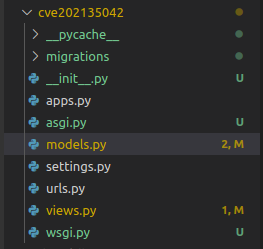
Django에서 데이터베이스 테이블을 생성하고 필드를 정의하는 것은 models.py 파일에 모델 클래스를 선언하여 수행됩니다. 이 예제에서는 Wolf라는 테이블과 name이라는 필드를 선언합니다.
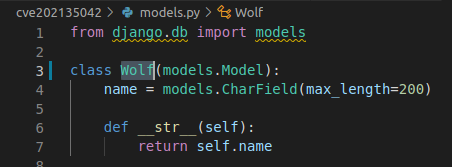
Django에 내장된 ORM 프레임워크는 데이터베이스와 상호 작용하는 데 사용되며, 쿼리 결과는 QuerySet이라는 집합입니다.
order_by(fields)
기본적으로 order_by()는 모델의 Meta에서 ordering 옵션에 지정된 순서대로 정렬된 QuerySet을 반환합니다. order_by() 메서드를 사용하여 각 쿼리에서 order_by 조건을 재정의할 수 있습니다.
예시
wolves = Wolf.objects.order_by('-name', 'id')
위 쿼리 결과는 name 필드를 기준으로 내림차순으로 정렬된 다음 id를 기준으로 오름차순으로 정렬됩니다. name 앞의 마이너스 기호는 결과를 내림차순으로 정렬함을 나타냅니다.
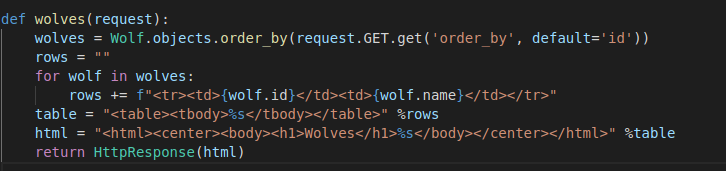
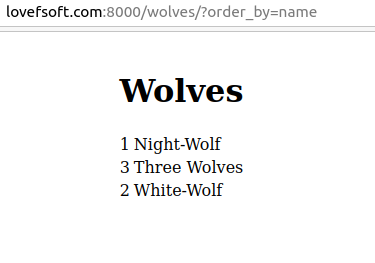
다음 예제는 사용자로부터 입력받은 필드를 기준으로 결과를 정렬하며, 값이 전달되지 않으면
id필드를 기준으로 정렬합니다.
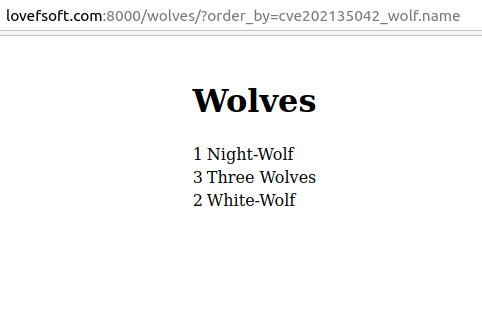
결과
버전 3.1 및 3.2에서 Django는 order_by 쿼리에 테이블 이름과 결합된 쿼리 메서드를 허용합니다. 이것이 이 취약점의 주요 원인입니다.
테이블 이름을 전달하면 일반적인 필드 이름을 전달하는 것과 동일한 결과를 얻을 수 있습니다.
cve202135042_wolf는 테이블 이름입니다
먼저 애플리케이션이 order_by() 함수를 직접 호출하며, order_by() 함수를 처리하는 코드는 django/db/models/query.py에 정의되어 있습니다.
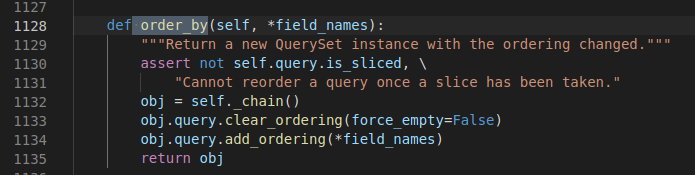
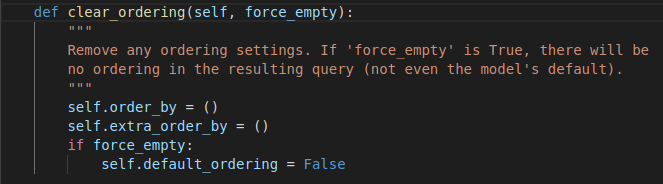
order_by() 함수는 두 가지 작업을 수행합니다.
- 현재 order_by()에 의해 호출된 모든 정렬을 제거하고, order_by가 다른 값을 받으면 전달된 기본 매개변수를 제거합니다.
- order_by에 인수를 전달합니다.
add_ordering()함수가 이를 수행합니다.
def add_ordering(self, *ordering):
        """
        Add items from the 'ordering' sequence to the query's "order by"
        clause. These items are either field names (not column names) --
        possibly with a direction prefix ('-' or '?') -- or OrderBy
        expressions.

        If 'ordering' is empty, clear all ordering from the query.
        """
        errors = []
        for item in ordering:
            if isinstance(item, str):
                if '.' in item:
                    warnings.warn(
                        'Passing column raw column aliases to order_by() is '
                        'deprecated. Wrap %r in a RawSQL expression before '
                        'passing it to order_by().' % item,
                        category=RemovedInDjango40Warning,
                        stacklevel=3,
                    )
                    continue
                if item == '?':
                    continue
                if item.startswith('-'):
                    item = item[1:]
                if item in self.annotations:
                    continue
                if self.extra and item in self.extra:
                    continue
                # names_to_path() validates the lookup. A descriptive
                # FieldError will be raise if it's not.
                self.names_to_path(item.split(LOOKUP_SEP), self.model._meta)
            elif not hasattr(item, 'resolve_expression'):
                errors.append(item)
            if getattr(item, 'contains_aggregate', False):
                raise FieldError(
                    'Using an aggregate in order_by() without also including '
                    'it in annotate() is not allowed: %s' % item
                )
        if errors:
            raise FieldError('Invalid order_by arguments: %s' % errors)
        if ordering:
            self.order_by += ordering
        else:
            self.default_ordering = False
add_ordering()에 전달되는 인수는 배열입니다.
인수가 다음과 같이 전달되는 예:
wolves = Wolf.objects.order_by( 'name' , 'id' )그러면 애플리케이션은 데이터베이스에서 다음과 같은 쿼리로 변환합니다:
SELECT "cve202135042_wolf"."id", "cve202135042_wolf"."name" FROM "cve202135042_wolf" ORDER BY "cve202135042_wolf"."name" ASC, "cve202135042_wolf"."id" ASC
전달되면 add_ordering 함수는 배열의 각 요소를 확인합니다. 요소가 string인 경우 다음 5가지 경우를 확인합니다:
if '.' in item:SQL 문에서 열 이름과 테이블 이름이 지정된 쿼리인지 확인합니다. 그렇다면 경고를 발생시키고continue합니다.if item == '?':요소 값이 '?'이면 출력 결과가 무작위로 정렬되며continue합니다.if item.startswith('-'):항목이 '-' 문자로 시작하면 쿼리 결과가 DESC(내림차순)으로 정렬됩니다.if item in self.annotations:주석이 포함되어 있는지 확인하고, 포함되어 있으면continue합니다.if self.extra and item in self.extra:추가 항목이 있는지 확인하고 있으면continue합니다.
5번의 확인 후 인수는 self.names_to_path(item.split(LOOKUP_SEP), self.model._meta) 함수로 전달되어 유효한 열 이름인지 계속 확인합니다. 유효하면 Query 클래스의 self.ordering에 추가되어 추가 처리가 진행됩니다.
Django의 ORM은 쿼리에 입력되는 데이터를 매우 엄격하게 필터링하지만, 이번 소스 코드 변경으로 인한 SQL 인젝션은 작성자가 열 이름이 UUID (Universal Unique Identifier) 열인 경우 order_by 쿼리를 수행할 수 없다는 가정을 했기 때문에 발생했습니다.
즉, 입력 데이터가 xxx-xxx-xxx-xxx (UUID 형식)인 경우 쿼리를 실행할 수 없습니다.
변경 전 코드
# django/db/models/sql/constants.py
ORDER_PATTERN  =  _lazy_re_compile ( r '\?|[-+]?[.\w]+$' )

# django/db/models/sql/query.py
def  add_ordering ( self ,  * ordering ):
        errors  =  []
        for  item  in  ordering :
            if  isinstance ( item ,  str )  and  ORDER_PATTERN . match ( item ):
                if  '.'  in  item :
                    warnings . warn (
                        'Passing column raw column aliases to order_by() is '
                        'deprecated. Wrap %r in a RawSQL expression before '
                        'passing it to order_by().'  %  item ,
                        category = RemovedInDjango40Warning ,
                        stacklevel = 3 ,
                    )
            elif  not  hasattr ( item ,  'resolve_expression' ):
                errors . append ( item )
            if  getattr ( item ,  'contains_aggregate' ,  False ):
                raise  FieldError (
                    'Using an aggregate in order_by() without also including '
                    'it in annotate() is not allowed: %s ' %  item
                )
        if  errors :
            raise  FieldError ( 'Invalid order_by arguments: %s '  %  errors )
        if  ordering :
            self . order_by  +=  ordering
        else :
            self . default_ordering  =  False
위 코드에서 인수가 ?와 일치하거나 -로 시작하고 그 뒤에 일반 문자나 .가 오는 경우에만 쿼리가 실행된다는 것을 알 수 있습니다.
따라서 열 이름이 UUID인 경우 유효하지 않은 값이므로 order_by에 전달할 수 없습니다.
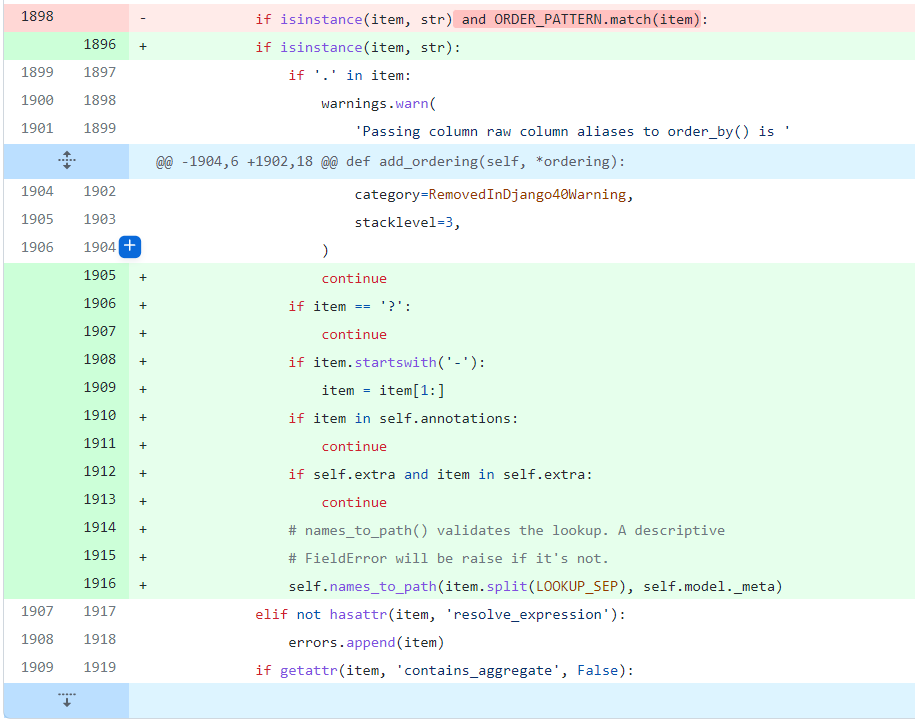
이 처리 부분의 코드 변경이 수락되어 다음과 같이 변경되었습니다:
https://github.com/charettes/django/commit/513948735b799239f3ef8c89397592445e1a0cd5
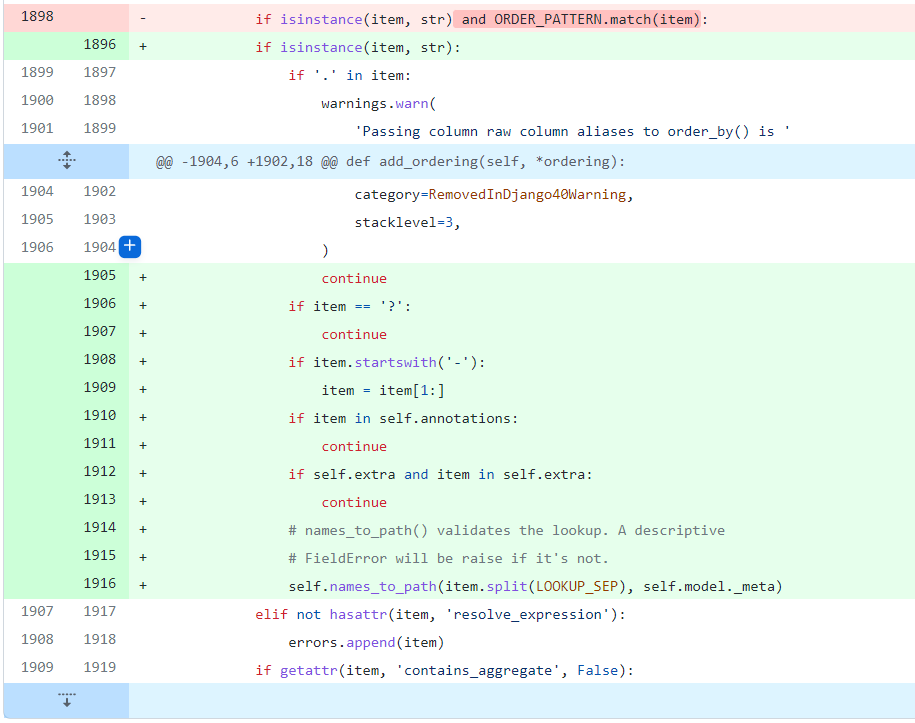
입력 데이터를 검증하기 위해 self.name_to_path 함수를 사용했습니다.