 k2/ehtrace
ATrace는 Windows에서 바이너리의 실행을 추적하는 도구입니다.


EhTrace ("에이트레이스"로 발음)는 Windows용 고성능 바이너리 추적 및 계측 프레임워크입니다. 소스 코드, 바이너리 수정, 또는 전통적인 디버깅 없이 Windows 실행 파일의 심층 런타임 분석을 가능하게 합니다.
EhTrace는 Windows Vectored Exception Handling(VEH)과 블록 스테핑 기법을 활용하여 최소한의 오버헤드로 포괄적인 실행 추적을 제공합니다. 전통적인 디버깅 또는 계측 도구와 달리 EhTrace는 완전히 프로세스 내에서 작동하며 대상 바이너리에 패치가 필요하지 않습니다.
flowchart TB
    subgraph Target["🎯 대상 프로세스"]
        direction TB
        APP[애플리케이션 코드]
        VEH[Vectored Exception Handler]
        style APP fill:#e1f5ff,stroke:#01579b,stroke-width:3px,color:#000
        style VEH fill:#fff3e0,stroke:#e65100,stroke-width:3px,color:#000
    end

    subgraph EhTrace["⚡ EhTrace 엔진"]
        direction TB
        BLOCK[블록 스테퍼]
        DISASM[Capstone 디스어셈블러]
        FIGHTERS[BlockFighters]
        CTX[컨텍스트 관리자]
        style BLOCK fill:#f3e5f5,stroke:#4a148c,stroke-width:3px,color:#000
        style DISASM fill:#e8f5e9,stroke:#1b5e20,stroke-width:3px,color:#000
        style FIGHTERS fill:#ffebee,stroke:#b71c1c,stroke-width:3px,color:#000
        style CTX fill:#e0f2f1,stroke:#004d40,stroke-width:3px,color:#000
    end

    subgraph Output["📊 분석 출력"]
        direction TB
        SHMEM[공유 메모리 로그]
        GRAPHS[시각적 그래프]
        REPORTS[커버리지 보고서]
        style SHMEM fill:#fce4ec,stroke:#880e4f,stroke-width:3px,color:#000
        style GRAPHS fill:#f1f8e9,stroke:#33691e,stroke-width:3px,color:#000
        style REPORTS fill:#fff8e1,stroke:#f57f17,stroke-width:3px,color:#000
    end

    APP -->|예외| VEH
    VEH -->|단일 스텝| BLOCK
    BLOCK -->|명령어| DISASM
    DISASM -->|분석| FIGHTERS
    FIGHTERS -->|상태| CTX
    CTX -->|이벤트| SHMEM
    SHMEM -->|데이터| GRAPHS
    SHMEM -->|데이터| REPORTS

    style Target fill:#e3f2fd,stroke:#0d47a1,stroke-width:4px
    style EhTrace fill:#f3e5f5,stroke:#6a1b9a,stroke-width:4px
    style Output fill:#e8f5e9,stroke:#2e7d32,stroke-width:4px
EhTrace는 정교한 파이프라인을 통해 작동합니다:
프레임워크는 특수화된 컨텍스트 구조를 사용하여 스레드별 실행 상태를 유지하며 사용자 정의 계측을 위한 후크를 제공합니다.
graph LR
    subgraph Traditional["🐌 전통적인 디버거"]
        T1[단일 스텝]
        T2[컨텍스트 전환]
        T3[커널 모드]
        T4[~1M 이벤트/초]
        style T1 fill:#ffcdd2,stroke:#c62828,stroke-width:2px,color:#000
        style T2 fill:#ffcdd2,stroke:#c62828,stroke-width:2px,color:#000
        style T3 fill:#ffcdd2,stroke:#c62828,stroke-width:2px,color:#000
        style T4 fill:#ef5350,stroke:#b71c1c,stroke-width:3px,color:#fff
    end

    subgraph EhTrace["⚡ EhTrace"]
        E1[블록 스텝]
        E2[프로세스 내]
        E3[사용자 모드]
        E4[~43M 이벤트/초]
        style E1 fill:#c8e6c9,stroke:#2e7d32,stroke-width:2px,color:#000
        style E2 fill:#c8e6c9,stroke:#2e7d32,stroke-width:2px,color:#000
        style E3 fill:#c8e6c9,stroke:#2e7d32,stroke-width:2px,color:#000
        style E4 fill:#66bb6a,stroke:#1b5e20,stroke-width:3px,color:#fff
    end

    T1 --> T2 --> T3 --> T4
    E1 --> E2 --> E3 --> E4

    style Traditional fill:#ffebee,stroke:#d32f2f,stroke-width:3px
    style EhTrace fill:#e8f5e9,stroke:#388e3c,stroke-width:3px
EhTrace는 여러 최적화를 통해 높은 성능을 달성합니다:
📊 벤치마크: 428,833,152개 이벤트(각 32바이트)를 10초 동안 캡처 = ~43M 이벤트/초
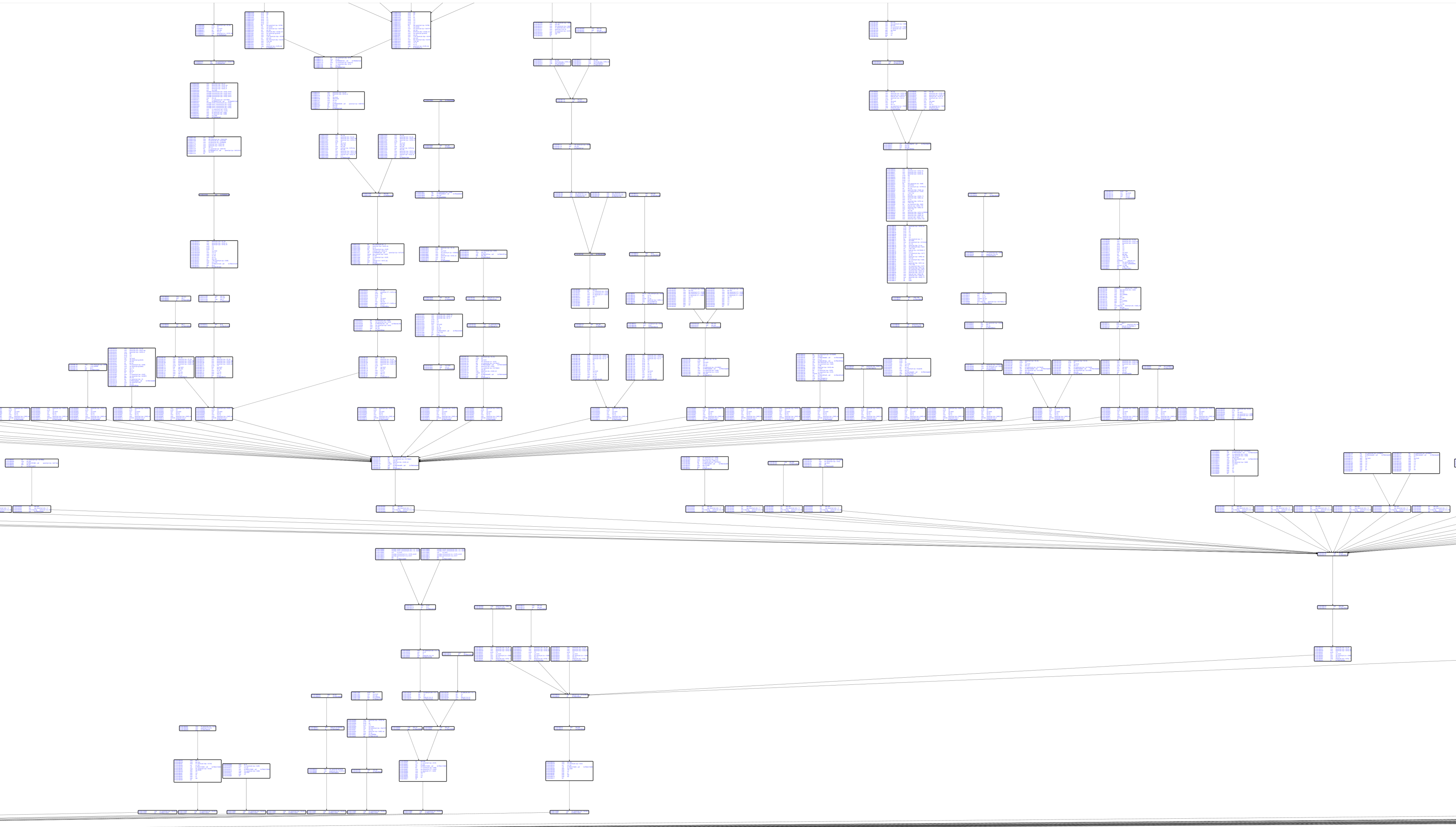
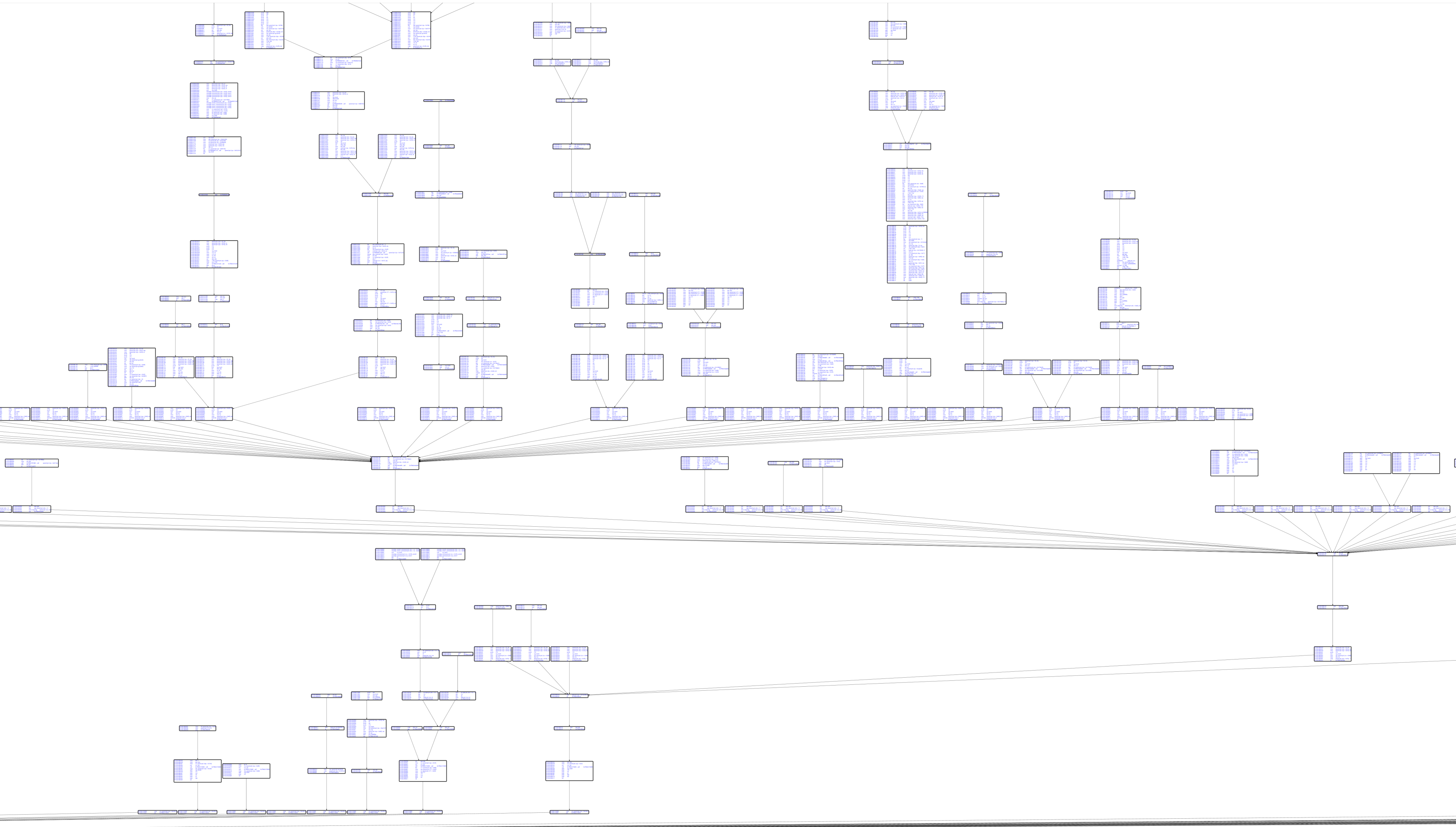
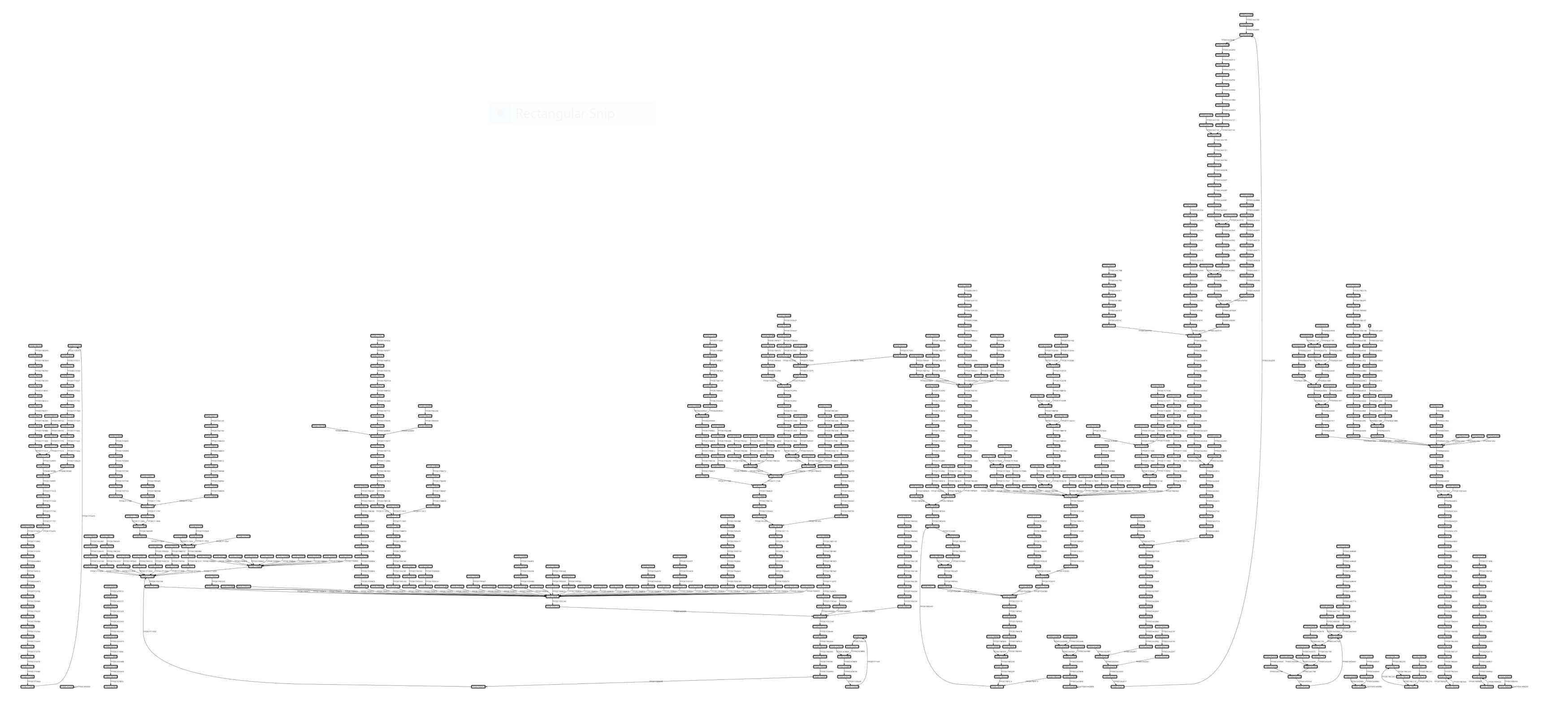
CSW16 데모: notepad.exe를 심볼 없이 추적:
Capstone 디스어셈블리가 포함된 기본 블록 그래프:
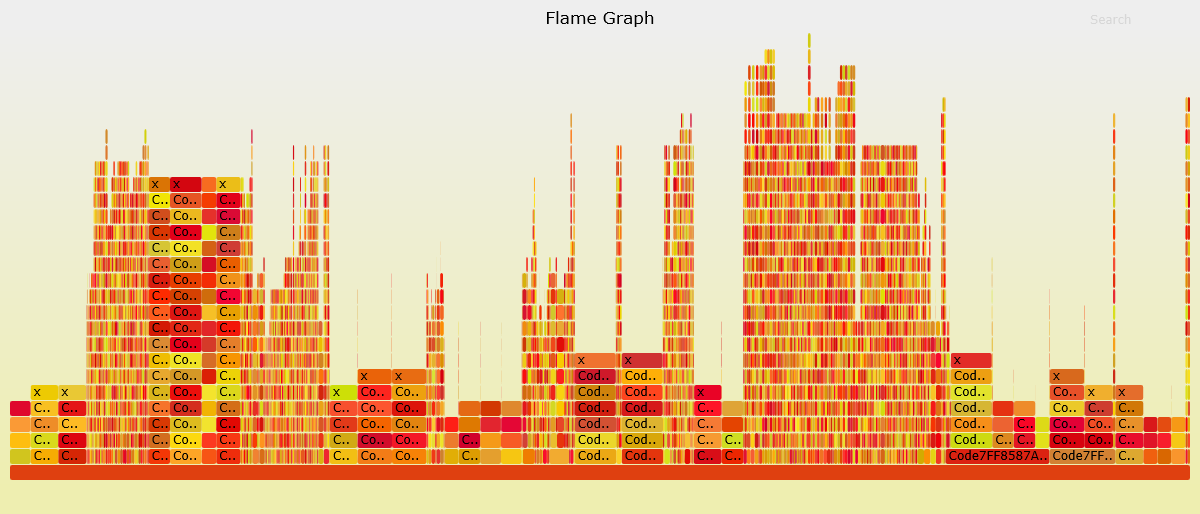
코드 커버리지 시각화:
graph TD
    subgraph Core["🎯 핵심 구성 요소"]
        EH[EhTrace.dll<br/>주 계측]
        AC[Acleanout<br/>로그 덤퍼]
        AG[Agasm<br/>그래프 생성기]
        style EH fill:#e1bee7,stroke:#6a1b9a,stroke-width:3px,color:#000
        style AC fill:#c5cae9,stroke:#3949ab,stroke-width:3px,color:#000
        style AG fill:#b2dfdb,stroke:#00695c,stroke-width:3px,color:#000
    end

    subgraph Tools["🔧 보조 도구"]
        AL[Aload<br/>DLL 인젝터]
        AP[Aprep<br/>테스트 EXE]
        AS[Astrace<br/>스택 트레이서]
        style AL fill:#ffe0b2,stroke:#e65100,stroke-width:3px,color:#000
        style AP fill:#f8bbd0,stroke:#c2185b,stroke-width:3px,color:#000
        style AS fill:#d1c4e9,stroke:#512da8,stroke-width:3px,color:#000
    end

    subgraph Fuzzing["🐛 퍼징 통합"]
        AWA[AWinAFL<br/>AFL 계측]
        style AWA fill:#ffccbc,stroke:#d84315,stroke-width:3px,color:#000
    end

    subgraph Viz["📊 시각화"]
        WPF[WPFx<br/>그래프 뷰어]
        DIA[Dia2Sharp<br/>심볼 해석기]
        ASF[AStackFolding<br/>플레임 그래프]
        style WPF fill:#c8e6c9,stroke:#2e7d32,stroke-width:3px,color:#000
        style DIA fill:#fff9c4,stroke:#f9a825,stroke-width:3px,color:#000
        style ASF fill:#ffecb3,stroke:#ff8f00,stroke-width:3px,color:#000
    end

    EH -->|로그| AC
    AC -->|데이터| AG
    AG -->|그래프| WPF
    AL -->|주입| EH
    DIA -->|심볼| AG
    ASF -->|처리| AC
    AWA -->|변형| EH

    style Core fill:#f3e5f5,stroke:#7b1fa2,stroke-width:4px
    style Tools fill:#fff3e0,stroke:#ef6c00,stroke-width:4px
    style Fuzzing fill:#fbe9e7,stroke:#bf360c,stroke-width:4px
    style Viz fill:#e8f5e9,stroke:#388e3c,stroke-width:4px
EhTrace 에코시스템은 여러 통합 프로젝트로 구성됩니다:
EhTrace.sln 열기자세한 빌드 지침은 BUILDING.md를 참조하세요.
# EhTrace 빌드
msbuild EhTrace.sln /p:Configuration=Release /p:Platform=x64

# 대상에 주입
Aload.exe target.exe EhTrace.dll

# 추적 데이터 수집
Acleanout.exe > trace.log

# Agasm으로 분석
Agasm.exe trace.log output.graph
