 j3ssie/osmedeus
보안을 위한 최신 오케스트레이션 엔진

# Osmedeus
<p align="center">
<a href="https://www.osmedeus.org"><img alt="Osmedeus" src="https://assets.kitploit.com/production/public/readmes/2279/2023d02ecc03602d346d7a9540570d8144424edcb793863bd708b8af04bcc8e0.png" height="140" /></a>
<br />
<strong>Osmedeus - 보안을 위한 현대적인 오케스트레이션 엔진</strong>
<p align="center">
<a href="https://docs.osmedeus.org/"><img src="https://img.shields.io/badge/Documentation-0078D4?style=for-the-badge&logo=GitBook&logoColor=39ff14&labelColor=black&color=black"></a>
<a href="https://docs.osmedeus.org/donation/"><img src="https://img.shields.io/badge/Sponsors-0078D4?style=for-the-badge&logo=GitHub-Sponsors&logoColor=39ff14&labelColor=black&color=black"></a>
<a href="https://twitter.com/OsmedeusEngine"><img src="https://img.shields.io/badge/@OsmedeusEngine-0078D4?style=for-the-badge&logo=Twitter&logoColor=39ff14&labelColor=black&color=black"></a>
<a href="https://discord.gg/mtQG2FQsYA"><img src="https://img.shields.io/badge/Discord%20Server-0078D4?style=for-the-badge&logo=Discord&logoColor=39ff14&labelColor=black&color=black"></a>
<a href="https://github.com/j3ssie/osmedeus/releases"><img src="https://img.shields.io/github/release/j3ssie/osmedeus?style=for-the-badge&labelColor=black&color=2fc414&logo=Github"></a>
</p>
</p>
## Osmedeus란 무엇인가?
[Osmedeus](https://www.osmedeus.org)는 복잡한 워크플로 자동화를 감사 가능한 YAML 정의로 단순화하는 보안 중심의 선언적 오케스트레이션 엔진으로, 암호화된 데이터 처리, 안전한 자격 증명 관리, 샌드박스 실행을 완벽하게 갖추고 있습니다.
초보자와 전문가 모두를 위해 설계된 이 도구는 인프라의 무결성과 안전성을 희생하지 않으면서 강력하고 조합 가능한 자동화를 제공합니다.
## 주요 기능
- **선언적 YAML 워크플로** - 여러 러너(호스트, Docker, SSH)에 걸쳐 훅, 의사 결정 라우팅, 모듈 제외, 조건부 분기를 갖춘 파이프라인 정의
- **분산 실행** - 큐 시스템, 웹훅 트리거, 워커 간 파일 동기화를 갖춘 Redis 기반 마스터-워커 패턴
- **풍부한 함수 라이브러리** - nmap 통합, tmux 세션, SSH 실행, TypeScript/Python 스크립팅, SARIF 파싱, CDN/WAF 분류를 포함한 80개 이상의 유틸리티 함수
- **이벤트 기반 스케줄링** - 필터링, 중복 제거, 지연 작업 큐를 갖춘 Cron, 파일 감시, 이벤트 트리거
- **에이전트형 LLM 단계** - 하위 에이전트 오케스트레이션, 메모리 관리, 구조화된 출력을 갖춘 도구 호출 에이전트 루프; 그리고 ACP 서브프로세스 에이전트(Claude Code, Codex, OpenCode, Gemini)
- **클라우드 인프라** - 비용 제어와 자동 정리를 통해 DigitalOcean, AWS, GCP, Linode, Azure 전반에 걸쳐 스캔 프로비저닝 및 실행
- **풍부한 CLI 인터페이스** - 대화형 데이터베이스 쿼리, 대량 함수 평가, 워크플로 린팅, 진행 표시줄, 포괄적인 사용 예제
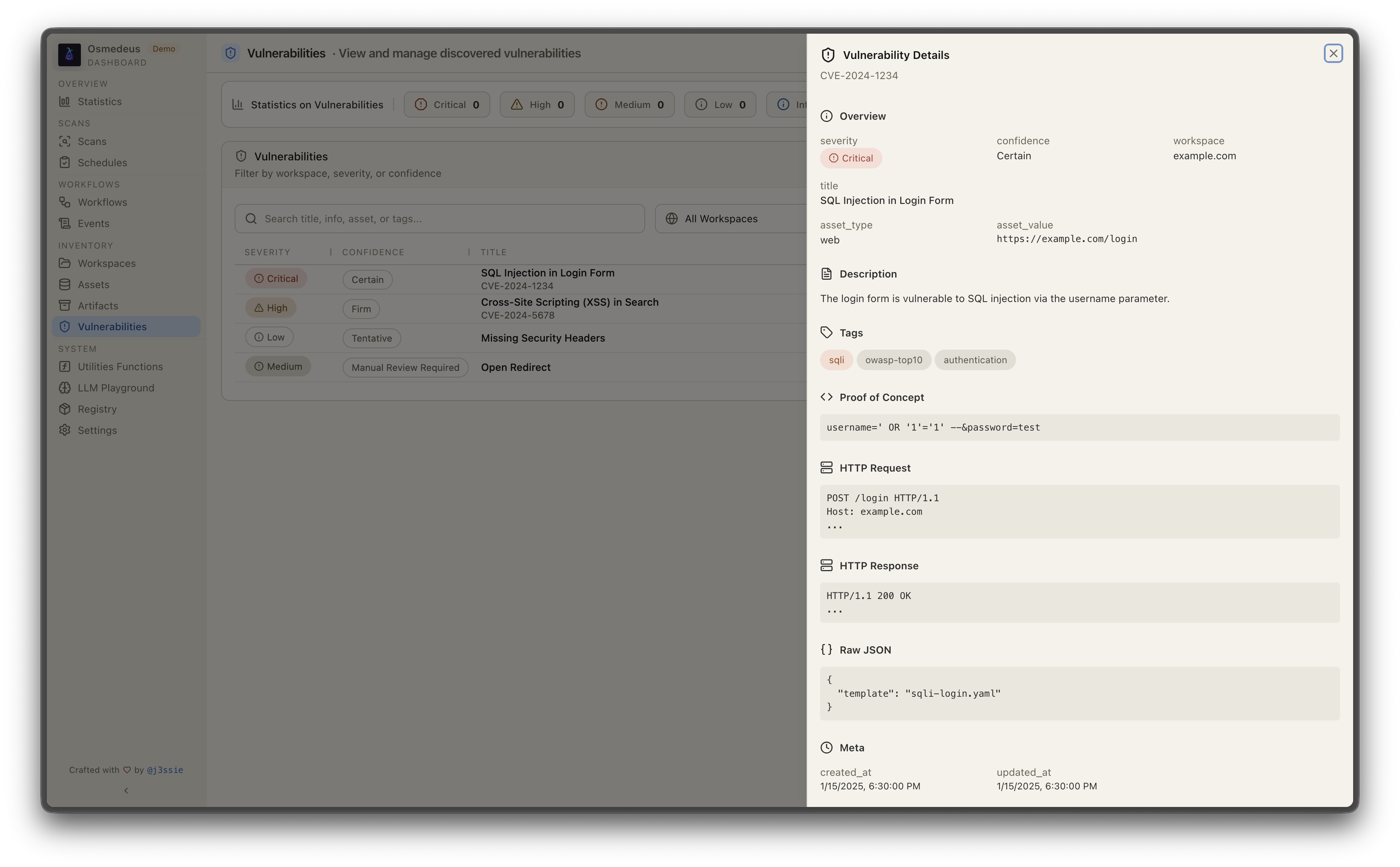
- **REST API 및 웹 UI** - 웹훅 트리거, 데이터베이스 쿼리, 시각화를 위한 내장 대시보드를 갖춘 완전한 API 서버
자세한 내용은 [문서 페이지](https://docs.osmedeus.org/)를 참조하세요.
## 설치
```bash
curl -sSL http://www.osmedeus.org/install.sh | bash
```
### [npm](https://www.npmjs.com/package/@j3ssie/osmedeus)
```bash
npm install -g @j3ssie/osmedeus
```
linux 및 macOS의 x64/arm64용 사전 빌드된 바이너리를 제공합니다.
빠른 설정은 [Quickstart](https://docs.osmedeus.org/quickstart/)를, 고급 구성은 [Installation](https://docs.osmedeus.org/installation/)을 참조하세요.
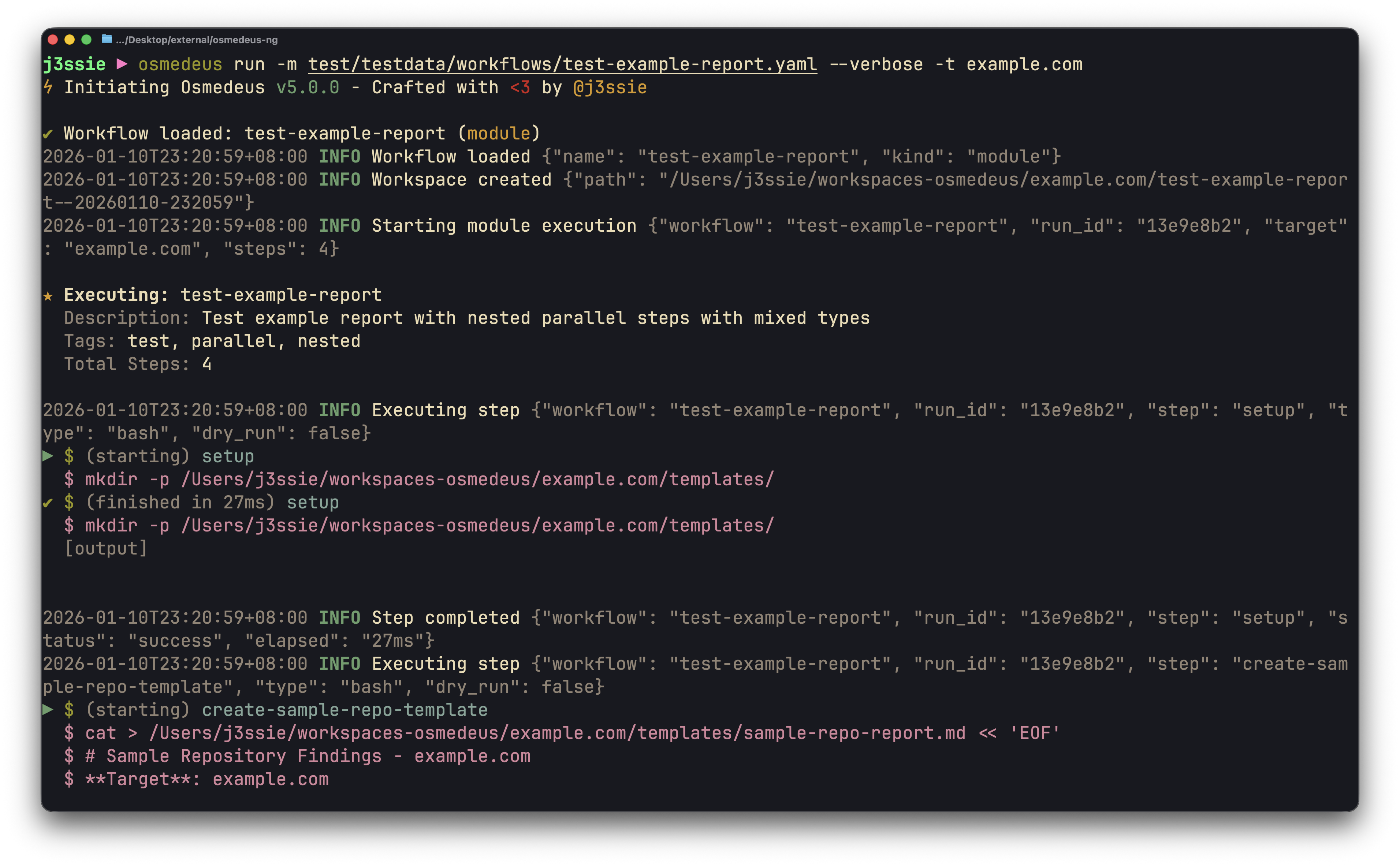
| CLI 사용법 | Web UI 에셋 |
|-----------|---------------|
| 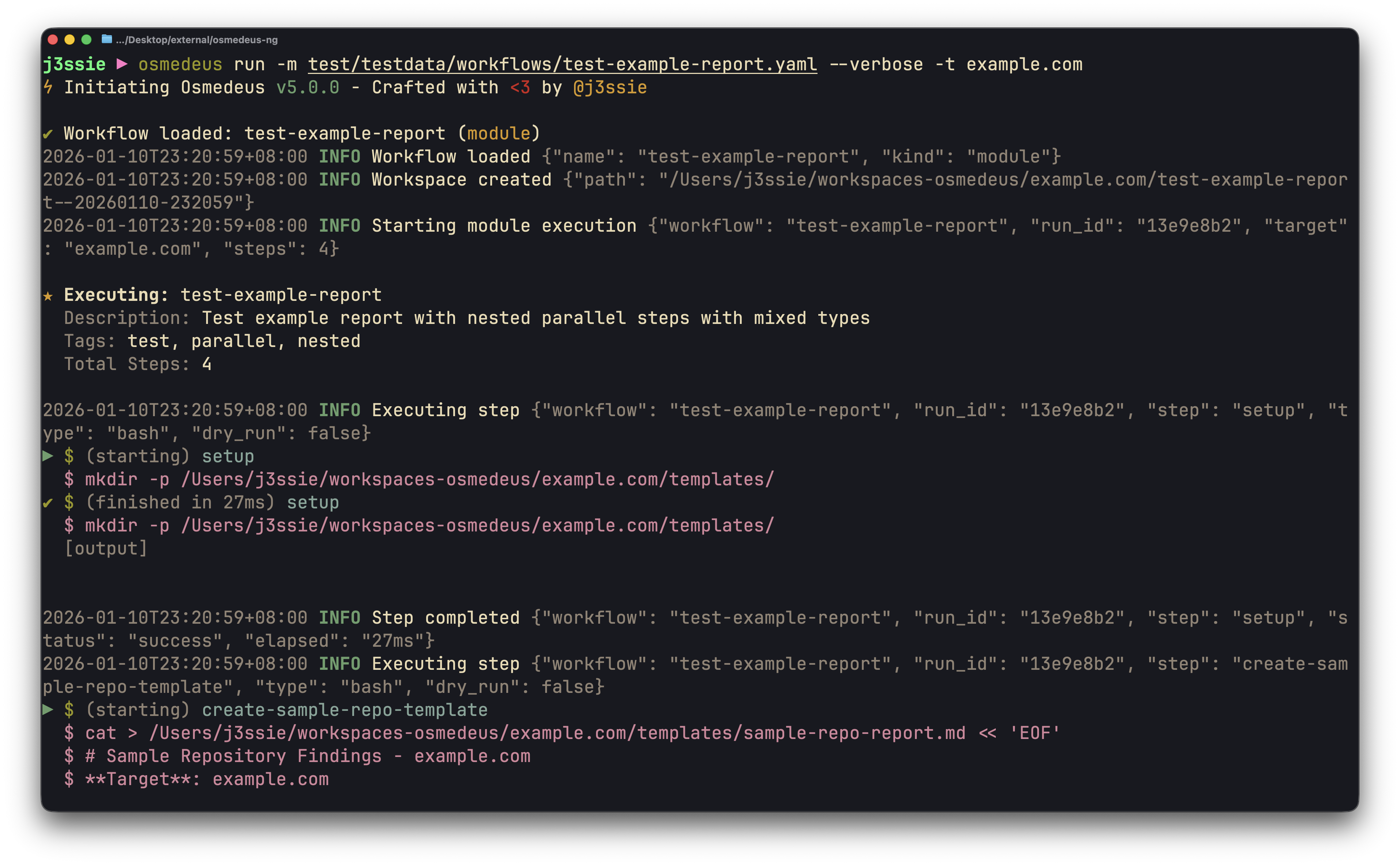 | 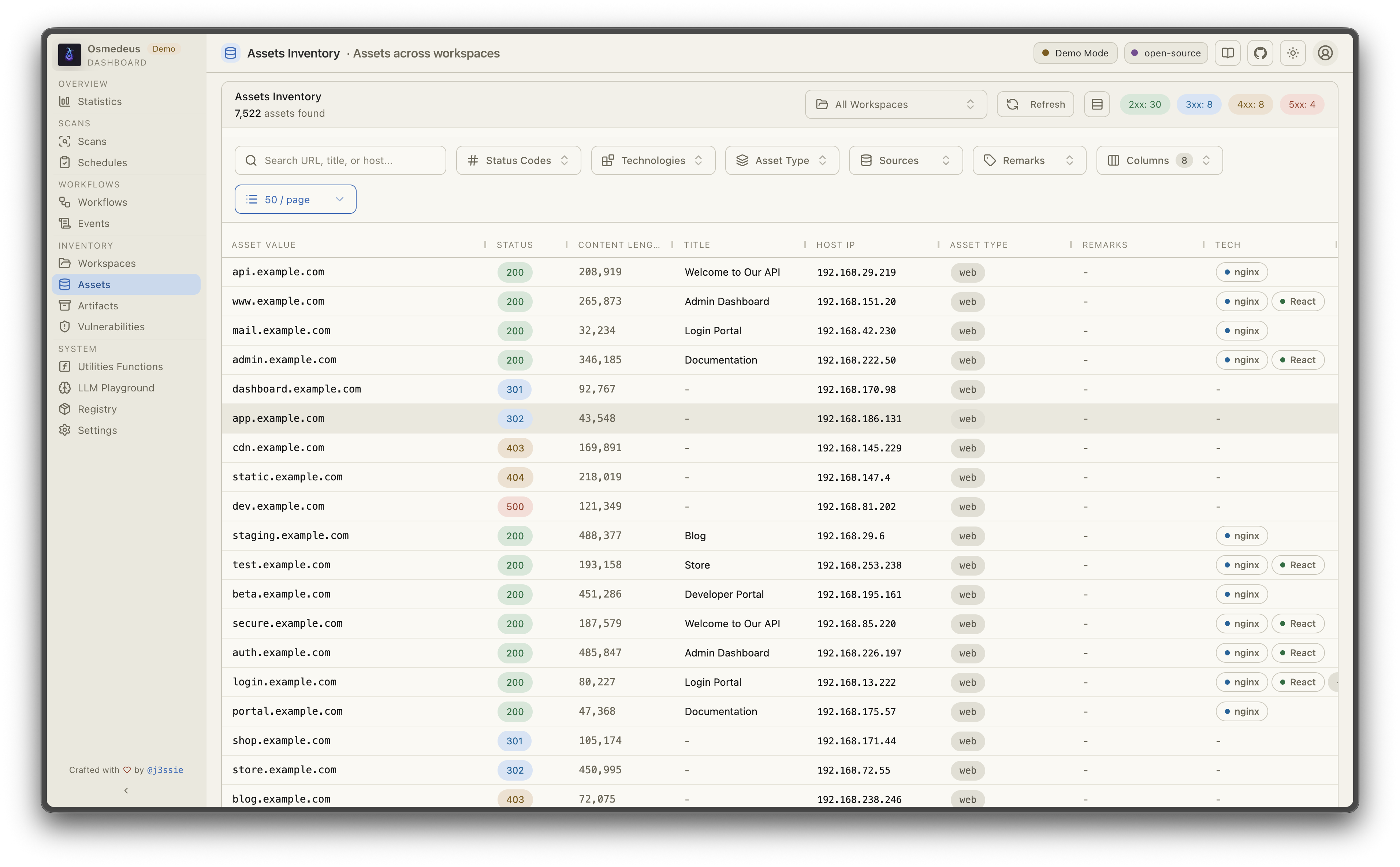 |
| **워크플로 시각화** | **취약점** |
| 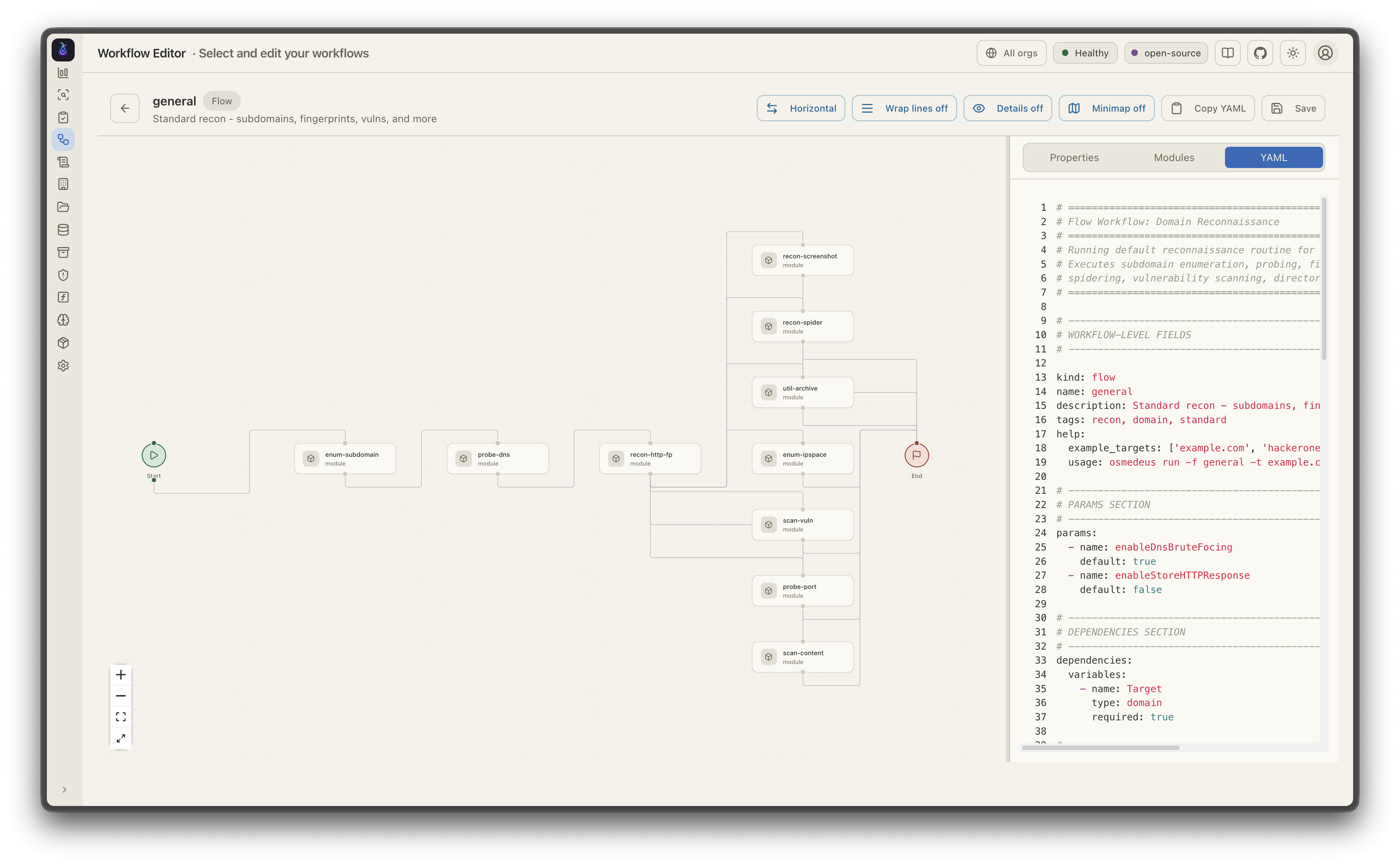 |  |
## ☁️ 스폰서 — Bloome
[](https://bloome.im/app?ref=j3ssie&utm_medium=github&utm_source=j3ssie-osmedeus-ivor-202607)
Osmedeus로 정찰을 자동화하고 계신가요? [Bloome](https://bloome.im/app?ref=j3ssie&utm_medium=github&utm_source=j3ssie-osmedeus-ivor-202607)은 이러한 에이전트 팀 사고방식을 나머지 워크플로에도 적용합니다. 여러 AI 에이전트(Claude, ChatGPT, DeepSeek 등)가 하나의 공유 채팅에서 작업을 분담하고, 태스크를 인계하며, 서로 교차 검증하고, 결과가 올바를 때까지 다듬습니다. 발견 사항 분류, 보고서 초안 작성, 예약된 점검 실행을 함께 수행합니다. 설정이 필요 없고, 클라우드에서 웹과 모바일로 사용할 수 있으며, 팀과 공유할 수 있습니다. 👉 [Bloome 사용해 보기](https://bloome.im/app?ref=j3ssie&utm_medium=github&utm_source=j3ssie-osmedeus-ivor-202607)
## 빠른 시작
```bash
# Run a module workflow
osmedeus run -m recon -t example.com
# Run a flow workflow
osmedeus run -f general -t example.com
# Multiple targets with concurrency
osmedeus run -m recon -T targets.txt -c 5
# Dry-run mode (preview)
osmedeus run -f general -t example.com --dry-run
# Start API server
osmedeus serve
# List available workflows
osmedeus workflow list
# Query discovered assets
osmedeus assets -w example.com # List assets for workspace
osmedeus assets --stats # Show unique technologies, sources, types
osmedeus assets --source httpx --type web --json # Filter and output as JSON
# Query vulnerabilities, runs, and steps
osmedeus query vulns --severity high --workspace example.com
osmedeus query runs --status running
osmedeus query steps --run <run-uuid>
# Query database tables
osmedeus db list --table runs
osmedeus db list --table event_logs --search "nuclei"
# Evaluate utility functions
osmedeus func eval 'log_info("hello")'
osmedeus func eval -e 'http_get("https://example.com")' -T targets.txt -c 10
# Platform variables available in eval
osmedeus func eval 'log_info("OS: " + PlatformOS + ", Arch: " + PlatformArch)'
# Install from preset repositories
osmedeus install base --preset
osmedeus install base --preset --keep-setting # preserve existing osm-settings.yaml
osmedeus install workflow --preset
# Exclude modules from flow execution
osmedeus run -f general -t example.com -x portscan
osmedeus run -f general -t example.com -X vuln # Fuzzy exclude by substring
# Worker queue system
osmedeus worker queue new -f general -t example.com # Queue for later
osmedeus worker queue run --concurrency 5 # Process queue
# Worker management
osmedeus worker status # Show workers
osmedeus worker eval -e 'ssh_exec("host", "whoami")' # Eval with distributed hooks
# Run an ACP agent interactively
osmedeus agent "analyze this codebase"
osmedeus agent --agent codex "explain main.go"
osmedeus agent --list
# Cloud infrastructure management
osmedeus cloud create --instances 3 # Provision cloud machines
osmedeus cloud setup 1.2.3.4 5.6.7.8 # Setup existing machines
osmedeus cloud list # List active infrastructure
osmedeus cloud run -f general -t example.com --instances 3
# Show all usage examples
osmedeus --usage-example
```
## Docker
```bash
# Show help
docker run --rm j3ssie/osmedeus:latest --help
# Run a scan
docker run --rm -v $(pwd)/output:/root/workspaces-osmedeus \
j3ssie/osmedeus:latest run -f general -t example.com
```
CLI 사용법과 예제 명령에 대한 자세한 내용은 [CLI Reference](https://docs.osmedeus.org/getting-started/cli)를 참조하세요.
## 고수준 아키텍처
```plaintext
┌───────────────────────────────────────────────────────────────────────────┐
│ Osmedeus Orchestration Engine │
├───────────────────────────────────────────────────────────────────────────┤
│ ENTRY POINTS │
│ ┌──────────┐ ┌──────────┐ ┌──────────┐ ┌─────────────┐ │
│ │ CLI │ │ REST API │ │Scheduler │ │ Distributed │ │
│ └────┬─────┘ └────┬─────┘ └────┬─────┘ └─────┬───────┘ │
│ └─────────────┴─────────────┴──────────────┘ │
│ │ │
│ ▼ │
│ ┌─────────────────────────────────────────────────────────────────────┐ │
│ │ CONFIG ──▶ PARSER ──▶ EXECUTOR ──▶ STEP DISPATCHER ──▶ RUNNER │ │
│ │ │ │ │
│ │ Step Executors: bash | function | parallel | foreach | remote-bash │ │
│ │ http | llm | agent | agent-acp | SARIF/SAST │ │
│ │ Hooks: pre_scan_steps → [main steps] → post_scan_steps │ │
│ │ │ │ │
│ │ Runners: HostRunner | DockerRunner | SSHRunner │ │
│ │ Queue: DB + Redis polling → dedup → concurrent execution │ │
│ └─────────────────────────────────────────────────────────────────────┘ │
└───────────────────────────────────────────────────────────────────────────┘
```
아키텍처에 대한 자세한 내용은 [아키텍처 문서](https://docs.osmedeus.org/architecture)를 참고하세요.
## 로드맵 및 현황
프로젝트의 대략적인 야심찬 계획은 다음과 같습니다(순서대로):
| # | 단계 | 상태 |
| :-: | --------------------------------------------------------------------------- | :----: |
| 1 | 차세대 아키텍처로 재구축된 Osmedeus 엔진 | ✅ |
| 2 | 유연한 워크플로와 단계 유형 | ✅ |
| 3 | 이벤트 기반 아키텍처 모델과 다양한 트리거 이벤트 범주 | ✅ |
| 4 | 결과와 워크플로 다이어그램을 시각화하는 아름다운 UI | ✅ |
| 5 | 새로운 아키텍처와 문법에 맞게 워크플로 재작성 | ✅ |
| 6 | 알림과 같은 더 많은 유틸리티 함수 테스트 | ✅ |
| 7 | SARIF 파싱을 통한 SAST 통합 (Semgrep, Trivy 등) | ✅ |
| 8 | 클라우드 제공자에서 스캔을 실행할 수 있는 클라우드 통합 | ✅ |
| 9 | 실행 간 새로 추가/제거/변경되지 않은 자산을 보여주는 diff 보고서 생성 | ❌ |
| 10 | 서버리스로 실행할 수 있는 클라우드 제공자 단계 유형 추가 | ❌ |
| N | 멋진 기능 (추후 논의 예정) | ❌ |
## 문서
| 주제 | 링크 |
|----------------------|----------------------------------------------------------------------------------------------------------|
| 시작하기 | [docs.osmedeus.org/getting-started](https://docs.osmedeus.org/getting-started) |
| CLI 사용법 및 예제 | [docs.osmedeus.org/getting-started/cli](https://docs.osmedeus.org/getting-started/cli) |
| 워크플로 작성 | [docs.osmedeus.org/workflows/overview](https://docs.osmedeus.org/workflows/overview) |
| 이벤트 기반 트리거| [docs.osmedeus.org/advanced/event-driven](https://docs.osmedeus.org/advanced/event-driven) |
| 배포 | [docs.osmedeus.org/deployment](https://docs.osmedeus.org/deployment) |
| 아키텍처 | [docs.osmedeus.org/concepts/architecture](https://docs.osmedeus.org/concepts/architecture) |
| 개발 | [docs.osmedeus.org/development](https://docs.osmedeus.org/development) 및 [HACKING.md](https://github.com/j3ssie/osmedeus/blob/main/HACKING.md) |
| Osmedeus 확장 | [docs.osmedeus.org/development/extending-osmedeus](https://docs.osmedeus.org/development/extending-osmedeus) |
| 보안 모델 | [SECURITY.md](https://github.com/j3ssie/osmedeus/blob/main/SECURITY.md) 및 [docs.osmedeus.org/others/security-warning](https://docs.osmedeus.org/others/security-warning) |
| 전체 문서 | [docs.osmedeus.org](https://docs.osmedeus.org) |
## 면책 조항
**Osmedeus**는 CLI, API, 워크플로 정의를 통해 사용자가 제공한 입력으로부터 임의의 코드와 명령을 실행하도록 설계되었습니다. 이러한 유연성은 의도된 것이며 엔진이 작동하는 방식의 핵심입니다.
안전하게 사용하는 방법에 대한 자세한 내용은 [⚠️ 보안 경고](https://docs.osmedeus.org/others/security-warning) 페이지를 참고하세요. [SECURITY.md](https://github.com/j3ssie/osmedeus/blob/main/SECURITY.md)는 의도된 코드 실행과 취약점으로 간주되는 것 사이의 경계를 설명하며, 취약점을 신고하려는 경우 시작점입니다.
**다음과 같은 행위를 하기 전에 두 번 생각하세요:**
- 신뢰할 수 없는 출처에서 다운로드한 워크플로 실행
- 소유하지 않았거나 테스트 권한이 없는 대상에 대해 명령이나 스캔 실행
- 내용을 먼저 검토하지 않고 워크플로 사용
실행하는 것에 대한 책임은 본인에게 있습니다. 특히 제3자로부터 얻은 워크플로 YAML 파일은 실행 전에 항상 검토하세요.
## 라이선스
Osmedeus는 [@j3ssie](https://twitter.com/j3ssie)가 ♥를 담아 만들었으며 MIT 라이선스로 배포됩니다.