
Skip to content
KitploitKITPLOIT
도구블로그
제출
도구블로그
제출

해킹, 침투 테스트 및 사이버 보안 도구를 당신의 보안 무기고에!

Kitploit은 해킹, 사이버 보안 및 침투 테스트 도구 디렉토리입니다. 최신 프로젝트 업데이트를 발견하여 취약점을 찾고, 시스템을 분석하고, 테스트를 자동화하고, 보안을 강화하세요.

··피드·문의·개인정보·© 2026 Kitploit

도구 디렉토리

카테고리

모든 카테고리 보기
Loading categories
osmedeus — A Modern Orchestration Engine for Security | Kitploit
도구/GitHubGitHub/j3ssie/osmedeus
OSINT (Open Source Intelligence)ReconnaissanceVulnerability ScannersInformation GatheringPenetration TestingCloud SecurityDevSecOpsSubdomain Enumeration
GitHubj3ssie/osmedeus

osmedeus

A Modern Orchestration Engine for Security

저장소 보기
6.5k1.0k21일 전Kitploit 검토 완료

인기

모두 보기 →

커뮤니티에서 가장 많이 사용되는 도구를 찾아보세요.

모든 도구 탐색

도구 컬렉션을 둘러보세요

모든 도구 보기 →
공유
웹사이트
요청한 언어로 콘텐츠를 사용할 수 없습니다. 영어 버전을 표시합니다.

Osmedeus

Osmedeus
Osmedeus - A Modern Orchestration Engine for Security

What is Osmedeus?

Osmedeus is a security focused declarative orchestration engine that simplifies complex workflow automation into auditable YAML definitions, complete with encrypted data handling, secure credential management, and sandboxed execution.

Built for both beginners and experts, it delivers powerful, composable automation without sacrificing the integrity and safety of your infrastructure.

Key Features

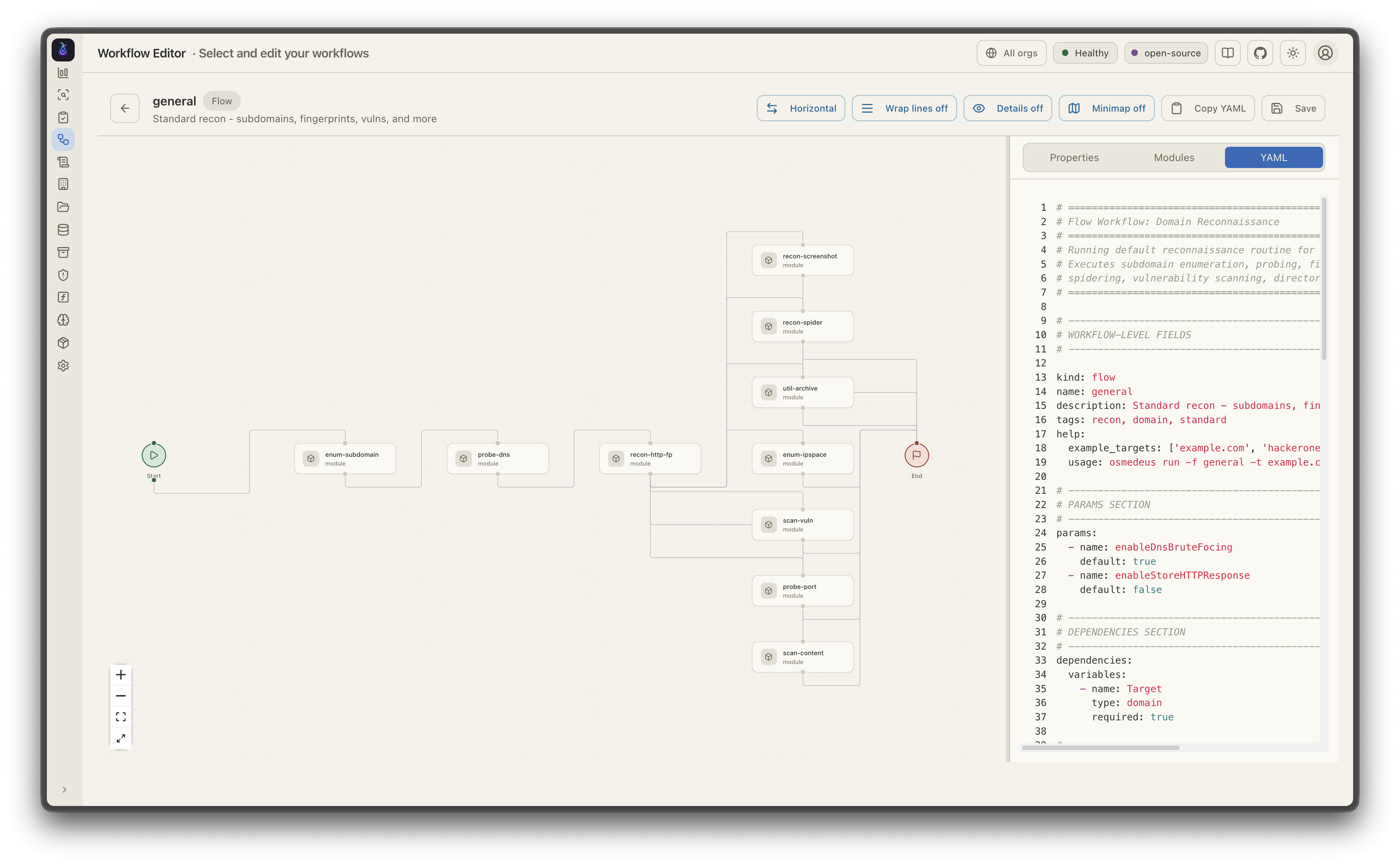
  • Declarative YAML Workflows - Define pipelines with hooks, decision routing, module exclusion, and conditional branching across multiple runners (host, Docker, SSH)
  • Distributed Execution - Redis-based master-worker pattern with queue system, webhook triggers, and file sync across workers
  • Rich Function Library - 80+ utility functions including nmap integration, tmux sessions, SSH execution, TypeScript/Python scripting, SARIF parsing, and CDN/WAF classification
  • Event-Driven Scheduling - Cron, file-watch, and event triggers with filtering, deduplication, and delayed task queues
  • Agentic LLM Steps - Tool-calling agent loops with sub-agent orchestration, memory management, and structured output; plus ACP subprocess agents (Claude Code, Codex, OpenCode, Gemini)
  • Cloud Infrastructure - Provision and run scans across DigitalOcean, AWS, GCP, Linode, and Azure with cost controls and automatic cleanup
  • Rich CLI Interface - Interactive database queries, bulk function evaluation, workflow linting, progress bars, and comprehensive usage examples
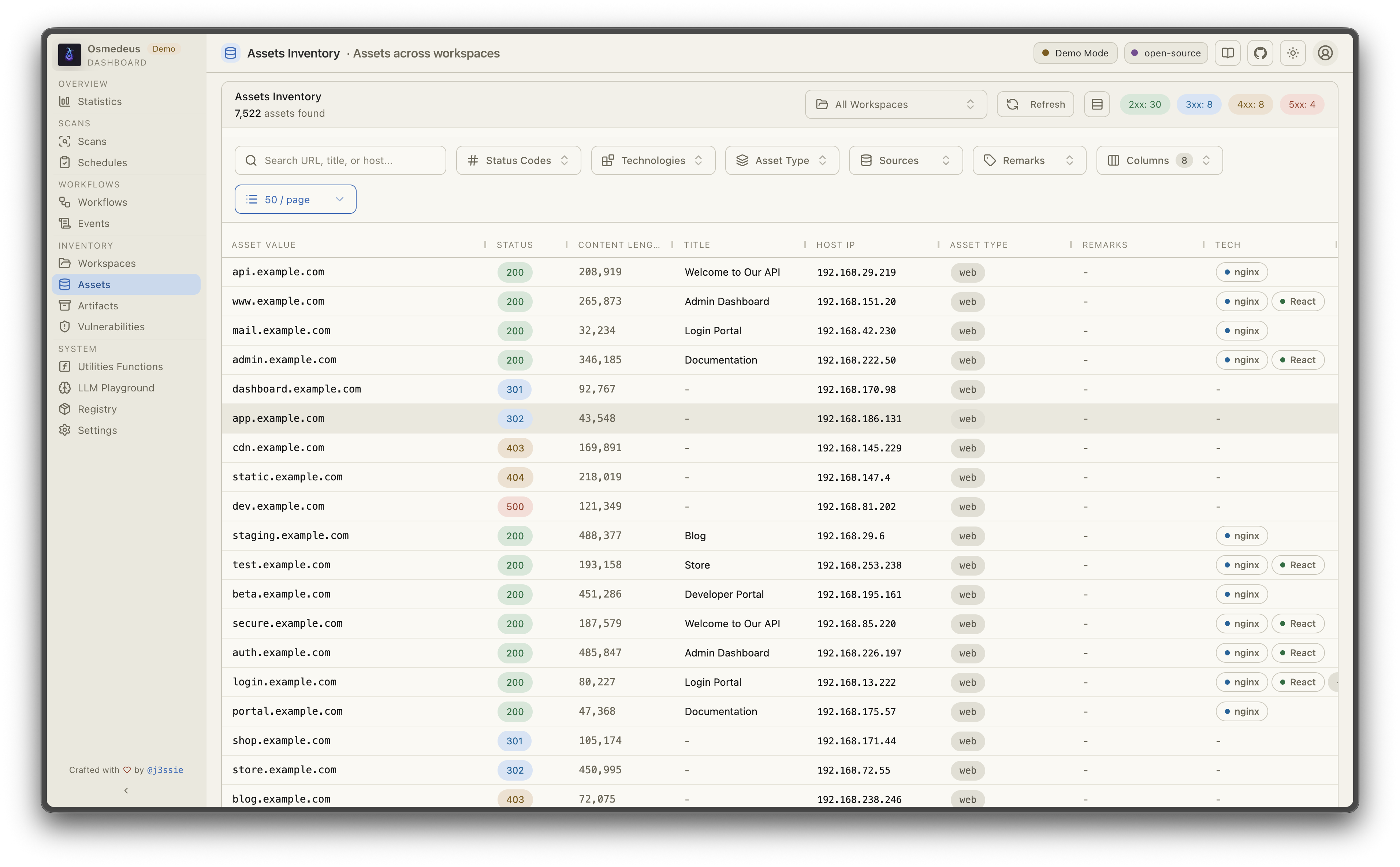
  • REST API & Web UI - Full API server with webhook triggers, database queries, and embedded dashboard for visualization

See Documentation Page for more details.

Installation

root@kitploit:~
curl -sSL http://www.osmedeus.org/install.sh | bash

npm

root@kitploit:~
npm install -g @j3ssie/osmedeus

Ships prebuilt binaries for linux and macOS on x64/arm64.

See Quickstart for quick setup and Installation for advanced configurations.

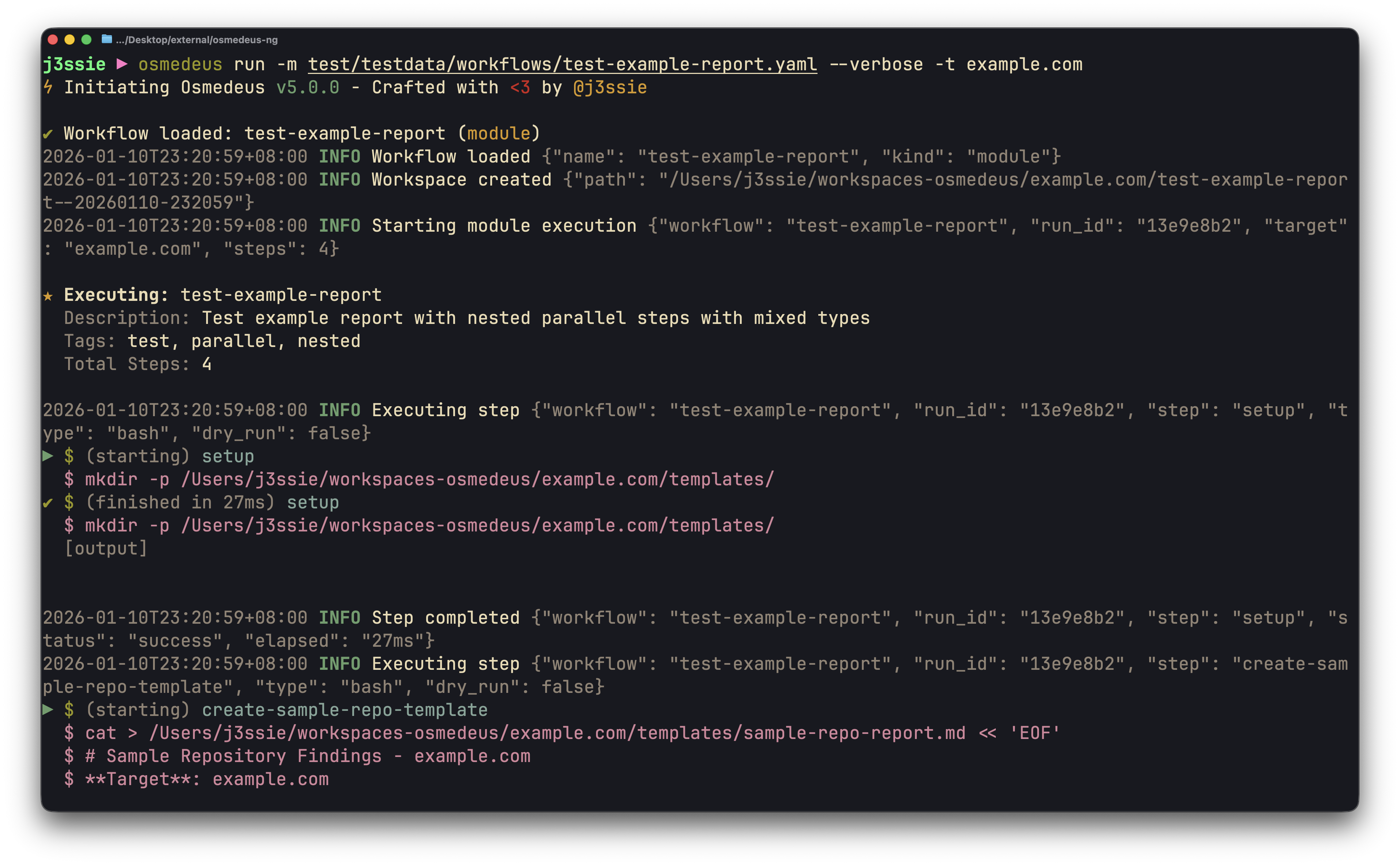
CLI UsageWeb UI Assets

☁️ Sponsor — Bloome

Bloome — humans and AI agents, working as one team

Automating recon with Osmedeus? Bloome brings that same team-of-agents mindset to the rest of your workflow: multiple AI agents (Claude, ChatGPT, DeepSeek and more) in one shared chat that split the work, hand off tasks, cross-check each other, and refine the output until it's right — triage findings, draft reports, and run scheduled checks together. Zero setup, in the cloud, on web and mobile, and shareable with your team. 👉 Try Bloome

Quick Start

root@kitploit:~
# Run a module workflow
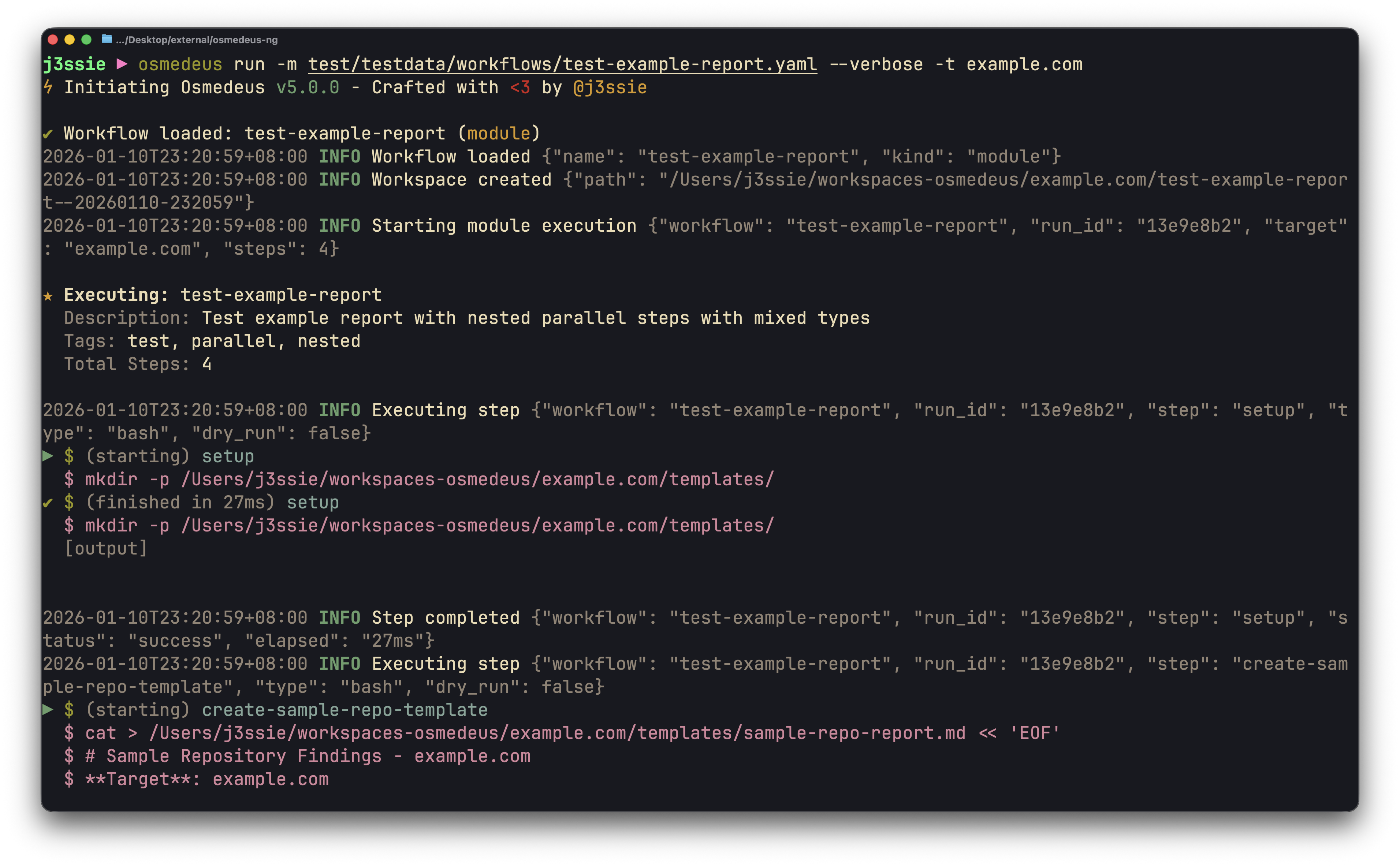
osmedeus run -m recon -t example.com

# Run a flow workflow
osmedeus run -f general -t example.com

# Multiple targets with concurrency
osmedeus run -m recon -T targets.txt -c 5

# Dry-run mode (preview)
osmedeus run -f general -t example.com --dry-run

# Start API server
osmedeus serve

# List available workflows
osmedeus workflow list

# Query discovered assets
osmedeus assets -w example.com                          # List assets for workspace
osmedeus assets --stats                                 # Show unique technologies, sources, types
osmedeus assets --source httpx --type web --json        # Filter and output as JSON

# Query vulnerabilities, runs, and steps
osmedeus query vulns --severity high --workspace example.com
osmedeus query runs --status running
osmedeus query steps --run <run-uuid>

# Query database tables
osmedeus db list --table runs
osmedeus db list --table event_logs --search "nuclei"

# Evaluate utility functions
osmedeus func eval 'log_info("hello")'
osmedeus func eval -e 'http_get("https://example.com")' -T targets.txt -c 10

# Platform variables available in eval
osmedeus func eval 'log_info("OS: " + PlatformOS + ", Arch: " + PlatformArch)'

# Install from preset repositories
osmedeus install base --preset
osmedeus install base --preset --keep-setting   # preserve existing osm-settings.yaml
osmedeus install workflow --preset

# Exclude modules from flow execution
osmedeus run -f general -t example.com -x portscan
osmedeus run -f general -t example.com -X vuln    # Fuzzy exclude by substring

# Worker queue system
osmedeus worker queue new -f general -t example.com   # Queue for later
osmedeus worker queue run --concurrency 5              # Process queue

# Worker management
osmedeus worker status                          # Show workers
osmedeus worker eval -e 'ssh_exec("host", "whoami")'  # Eval with distributed hooks

# Run an ACP agent interactively
osmedeus agent "analyze this codebase"
osmedeus agent --agent codex "explain main.go"
osmedeus agent --list

# Cloud infrastructure management
osmedeus cloud create --instances 3                    # Provision cloud machines
osmedeus cloud setup 1.2.3.4 5.6.7.8                  # Setup existing machines
osmedeus cloud list                                    # List active infrastructure
osmedeus cloud run -f general -t example.com --instances 3

# Show all usage examples
osmedeus --usage-example

Docker

root@kitploit:~
# Show help
docker run --rm j3ssie/osmedeus:latest --help

# Run a scan
docker run --rm -v $(pwd)/output:/root/workspaces-osmedeus \
    j3ssie/osmedeus:latest run -f general -t example.com

For more CLI usage and example commands, refer to the CLI Reference.

High-Level Architecture

root@kitploit:~
┌───────────────────────────────────────────────────────────────────────────┐
│                   Osmedeus Orchestration Engine                           │
├───────────────────────────────────────────────────────────────────────────┤
│  ENTRY POINTS                                                             │
│  ┌──────────┐  ┌──────────┐  ┌──────────┐  ┌─────────────┐                │
│  │   CLI    │  │ REST API │  │Scheduler │  │ Distributed │                │
│  └────┬─────┘  └────┬─────┘  └────┬─────┘  └─────┬───────┘                │
│       └─────────────┴─────────────┴──────────────┘                        │
│                              │                                            │
│                              ▼                                            │
│  ┌─────────────────────────────────────────────────────────────────────┐  │
│  │ CONFIG ──▶ PARSER ──▶ EXECUTOR ──▶ STEP DISPATCHER ──▶ RUNNER       │  │
│  │                          │                                          │  │
│  │  Step Executors: bash | function | parallel | foreach | remote-bash │  │
│  │                  http | llm | agent | agent-acp | SARIF/SAST       │  │
│  │  Hooks: pre_scan_steps → [main steps] → post_scan_steps             │  │
│  │                          │                                          │  │
│  │  Runners: HostRunner | DockerRunner | SSHRunner                     │  │
│  │  Queue: DB + Redis polling → dedup → concurrent execution           │  │
│  └─────────────────────────────────────────────────────────────────────┘  │
└───────────────────────────────────────────────────────────────────────────┘

For more information about the architecture, refer to the Architecture Documentation.

Roadmap and Status

The high-level ambitious plan for the project, in order:

Documentation

Disclaimer

Osmedeus is designed to execute arbitrary code and commands from user supplied input via CLI, API, and workflow definitions. This flexibility is intentional and central to how the engine operates.

Please refer to the ⚠️ Security Warning page for more information on how to stay safe. SECURITY.md draws the line between the code execution that is intentional and what counts as a vulnerability, and is where to start if you want to report one.

Think twice before you:

  • Run workflows downloaded from untrusted sources
  • Execute commands or scans against targets you don't own or have permission to test
  • Use workflows without reviewing their contents first

You are responsible for what you run. Always review workflow YAML files before execution, especially those obtained from third parties.

License

Osmedeus is made with ♥ by @j3ssie and it is released under the MIT license.

도구 다운로드
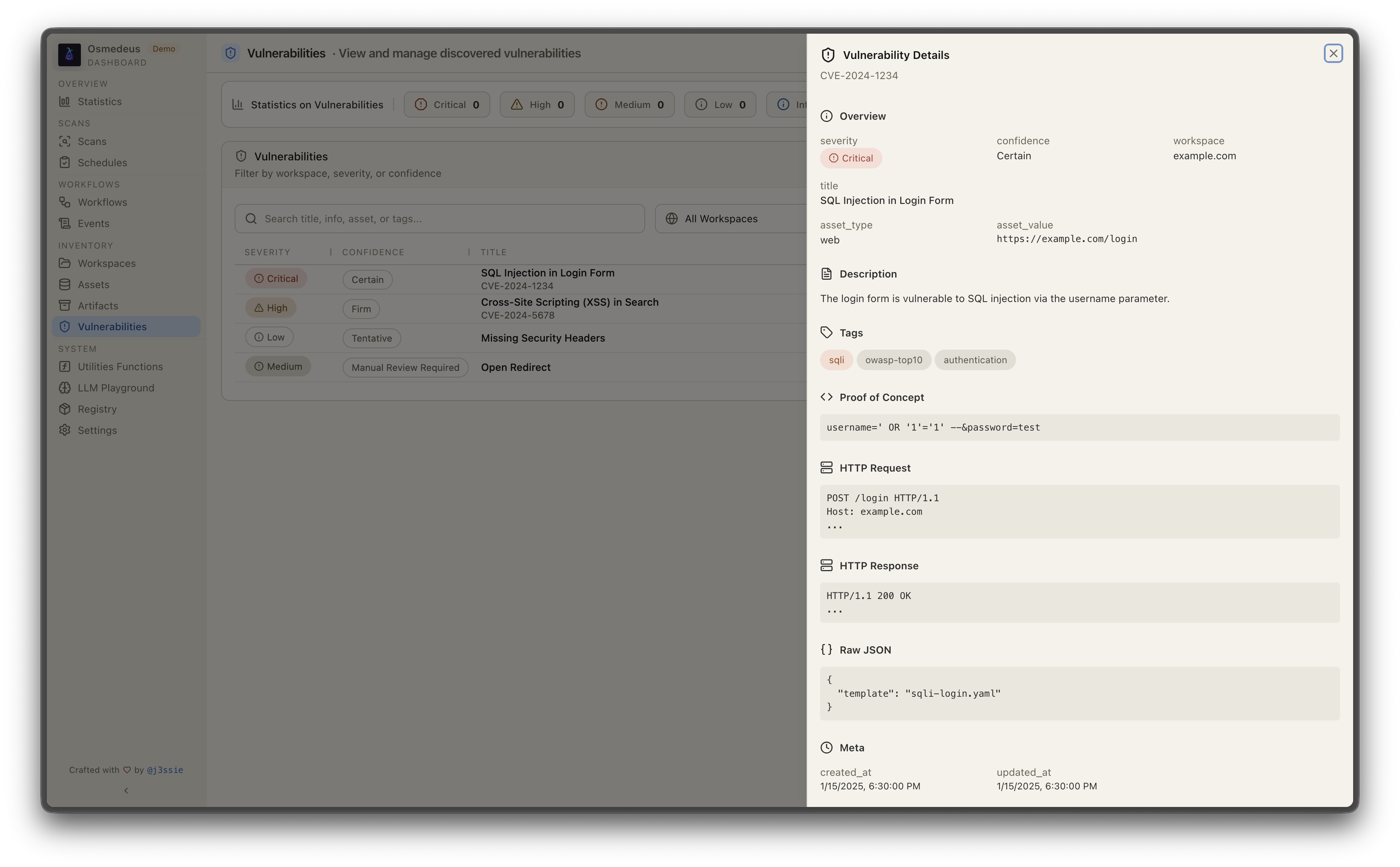
Workflow VisualizationVulnerabilities
#StepStatus
1Osmedeus Engine reforged with a next-generation architecture✅
2Flexible workflows and step types✅
3Event-driven architectural model and the different trigger event categories✅
4Beautiful UI for visualize results and workflow diagram✅
5Rewriting the workflow to adapt to new architecture and syntax✅
6Testing more utility functions like notifications✅
7SAST integration with SARIF parsing (Semgrep, Trivy, etc.)✅
8Cloud integration, which supports running the scan on the cloud provider.✅
9Generate diff reports showing new/removed/unchanged assets between runs.❌
10Adding step type from cloud provider that can be run via serverless❌
NFancy features (to be discussed later)❌
TopicLink
Getting Starteddocs.osmedeus.org/getting-started
CLI Usage & Examplesdocs.osmedeus.org/getting-started/cli
Writing Workflowsdocs.osmedeus.org/workflows/overview
Event-Driven Triggersdocs.osmedeus.org/advanced/event-driven
Deploymentdocs.osmedeus.org/deployment
Architecturedocs.osmedeus.org/concepts/architecture
Developmentdocs.osmedeus.org/development and HACKING.md
Extending Osmedeusdocs.osmedeus.org/development/extending-osmedeus
Security ModelSECURITY.md and docs.osmedeus.org/others/security-warning
Full Documentationdocs.osmedeus.org