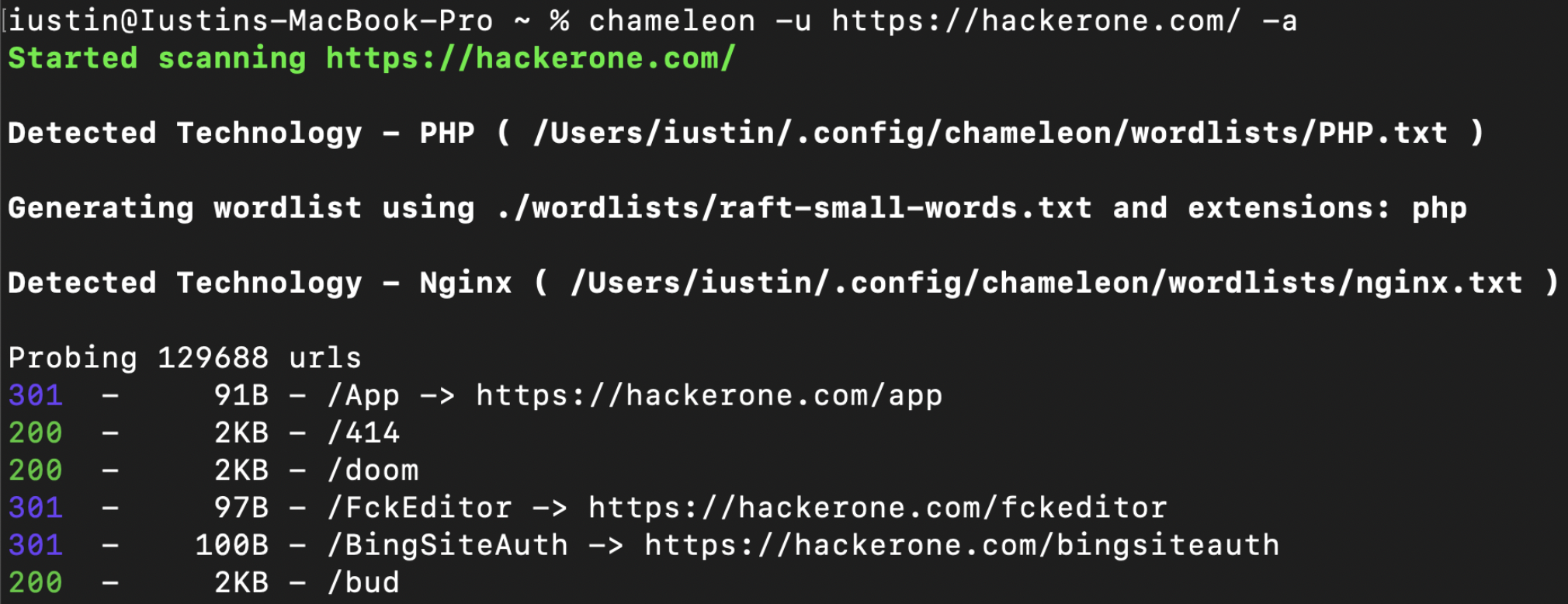
 iustin24/chameleon
기술 인식형 웹 콘텐츠 탐색 스캐너: Wappalyzer 핑거프린트를 감지하고, 워드리스트/확장자를 자동으로 조정하며, 침투 테스트 및 버그 바운티를 위한 빠른 디렉토리 무차별 대입 공격을 수행합니다.

Chameleon은 wappalyzer의 기술 지문 세트와 감지된 각 기술에 맞춤화된 사용자 정의 워드리스트를 함께 사용하여 더 나은 콘텐츠 검색을 제공합니다.
이 도구는 사용자 정의가 용이하며, 사용자가 자신만의 맞춤 워드리스트, 확장자, 지문을 추가할 수 있습니다.
전체 문서는 다음에서 확인할 수 있습니다: https://youst.in/posts/context-aware-conent-discovery-with-chameleon/
curl -sL https://raw.githubusercontent.com/iustin24/chameleon/master/install.sh | bash
스크립트를 실행하면 ~/.config/chameleon/ 디렉토리가 생성되고 설정 파일과 사용자 정의 워드리스트가 다운로드됩니다.
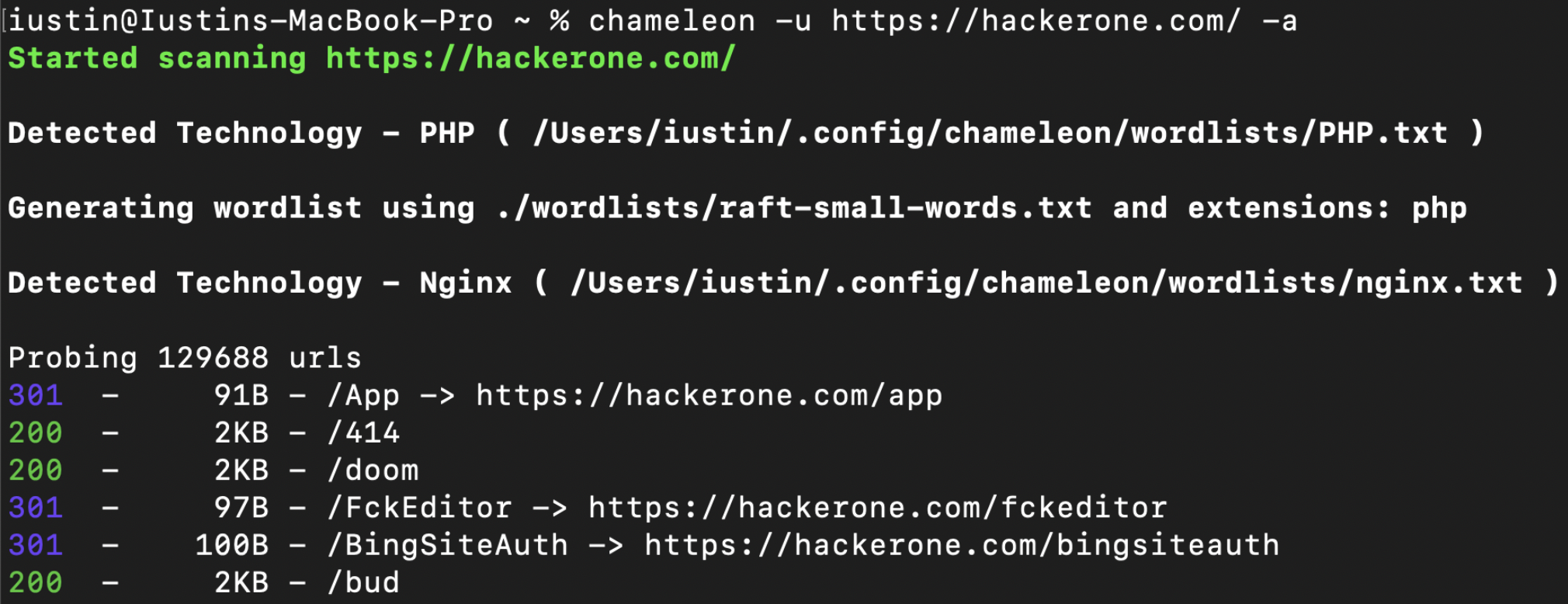
> chameleon --url https://example.com -a
OPTIONS:
    -a, --tech-detect
            Automatically detect technologies with wappalyzer and adapt wordlist

    -A, --auto-calibrate
            Automatically calibrate filtering options (default: false)

    -c, --mc <MATCHCODE>...
            Match HTTP status codes from response - Comma separated list [default:
            200,204,301,302,307,401,403,405]

    -C, --fc <FILTERCODE>...
            Filter HTTP status codes from response - Comma separated list

    -h, --help
            Print help information

    -i, --include tech <TECHS>
            Technology to be included, even if its not detected by wappalyzer. ( -i PHP,IIS )

    -J, --json
            Save the output as json

    -k, --config <CONFIG>
            Config file to use [default: ~/.config/chameleon/config.toml]

    -L, --hosts-file <HOSTS_FILE>
            List of hosts to scan

    -o, --output <OUTPUT>
            Save the output into a file

    -s, --ms <MATCHSIZE>...
            Match HTTP response size. Comma separated list of sizes

    -S, --fs <FILTERSIZE>...
            Filter HTTP response size. Comma separated list of sizes

    -t, --concurrency <CONCURRENCY>
            Number of concurrent threads ( default: 200 ) [default: 40]

    -T, --tech url <TECH_URL>
            URL which will be scanned for technologies. By default, this is the same as '-u',
            however it can be changed using '-T'

    -u, --url <URL>
            url to scan

    -U, --user-agent <USERAGENT>
            Change the value for the user-agent header [default: "Chameleon /
            https://github.com/iustin24/chameleon"]

    -V, --version
            Print version information

    -w, --wordlist <WORDLIST>
            Main wordlist to use for bruteforcing

    -W, --small-wordlist <SMALL_WORDLIST>
            Wordlist used to generate files by adding extensions ( FUZZ.%ext )

    -X, --methods <METHODS>...
            HTTP Methods to use. Comma separated list of sizes [default: GET]
Chameleon은 ~/.config/chameleon/config.yaml에 위치한 설정 파일을 사용합니다.
워드리스트가 제공되지 않으면 chameleon은 설정 파일의 main_wordlist에 지정된 워드리스트를 사용합니다. (기본값: ~/.config/chameleon/wordlists/raft-medium-words.txt )
특성 확장자를 가진 기술을 감지할 때, chameleon은 다음과 같이 워드리스트를 생성합니다 ( FUZZ.%ext ). chameleon은 설정 파일의 small_wordlist에 지정된 워드리스트를 사용합니다. (기본값: ~/.config/chameleon/wordlists/raft-medium-words.txt )
기술별 워드리스트가 포함된 config.yaml 예시:
# Technology Specific Wordlists:

Flask="~/.config/chameleon/wordlists/Flask.txt"
Java="~/.config/chameleon/wordlists/Java.txt"
Go="~/.config/chameleon/wordlists/GO.txt"
...
Chameleon은 https://github.com/iustin24/wappalyzer/blob/master/apps.json 의 지문을 사용합니다.
apps.json에서 기술 이름을 가져와 다음과 같이 설정 파일에 추가하여 새 기술 워드리스트를 추가할 수 있습니다:
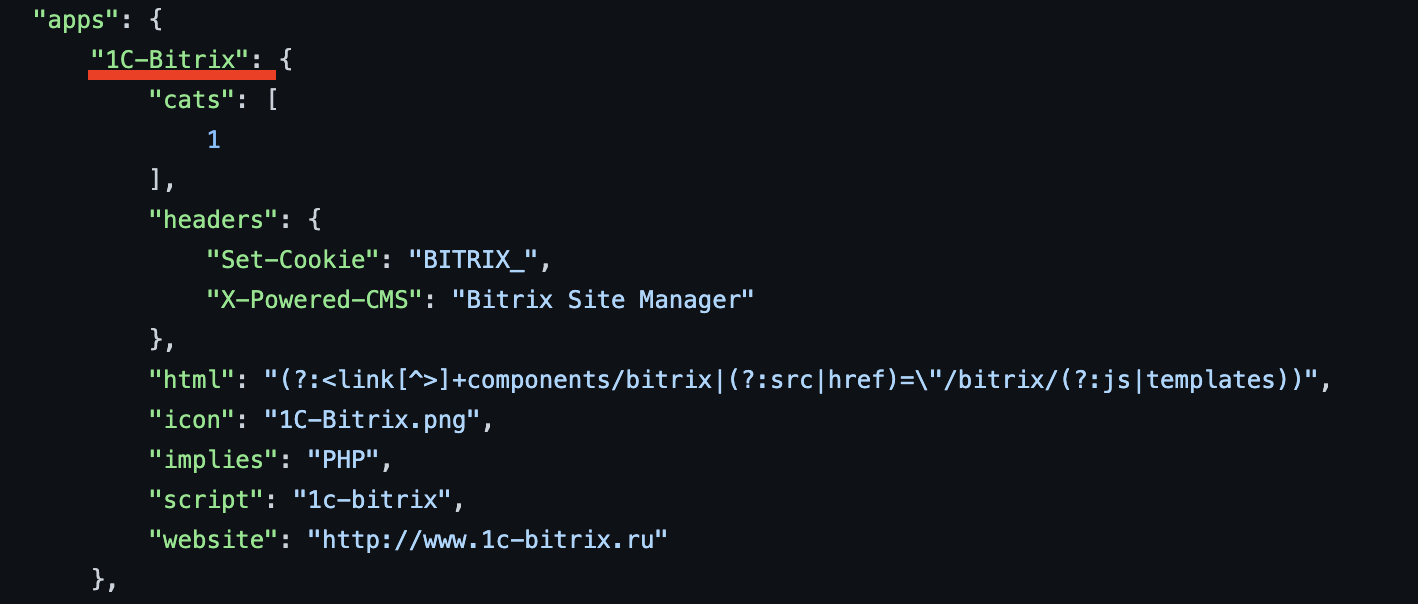
# Technology Specific Wordlists:

1C-Bitrix="~/.config/chameleon/wordlists/new_tech_wordlist.txt"
...
Chameleon은 감지된 기술과 일치하는 특성 확장자를 사용하여 워드리스트를 생성합니다. 설정 파일에서 확장자를 다음과 같이 추가/수정할 수 있습니다:
# Technology specific Extensions

Microsoft_ASP_NET_ext="aspx,ashx,asmx,asp"
Java_ext="jsp"
CFML_ext="cfm"
Python_ext="py"
PHP_ext="php"
더 나은 기술 감지를 위해 wappalyzer 크레이트가 "implies" 기능도 지원하도록 업데이트
필터링 자동 보정 추가
사용자 정의 헤더를 추가하는 옵션 추가.
epi052 - https://github.com/epi052/feroxfuzz/
