 google/magika
빠르고 정확한 AI 기반 파일 콘텐츠 유형 탐지








Magika는 최근 딥러닝의 발전을 활용하여 정확한 탐지를 제공하는 AI 기반의 새로운 파일 유형 탐지 도구입니다. 내부적으로 Magika는 약 몇 MB에 불과한 사용자 정의된 고도로 최적화된 모델을 사용하며, 단일 CPU에서 실행되더라도 밀리초 단위로 정확한 파일 식별을 가능하게 합니다. Magika는 200개 이상의 콘텐츠 유형(바이너리 및 텍스트 파일 형식 모두 포함)에 걸친 약 1억 개의 샘플 데이터셋으로 학습 및 평가되었으며, 테스트 세트에서 평균 약 99%의 정확도를 달성합니다.
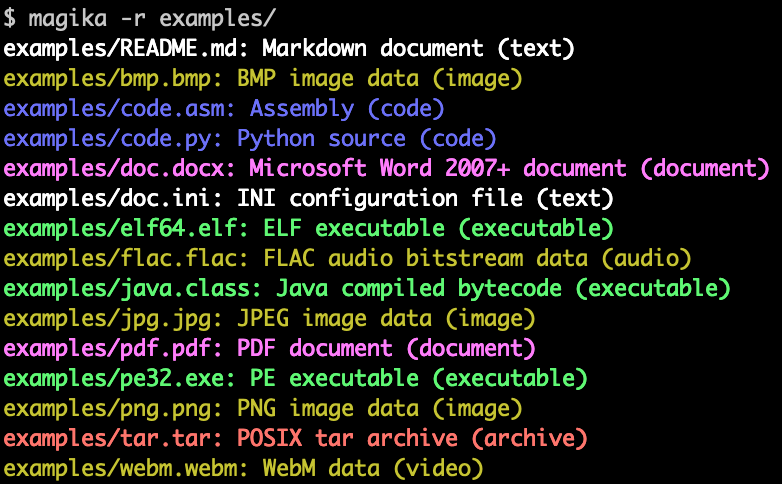
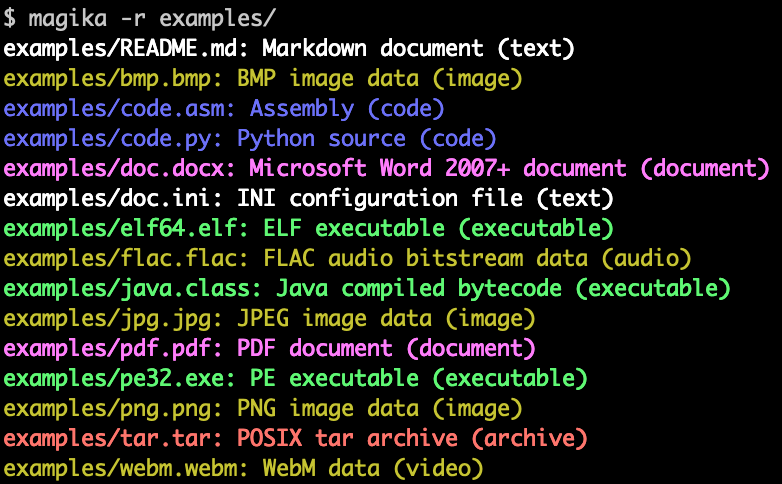
다음은 Magika 명령줄 출력의 예시입니다:
Magika는 Gmail, Drive, 세이프 브라우징 파일을 적절한 보안 및 콘텐츠 정책 스캐너로 라우팅하여 Google 사용자의 안전을 개선하는 데 대규모로 사용되며, 매주 수천억 개의 샘플을 처리합니다. Magika는 또한 VirusTotal(예시) 및 abuse.ch(예시)와 통합되었습니다.
더 많은 맥락을 위해 Google OSS 블로그의 초기 발표 게시물을 읽어보시고, Magika 웹사이트를 참조하시며, IEEE/ACM International Conference on Software Engineering (ICSE) 2025에서 발표된 연구 논문에서 더 자세히 읽어보실 수 있습니다.
아무것도 설치하지 않고 브라우저에서 로컬로 실행되는 웹 데모를 사용하여 Magika를 체험해볼 수 있습니다!
-r을 사용할 수도 있습니다.high-confidence, medium-confidence, best-guess와 같은 다양한 예측 모드를 통해 제어할 수 있습니다.Magika는 Rust로 작성된 CLI를 제공하며, 여러 가지 방법으로 설치할 수 있습니다.
magika Python 패키지를 통해:
pipx install magika
brew를 통해 (macOS / Linux)
brew install magika
설치 스크립트를 통해:
curl -LsSf https://securityresearch.google/magika/install.sh | sh
또는:
powershell -ExecutionPolicy Bypass -c "irm https://securityresearch.google/magika/install.ps1 | iex"
magika-cli Rust 패키지를 통해:
cargo install --locked magika-cli
pip install magika
npm install magika
시작하는 데 도움이 되는 몇 가지 빠른 예시를 여기에서 확인할 수 있습니다.
Magika의 내부 작동 방식에 대해 알아보려면 Magika 웹사이트의 핵심 개념 섹션을 참조하세요.
% cd tests_data/basic && magika -r * | head
asm/code.asm: Assembly (code)
batch/simple.bat: DOS batch file (code)
c/code.c: C source (code)
css/code.css: CSS source (code)
csv/magika_test.csv: CSV document (code)
dockerfile/Dockerfile: Dockerfile (code)
docx/doc.docx: Microsoft Word 2007+ document (document)
docx/magika_test.docx: Microsoft Word 2007+ document (document)
eml/sample.eml: RFC 822 mail (text)
empty/empty_file: Empty file (inode)
% magika ./tests_data/basic/python/code.py --json
[
  {
    "path": "./tests_data/basic/python/code.py",
    "result": {
      "status": "ok",
      "value": {
        "dl": {
          "description": "Python source",
          "extensions": [
            "py",
            "pyi"
          ],
          "group": "code",
          "is_text": true,
          "label": "python",
          "mime_type": "text/x-python"
        },
        "output": {
          "description": "Python source",
          "extensions": [
            "py",
            "pyi"
          ],
          "group": "code",
          "is_text": true,
          "label": "python",
          "mime_type": "text/x-python"
        },
        "score": 0.996999979019165
      }
    }
  }
]
% cat tests_data/basic/ini/doc.ini | magika -
-: INI configuration file (text)
% magika --help
Determines file content types using AI

Usage: magika [OPTIONS] [PATH]...

Arguments:
  [PATH]...
          List of paths to the files to analyze.

          Use a dash (-) to read from standard input (can only be used once).

Options:
  -r, --recursive
          Identifies files within directories instead of identifying the directory itself

      --no-dereference
          Identifies symbolic links as is instead of identifying their content by following them

      --colors
          Prints with colors regardless of terminal support

      --no-colors
          Prints without colors regardless of terminal support

  -s, --output-score
          Prints the prediction score in addition to the content type

  -i, --mime-type
          Prints the MIME type instead of the content type description

  -l, --label
          Prints a simple label instead of the content type description

      --json
          Prints in JSON format

      --jsonl
          Prints in JSONL format

      --format <CUSTOM>
          Prints using a custom format (use --help for details).

          The following placeholders are supported:

            %p  The file path
            %l  The unique label identifying the content type
            %d  The description of the content type
            %g  The group of the content type
            %m  The MIME type of the content type
            %e  Possible file extensions for the content type
            %s  The score of the content type for the file
            %S  The score of the content type for the file in percent
            %b  The model output if overruled (empty otherwise)
            %%  A literal %

  -h, --help
          Print help (see a summary with '-h')

  -V, --version
          Print version
CLI에 대한 더 많은 예시와 문서는 https://crates.io/crates/magika-cli를 참조하세요.


