 glincker/sslx
빠르고 현대적인 OpenSSL CLI의 대안 - 터미널에서 인증서를 검사, 평가 및 관리하세요

openssl이지만, 플래그를 구글링할 필요가 없습니다.
인증서, TLS 연결, 그리고 일반적으로 세 번의 openssl 호출이 필요한 모든 작업을 처리하는 단일 바이너리입니다. Rust와 rustls로 제작되었으며, 시스템 OpenSSL이 필요하지 않습니다.



cargo install sslx
미리 빌드된 바이너리는 릴리스 페이지에서 확인하세요.
Homebrew:
brew install glincker/tap/sslx
또는 직접 다운로드:
# macOS (Apple Silicon)
curl -fsSL https://github.com/glincker/sslx/releases/latest/download/sslx-macos-aarch64 -o sslx && chmod +x sslx

# Linux
curl -fsSL https://github.com/glincker/sslx/releases/latest/download/sslx-linux-x86_64 -o sslx && chmod +x sslx
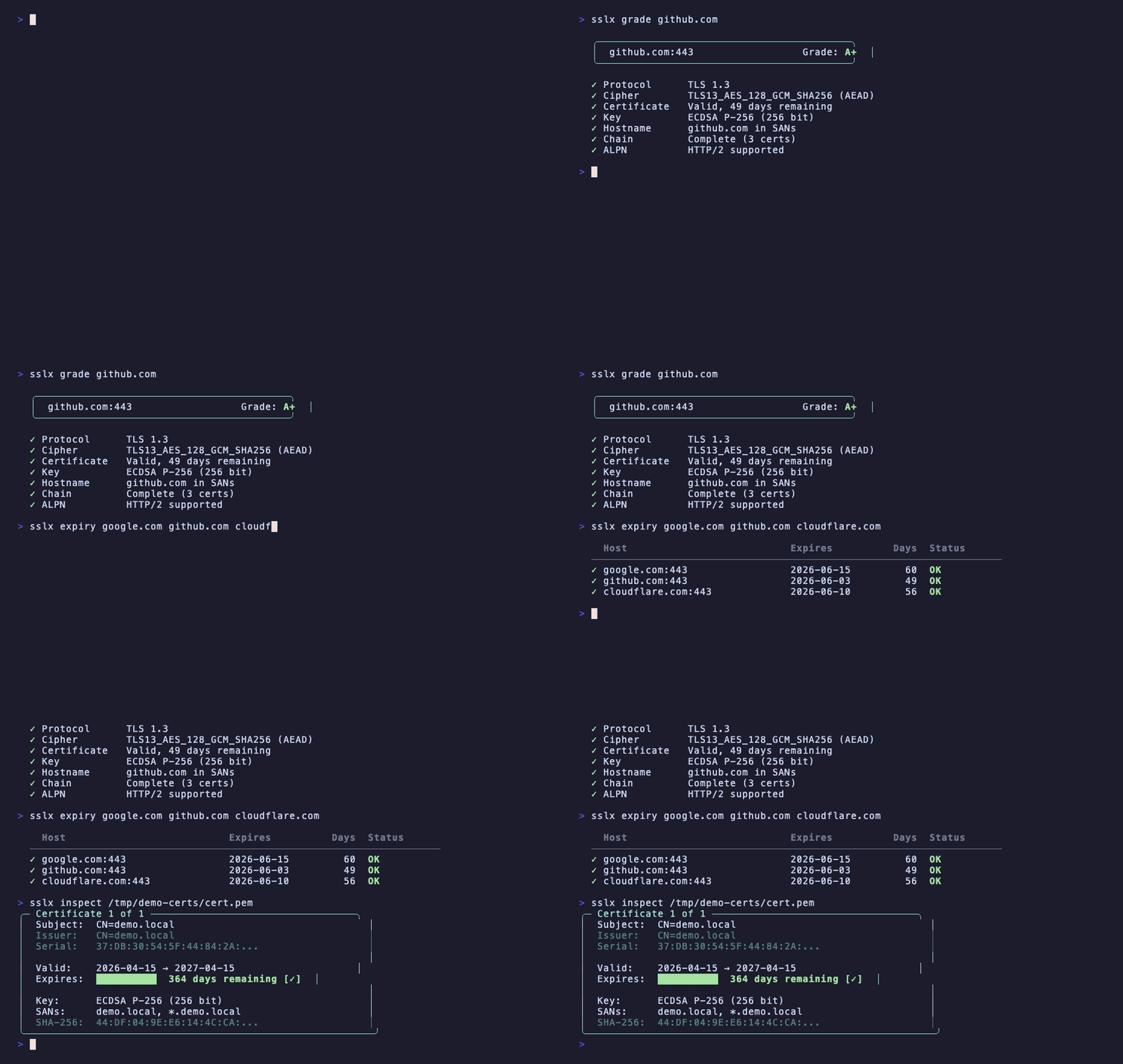
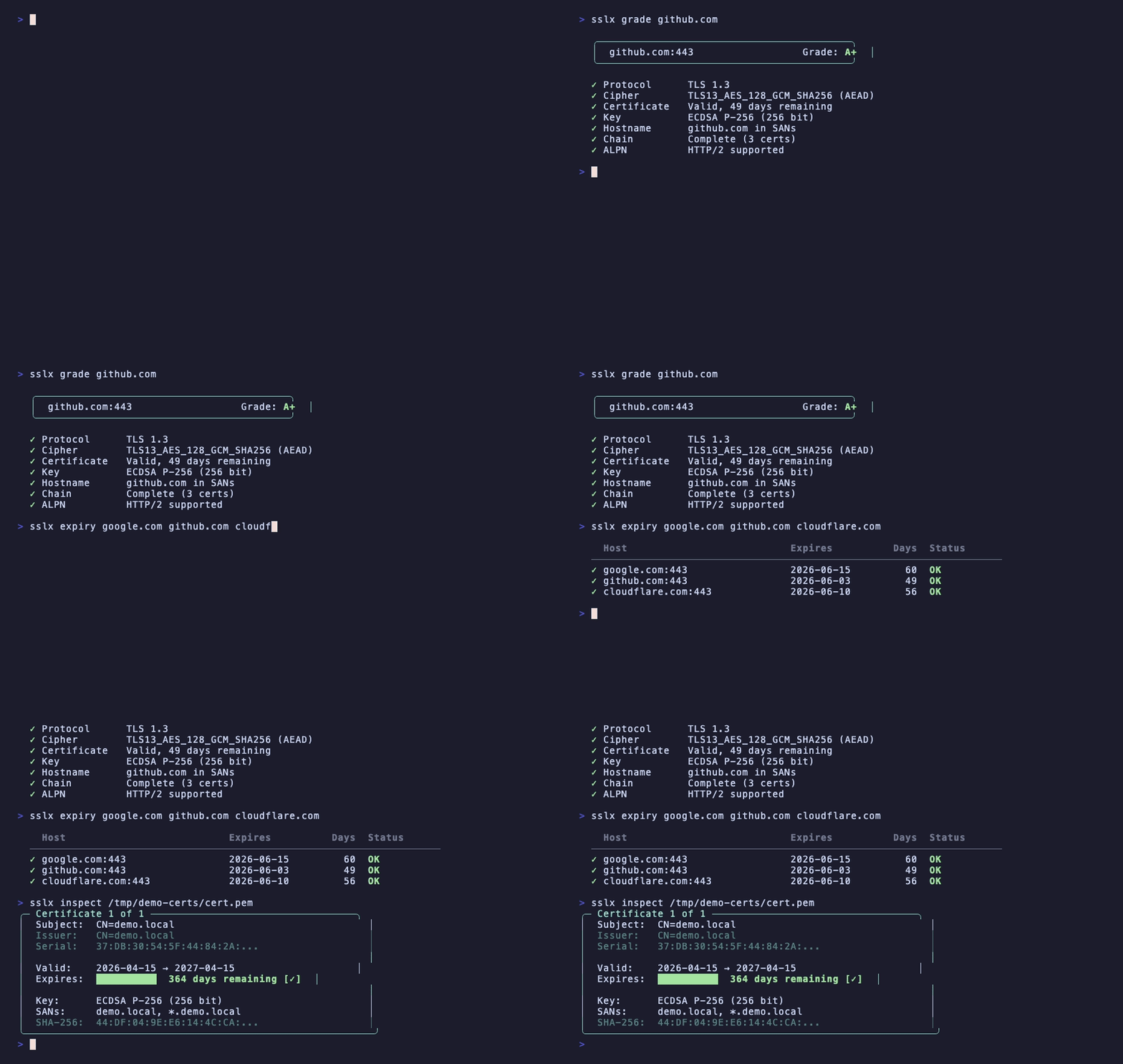
SSL Labs처럼 호스트의 TLS 설정을 평가하지만, 터미널에서 바로 확인할 수 있습니다:
$ sslx grade github.com

  ╭──────────────────────────────────────────╮
  │  github.com:443                  Grade: A+  │
  ╰──────────────────────────────────────────╯

  ✓ Protocol      TLS 1.3
  ✓ Cipher        TLS13_AES_128_GCM_SHA256 (AEAD)
  ✓ Certificate   Valid, 49 days remaining
  ✓ Key           ECDSA P-256 (256 bit)
  ✓ Hostname      github.com in SANs
  ✓ Chain         Complete (3 certs)
  ✓ ALPN          HTTP/2 supported
프로토콜 버전, 암호 강도, 인증서 유효성, 키 유형, 호스트 이름 일치, 체인 완전성, ALPN을 확인합니다. A+부터 F까지의 문자 등급을 제공합니다.
한 번에 여러 호스트의 인증서 만료를 확인합니다:
$ sslx expiry google.com github.com cloudflare.com stripe.com

  Host                           Expires          Days  Status
  ────────────────────────────────────────────────────────────────
  ✓ google.com:443                 2026-06-15         61  OK
  ✓ github.com:443                 2026-06-03         49  OK
  ✓ cloudflare.com:443             2026-06-10         56  OK
  ✓ stripe.com:443                 2026-09-01        139  OK
7일 이내에 만료되는 항목이 있으면 종료 코드 1을 반환합니다. 크론 작업이나 CI 파이프라인에 유용합니다.
PEM 또는 DER 인증서 파일을 읽고 컬러 출력을 표시합니다:
$ sslx inspect cert.pem

╭─ Certificate 1 of 1 ──────────────────────────────────╮
│  Subject:  CN=*.example.com                             │
│  Issuer:   CN=Let's Encrypt Authority X3                │
│  Serial:   0A:1B:2C:3D...                               │
│                                                         │
│  Valid:    2026-01-15 → 2026-04-15                      │
│  Expires:  ██░░░░░░░░  12 days remaining [!]            │
│                                                         │
│  Key:      ECDSA P-256 (256 bit)                        │
│  SANs:     *.example.com, example.com                   │
│  SHA-256:  AB:CD:EF:12:34...                            │
╰──────────────────────────────────────────────────────────╯
다중 인증서 번들도 처리합니다. PEM과 DER을 자동 감지합니다.
모든 호스트에 대한 전체 TLS 핸드셰이크 세부 정보와 인증서 체인을 확인합니다:
$ sslx connect example.com

Connection to example.com:443

  TLS 1.3 · TLS13_AES_256_GCM_SHA384
  ALPN: h2

  Chain:
  ╭─ Certificate 1 of 3 ─────────────────────────╮
  │  Subject:  CN=*.example.com                    │
  │  Valid:    61 days remaining ✓                 │
  │  Key:      ECDSA P-256 (256 bit)              │
  ╰────────────────────────────────────────────────╯
    ↓ signed by
  ╭─ Certificate 2 of 3 (CA) ────────────────────╮
  │  ...                                          │
  ╰────────────────────────────────────────────────╯
로컬 개발용 자체 서명 인증서를 한 명령으로 생성:
sslx generate --cn localhost --san "*.local,127.0.0.1"
기본적으로 EC P-256을 사용하여 cert.pem과 key.pem을 생성합니다. ec384와 ed25519도 지원합니다.
sslx csr --cn example.com --san "*.example.com,api.example.com"
csr.pem과 key.pem을 생성합니다. CSR을 CA에 제출하세요.
sslx convert cert.pem --to der           # PEM → DER
sslx convert cert.der --to pem           # DER → PEM
sslx convert bundle.p12 --to pem         # PKCS12 → PEM
입력 형식을 자동 감지합니다.
$ sslx match cert.pem key.pem

  ✓ Certificate and key match (ECDSA P-256 (256 bit))
더 이상 모듈러스 해시를 수동으로 비교할 필요가 없습니다.
sslx extract bundle.p12 --password mypass --out ./certs
리프 인증서, 중간 인증서, 키를 별도의 PEM 파일로 추출합니다.
파일이나 JWT 토큰을 입력하면 sslx가 자동으로 식별합니다:
$ sslx decode eyJhbGciOiJIUzI1NiIsInR5cCI6IkpXVCJ9...

  ✓ Detected: JSON Web Token (JWT)

    Header:   {"alg":"HS256","typ":"JWT"}
    Payload:  {"sub":"1234567890","name":"John","iat":1516239022}
    Expires:  in 3 hours
PEM 인증서, DER 파일, 개인 키, 공개 키, CSR도 감지합니다.
sslx verify cert.pem --ca ca-bundle.pem
  ✓ Certificate is valid
    Chain:    complete (3 certs)
    Expiry:   328 days remaining
실패 시 정확히 무엇이 잘못되었는지 알려주고, 해결 방법에 대한 힌트를 제공합니다.
| 작업 | openssl | sslx |
|---|---|---|
| 인증서 확인 | openssl x509 -in cert.pem -text -noout | sslx inspect cert.pem |
| TLS 핸드셰이크 | openssl s_client -connect host:443 2>/dev/null | openssl x509 -text | sslx connect host |
| 체인 검증 | openssl verify -CAfile ca.pem cert.pem | sslx verify cert.pem --ca ca.pem |
| 자체 서명 인증서 생성 | openssl req -x509 -newkey ec -pkeyopt ec_paramgen_curve:P-256 -keyout key.pem -out cert.pem -days 365 -nodes -batch -subj "/CN=localhost" | sslx generate --cn localhost |
| CSR 생성 | openssl req -new -newkey ec -pkeyopt ec_paramgen_curve:P-256 -keyout key.pem -out csr.pem -batch -subj "/CN=example.com" | sslx csr --cn example.com |
| PEM → DER | openssl x509 -in cert.pem -outform DER -out cert.der | sslx convert cert.pem --to der |
| 만료 확인 | echo | openssl s_client -connect host:443 2>/dev/null | openssl x509 -noout -enddate | sslx expiry host |
| 인증서+키 일치 확인 | diff <(openssl x509 -noout -modulus -in cert.pem) <(openssl rsa -noout -modulus -in key.pem) | sslx match cert.pem key.pem |
| TLS 등급 | (ssllabs.com 방문) | sslx grade host |
| JWT 디코딩 | (jwt.io 방문) | sslx decode <token> |
모든 명령어는 스크립팅 및 CI를 위해 --json을 지원합니다:
# 만료까지 남은 일수 확인
sslx connect example.com --json | jq '.chain.certificates[0].days_remaining'

# 등급 확인
sslx grade example.com --json | jq '.grade'

# 모든 SAN 목록
sslx inspect cert.pem --json | jq '.certificates[0].sans'
| 코드 | 의미 |
|---|---|
| 0 | 정상 |
| 1 | 인증서 만료 또는 만료 임박 |
| 3 | 체인 신뢰할 수 없음 |
| 4 | 연결 실패 |
| 5 | 잘못된 파일 |
macOS M2에서 10회 실행 중앙값:
| sslx | openssl | |
|---|---|---|
| 인증서 검사 | 2.1ms | 9.4ms |
| 인증서 생성 | 1.7ms | 4.5ms |
| 시작 | 1.3ms |
sslx completions bash > /etc/bash_completion.d/sslx
sslx completions zsh > ~/.zsh/completions/_sslx
sslx completions fish > ~/.config/fish/completions/sslx.fish
CONTRIBUTING.md를 참조하세요. 버그 및 기능 요청은 이슈에 제출해 주세요.
MIT
