

Vanquish는 Kali Linux 기반 Enumeration Orchestrator입니다. Vanquish는 Kali의 오픈소스 열거 도구를 활용하여 여러 능동적 정보 수집 단계를 수행합니다.
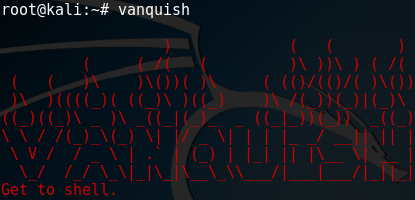
Vanquish는 Python으로 제작된 Kali Linux 기반 열거 오케스트레이터입니다. Vanquish는 Kali의 오픈소스 열거 도구를 활용하여 여러 능동적 정보 수집 단계를 수행합니다. 각 단계의 결과는 다음 단계로 전달되어 원격 셸을 획득하는 데 활용될 수 있는 취약점을 식별합니다.
다른 열거 스크립트와 비교하여 Vanquish가 특별한 점은 무엇인가요?
Vanquish는 Kali Linux에서 다음 명령을 사용하여 설치할 수 있습니다:
git clone https://github.com/frizb/Vanquish
cd Vanquish
python Vanquish2.py -install
vanquish --help
Vanquish가 설치되면 최고의 Kali Linux 도구를 활용하여 호스트를 스캔할 수 있습니다:
echo 192.168.126.133 >> test.txt
vanquish -hostFile test.txt -logging
echo 결과를 확인하세요!
cd test
cd 192_168_126_133
ls -la
| NMap | Hydra | Nikto | Metasploit | | Gobuster | Dirb | Exploitdb | Nbtscan | | Ntpq | Enum4linux | Smbclient | Rpcclient | | Onesixtyone | Sslscan | Sslyze | Snmpwalk | | Ident-user-enum | Smtp-user-enum | Snmp-check | Cisco-torch | | Dnsrecon | Dig | Whatweb | Wafw00f | | Wpscan | Cewl | Curl | Mysql | Nmblookup | Searchsploit | | Nbtscan-unixwiz | Xprobe2 | Blindelephant | Showmount |
Ctrl + C
Ctrl + C를 누르면 열거 단계를 종료하고 다음 단계로 건너뜁니다(명령 실행이 너무 오래 걸릴 때 유용). Vanquish는 출력 파일이 이미 존재하면 해당 명령을 다시 실행하지 않고 건너뜁니다. 명령을 다시 실행하려면 출력 파일(.txt,.xml,.nmap 등)을 삭제하고 Vanquish를 다시 실행하세요.
Ctrl + Z
Ctrl + Z를 누르면 Vanquish를 종료합니다.
재개 모드
Vanquish는 출력 파일이 이미 존재하면 해당 명령을 다시 실행하지 않고 건너뜁니다.
열거 명령 다시 실행
명령을 다시 실행하려면 출력 파일(.txt,.xml,.nmap 등)을 삭제하고 Vanquish를 다시 실행하세요.
Command Line Arguments
usage: vanquish [-h] [-install] [-outputFolder folder] [-configFile file]
                [-attackPlanFile file] [-hostFile file] [-workspace workspace]
                [-domain domain] [-dnsServer dnsServer] [-proxy proxy]
                [-reportFile report] [-noResume] [-noColor]
                [-threadPool threads] [-phase phase] [-noExploitSearch]
                [-benchmarking] [-logging] [-verbose] [-debug]

Vanquish is Kali Linux based Enumeration Orchestrator.

optional arguments:
  -h, --help            show this help message and exit
  -install              Install Vanquish and it's requirements
  -outputFolder folder  output folder path (default: name of the host file))
  -configFile file      configuration ini file (default: config.ini)
  -attackPlanFile file  attack plan ini file (default: attackplan.ini)
  -hostFile file        list of hosts to attack (default: hosts.txt)
  -workspace workspace  Metasploit workspace to import data into (default: is
                        the host filename)
  -domain domain        Domain to be used in DNS enumeration (default:
                        megacorpone.com)
  -dnsServer dnsServer  DNS server option to use with Nmap DNS enumeration.
                        Reveals the host names of each server (default: )
  -proxy proxy          Proxy server option to use with scanning tools that
                        support proxies. Should be in the format of ip:port
                        (default: )
  -reportFile report    filename used for the report (default: report.txt)
  -noResume             do not resume a previous session
  -noColor              do not display color
  -threadPool threads   Thread Pool Size (default: 8)
  -phase phase          only execute a specific phase
  -noExploitSearch      disable searchspolit exploit searching
  -benchmarking         enable bench mark reporting on the execution time of
                        commands(exports to benchmark.csv)
  -logging              enable verbose and debug data logging to files
  -verbose              display verbose details during the scan
  -debug                display debug details during the scan
GoBuster Max
GoBuster Max는 모든 웹 애플리케이션 콘텐츠 탐지 사전을 대상에 대해 실행하는 공격 계획입니다.
Vanquish -hostFile test.txt -attackPlanFile ./attackplans/gobuster-max.ini -logging
Hydra 자격 증명 스캐너
사용자는 여러 시스템에서 비밀번호를 재사용하는 것을 좋아합니다. 네트워크를 탐색하고 사용자 이름과 비밀번호를 수집할 때, 해당 사용자 이름과 비밀번호가 다른 곳에서도 사용되는지 확인하는 것이 좋습니다. 이 공격 계획은 단일 호스트 또는 전체 네트워크에 대해 정확히 그 작업을 수행합니다. 또한 공격 계획은 이전 스캔에서 네트워크에 대해 학습한 내용을 활용하며, 자격 증명 테스트의 일부로 발견된 서비스를 자동으로 사용합니다.
이 공격은 네트워크에 대해 알려진 자격 증명 목록을 사용하여 발견된 모든 호스트 및 서비스에 대해 테스트합니다. 자격 증명을 스캔 경로의 루트에 있는 파일에 저장하고 이름을 credentials.txt로 지정하세요.
예: 호스트 목록이 포함된 파일: /root/Documents/Vanquish/myhosts.txt
/root/Documents/Vanquish/myhosts/credentials.txt
알려진 각 자격 증명을 텍스트 파일에 username:password 형식으로 저장하세요. 예: credentials.txt
elvis:Password!
jamesdean:rockyou
justin:12345678
참고: 이 공격 계획은 >> .txt 파일을 생성하지 않으므로 출력 파일을 삭제하지 않고도 반복 실행할 수 있습니다. 따라서 목록에 새 자격 증명을 추가하고 네트워크를 자주 다시 스캔할 수 있습니다.
python Vanquish2.py -hostFile hostlist.txt -attackPlanFile ./attackplans/credentials.ini
Hydra 사용자 이름 및 비밀번호 목록 스캐너
이 공격은 네트워크에 대해 알려진 사용자 이름 목록과 알려진 비밀번호 목록을 사용하여 발견된 모든 호스트 및 서비스에 대해 테스트합니다.
사용자 이름을 스캔 경로의 루트에 있는 파일에 저장하고 이름을 usernames.txt로 지정하세요. 예: 호스트 목록이 포함된 파일: /root/Documents/Vanquish/myhosts.txt
/root/Documents/Vanquish/myhosts/usernames.txt
비밀번호를 스캔 경로의 루트에 있는 파일에 저장하고 이름을 passwords.txt로 지정하세요. 예: 호스트 목록이 포함된 파일: /root/Documents/Vanquish/myhosts.txt
/root/Documents/Vanquish/myhosts/passwords.txt
각 사용자 이름 또는 비밀번호를 텍스트 파일의 새 줄에 저장하세요. 예: usernames.txt
elvis
jamesdean
justin
비밀번호도 passwords.txt 파일에 비슷한 방식으로 저장됩니다.
참고: 이 공격 계획은 >> .txt 파일을 생성하지 않으므로 출력 파일을 삭제하지 않고도 반복 실행할 수 있습니다. 따라서 목록에 새 자격 증명을 추가하고 네트워크를 자주 다시 스캔할 수 있습니다.
python Vanquish2.py -hostFile hostlist.txt -attackPlanFile ./attackplans/usernamespasswords.ini
