 ethicalhackingplayground/erebus
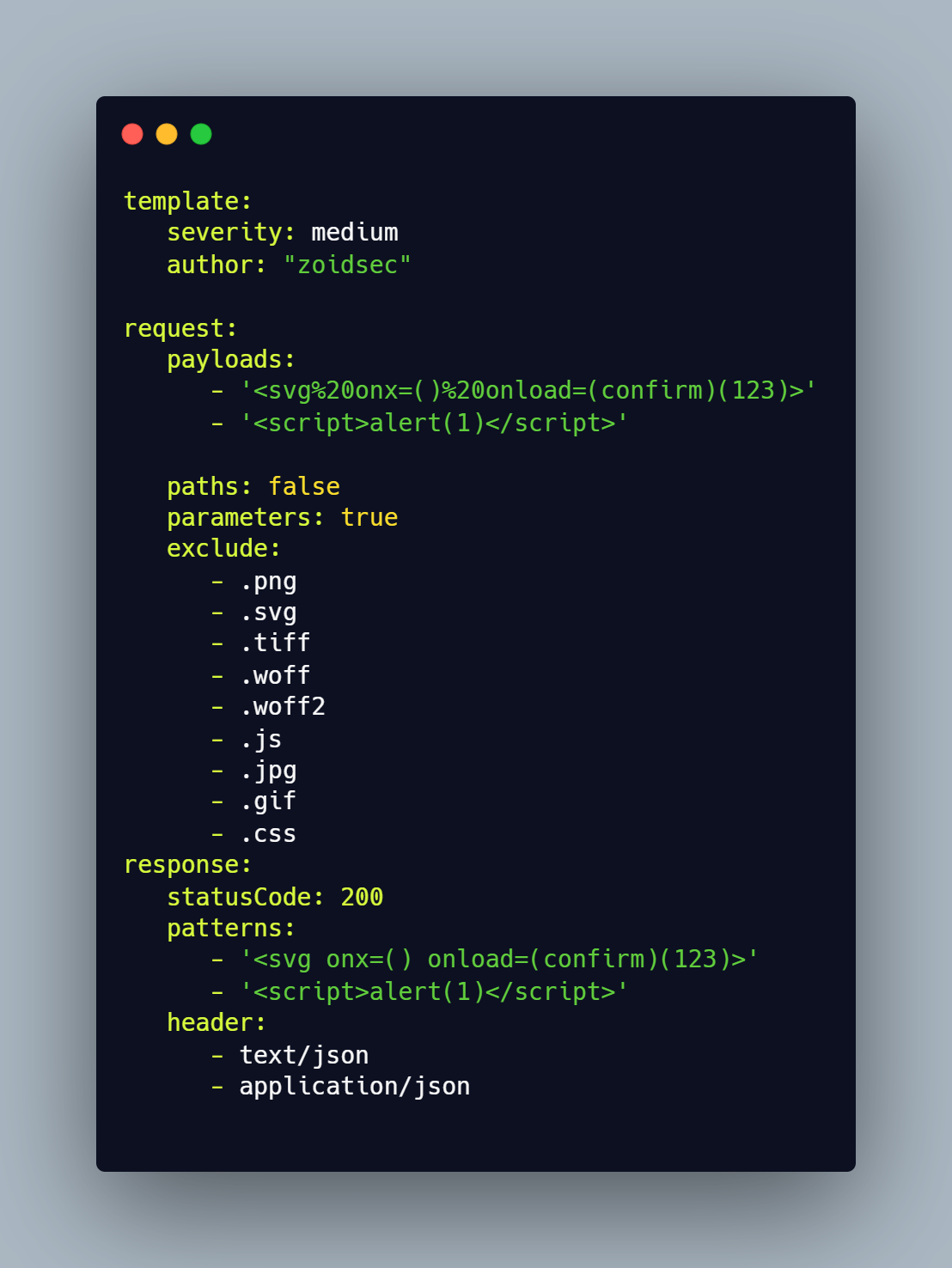
Erebus는 nuclei와 같은 Yaml 기반 템플릿 엔진을 사용하여 파라미터 기반 취약점 스캔을 수행하는 빠른 도구입니다.






작동 방식 • 설치 • 템플릿 • 인터셉터 • 사용법 • Discord 참여
Erebus는 Yaml 템플릿을 기반으로 대상의 모든 파라미터를 테스트하여 거짓 양성(False Positive)을 제거하고 대량의 호스트를 빠르게 스캔하는 데 사용됩니다. Erebus는 연구자가 웹을 탐색하고 링크를 클릭하면 프록시를 통과하는 모든 파라미터를 테스트하는 인터셉트 프록시를 포함한 다양한 유용한 기능을 제공합니다.
다양한 유형의 취약점 템플릿을 모아둔 전용 저장소가 있습니다.
▶ GO111MODULE=off go get -u -v github.com/ethicalhackingplayground/erebus/erebus
▶ erebus -ut
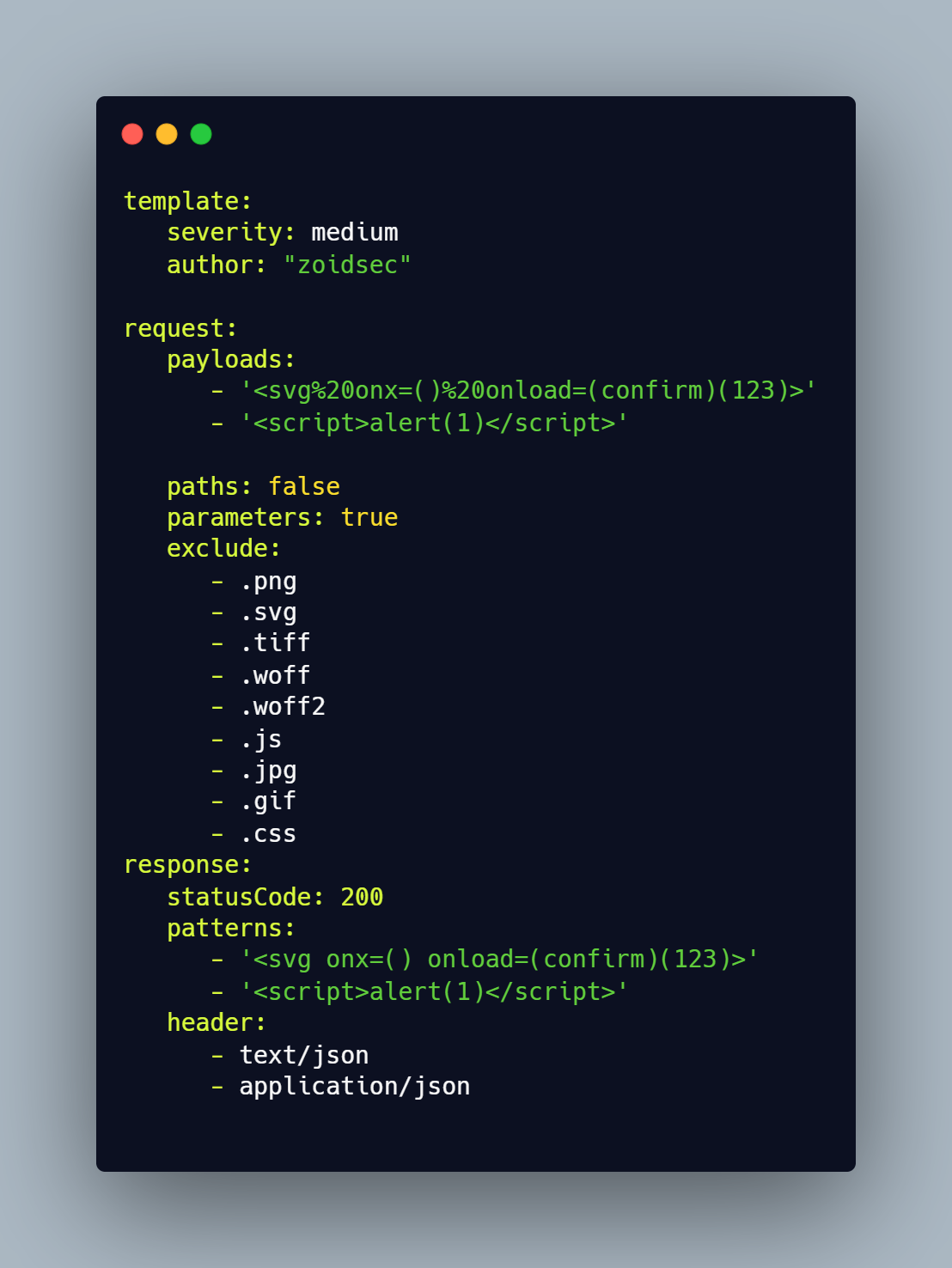
Erebus 템플릿Erebus는 자동 업데이트/다운로드 템플릿(https://github.com/ethicalhackingplayground/erebus/releases/latest)을 기본 지원합니다. Erebus-Templates 프로젝트는 테스트에 사용할 수 있는 커뮤니티 기여의 바로 사용 가능한 템플릿 모음을 제공합니다.
|
Erebus 인터셉터 설정erebus interceptor를 사용하기 전에 브라우저에 프록시를 설정해야 합니다. Firefox의 경우 다음으로 이동하세요. ▶ 설정 ▶ 일반 ▶ 네트워크 설정 ▶ 수동 프록시 구성 HTTP Proxy에 127.0.0.1을 입력하고 포트는 8080을 입력한 후, FTP 및 HTTPS에도 이 프록시 사용을 활성화하세요. |
HTTPS 사용을 위한 SSL 인증서 설치HTTPS 테스트를 위해 제공된 인증서가 있습니다. 다음 단계에 따라 설치하면 됩니다. ▶ 설정 ▶ 개인정보 및 보안 ▶ 인증서 ▶ 인증서 보기 ▶ 가져오기 ▶ erebus 디렉토리에 있는 .crt 파일을 선택하고 신뢰 및 설치를 진행하세요. |
erebus -h
도구의 도움말이 표시됩니다. 지원되는 모든 스위치는 다음과 같습니다.
Usage of erebus:
  -burp-sitemap string
        scan burp xml sitemap (without base64 decoded)
  -c int
        the number of concurrent requsts (default 100)
  -crawl
        crawl through each intercepted request
  -depth int
        the crawl depth (default 5)
  -interceptor
        intercept the requests through the proxy and test each parameter
  -o string
        output results to a file
  -p string
        the port on which the interception proxy will listen on (default "8080")
  -scope string
        the scope for the proxy intercetor
  -secure
        determaines if the connection is secure or not
  -silent
        silent (only show vulnerable urls)
  -t string
        use the templates with all our yaml rules instead
  -tc string
        Use other tools by executing an os command (default "qsreplace")
  -ut
        Install or update the erebus-templates
다음은 Erebus 스캐너를 테스트의 일부로 사용하는 방법에 대한 몇 가지 예시입니다.
HTTP 도메인에서 크롤링하면서 paypal 전체를 범위로 설정하여 인터셉트 프록시로 XSS 취약점 스캔하기.
▶ erebus -t erebus-templates/xss-reflected.yaml -interceptor -crawl -scope ".*.\.paypal.com"
HTTPS 도메인에서 크롤링하면서 paypal 전체를 범위로 설정하여 인터셉트 프록시로 XSS 취약점 스캔하기.
▶ erebus -t erebus-templates/xss-reflected.yaml -interceptor -crawl -secure -scope ".*.\.paypal.com"
subfinder와 Gau를 사용하여 서브도메인 범위에서 XSS 취약점 스캔하기.
▶ echo "paypal.com" | gau | erebus -t erebus-templates/xss-reflected.yaml
https:// 또는 http:// 형식의 파일에서 서브도메인 스캔하기.
▶ cat alive | gau | erebus -t erebus-templates/xss-reflected.yaml

Erebus는 GPL-3.0 라이선스 하에 배포됩니다.