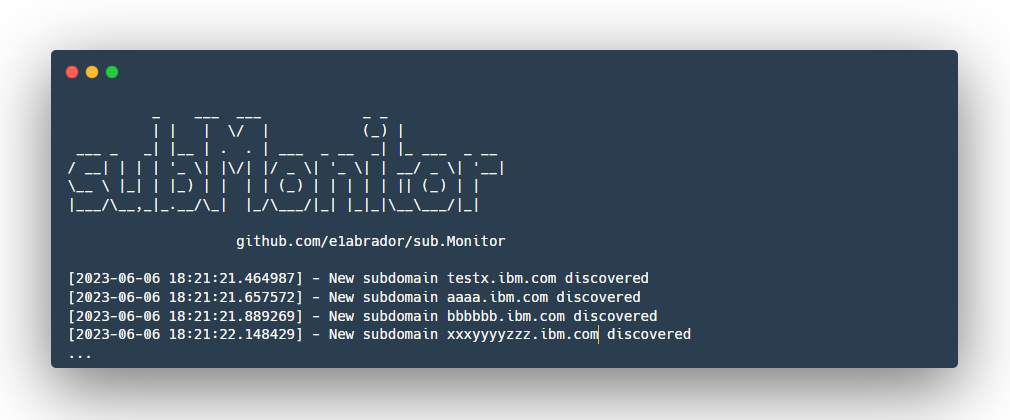
 e1abrador/sub.monitor
자가 호스팅 패시브 서브도메인 연속 모니터링 도구.

지속적인 공격 표면 관리를 위한 빠르고 사용자 친화적인 서브도메인 모니터링 도구.
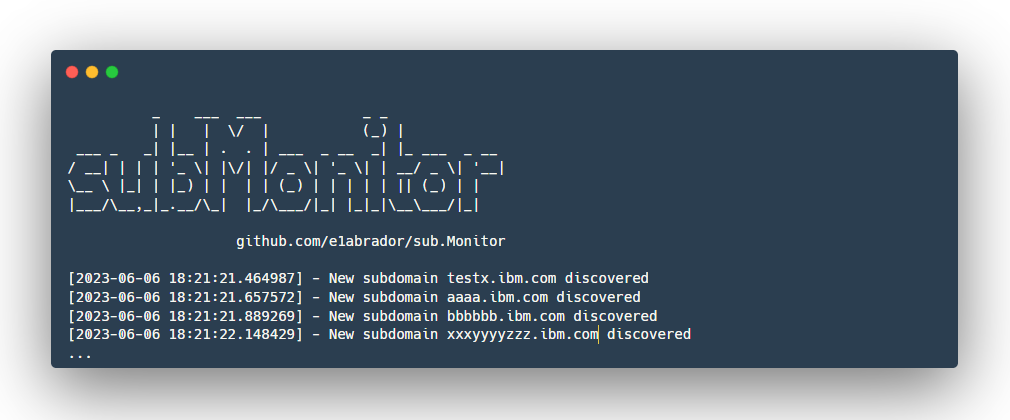
왜 sub.Monitor를 선택해야 하나요? 이 프로그램은 발견된 모든 도메인을 저장하기 위해 SQLite를 사용하여(사전 데이터베이스 관리의 필요성을 없애) 간편한 설정을 제공합니다. 또한 사용자가 선택한 도구를 사용하여 스크립트에 몇 줄의 코드만 추가하면 되므로 높은 사용자 정의가 가능합니다. MySQL이나 MongoDB와 같은 데이터베이스에 의존하는 다른 기존 솔루션과 달리, 스크립트를 초기화하는 것이 번거로운 작업이 될 수 있습니다.
sub.Monitor 플래그:
options:
  --add ADD             Domain to scan
  --out-scope OUT_SCOPE
                        File with out-of-scope domains
  --file FILE           File with known subdomains
  -D DOMAIN, --domain DOMAIN
                        Domain to scan
  -H HOURS, --hours HOURS
                        Hours between scans
  --dump                Dump all subdomains for a specific domain
  --list                List all root domains in the database
  -df DF                File with domains to scan
  --inscope             Dump only in-scope domains
  --notinscope          Dump only out-of-scope domains
  --dumpall             Dump all subdomains with their details
  --info                Show discovery date for subdomains
  -help, -?             Show this help message and exit
구성(API) 경로 파일을 config.ini 파일에 작성해야 합니다.
pip3 install -r requirements.txt를 실행하세요.스크립트에 자신만의 도구를 쉽게 구현할 수 있습니다. 코드 라인을 수정하기만 하면 됩니다:
def run_tool(tool, domain, output_file):
    print(f'[{datetime.datetime.now()}] - Running {tool} on {domain}')
    if tool == 'assetfinder':
        assetfinder_binary = config.get('Binary paths', 'assetfinder')
        cmd = f'echo {domain} | {assetfinder_binary} -subs-only | grep -E "{domain}$" |grep -v "*" | grep -v "@"'
    elif tool == 'subfinder':
        subfinder_binary = config.get('Binary paths', 'subfinder')
        subfinder_api = config.get('Api', 'subfinder_api')
        cmd = f'{subfinder_binary} -d {domain} -silent -pc {subfinder_api} -all'
    elif tool == 'amass':
        amass_binary = config.get('Binary paths', 'amass')
        amass_api = config.get('Api', 'amass_api')
        cmd = f'{amass_binary} enum -passive -norecursive -noalts -d {domain} -config {amass_api}'
    elif tool == 'my-custom-tool':
        my-custom-tool-binary = config.get('Binary paths', 'my-custom-tool-binary-or-script')
        cmd = f'{my-custom-tool-binary} -d {domain}'
사용자 정의 도구를 추가할 경우, 마지막 출력이 도메인 결과여야 sub.Monitor가 데이터베이스에 저장할 수 있다는 점에 유의하세요. 예를 들어 사용 방법은 다음과 같습니다:
cmd = f'bash customtool.sh {domain}''
...
cat customtool.sh
mycustomtool -d $1 > /tmp/$1.txt &>/dev/null; cat /tmp/$1.txt | unfurl domains | anew; rm -r /tmp/$1.txt
또한 여기에 도구 이름을 추가하세요:
                for tool in ['subfinder', 'amass', 'assetfinder', 'my-custom-tool-name']:
                    run_tool(tool, domain, output_file)
마지막으로, 물론 하위 모니터 구성 파일에 도구를 추가해야 파이썬 스크립트가 해당 구성 파일에서 바이너리를 가져올 수 있습니다.
필요한 것은 명령이 완료되면 출력에 발견된 모든 도메인이 표시되어 도구가 로그 파일과 데이터베이스 내에 저장할 수 있도록 하는 것입니다.
먼저 sub.Monitor는 이미 스캔된 도메인 목록이 필요합니다:
➜  cat ibm_sorted_subdomains.txt
test1.ibm.com
test2.ibm.com
test3.ibm.com
subtest.testX.ibm.com
...
이제 서브도메인이 포함된 파일을 다음 명령으로 sub.Monitor에 전달할 수 있습니다:
python3 monitor.py --add ibm.com --file ibm_sorted_subdomains.txt
          _    ___  ___            _ _
          | |   |  \/  |           (_) |
 ___ _   _| |__ | .  . | ___  _ __  _| |_ ___  _ __
/ __| | | | '_ \| |\/| |/ _ \| '_ \| | __/ _ \| '__|
\__ \ |_| | |_) | |  | | (_) | | | | | || (_) | |
|___/\__,_|_.__/\_|  |_/\___/|_| |_|_|\__\___/|_|

                    github.com/e1abrador/sub.Monitor

[2023-06-06 18:16:26.002521] - 538 subdomains were added to the local database.
또한 범위 외 플래그를 추가할 가능성이 있습니다. 예를 들어 버그 바운티 프로그램에 다음과 같은 정책이 있다고 가정해 보겠습니다:
*.ibm.com - in scope
super-admin.ibm.com - out of scope
*.super-admin.ibm.com - out of scope
이 내용으로 파일을 만들 수 있습니다:
cat outscope.txt
super-admin.ibm.com
*.super-admin.ibm.com
이제 수동으로 발견된 모든 도메인을 데이터베이스에 추가할 수 있습니다(범위 내 도메인만 필터링):
python3 monitor.py --add ibm.com --file ibm_sorted_subdomains.txt --out-scope outscope.txt
          _    ___  ___            _ _
          | |   |  \/  |           (_) |
 ___ _   _| |__ | .  . | ___  _ __  _| |_ ___  _ __
/ __| | | | '_ \| |\/| |/ _ \| '_ \| | __/ _ \| '__|
\__ \ |_| | |_) | |  | | (_) | | | | | || (_) | |
|___/\__,_|_.__/\_|  |_/\___/|_| |_|_|\__\___/|_|

                    github.com/e1abrador/sub.Monitor

[2023-06-06 18:16:26.002521] - 538 subdomains were added to the local database.
이렇게 하면 모든 서브도메인이 데이터베이스에 추가되지만, 범위 외 도메인은 [Out of scope] 플래그로 표시됩니다(덤프 도메인 섹션에서 데이터베이스에서 범위 내 도메인을 필터링하는 방법을 확인할 수 있습니다).
도메인이 데이터베이스에 추가되었는지 확인하려면 다음을 실행하세요:
python3 monitor.py --list
          _    ___  ___            _ _
          | |   |  \/  |           (_) |
 ___ _   _| |__ | .  . | ___  _ __  _| |_ ___  _ __
/ __| | | | '_ \| |\/| |/ _ \| '_ \| | __/ _ \| '__|
\__ \ |_| | |_) | |  | | (_) | | | | | || (_) | |
|___/\__,_|_.__/\_|  |_/\___/|_| |_|_|\__\___/|_|

                    github.com/e1abrador/sub.Monitor

ibm.com [9 subdomains added manually] [2 subdomains discovered] [11 total unique in database]
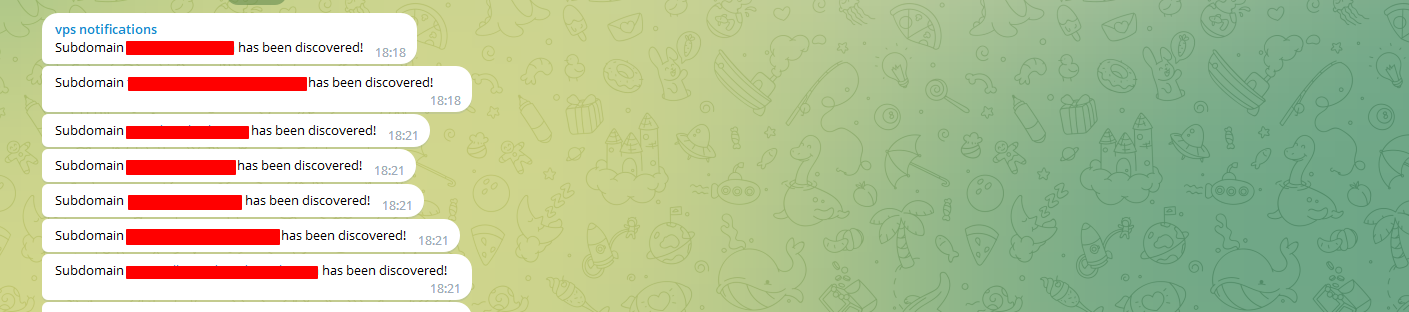
올바르게 로드되면 모니터링 프로세스를 시작할 수 있습니다. VPS에서 TMUX를 사용하여 오랫동안 실행하는 것이 좋습니다. 다음 명령을 사용하면 스크립트가 서브도메인 열거 도구를 실행하고 새 결과를 이전 결과와 비교합니다. 새로운 서브도메인이 발견되면 sub.Monitor는 먼저 로컬 데이터베이스에 추가한 후(더 이상 해당 발견에 대해 알리지 않음) slack/telegram/discord를 통해 사용자에게 알립니다.
python3 monitor.py -D ibm.com -H 12 --out-scope outscope.txt
서브도메인이 발견되면 sub.Monitor는 출력에 다음 메시지를 표시합니다:
➜ python3 monitor.py -D ibm.com -H 8 # To filter the subdomains that are in the current scope from the out-scope ones, you can use:
                                      # python3 monitor.py -D ibm.com -H 8 --out-scope outscope.txt

          _    ___  ___            _ _
          | |   |  \/  |           (_) |
 ___ _   _| |__ | .  . | ___  _ __  _| |_ ___  _ __
/ __| | | | '_ \| |\/| |/ _ \| '_ \| | __/ _ \| '__|
\__ \ |_| | |_) | |  | | (_) | | | | | || (_) | |
|___/\__,_|_.__/\_|  |_/\___/|_| |_|_|\__\___/|_|

                    github.com/e1abrador/sub.Monitor

[2023-06-06 18:07:25.191169] - New subdomain xxxx.ibm.com discovered
[2023-06-06 18:07:25.353156] - New subdomain xyxyxyxyxyx.ibm.com discovered
[2023-06-06 18:07:25.641082] - New subdomain x1.xxxx.ibm.com discovered
다음 명령을 사용하여 둘 이상의 도메인을 모니터링할 수도 있습니다:
python3 monitor.py -df root-domains.txt -H 8
python3 monitor.py -df roots.txt -H 8 --out-scope outscope.txt
해당 메시지가 보고된 후 동시에 사용자는 Telegram에서 알림을 받게 됩니다.
알림을 어떻게 관리하나요? Discord를 통해 새로 발견된 모든 도메인을 확인하는 매우 쉬운(관리하기 쉬운) 방법을 찾았습니다. 다음과 같이 보입니다(모든 프로그램이 비공개이므로 흐리게 처리됨):
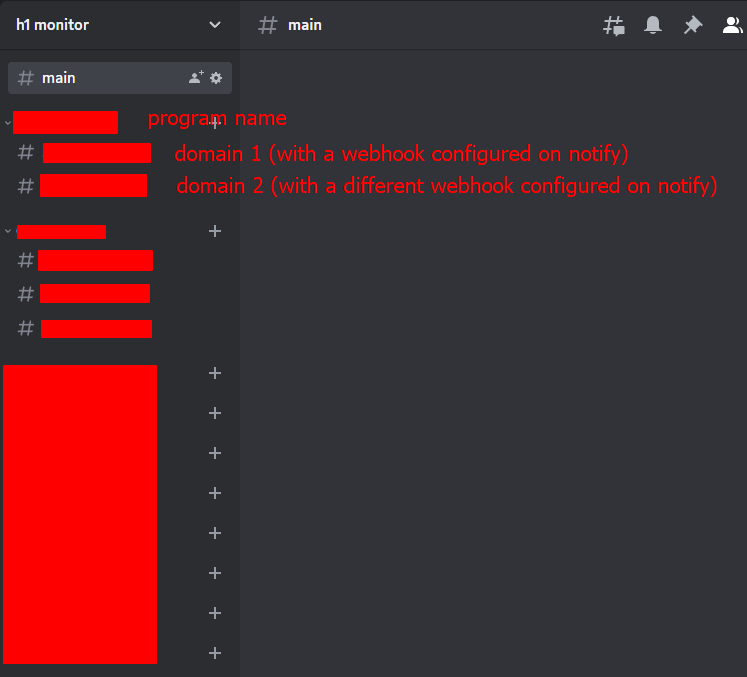
아이디어는 먼저 프로그램 이름에 대한 카테고리를 만드는 것입니다:
Yahoo
--- yahoo.com
--- yahoo.net
--- 등 ...
IBM
--- ibm.com
--- whateverdomain.com
--- 등 ...
제 notify 구성 파일은 다음과 같습니다:

