 diprajpatra/selenium-stealth
Selenium Chrome용 스텔스 레이어로, 브라우저 지문과 자동화 신호를 변경하여 봇 탐지를 우회하고 reCAPTCHA v3 점수를 유지합니다.


탐지를 방지하기 위한 파이썬 패키지 selenium-stealth입니다. 이 프로그램은 python selenium을 더욱 스텔스하게 만들기 위해 노력하고 있습니다.
현재로서는 selenium-stealth는 Selenium Chrome/Chromium만 지원합니다.
selenium-stealth를 사용하면 거의 모든 selenium 탐지를 방지할 수 있습니다. 스택오버플로우에는 selenium 탐지를 방지하는 방법에 대한 많은 가이드가 있지만, 이를 위한 단일 파이썬 패키지를 찾을 수 없어서 직접 만들게 되었습니다. 어쨌든 우리는 고양이가 이기게 둘 수는 없으니까요.
이는 @berstend가 개발한 JavaScript puppeteer-extra-plugin-stealth의 재구현으로 볼 수 있습니다.
현재 selenium-stealth가 제공할 수 있는 기능:
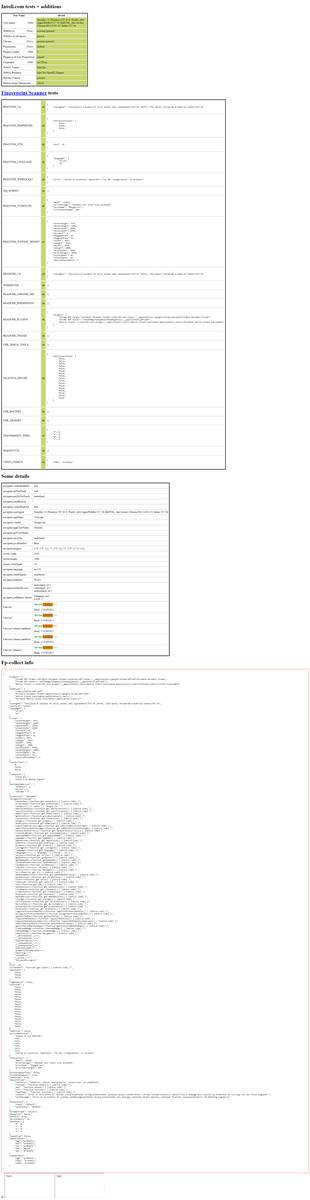
✅️ selenium-stealth는 스텔스 모드로 모든 공개 봇 테스트를 통과합니다.
✅️ selenium-stealth를 사용하면 selenium으로 구글 계정 로그인을 할 수 있습니다.
✅️ selenium-stealth는 정상적인 reCAPTCHA v3 점수 유지를 돕습니다.
이 패키지가 유용하다고 생각하시고 지속적인 개발을 지원하고 싶다면, 여기에서 후원해 주세요. 지원해 주셔서 감사합니다.


Selenium-stealth는 PyPI에서 사용할 수 있으며 pip로 설치할 수 있습니다.
$ pip install selenium-stealth
from selenium import webdriver
from selenium_stealth import stealth
import time

options = webdriver.ChromeOptions()
options.add_argument("start-maximized")

# options.add_argument("--headless")

options.add_experimental_option("excludeSwitches", ["enable-automation"])
options.add_experimental_option('useAutomationExtension', False)
driver = webdriver.Chrome(options=options, executable_path=r"C:\Users\DIPRAJ\Programming\adclick_bot\chromedriver.exe")

stealth(driver,
        languages=["en-US", "en"],
        vendor="Google Inc.",
        platform="Win32",
        webgl_vendor="Intel Inc.",
        renderer="Intel Iris OpenGL Engine",
        fix_hairline=True,
        )

url = "https://bot.sannysoft.com/"
driver.get(url)
time.sleep(5)
driver.quit()
stealth(
    driver: Driver,
    user_agent: str = 'Mozilla/5.0 (Windows NT 10.0; Win64; x64) AppleWebKit/537.36 (KHTML, like Gecko) Chrome/83.0.4103.53 Safari/537.36',
    languages: [str] = ["en-US", "en"],
    vendor: str = "Google Inc.",
    platform: str = "Win32",
    webgl_vendor: str = "Intel Inc.",
    renderer: str = "Intel Iris OpenGL Engine",
    fix_hairline: bool = False,
    run_on_insecure_origins: bool = False,
)
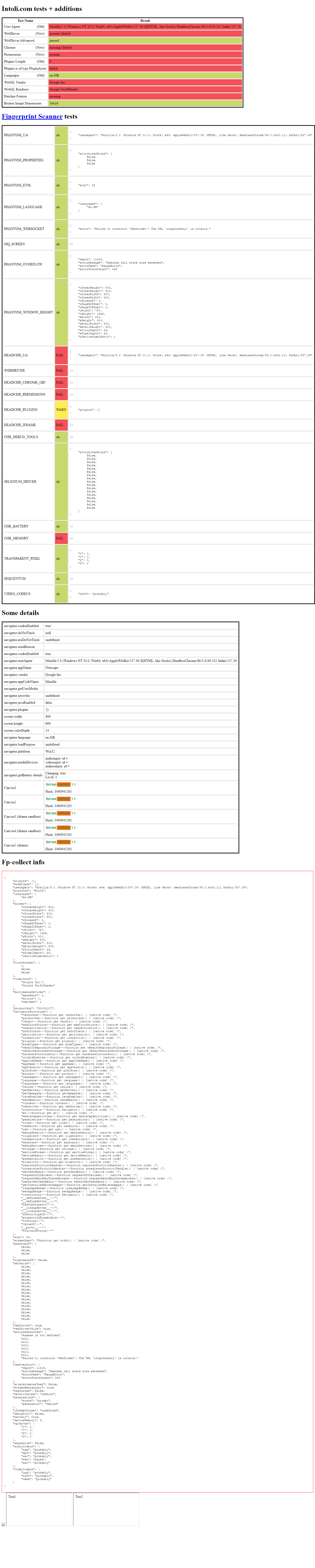 headless headless |
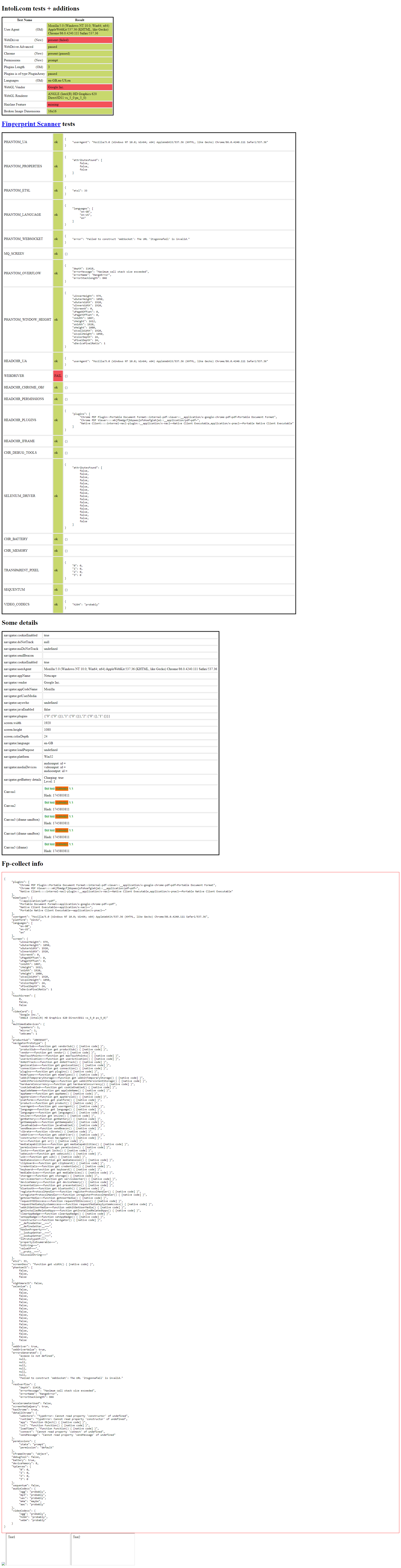 headful headful |
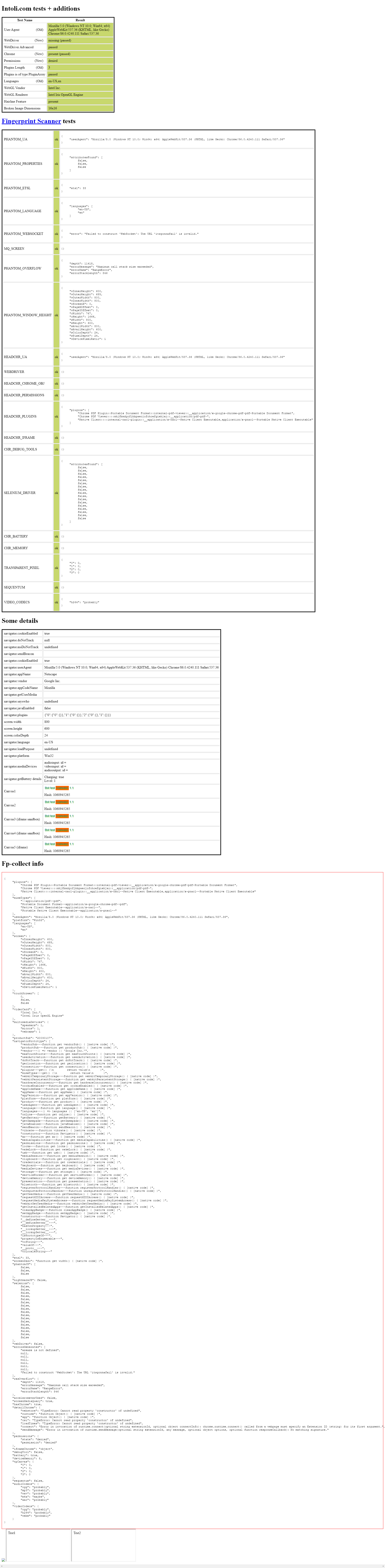 headless headless |
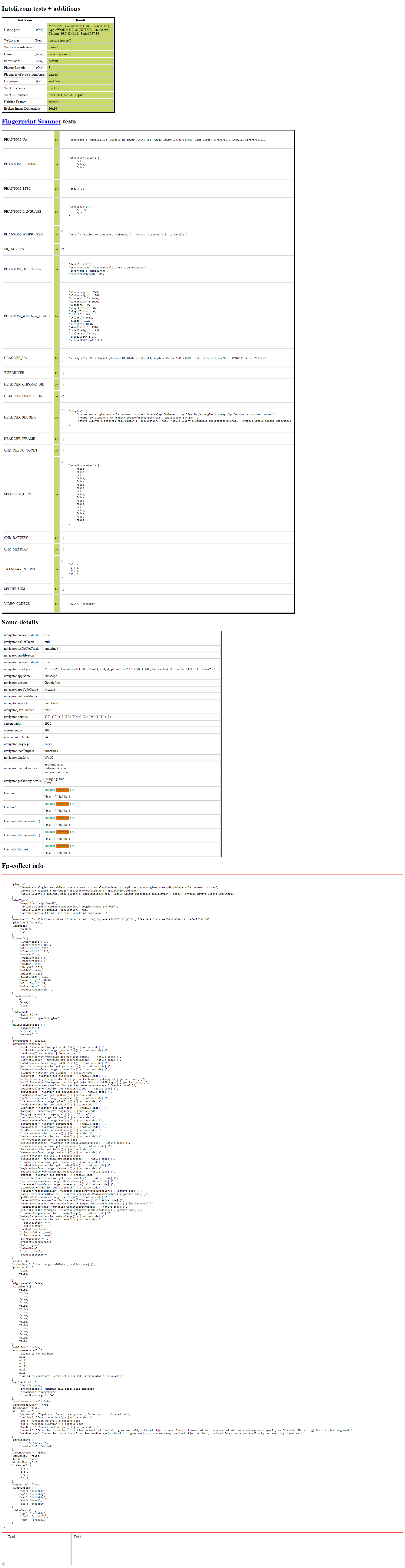 headful headful |
Copyright © 2020, diprajpatra. MIT License로 배포됩니다.
