 cybercx-sta/purpleops
오픈 소스 자체 호스팅 퍼플 팀 관리 웹 애플리케이션




주요 기능 • 설치 • 문의하기 • 크레딧 • 라이선스
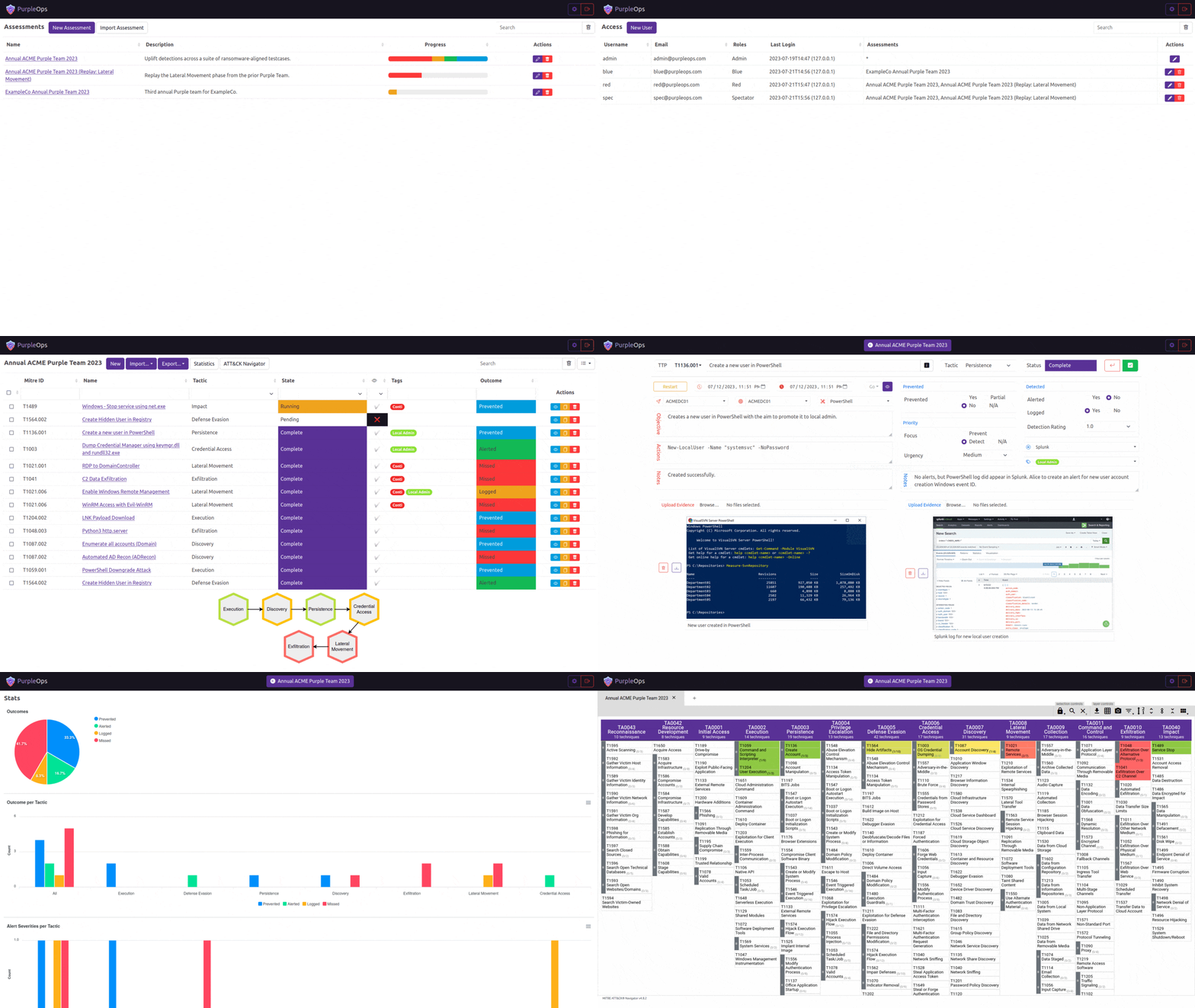
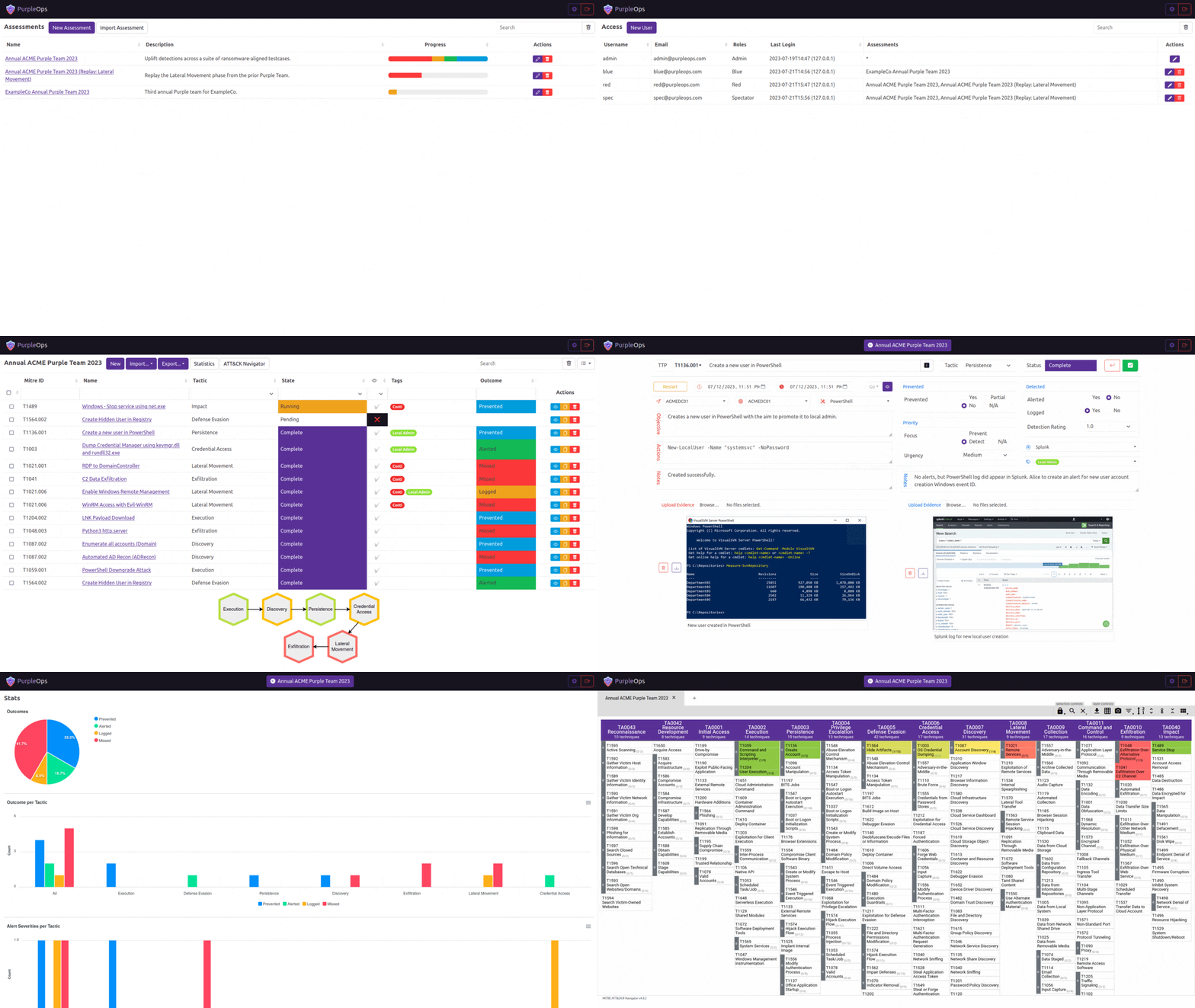
PurpleOps의 차별점:
# Clone this repository
$ git clone https://github.com/CyberCX-STA/PurpleOps

# Go into the repository
$ cd PurpleOps

# Alter PurpleOps settings (if you want to customize anything but should work out the box)
$ nano .env

# Run the app with docker (add `-d` to run in background)
$ sudo docker compose up

# PurpleOps should now by available on http://localhost:5000, it is recommended to add a reverse proxy such as nginx or Apache in front of it if you want to expose this to the outside world.
# Install docker-compose
sudo apt install docker-compose -y

# Clone this repository
$ git clone https://github.com/CyberCX-STA/PurpleOps

# Go into the repository
$ cd PurpleOps

# Alter PurpleOps settings (if you want to customize anything but should work out the box)
$ nano .env

# Run the app with docker (add `-d` to run in background)
$ sudo docker-compose up

# PurpleOps should now by available on http://localhost:5000, it is recommended to add a reverse proxy such as nginx or Apache in front of it if you want to expose this to the outside world.
# Alternatively
$ sudo docker run --name mongodb -d -p 27017:27017 mongo
$ pip3 install -r requirements.txt
$ python3 seeder.py
$ python3 purpleops.py
purpleops.example.com을 실제 FQDN으로 바꾸고 서버의 80/443 포트가 인터넷에 열려 있는지 확인하세요.
sudo apt install nginx certbot python3-certbot-nginx -y
sudo nano /etc/nginx/sites-available/purpleops # Paste below file
sudo ln -s /etc/nginx/sites-available/purpleops /etc/nginx/sites-enabled/
sudo certbot --nginx -d purpleops.example.com
sudo service nginx restart
server {
  listen 80;
  server_name purpleops.example.com;

  location / {
      proxy_pass http://localhost:5000;
      proxy_set_header Host $host;
      proxy_set_header X-Real-IP $remote_addr;
  }
}
sudo apt install ufw -y
sudo ufw allow 22
sudo ufw deny 80
sudo ufw deny 443
sudo ufw insert 1 allow from 100.100.100.100/24 to any port 443
sudo ufw enable
sudo docker exec -it purpleops flask --app purpleops.py shell
from model import User; user = User.objects(email="[email protected]").first(); user.tf_totp_secret = None; user.save()
여러분의 의견을 듣고 싶습니다. 무언가 고장났거나 더 나은 아이디어가 있다면 티켓을 추가하거나 PurpleOps Discord 또는 [email protected] | @_w_m__로 연락해 주세요.
Apache
