 cspf-founder/red-clippy
open-source pentest management built to be operated by an AI agent

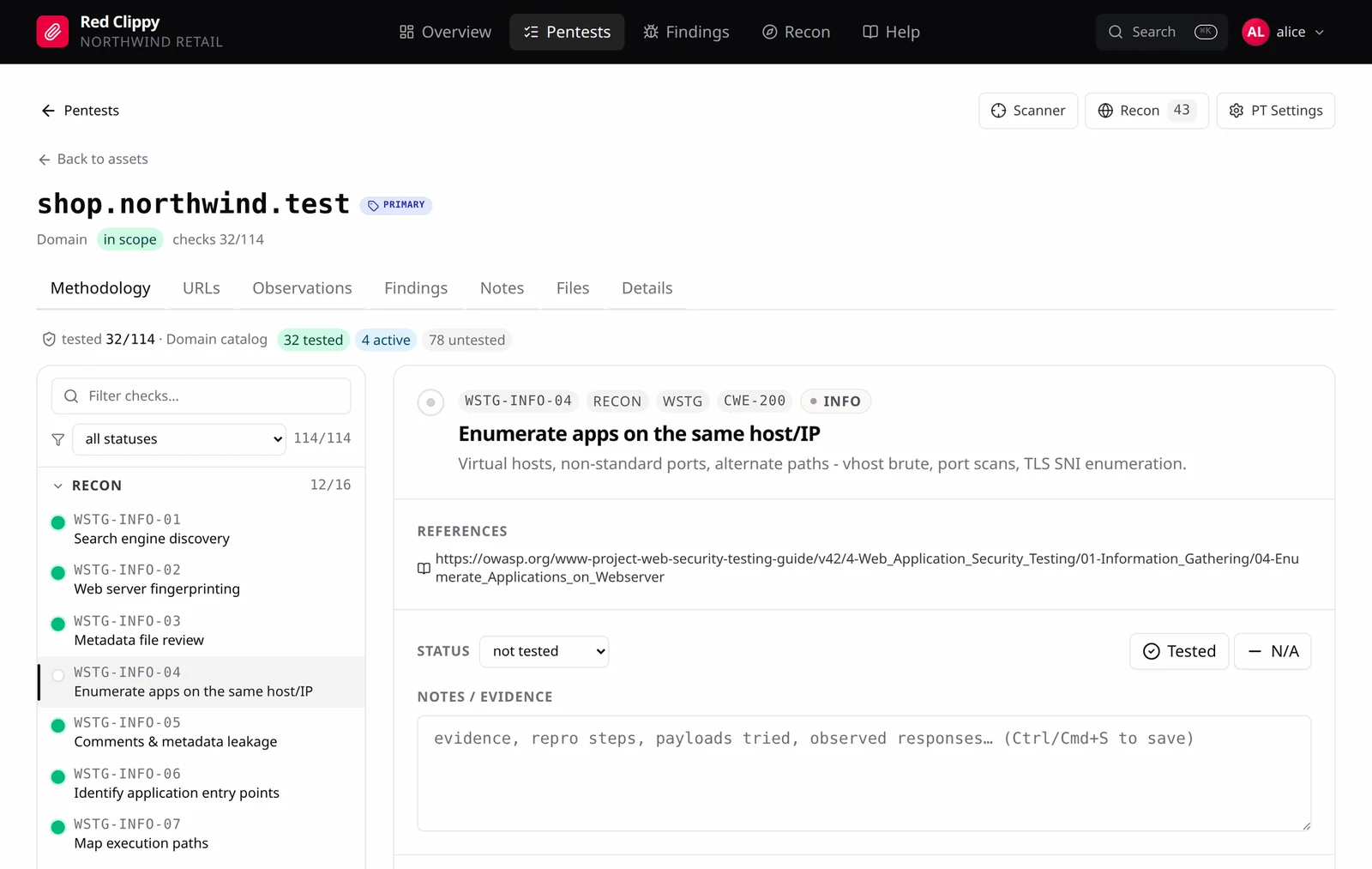
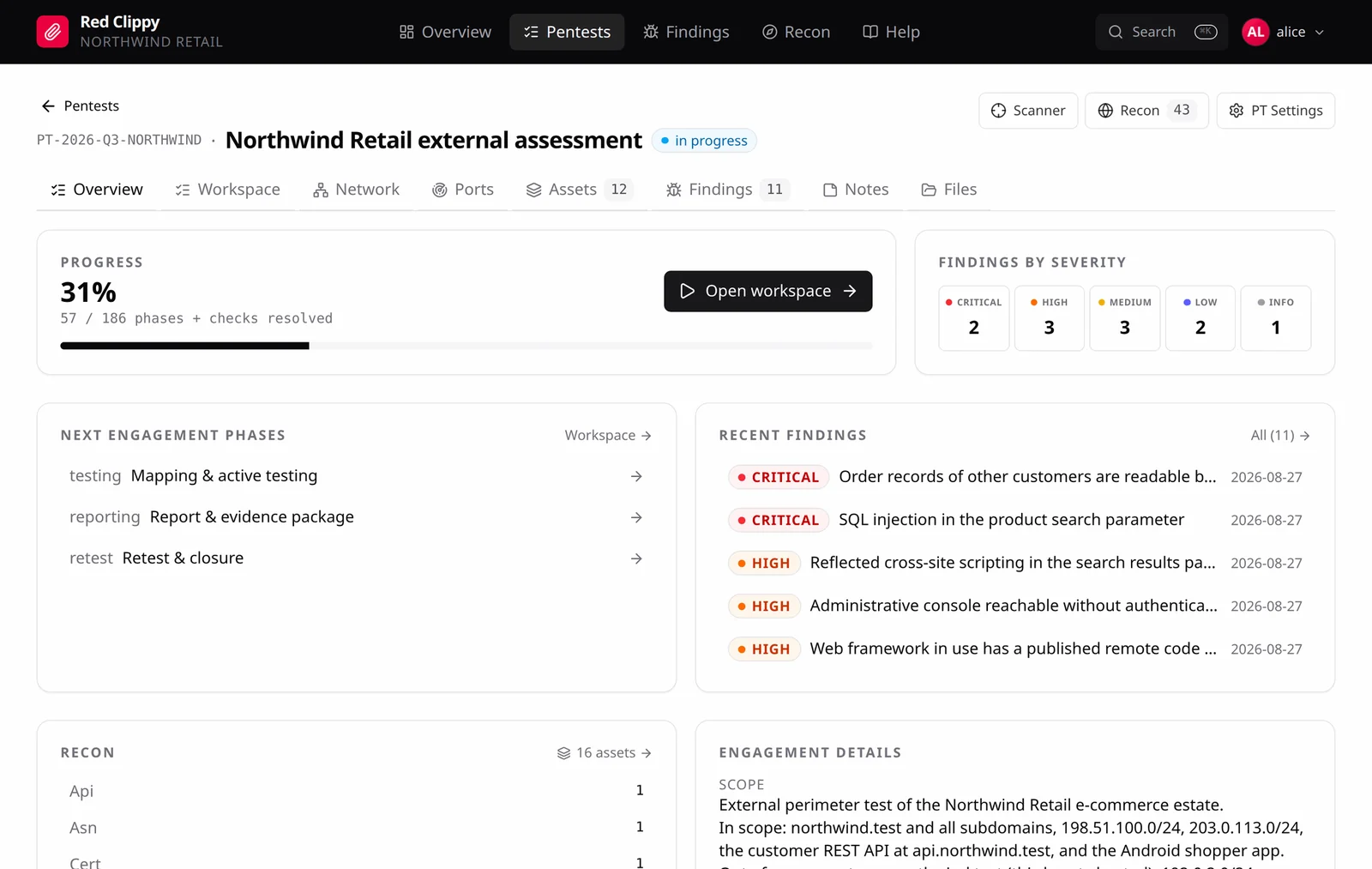
Open-source pentest management built to be operated by an AI agent. Connect it to Claude Code over MCP and it runs the engagement alongside you: scope and assets, recon observations, methodology coverage, and findings with CVSS and evidence.
Built for testers who want an agent's speed without giving up the discipline of a real engagement. Work does not get repeated, findings do not evaporate between sessions, and nothing reaches the report that was never proved.
Full documentation: https://cspf-founder.github.io/red-clippy/
Coding agents have become genuinely useful testers. They have a shell, they run the same tooling you do, and they cover ground fast. Point one at a target and it will find things.
Then the context window fills up, and the engagement is gone. The next session rescans hosts it already cleared, re-tests what it already ruled out, and cannot tell you which parts of the scope were ever touched. Somewhere in the transcript is a confirmed SQL injection nobody wrote down.
Red Clippy fixes that by giving the agent two things it does not have on its own.
A place to put the work. Every asset, observation, check, and finding lands in a database as testing happens, not in a scrollback buffer. Coverage becomes a query instead of a memory: which assets exist, which checks are cleared on each, what has already been reported. Tomorrow's session picks up exactly where the last one stopped.
Rules to work by. A Red Team Instructions document reaches the agent in the MCP handshake, before it does anything: verify before reporting, prove every claim, take the minimum access needed to demonstrate impact, leave third-party systems alone. Override it per organization and per engagement, because house rules differ between teams and clients.
You stay in the loop the whole time. Everything the agent writes is an ordinary row in the web UI that you can review, correct, reclassify, or throw away.
[!CAUTION] Authorized testing only. Red Clippy is for penetration testers working under an engagement. Test only systems you own or have explicit written permission to assess. Scope marking and the Red Team Instructions exist to keep an agent inside the rules of engagement, but they are guardrails, not authorization. An agent acts on your authority, and you remain responsible for everything it does.
Download a binary from the
latest release and run
it. It sets up the database and serves the panel on 127.0.0.1:7337.
Linux
tar xzf red-clippy-*-x86_64-unknown-linux-musl.tar.gz
cd red-clippy-*-x86_64-unknown-linux-musl
./red-clippy serve
Windows
Unzip the archive, then from that folder:
.\red-clippy.exe serve
Open http://127.0.0.1:7337 and the setup wizard takes over from there.
The database is created in the directory where you run the binary. Uploaded
evidence is stored there too, in red-clippy-storage. Both paths can be
changed in the config file, see Configuration.
Prefer to compile it yourself? See Building from source.
Red Clippy groups work into organizations. An organization holds your pentests, and each pentest holds the assets, findings, and evidence for that engagement. If you test for one company, a single organization is all you need. If you consult for several clients, give each client its own: an organization sees nothing belonging to another, so their engagements never mix.
An organization has two names. The display name ("XYZ Example Corp") is
what you see in the panel and can be changed later. The slug (xyz) is a
short lowercase identifier used in the evidence folder on disk
(red-clippy-storage/org_xyz/pentest_PT-2026-08-27/), so it is fixed once
set.
You can belong to several organizations and switch between them from the avatar menu. In each one you are either an owner, who can add and remove people and rename or delete the organization, or a member, who works the engagements.
On first launch the database is empty, so the browser shows a setup wizard instead of a login form. It asks for:
The account it creates is the owner of that organization. The wizard only appears while the database has no users; once the first account exists it is permanently disabled, so it cannot be used to create extra accounts later.
After setup, manage organizations and teammates in the app under avatar menu > Organizations.
If nobody can sign in, the CLI is the way back:
red-clippy reset-password --username alice --password 'new-one'
The intended flow is agent-driven. You set up the engagement, then work through the target with Claude Code while it keeps the record.
You set up:
The agent then works, and records as it goes:
ingest_tool_output, or writes assets
and observations directly.You supervise:
The agent is optional. It works through the same API the panel does, so anything it records you can also enter, correct, or delete yourself in the browser. Run an engagement entirely by hand, entirely through the agent, or switch between the two as you go.
This is the main way Red Clippy is meant to be used.
red-clippy mcp covers the whole application: scope and assets,
observations, methodology coverage, findings, evidence, the attack graph, and
tool-output ingestion. A connected agent works the engagement rather than just
answering questions about it.
