 blark/aiodnsbrute
Python 3.5+ DNS 비동기 무차별 대입 유틸리티

Python 3.5+ 도구로, asyncio를 사용하여 도메인 이름을 비동기적으로 브루트 포스합니다.
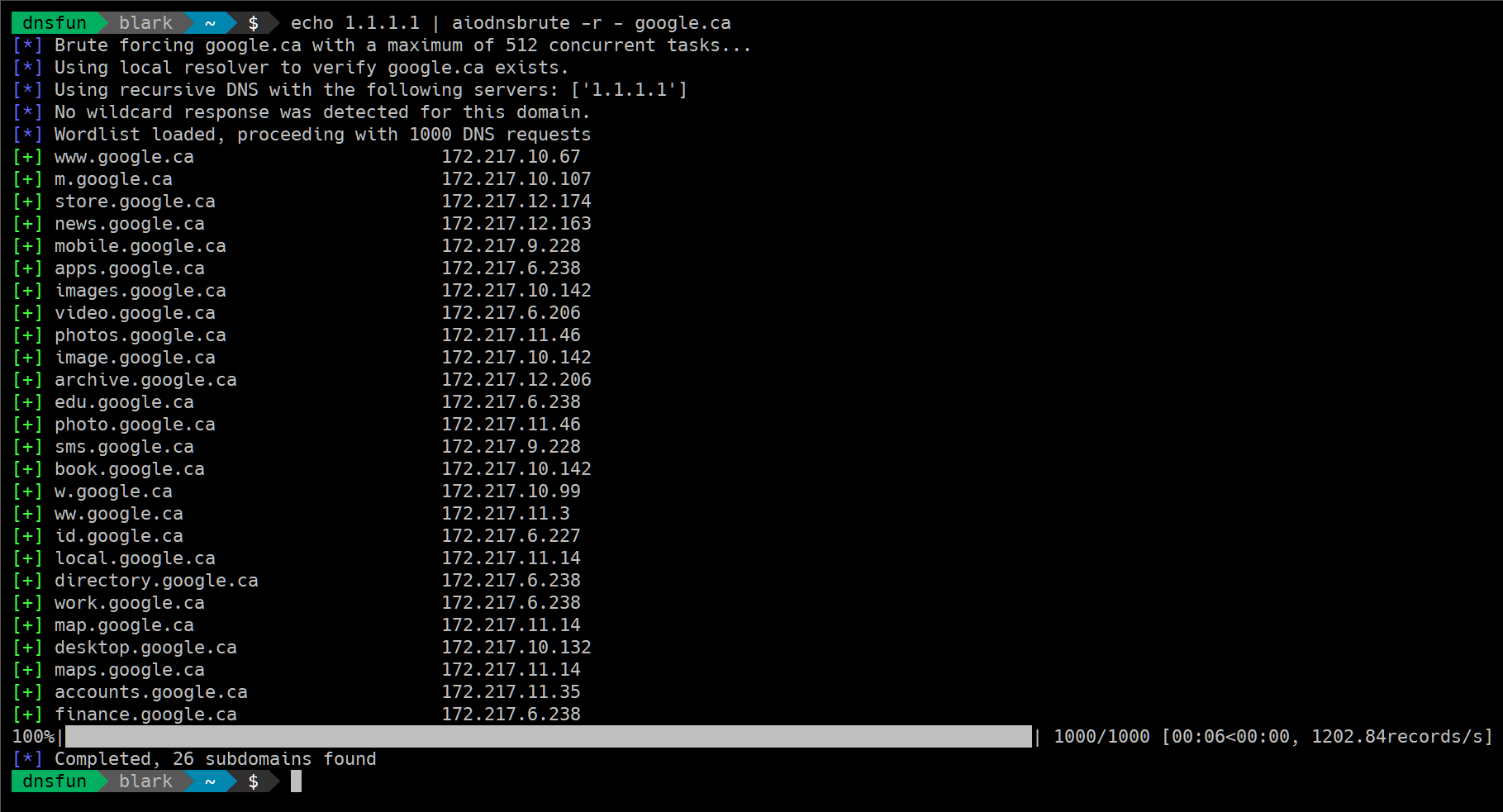
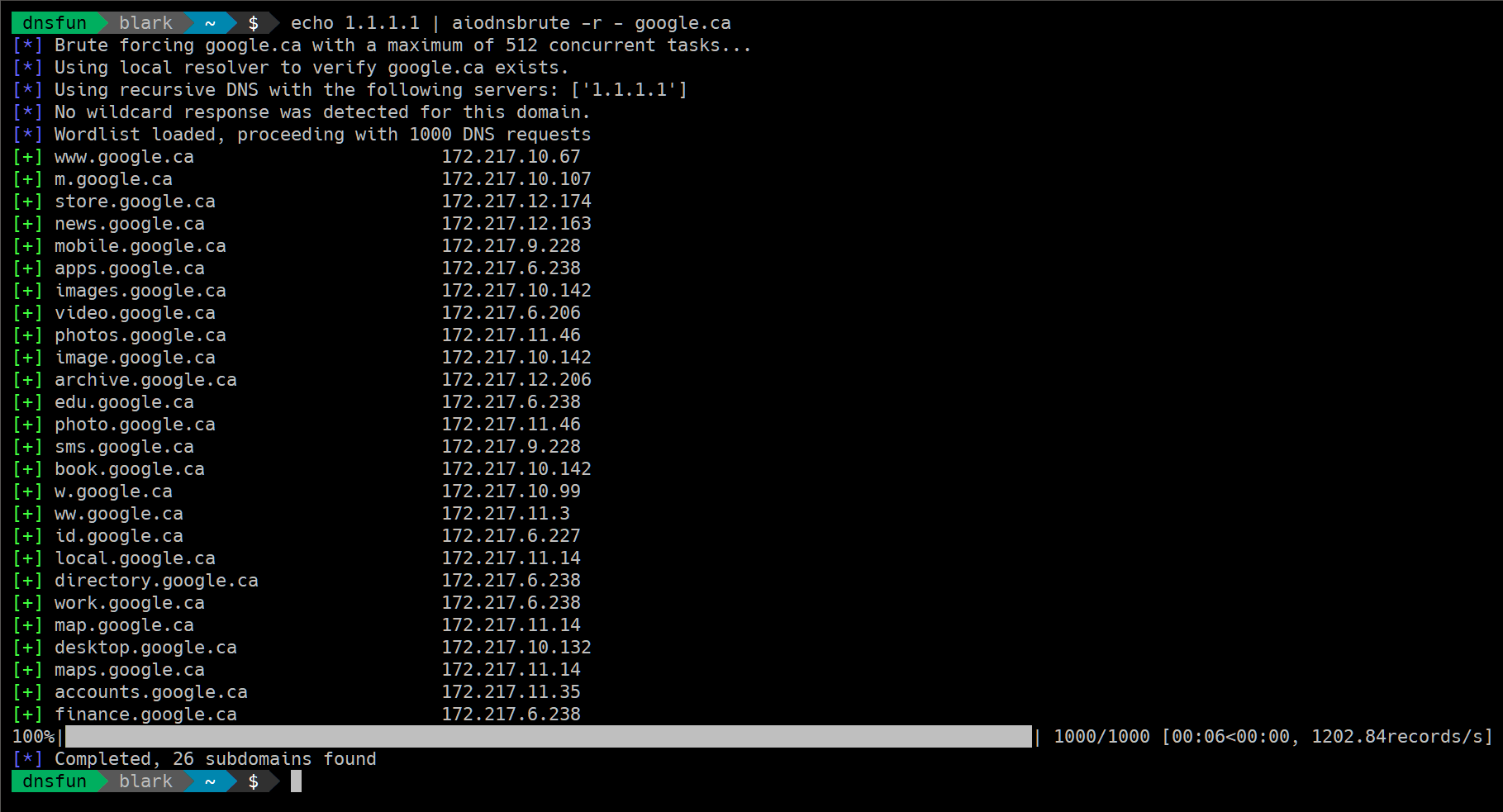
빠릅니다. 소형 VPS 호스트에서 벤치마크한 결과 약 100k개의 DNS 해결(resolution)이 1.5~2분 내에 이루어졌습니다. Amazon M3 박스를 사용하여 3분 조금 넘게 100만 개의 요청을 처리했습니다. 여러분의 환경에 따라 결과는 다를 수 있습니다. 순전히 속도에 관심이 있다면 Google의 해석기(resolver) 사용은 피하는 것이 좋습니다.
면책 고지
$ pip install aiodnsbrute
참고: virtualenv 사용을 적극 권장합니다.
다음과 같이 일반적인 방법으로도 설치할 수 있습니다:
$ git clone https://github.com/blark/aiodnsbrute.git
$ cd aiodnsbrute
$ python setup.py install .
도움말 보기:
$ aiodnsbrute --help

Usage: cli.py [OPTIONS] DOMAIN

  aiodnsbrute is a command line tool for brute forcing domain names
  utilizing Python's asyncio module.

  credit: blark (@markbaseggio)

Options:
  -w, --wordlist TEXT           Wordlist to use for brute force.
  -t, --max-tasks INTEGER       Maximum number of tasks to run asynchronosly.
  -r, --resolver-file FILENAME  A text file containing a list of DNS resolvers
                                to use, one per line, comments start with #.
                                Default: use system resolvers
  -v, --verbosity               Increase output verbosity
  -o, --output [csv|json|off]   Output results to DOMAIN.csv/json (extension
                                automatically appended when not using -f).
  -f, --outfile FILENAME        Output filename. Use '-f -' to send file
                                output to stdout overriding normal output.
  --query / --gethostbyname     DNS lookup type to use query (default) should
                                be faster, but won't return CNAME information.
  --wildcard / --no-wildcard    Wildcard detection, enabled by default
  --verify / --no-verify        Verify domain name is sane before beginning,
                                enabled by default
  --version                     Show the version and exit.
  --help                        Show this message and exit.
사용자 정의 옵션으로 브루트 포스 실행:
$ aiodnsbrute -w wordlist.txt -vv -t 1024 domain.com
일반 출력을 억제하고 JSON만 stdout으로 보내면서 브루트 포스 실행:
$ aiodnbrute -f - -o json domain.com
...고급 패턴의 경우, 사용자 정의 해석기(resolver)를 사용하고 출력을 훌륭한 jq로 파이프:
$ aiodnsbrute -r resolvers.txt -f - -o json google.com | jq '.[] | select(.ip[] | startswith("172."))'
와일드카드 감지는 기본적으로 활성화됨 (--no-wildcard로 끄기):
$ aiodnsbrute foo.com

[*] Brute forcing foo.com with a maximum of 512 concurrent tasks...
[*] Using recursive DNS with the following servers: ['50.116.53.5', '50.116.58.5', '50.116.61.5']
[!] Wildcard response detected, ignoring answers containing ['23.23.86.44']
[*] Wordlist loaded, proceeding with 1000 DNS requests
[+] www.foo.com                         52.73.176.251, 52.4.225.20
100%|██████████████████████████████████████████████████████████████████████████████| 1000/1000 [00:05<00:00, 140.18records/s]
[*] Completed, 1 subdomains found
신규 gethostbyname 사용 (CNAME을 감지하여 잠재적 서브도메인 탈취 탐지에 유용)
$ aiodnsbrute --gethostbyname domain.com
파일에서 해석기 목록 제공 (빈 줄과 #으로 시작하는 행 무시), -r -를 지정하면 stdin에서 목록 읽기.
$ aiodnsbrute -r resolvers.txt domain.com
ulimit -n 명령어로 허용된 열린 파일 수를 확인할 수 있습니다. 또한 동일한 명령어로 그 수를 늘릴 수 있습니다: ulimit -n <2048>