

해커를 위한 재귀적 인터넷 스캐너. 🧡






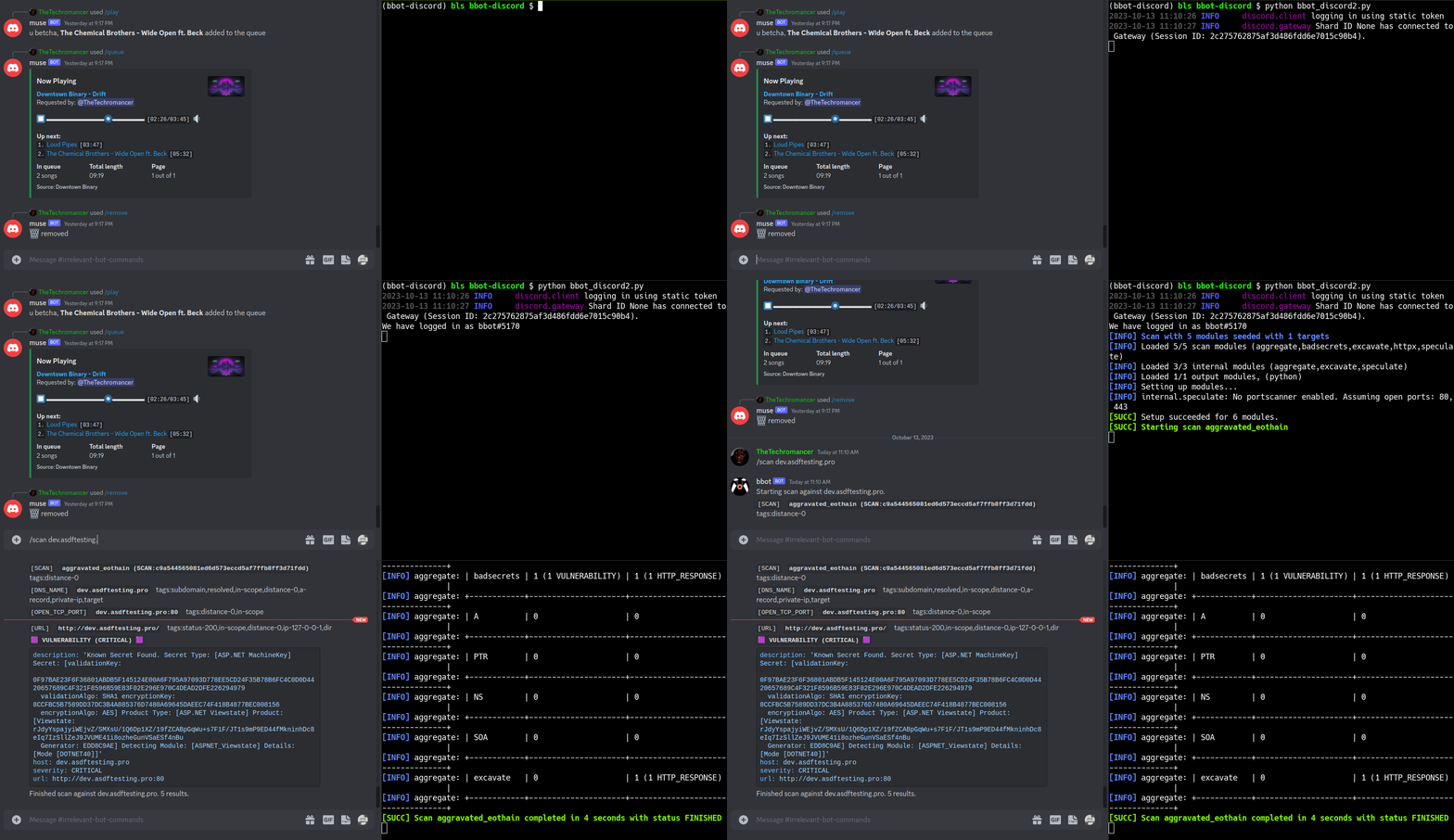
https://github.com/blacklanternsecurity/bbot/assets/20261699/e539e89b-92ea-46fa-b893-9cde94eebf81
VivaGraphJS로 시각화한 실시간 BBOT 스캔
# stable version
pipx install bbot

# bleeding edge (dev branch)
pipx install --pip-args '\--pre' bbot
Docker를 포함한 더 많은 설치 방법은 Getting Started를 참조하세요
2.x에서 업그레이드하시나요? BBOT 3.0에는 CLI, 프리셋, 모듈, 이벤트 및 Python API에 대한 주요 변경 사항이 포함되어 있습니다. 업그레이드 전에 2.x → 3.0 마이그레이션 가이드(소스)를 확인하세요.
속도 팁: BBOT의 DNS 리졸버(blastdns)는
/etc/resolv.conf의 리졸버마다 여러 스레드를 생성합니다. 필터링되지 않은 리졸버를 더 추가하면 스캔 속도가 크게 빨라집니다. 자세한 내용은 샘플 resolv.conf와 팁과 요령을 참조하세요.
패시브 API 소스와 타겟별 서브도메인 변형을 이용한 재귀적 DNS 무차별 대입(brute-force).
# find subdomains of evilcorp.com
bbot -t evilcorp.com -p subdomain-enum

# passive sources only
bbot -t evilcorp.com -p subdomain-enum -rf passive
subdomain-enum.ymldescription: Enumerate subdomains via APIs, brute-force
flags:
# enable every module with the subdomain-enum flag
- subdomain-enum
output_modules:
# output unique subdomains to TXT file
- subdomains
config:
dns:
threads: 25
brute_threads: 1000
# put your API keys here
# modules:
# github:
# api_key: ""
# chaos:
# api_key: ""
# securitytrails:
# api_key: ""
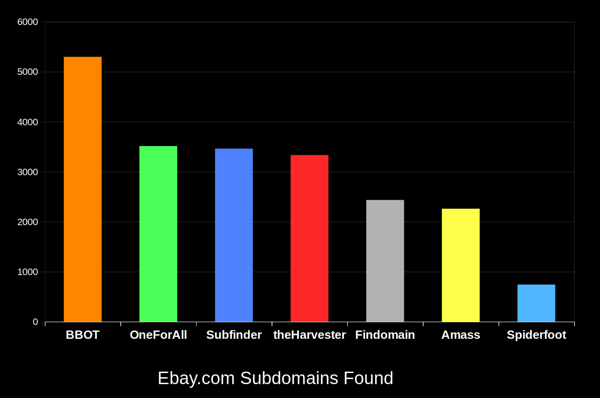
BBOT은 다른 도구보다 지속적으로 20-50% 더 많은 서브도메인을 찾아냅니다. 도메인이 클수록 그 차이는 더 커집니다. 이것이 어떻게 가능한지 알아보려면 작동 방식을 참조하세요.
# crawl evilcorp.com, extracting emails and other goodies
bbot -t evilcorp.com -p spider
spider.ymldescription: Recursive web spider
modules:
- http
blacklist:
# Prevent spider from invalidating sessions by logging out
- "RE:/.*(sign|log)[_-]?out"
config:
web:
# how many links to follow in a row
spider_distance: 2
# don't follow links whose directory depth is higher than 4
spider_depth: 4
# maximum number of links to follow per page
spider_links_per_page: 25
# quick email enum with free APIs + scraping
bbot -t evilcorp.com -p email-enum

# pair with subdomain enum + web spider for maximum yield
bbot -t evilcorp.com -p email-enum subdomain-enum spider
email-enum.ymldescription: Enumerate email addresses from APIs, web crawling, etc.
flags:
- email-enum
output_modules:
- emails
# run a light web scan against www.evilcorp.com
bbot -t www.evilcorp.com -p web

# run a heavy web scan against www.evilcorp.com
bbot -t www.evilcorp.com -p web-heavy
web.ymldescription: Quick web scan
include:
- iis-shortnames
flags:
- web
web-heavy.ymldescription: Aggressive web scan
include:
# include the web preset
- web
flags:
- web-heavy
# everything everywhere all at once
bbot -t evilcorp.com -p kitchen-sink

# roughly equivalent to:
bbot -t evilcorp.com -p subdomain-enum cloud-enum code-enum email-enum spider web paramminer webbrute web-screenshots
kitchen-sink.ymldescription: Everything everywhere all at once
include:
- subdomain-enum
- cloud-enum
- code-enum
- email-enum
- spider
- web
- paramminer
- webbrute
- web-screenshots
- baddns-heavy
config:
modules:
dnsbrute:
recursive_mutations: true
dnscommonsrv:
recursive_mutations: true
webbrute:
avoid_wafs: False
wayback:
urls: True
parameters: True
archive: True
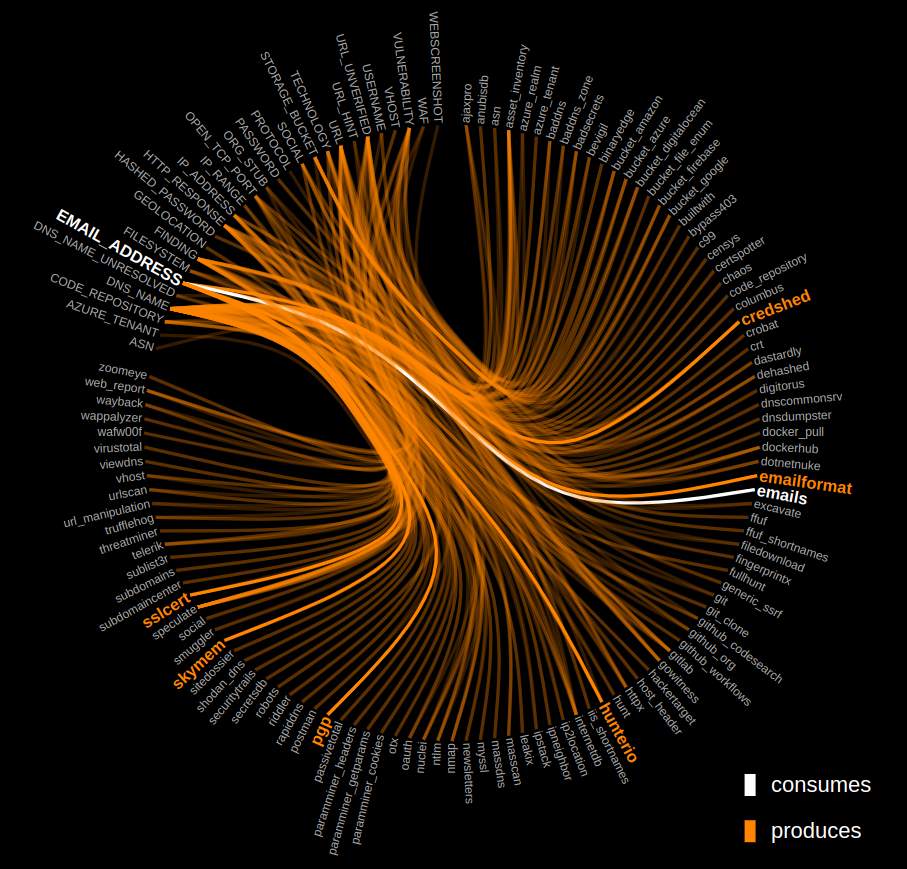
아래 그래프를 클릭하여 BBOT의 내부 동작 방식을 살펴보세요.