 azw413/glass
Glass - 빠르고 무료인 IDA Pro 대안

투명하고 매끄러운 유리처럼
빠르고, 네이티브하며, 모바일 앱 우선인 대화형 디스어셈블러입니다. Android/iOS 리버스 엔지니어링 워크플로를 위한 IDA Pro의 정신적 후속작으로, 다음을 기반으로 구축되었습니다:
smali - APK / DEX / smali 처리armv8-encode - AArch64 및 ARMv7 (A32 / Thumb) — 네이티브 .so, iOS Mach-Ogpui (Zed) - GPU 가속 네이티브 UIredb - 콘텐츠 주소 지정 영속성rquickjs - 스크립트 가능 플러그인 (계획 중)라이선스: GPL-3.0-only (smali에서 상속).
우리 모두 IDA Pro를 사용해봤습니다 — 리버싱의 업계 표준이며 수년간의 플러그인이 있지만, 느리고 비싸며 구식입니다. Glass는 100% Rust 네이티브이며 GPU 가속 UI로 부드러운 상호작용을 제공합니다. 또한 100% 무료 오픈 소스입니다 — 기여해주세요.
arm64-v8a 및 armeabi-v7a 복사본이 하나의 쿼리로 검색됨). 마스킹 + 갭이 있는 바이트 패턴 문법; AArch64 및 ARMv7용 타입 어셈블리 문법, ISA 인식 자동완성 드롭다운 제공주요 뷰 둘러보기 — 축소판을 클릭하면 전체 크기로 볼 수 있습니다.

디스어셈블리 목록 색상 코딩된 피연산자, 제어 흐름 화살표, 인라인 확인된 문자열 리터럴 |

제어 흐름 그래프 함수별 CFG - 점선 조건부 에지 및 라우팅된 다중 순위 레인 |

DEX 호출 그래프 호버로 호출 수신 확장, 클릭하여 메서드의 smali로 이동 |

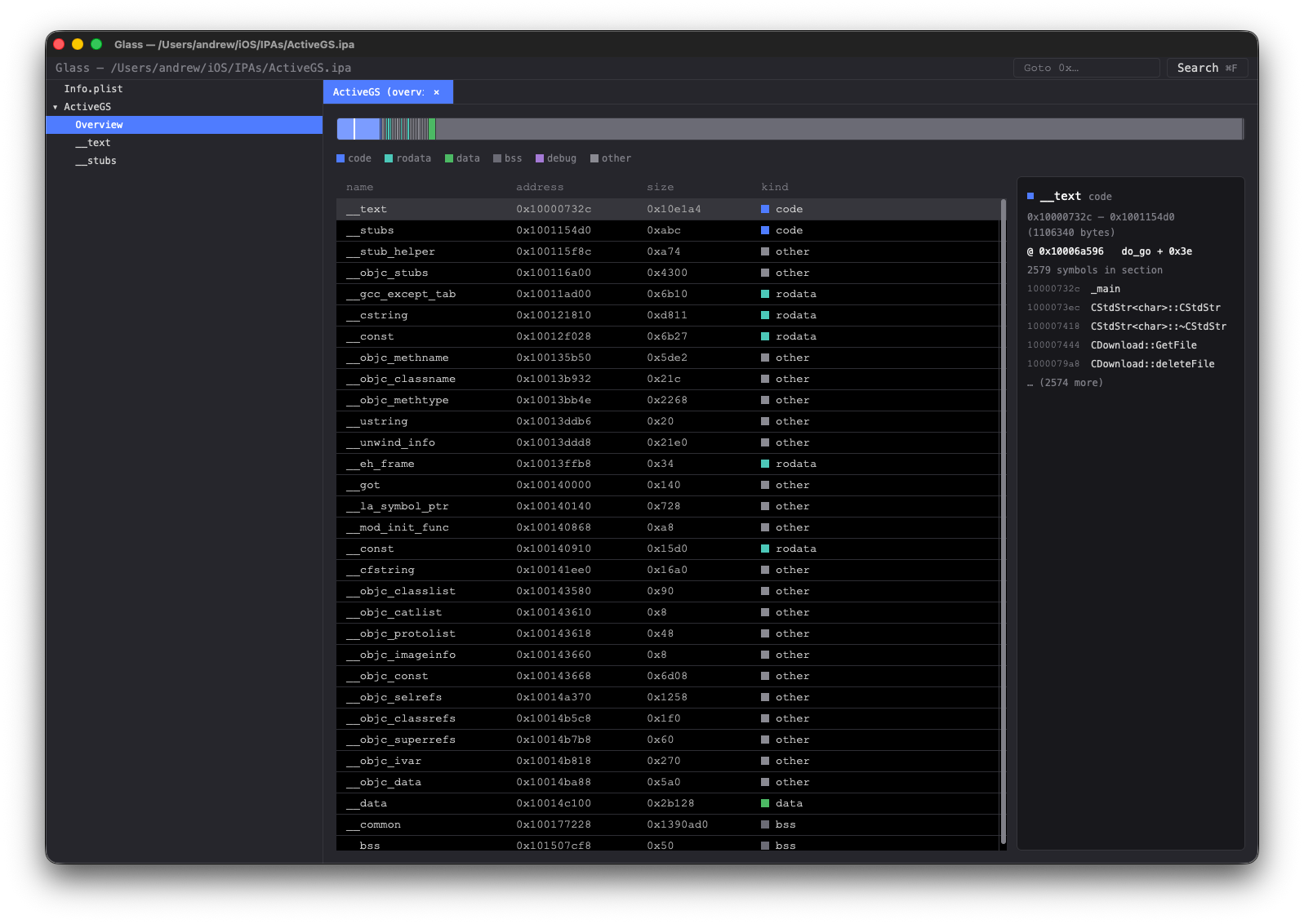
섹션 맵 개요 섹션 크기별 비례 막대, 클릭하여 목록/16진수 뷰로 이동 |
Glass가 GUI에서 수행하는 모든 분석은 구조화된 JSON을 출력하는 CLI 동사로도 노출됩니다. 동일한 glass 바이너리가 자동화 진입점입니다 — 하위 명령어를 선택하면 일회성 스크립팅 가능 결과를 얻을 수 있으며, jq 파이프라인 및 CI에 완벽합니다.```sh
glass classes ./app.apk --package com.example. --text
glass callers ./libfoo.so --artifact libfoo.so --symbol "glass::main"
onCreate across DEX, machine-readable:glass search ./app.apk onCreate | jq '.data.hits[] | select(.kind=="method")'
glass types ./app.ipa --kind swift-class --text
glass type ./app.ipa --artifact app --name blackjack.ContentView
Pass `--text` for a human-readable rendering, omit it for JSON.

Full reference: **[docs/cli-api.md](https://github.com/azw413/glass/blob/main/docs/cli-api.md)**.

즉, 일반적인 작업을 스크립팅하고 자동화할 수 있습니다.


## Skills 및 MCP

모든 CLI 동사는 내장 MCP(Model Context Protocol) 서버를 통해 도구로 노출되므로, MCP를 인식하는 모든 호스트 — Claude Desktop, Cursor, Zed, 사용자 자신의 클라이언트 — 가 Glass를 직접 구동하여 리버싱 작업을 도울 수 있습니다.```sh
# Print the machine-readable skill catalog (one JSON object listing
# every verb with its schema and an example invocation).
glass skills

# Run as an MCP stdio server. Plug into any MCP host's tool list.
glass mcp
Claude Desktop에 등록하려면, Glass를 ~/Library/Application Support/Claude/claude_desktop_config.json에 추가하세요:```json
{
"mcpServers": {
"glass": { "command": "/usr/local/bin/glass", "args": ["mcp"] }
}
}
The model can then call `inspect`, `symbols`, `disasm`, `cfg-of`, `dex-callers`, `search` and every other verb on any bundle you point it at. Tool results come back as the same JSON envelope you'd get from the CLI.


## Searching

Three complementary engines, all available from the same ⌘F palette in the GUI and as CLI / MCP verbs.

### Full text search

Bundle-wide fuzzy match across native symbols, DEX classes / methods / fields, and string literals in code and data sections. Live-filtered as you type; results dispatch to the right view (listing for native addresses, smali viewer for DEX targets, hex view for data hits). Indices build on a background thread after load — a progress chip shows while in flight.```sh
glass search ./app.apk onCreate                 # all things named like "onCreate"
glass search ./libfoo.so init --limit 20
CLI 참조: search 동사 (docs/cli-api.md 안).
바이트 수준 패턴 엔진입니다. 각 원자는 2문자 16진수 마스크(c0, e?, ?f, ??) 또는 갭(* = 0..=32 바이트, 명시적 범위는 *(min..max))입니다. 일치는 섹션에 걸쳐 발생하지 않습니다. GUI 팔레트에서 ⌘2는 이진 모드로 전환합니다. 코드만 체크박스(기본값 켜짐)는 스캔을 텍스트 섹션으로 제한하여 명령어 형태를 찾을 때 데이터 히트에 빠지지 않도록 합니다.```sh
mov w0, #1 ; retglass bin-search ./libfoo.so --artifact libfoo.so --pattern '20 00 80 52 c0 03 5f d6'
glass bin-search ./libfoo.so --artifact libfoo.so --pattern '?? ?? ?? 9? ?? ?? 4? 91'
glass bin-search ./libfoo.so --artifact libfoo.so --pattern 'de ad be ef'
전체 문법 + 작업 예제: [`docs/BinSearch.md`](https://github.com/azw413/glass/blob/main/docs/BinSearch.md).

### 명령어 검색

어셈블리를 작성하면 Glass가 이를 바이트로 컴파일합니다. `;`로 구분된 시퀀스는 [armv8-encode](https://github.com/azw413/armv8-encode)를 통해 인코딩됩니다 — **AArch64** (`mov w0, #1`, `adrp x1, *`)와 **ARMv7** 두 모드 모두 (Thumb `mov r1, r7` / `bxeq lr` / `push {r4-r7, lr}` 및 A32). 모든 와일드카드는 바이트 엔진이 처리하기 전에 피연산자 비트 마스크로 변환됩니다. 스캔은 전역적입니다 — 번들의 모든 네이티브 아티팩트는 올바른 ISA의 원자를 얻습니다 (`arm64-v8a`와 `armeabi-v7a` 라이브러리를 모두 가진 Android 앱은 단일 쿼리로 검색됩니다).

GUI의 Binary 모드에서 ⌘B는 **Bytes**와 **Asm** 문법 사이를 전환합니다. ISA를 인식하는 자동 완성 드롭다운은 입력한 내용과 여전히 일치하는 변형을 표시합니다 — `r1`은 AArch64 후보를 필터링하고, `w0`는 ARMv7 후보를 필터링합니다.

와일드카드:

| 토큰 | 의미 |
|---|---|
| `*` | 모든 피연산자 (선택된 opcode에서 종류 추론) |
| `#*` | 모든 즉시값 (opcode 선택기에 힌트) |
| `x`, `w` | 모든 AArch64 X 또는 W 클래스 레지스터 |
| `r` | 모든 ARMv7 GPR (`r0..r15`, `sp`, `lr`, `pc`) |
| `<*>`, `<X>`, `<W>`, `<R>`, `<imm>` | 괄호로 묶인 등가물, 다른 구문 내에서 중첩될 때 유용 (`[x, #*]`, `[r, #*]`) |```sh
# AArch64 — every `mov w0, #N` (any N)
glass insn-search ./libfoo.so --artifact libfoo.so --pattern 'mov w0, #*'

# AArch64 — any ADRP into x1 followed immediately by ADD into the same reg
glass insn-search ./libfoo.so --artifact libfoo.so --pattern 'adrp x1, * ; add x1, x1, #*'

# ARMv7 (Thumb) — `mov r1, r*` followed by a return
glass insn-search ./libfoo.so --artifact libfoo.so --pattern 'mov r1, r* ; bx lr'
