 ayushpriya10/imdshift
AWS 워크로드의 IMDSv1에서 IMDSv2로의 마이그레이션을 자동화하여 SSRF 공격을 완화합니다. EC2, ECS, EKS, Lightsail 등에서 IMDSv1 사용을 탐지하며, 홉 제한 업데이트 및 SCP 권장 사항을 제공합니다.

메타데이터 엔드포인트에 의존하는 AWS 워크로드는 SSRF(Server-Side Request Forgery) 공격에 취약합니다. IMDShift는 향상된 보안 조치를 구현하여 이러한 공격을 방어하는 IMDSv2로 모든 워크로드의 마이그레이션 프로세스를 광범위한 기능으로 자동화합니다.
MetadataNoToken CloudWatch 메트릭을 사용하여 IMDSv1을 사용하는 리소스 식별Metabadger는 AWS EC2 워크로드를 IMDSv2로 마이그레이션하는 데 사용된 이전 도구입니다.
IMDShift는 Metabadger의 기능에 여러 가지 개선 사항을 제공합니다:
git clone https://github.com/ayushpriya10/imdshift.git
cd imdshift/
python3 -m pip install .
git clone https://github.com/ayushpriya10/imdshift.git
cd imdshift/
python3 -m pip install -e .
Options:
  --services TEXT             This flag specifies services scan for IMDSv1
                              usage from [EC2, Sagemaker, ASG (Auto Scaling
                              Groups), Lightsail, ECS, EKS, Beanstalk].
                              Format: "--services EC2,Sagemaker,ASG"
  --include-regions TEXT      This flag specifies regions explicitly to
                              include scan for IMDSv1 usage. Format: "--
                              include-regions ap-south-1,ap-southeast-1"
  --exclude-regions TEXT      This flag specifies regions to exclude from the
                              scan explicitly. Format: "--exclude-regions ap-
                              south-1,ap-southeast-1"
  --migrate                   This boolean flag enables IMDShift to perform
                              the migration, defaults to "False". Format: "--
                              migrate"
  --update-hop-limit INTEGER  This flag specifies if the hop limit should be
                              updated and with what value. It is recommended
                              to set the hop limit to "2" to enable containers
                              to be able to work with the IMDS endpoint. If
                              this flag is not passed, hop limit is not
                              updated during migration. Format: "--update-hop-
                              limit 3"
  --enable-imds               This boolean flag enables IMDShift to enable the
                              metadata endpoint for resources that have it
                              disabled and then perform the migration,
                              defaults to "False". Format: "--enable-imds"
  --profile TEXT              This allows you to use any profile from your
                              ~/.aws/credentials file. Format: "--profile
                              prod-env"
  --role-arn TEXT             This flag let's you assume a role via aws sts.
                              Format: "--role-arn
                              arn:aws:sts::111111111:role/John"
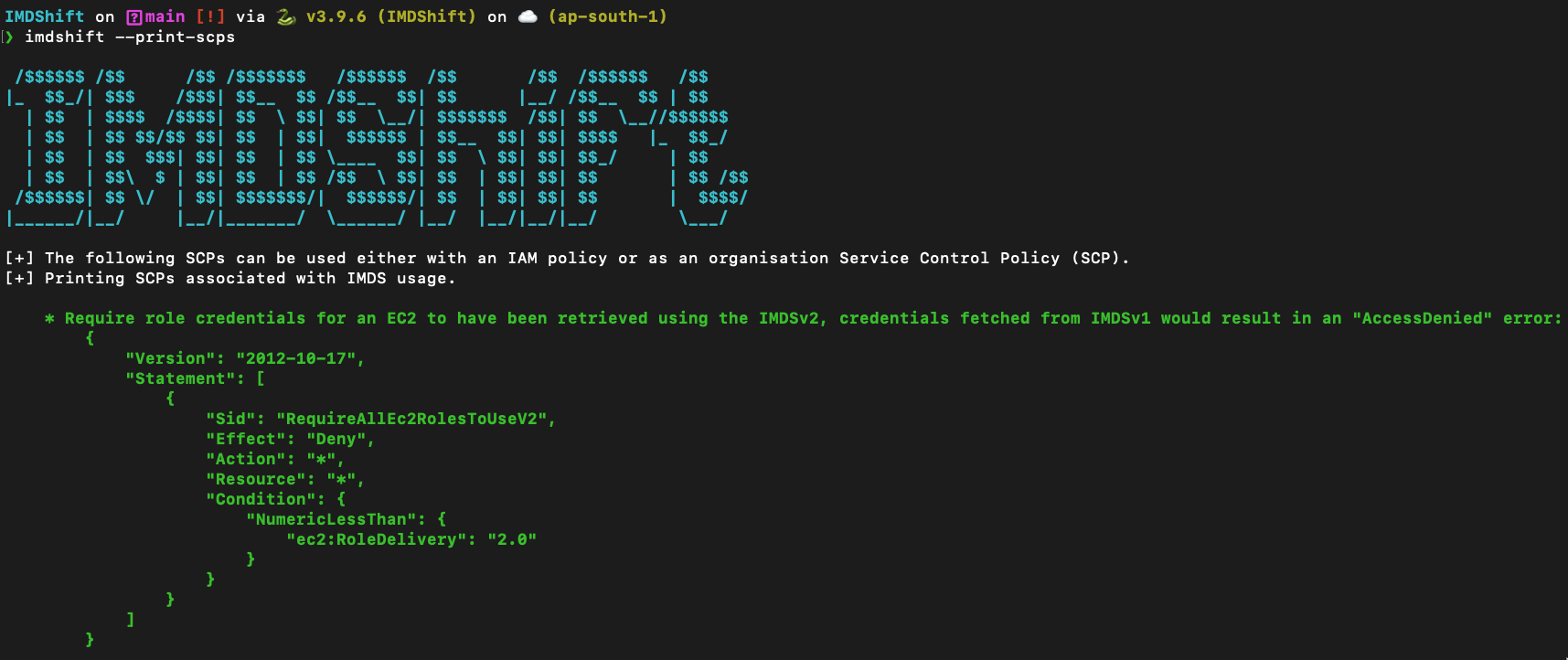
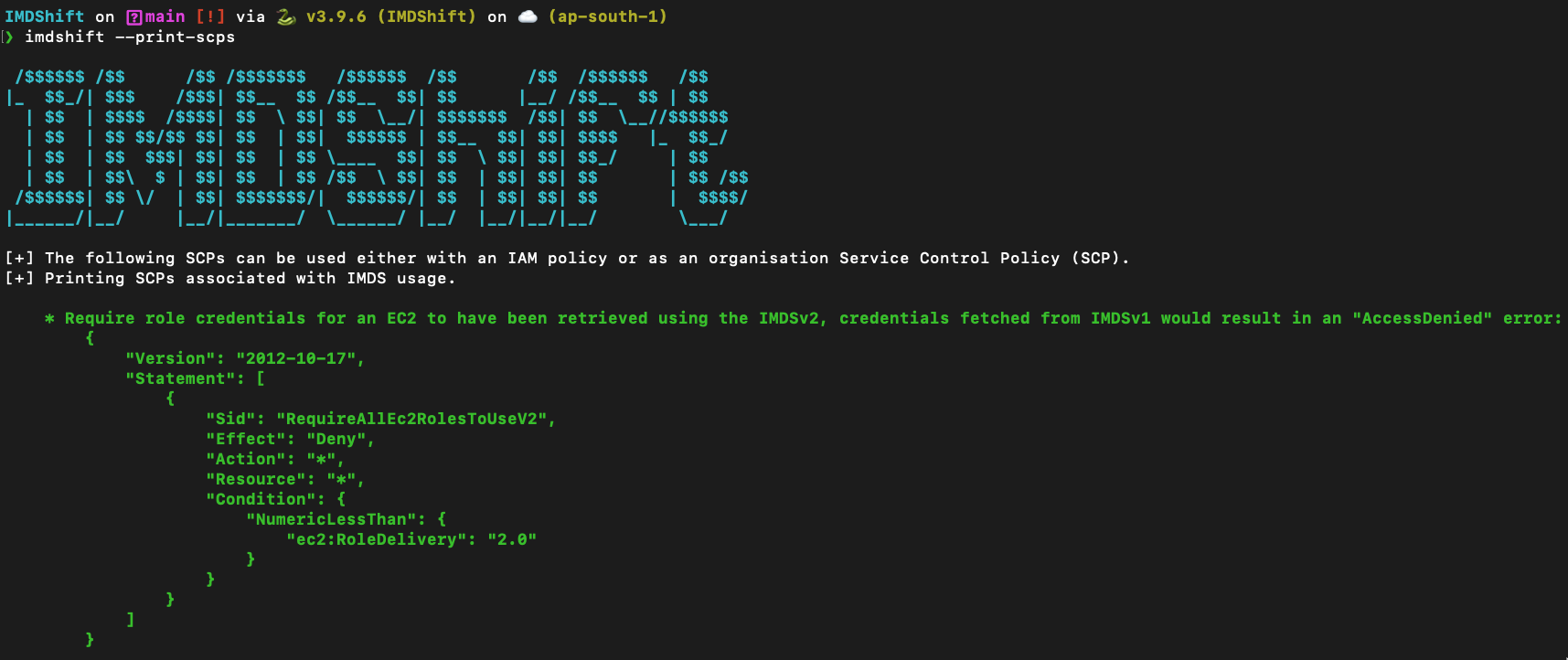
  --print-scps                This boolean flag prints Service Control
                              Policies (SCPs) that can be used to control IMDS
                              usage, like deny access for credentials fetched
                              from IMDSv2 or deny creation of resources with
                              IMDSv1, defaults to "False". Format: "--print-
                              scps"
  --check-imds-usage          This boolean flag launches a scan to identify
                              how many instances are using IMDSv1 in specified
                              regions, during the last 30 days, by using the
                              "MetadataNoToken" CloudWatch metric, defaults to
                              "False". Format: "--check-imds-usage"
  --help                      Show this message and exit.
