Skip to content
KitploitKITPLOIT
도구익스플로잇블로그
Log in
제출
도구익스플로잇블로그
제출

해킹, 침투 테스트 및 사이버 보안 도구를 당신의 보안 무기고에!

Kitploit은 해킹, 사이버 보안 및 침투 테스트 도구 디렉토리입니다. 최신 프로젝트 업데이트를 발견하여 취약점을 찾고, 시스템을 분석하고, 테스트를 자동화하고, 보안을 강화하세요.

··피드·문의·개인정보·© 2026 Kitploit

도구 디렉토리

카테고리

모든 카테고리 보기
Loading categories
Dark-Moon — Autonomous AI pentesting engine, continuous offensive security across web, cloud, AD & Kubernetes. Agentic reasoning + real exploit execution deliver proof-based vulnerabilities. Privacy gateway: the LLM never sees your real IPs, hosts, creds or paths (deterministic placeholders rehydrated locally), nothing leaves your perimeter. | Kitploit
도구/GitHubGitHub/ascit31/dark-moon
Penetration Testing FrameworksReconnaissanceVulnerability ScannersExploit FrameworksWeb SecurityCloud SecurityDevSecOpsRed TeamingAI Security
GitHubascit31/dark-moon

Dark-Moon

저장소 보기
830138421일 전Kitploit 검토 완료
웹사이트

인기

모두 보기 →

커뮤니티에서 가장 많이 사용되는 도구를 찾아보세요.

모든 도구 탐색

도구 컬렉션을 둘러보세요

모든 도구 보기 →

소개

Autonomous AI pentesting engine, continuous offensive security across web, cloud, AD & Kubernetes. Agentic reasoning + real exploit execution deliver proof-based vulnerabilities. Privacy gateway: the LLM never sees your real IPs, hosts, creds or paths (deterministic placeholders rehydrated locally), nothing leaves your perimeter.
공유
요청한 언어로 콘텐츠를 사용할 수 없습니다. 영어 버전을 표시합니다.
DarkMoon — autonomous AI penetration testing on a local model

DarkMoon

Open-source autonomous AI penetration testing — finds, exploits and qualifies every vulnerability on your own infrastructure

GitHub stars Latest release License GPLv3 Made with local LLM Autonomous AI pentesting

⭐ Star DarkMoon · 🚀 Quick Start · 🧩 Integrations · 📊 Benchmark · 🔒 Darkmoon Pro · ▶️ Watch the demo (Pro)

DarkMoon is autonomous AI penetration testing for your own infrastructure. Point it at an authorized target and it runs the whole assessment on its own, then documents every finding with the exact command and raw output.

  • 🟢 Truly open source. GPLv3 and self-hosted, every agent's methodology is plain Markdown you can read, diff and fork.
  • 🎯 Finds AND proves. Each vulnerability ships with the exact command and raw output (exploitation is agent-asserted; the Pro remediation retest is the machine-verified step), so there is almost nothing to triage.
  • 🔒 Runs on a local LLM + Privacy Gateway. The gateway tokenizes your real IPs, hosts and credentials locally, so the model reasons on placeholders while real values stay on your perimeter.
  • 🧩 Everywhere you build. Run it from GitHub, GitLab, Jenkins, VS Code, JetBrains, n8n, Grafana or Splunk — the open-source edition works with the CLI-based ones. See the integrations ↓

See the open source engine (CLI)

The open source Darkmoon is a command line tool. This is what you get when you clone the repo. You launch an assessment from the command line and watch every agent, command and finding stream past in real time.
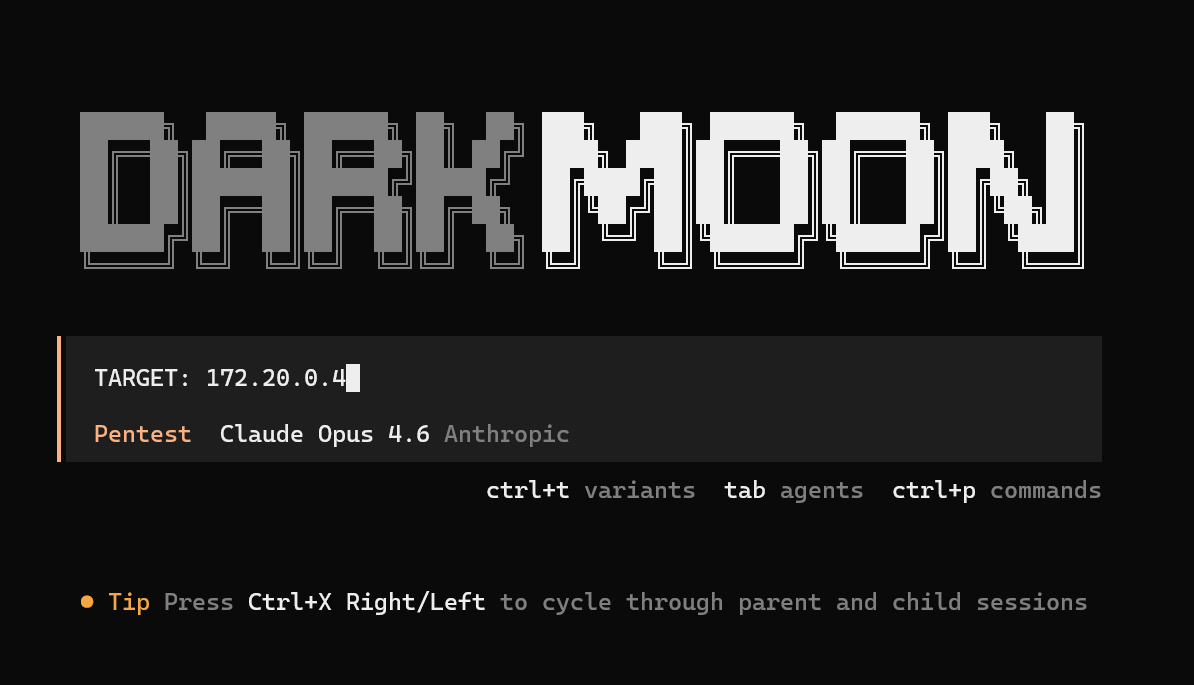
Launching a DarkMoon assessment from the command line with a single TARGET line

Kick off a run from the CLI. One TARGET line and DarkMoon takes over the whole assessment.

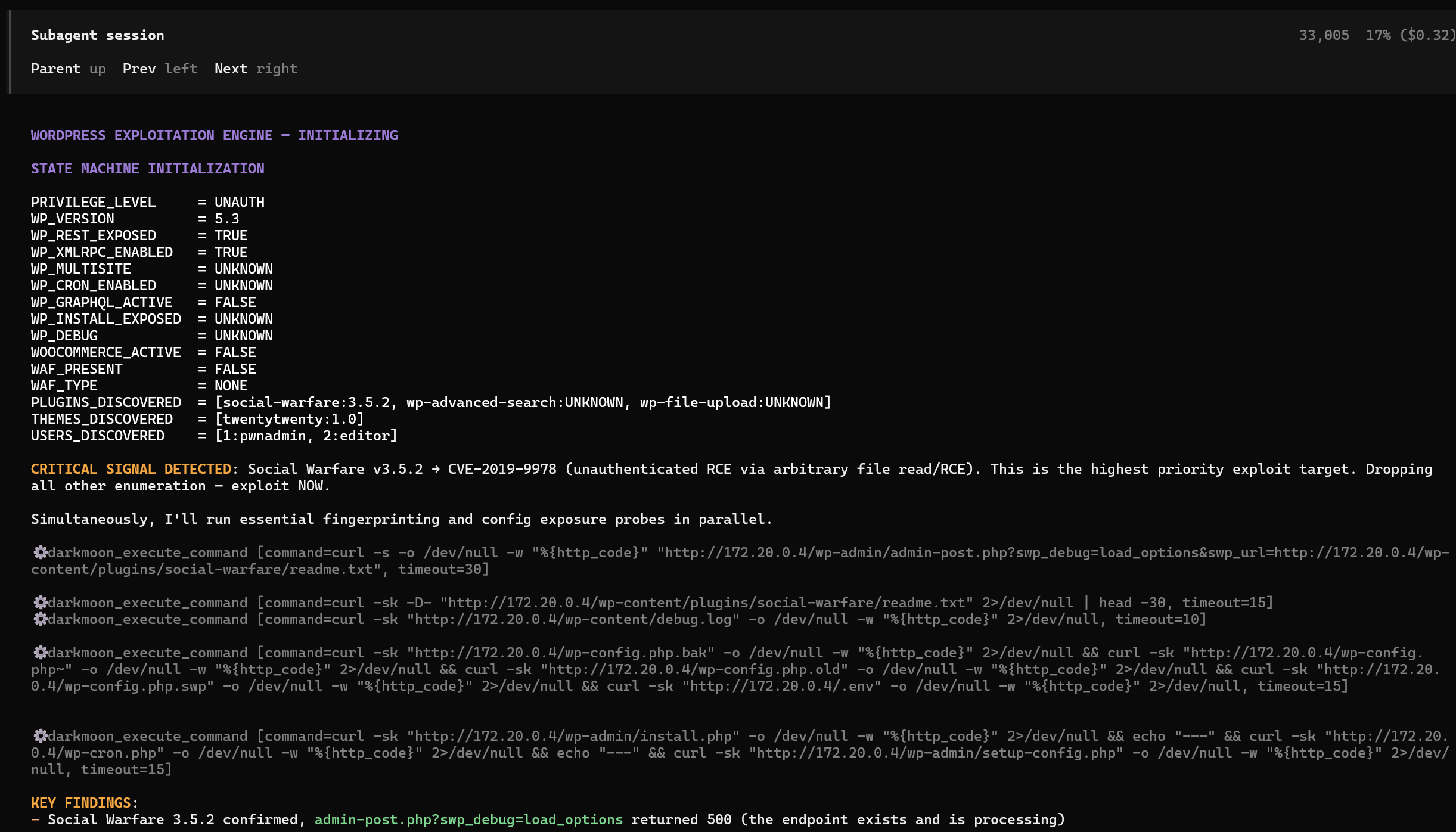
A DarkMoon sub-agent state machine in the terminal detecting CVE-2019-9978 and moving straight to exploitation

Autonomous agents reason and exploit, live in your terminal. Here a sub-agent flags CVE-2019-9978 and pivots straight to exploitation.

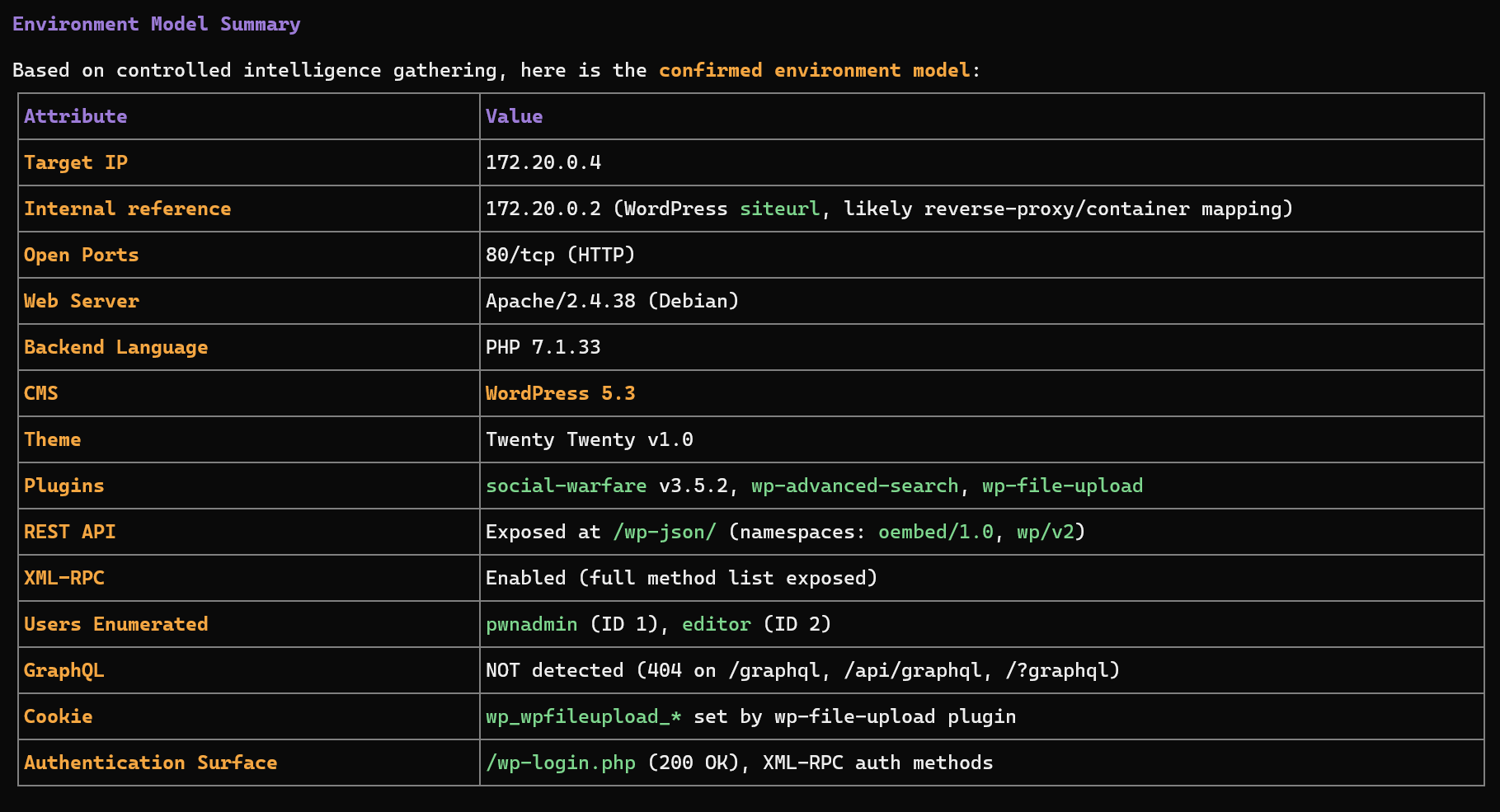
DarkMoon recon and environment model summary printed in the terminal

Recon and environment model. DarkMoon fingerprints the stack and confirms the attack surface before it strikes.

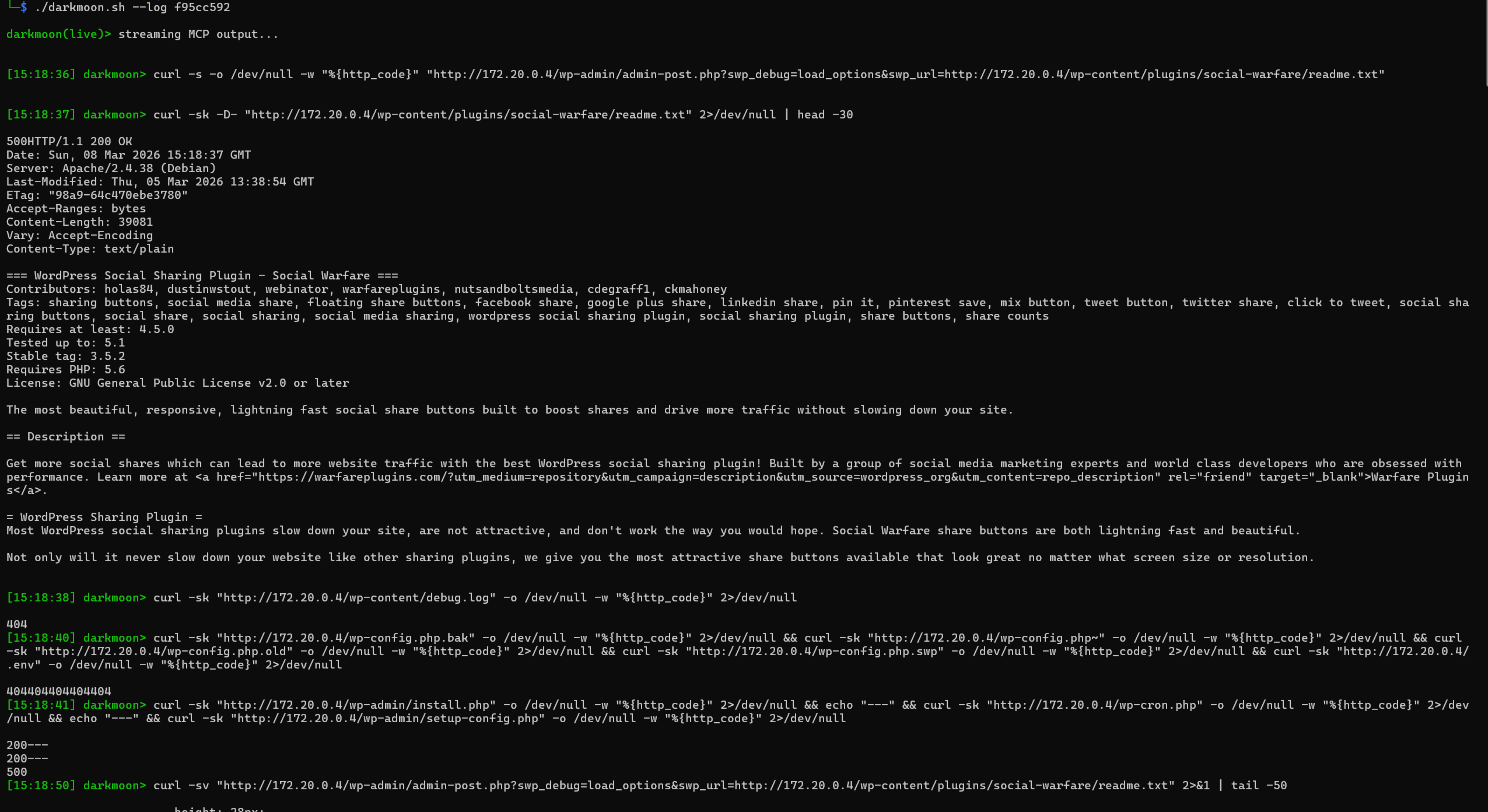
Live MCP output stream in the terminal with timestamped commands and raw responses

Live MCP stream. Every command the agent runs and its raw output, timestamped, with ./darkmoon.sh --log <session>.

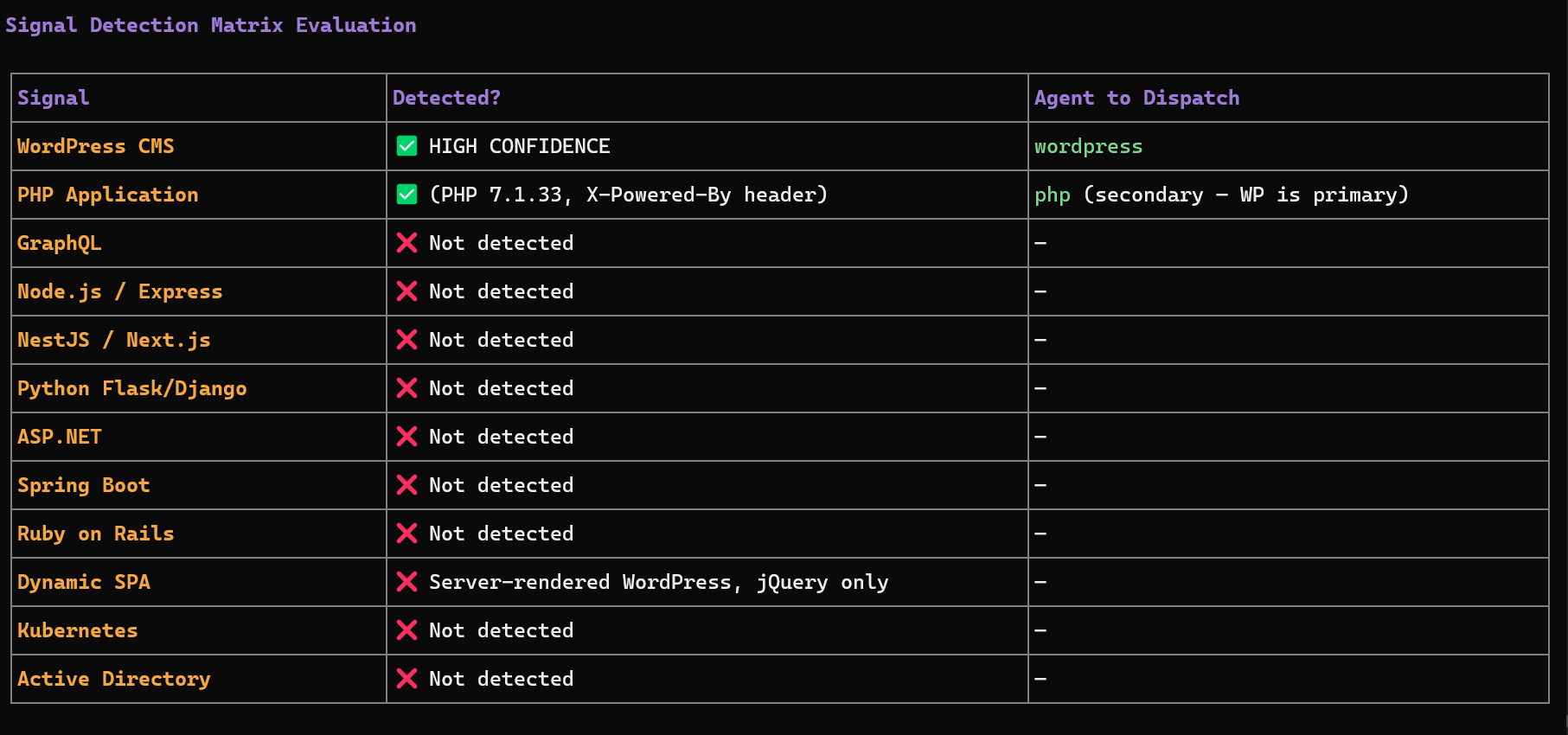
Signal detection matrix in the terminal mapping detected technologies to the agents DarkMoon dispatches

Signal to agent dispatch. DarkMoon decides which specialist agents to deploy from exactly what it detects on the target.

As featured in Help Net Security · Cyber Security News · DevOps.com · SecurityBrief · LinuxLinks · IT Brief · ChannelLife


Quick Start

git clone https://github.com/ASCIT31/Dark-Moon.git
cd Dark-Moon
./install.sh

install.sh configures your LLM provider interactively (no need to edit docker-compose.yml) and builds the full stack:

./install.sh           # skip form if .opencode.env already configured
./install.sh --init    # force reconfiguration (cloud or local model)
./install.sh --help    # show usage

Supports cloud providers (Anthropic, OpenAI, OpenRouter…) and local models (Ollama, llama.cpp). Then run your first assessment and watch it live:

./darkmoon.sh "TARGET: example.com"
./darkmoon.sh --log <session_id>

Prerequisites: Docker & Docker Compose, and an LLM API key (or a local model). GPU setup, environment variables and the full flags reference live in the Full Documentation.


Feature grid

도구 다운로드