 aquasecurity/trivy-action
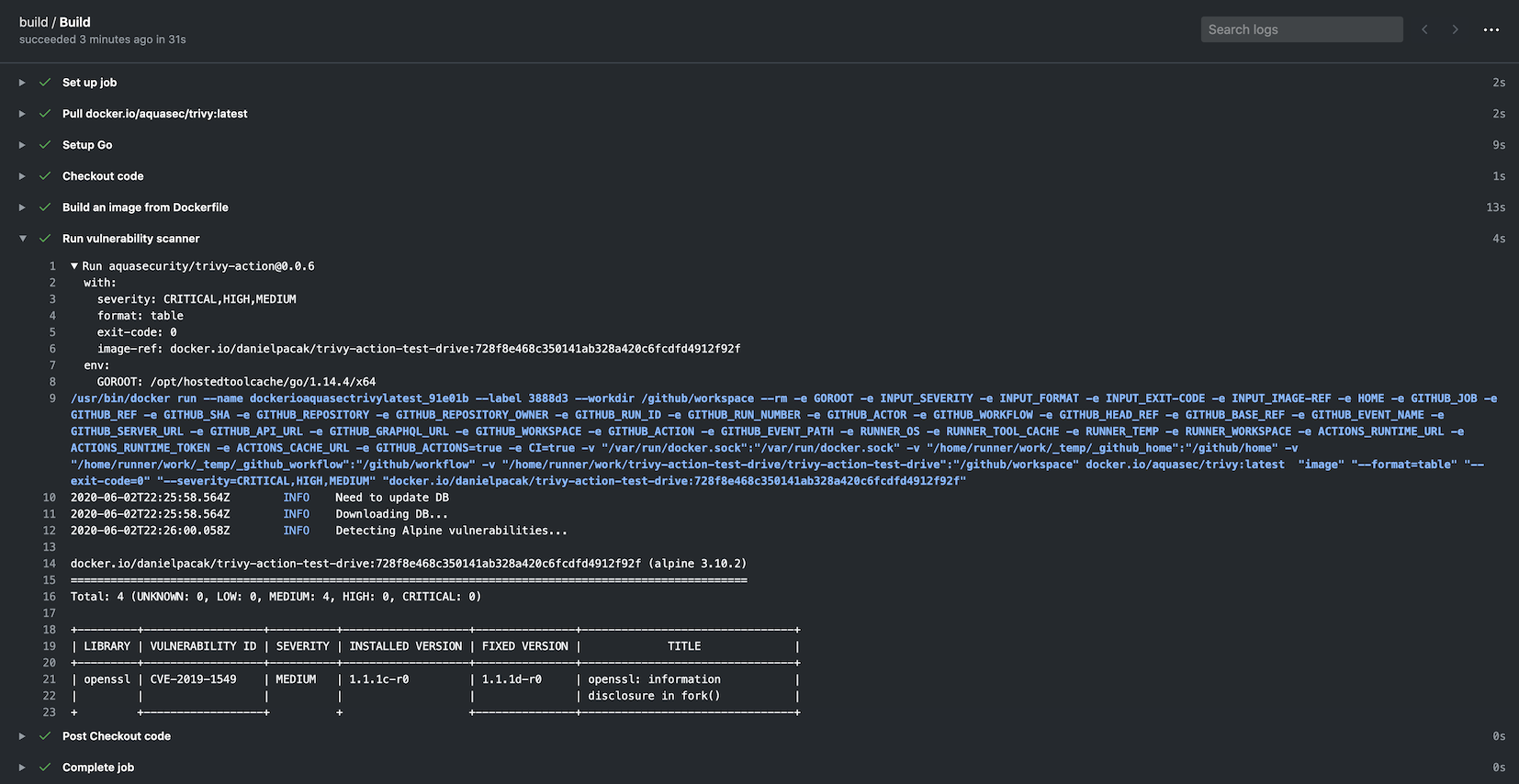
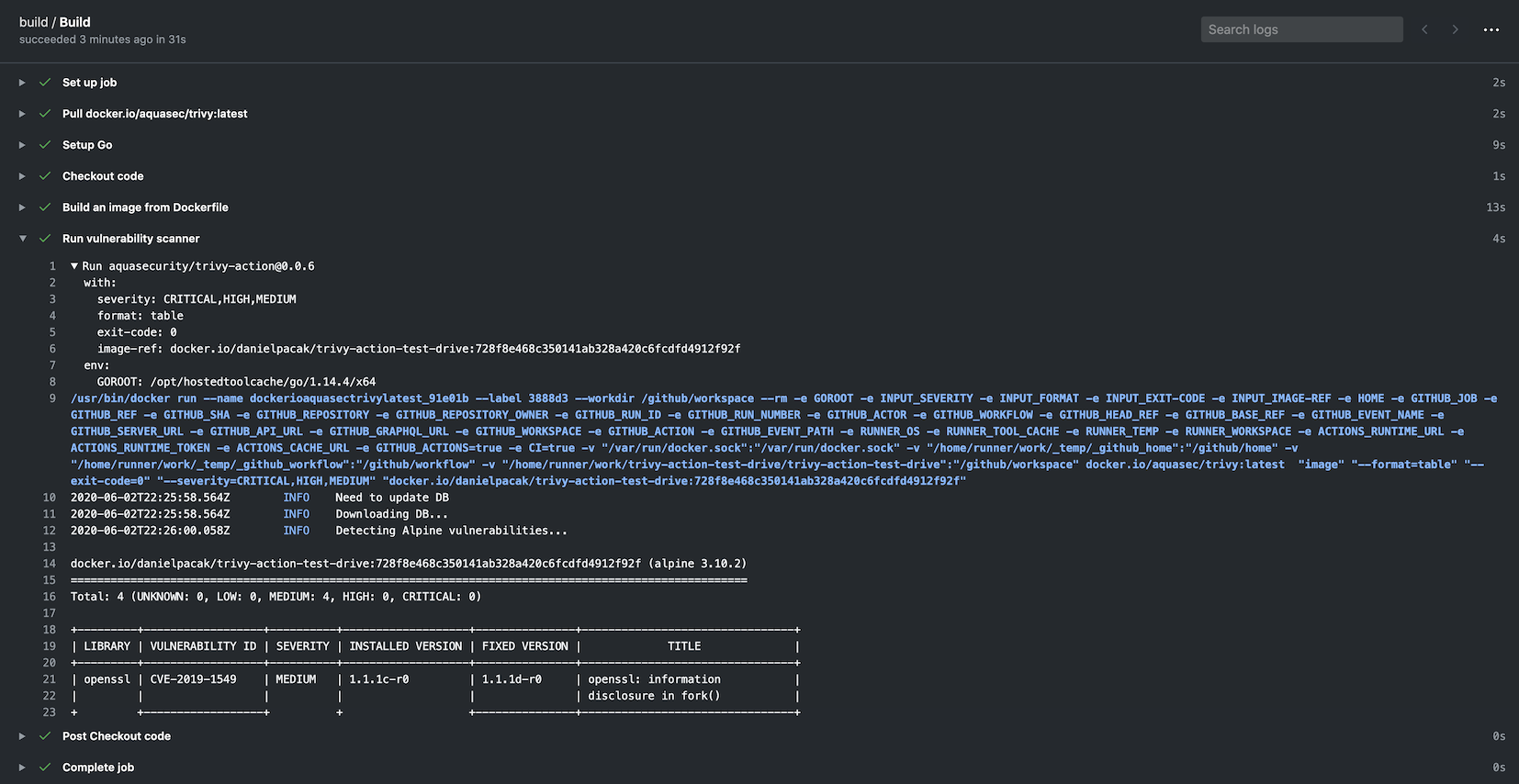
Trivy를 GitHub action으로 실행하여 Docker 컨테이너 이미지의 취약점을 스캔합니다.

[![GitHub Release][release-img]][release] [![GitHub Marketplace][marketplace-img]][marketplace] [![License][license-img]][license]
name: build on: push: branches: - main pull_request: jobs: build: name: Build runs-on: ubuntu-24.04 steps: - name: Checkout code uses: actions/checkout@v4 - name: Build an image from Dockerfile run: docker build -t docker.io/my-organization/my-app:${{ github.sha }} . - name: Run Trivy vulnerability scanner uses: aquasecurity/[email protected] with: image-ref: 'docker.io/my-organization/my-app:${{ github.sha }}' format: 'table' exit-code: '1' ignore-unfixed: true vuln-type: 'os,library' severity: 'CRITICAL,HIGH'
### CI 파이프라인 스캔 (Trivy 구성 포함)```yaml
name: build
on:
  push:
    branches:
    - main
  pull_request:
jobs:
  build:
    name: Build
    runs-on: ubuntu-24.04
    steps:
    - name: Checkout code
      uses: actions/checkout@v4

    - name: Run Trivy vulnerability scanner in fs mode
      uses: aquasecurity/[email protected]
      with:
        scan-type: 'fs'
        scan-ref: '.'
        trivy-config: trivy.yaml
이 경우 trivy.yaml는 저장소의 일부로 체크인되는 YAML 구성입니다. 자세한 정보는 Trivy 웹사이트에서 확인할 수 있지만 예시는 다음과 같습니다:```yaml
format: json
exit-code: 1
severity: CRITICAL
secret:
config: config/trivy/secret.yaml
모든 옵션은 `trivy.yaml` 파일에서 정의할 수 있습니다. 액션을 통해 개별 옵션을 지정하는 것은 이전 버전과의 호환성을 위해 남겨져 있습니다. 다음은 구성 파일로 정의할 수 없으므로 필수로 정의해야 합니다:
- `scan-ref`: `fs, repo` 스캔을 사용하는 경우.
- `image-ref`: `image` 스캔을 사용하는 경우.
- `scan-type`: 스캔 유형을 정의하는 데 사용합니다(예: `image`, `fs`, `repo` 등).

#### 옵션의 우선순위
Trivy는 옵션에 대한 우선순위가 정의된 [Viper](https://github.com/spf13/viper)를 사용합니다. 순서는 다음과 같습니다:
- GitHub Action 플래그
- 환경 변수
- 구성 파일
- 기본값

### 캐시
이 액션에는 스캔 중에 다운로드되는 [취약점 DB](https://github.com/aquasecurity/trivy-db), [Java DB](https://github.com/aquasecurity/trivy-java-db) 및 [검사 번들](https://github.com/aquasecurity/trivy-checks)을 캐싱하고 복원하는 기능이 내장되어 있습니다.
캐시는 기본적으로 `$GITHUB_WORKSPACE/.cache/trivy` 디렉터리에 저장됩니다.
캐시는 스캔이 시작되기 전에 복원되고 스캔이 끝난 후 저장됩니다.

내부적으로 [actions/cache](https://github.com/actions/cache)를 사용하지만 구성 설정이 덜 필요합니다.
cache 입력은 선택 사항이며 캐싱은 기본적으로 활성화되어 있습니다.

#### 캐싱 비활성화
캐싱을 비활성화하려면 `cache` 입력을 `false`로 설정하세요. 하지만 속도 제한 문제를 피하려면 캐싱을 활성화된 상태로 유지하는 것이 좋습니다.```yaml
    - name: Run Trivy scanner without cache
      uses: aquasecurity/[email protected]
      with:
        scan-type: 'fs'
        scan-ref: '.'
        cache: 'false'
GitHub Actions에서는 브랜치 간 캐시 접근에 제한 사항이 있음을 유의하세요.
기본적으로 워크플로는 현재 브랜치 또는 기본 브랜치(보통 main 또는 master)에서 생성된 캐시에 접근하고 복원할 수 있습니다.
브랜치 간에 캐시를 공유해야 하는 경우, 기본 브랜치에서 캐시를 생성하고 현재 브랜치에서 이를 복원해야 할 수 있습니다.
워크플로를 최적화하려면 cron 작업을 설정하여 기본 브랜치의 캐시를 정기적으로 업데이트할 수 있습니다. 이렇게 하면 후속 스캔에서 DB를 다시 다운로드하지 않고 캐시된 DB를 사용할 수 있습니다.```yaml
name: Update Trivy Cache
on: schedule: - cron: '0 0 * * *' # Run daily at midnight UTC workflow_dispatch: # Allow manual triggering
jobs: update-trivy-db: runs-on: ubuntu-latest steps: - name: Setup oras uses: oras-project/setup-oras@v1
  - name: Get current date
    id: date
    run: echo "date=$(date +'%Y-%m-%d')" >> $GITHUB_OUTPUT

  - name: Download and extract the vulnerability DB
    run: |
      mkdir -p $GITHUB_WORKSPACE/.cache/trivy/db
      oras pull ghcr.io/aquasecurity/trivy-db:2
      tar -xzf db.tar.gz -C $GITHUB_WORKSPACE/.cache/trivy/db
      rm db.tar.gz

  - name: Download and extract the Java DB
    run: |
      mkdir -p $GITHUB_WORKSPACE/.cache/trivy/java-db
      oras pull ghcr.io/aquasecurity/trivy-java-db:1
      tar -xzf javadb.tar.gz -C $GITHUB_WORKSPACE/.cache/trivy/java-db
      rm javadb.tar.gz

  - name: Cache DBs
    uses: actions/cache/save@v4
    with:
      path: ${{ github.workspace }}/.cache/trivy
      key: cache-trivy-${{ steps.date.outputs.date }}
스캔을 실행할 때, 다운로드 프로세스를 건너뛰도록 환경 변수 `TRIVY_SKIP_DB_UPDATE` 및 `TRIVY_SKIP_JAVA_DB_UPDATE`를 설정하십시오.```yaml
    - name: Run Trivy scanner without downloading DBs
      uses: aquasecurity/[email protected]
      with:
        scan-type: 'image'
        scan-ref: 'myimage'
      env:
        TRIVY_SKIP_DB_UPDATE: true
        TRIVY_SKIP_JAVA_DB_UPDATE: true
기본적으로 이 액션은 첫 번째 단계로 aquasecurity/setup-trivy를 호출하며,
version 입력으로 지정된 trivy 버전을 설치합니다. 이미 다른 방법으로 trivy를 설치한 경우(예: aquasecurity/setup-trivy 직접 호출) 또는 이 액션을 여러 번 호출하는 경우 skip-setup-trivy 입력을 사용하여 이 단계를 비활성화할 수 있습니다.
name: build on: push: branches: - main pull_request: jobs: build: name: Build runs-on: ubuntu-24.04 steps: - name: Checkout code uses: actions/checkout@v4
- name: Manual Trivy Setup
  uses: aquasecurity/[email protected]
  with:
    cache: true
    version: v0.72.0

- name: Run Trivy vulnerability scanner in repo mode
  uses: aquasecurity/[email protected]
  with:
    scan-type: 'fs'
    ignore-unfixed: true
    format: 'sarif'
    output: 'trivy-results.sarif'
    severity: 'CRITICAL'
    skip-setup-trivy: true
#### Trivy Action을 여러 번 호출할 때 Setup 건너뛰기
또 다른 일반적인 사용 사례는 빌드가 이 작업(action)을 여러 번 호출하는 경우입니다. 이 경우 후속 호출에서 `skip-setup-trivy`를
`true`로 설정할 수 있습니다. 예:```yaml
name: build

on:
  push:
    branches:
      - main
  pull_request:

jobs:
  test:
    runs-on: ubuntu-latest
    permissions:
      contents: read
    steps:
      - name: Check out Git repository
        uses: actions/checkout@v4

      # The first call to the action will invoke setup-trivy and install trivy
      - name: Generate Trivy Vulnerability Report
        uses: aquasecurity/[email protected]
        with:
          scan-type: "fs"
          output: trivy-report.json
          format: json
          scan-ref: .
          exit-code: 0

      - name: Upload Vulnerability Scan Results
        uses: actions/upload-artifact@v4
        with:
          name: trivy-report
          path: trivy-report.json
          retention-days: 30
