 aquasecurity/cloudsploit
멀티 클라우드 보안 태세 스캐너로, AWS, Azure, GCP, OCI의 오설정, 규정 준수 위반(HIPAA, PCI, CIS) 및 보안 위험을 자동화된 플러그인 기반 점검을 통해 감사합니다.


$ git clone https://github.com/aquasecurity/cloudsploit.git
$ cd cloudsploit
$ npm install
$ ./index.js -h
$ git clone https://github.com/aquasecurity/cloudsploit.git
$ cd cloudsploit
$ docker build . -t cloudsploit:0.0.1
$ docker run cloudsploit:0.0.1 -h
$ docker run -e AWS_ACCESS_KEY_ID=XX -e AWS_SECRET_ACCESS_KEY=YY cloudsploit:0.0.1 --compliance=pci
Aqua의 CloudSploit은 Amazon Web Services(AWS), Microsoft Azure, Google Cloud Platform(GCP), Oracle Cloud Infrastructure(OCI) 및 GitHub를 포함한 클라우드 인프라 계정의 보안 위험을 탐지하도록 설계된 오픈 소스 프로젝트입니다. 이 스크립트는 잠재적인 잘못된 구성과 보안 위험을 반환하도록 설계되었습니다.
CloudSploit은 두 가지 배포 옵션으로 제공됩니다:
아래 지침에 따라 몇 가지 간단한 단계로 오픈 소스 버전의 CloudSploit을 자신의 머신에 배포하세요.
Aqua Wave에서 호스팅되는 상용 버전의 CloudSploit입니다. 지금 Aqua Wave를 사용해 보세요!
NodeJS가 설치되어 있는지 확인하십시오. 설치되어 있지 않으면 여기에서 설치하십시오.
$ git clone [email protected]:cloudsploit/scans.git
$ npm install
CloudSploit은 클라우드 계정에 대해 읽기 전용 권한이 필요합니다. 아래 가이드에 따라 이 액세스를 프로비저닝하십시오:
AWS의 경우 CloudSploit을 직접 실행하면 기본 AWS 자격 증명 체인을 사용하여 자격 증명을 자동으로 감지합니다.
CloudSploit 설정 파일을 사용하면 다음과 같은 방법으로 클라우드 공급자 자격 증명을 전달할 수 있습니다:
먼저 예제 설정 파일을 복사합니다:
$ cp config_example.js config.js
테스트 중인 클라우드 공급자에 해당하는 섹션의 주석을 해제하여 설정 파일을 편집합니다. 각 클라우드에는 credential_file 옵션과 인라인 옵션이 모두 있습니다. 예를 들어:
azure: {
    // OPTION 1: If using a credential JSON file, enter the path below
    // credential_file: '/path/to/file.json',
    // OPTION 2: If using hard-coded credentials, enter them below
    // application_id: process.env.AZURE_APPLICATION_ID || '',
    // key_value: process.env.AZURE_KEY_VALUE || '',
    // directory_id: process.env.AZURE_DIRECTORY_ID || '',
    // subscription_id: process.env.AZURE_SUBSCRIPTION_ID || ''
}
credential_file 옵션을 사용하는 경우 사용 중인 클라우드에 적합한 형식의 파일을 파일 시스템에서 가리킵니다.
{
  "accessKeyId": "YOURACCESSKEY",
  "secretAccessKey": "YOURSECRETKEY"
}
{
  "ApplicationID": "YOURAZUREAPPLICATIONID",
  "KeyValue": "YOURAZUREKEYVALUE",
  "DirectoryID": "YOURAZUREDIRECTORYID",
  "SubscriptionID": "YOURAZURESUBSCRIPTIONID"
}
참고: GCP의 경우 GCP 콘솔에서 직접 JSON 파일을 생성하며, 이 파일을 편집하면 안 됩니다.
{
    "type": "service_account",
    "project": "GCPPROJECTNAME",
    "client_email": "GCPCLIENTEMAIL",
    "private_key": "GCPPRIVATEKEY"
}
{
  "tenancyId": "YOURORACLETENANCYID",
  "compartmentId": "YOURORACLECOMPARTMENTID",
  "userId": "YOURORACLEUSERID",
  "keyFingerprint": "YOURORACLEKEYFINGERPRINT",
  "keyValue": "YOURORACLEKEYVALUE",
}
CloudSploit은 환경 변수 전달을 지원하지만, 먼저 스캔할 클라우드 공급자와 관련된 config.js 파일의 섹션 주석을 해제해야 합니다.
그런 다음 각 섹션에 나열된 변수를 전달할 수 있습니다. 예를 들어 AWS의 경우:
{
  access_key: process.env.AWS_ACCESS_KEY_ID || '',
  secret_access_key: process.env.AWS_SECRET_ACCESS_KEY || '',
  session_token: process.env.AWS_SESSION_TOKEN || '',
}
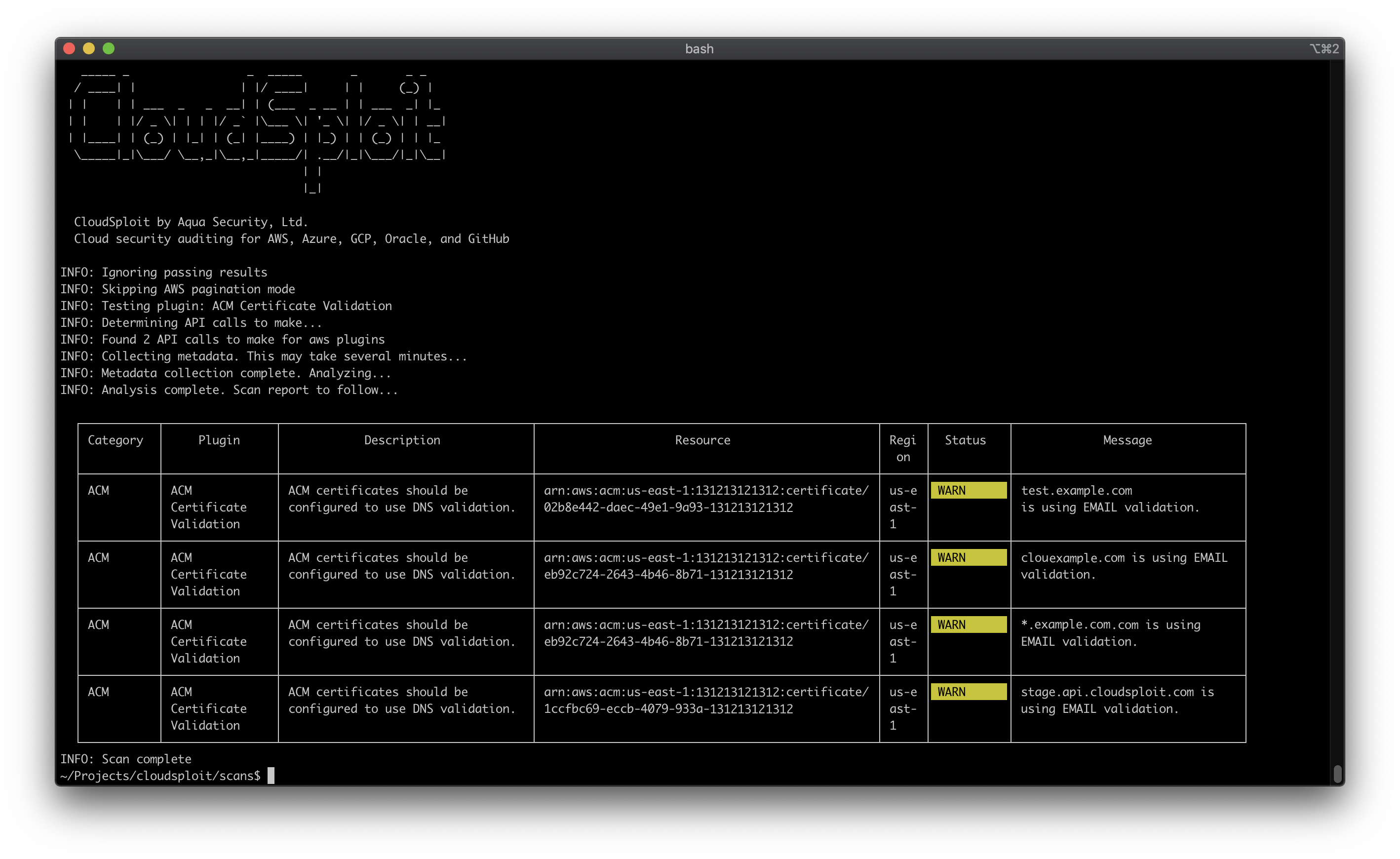
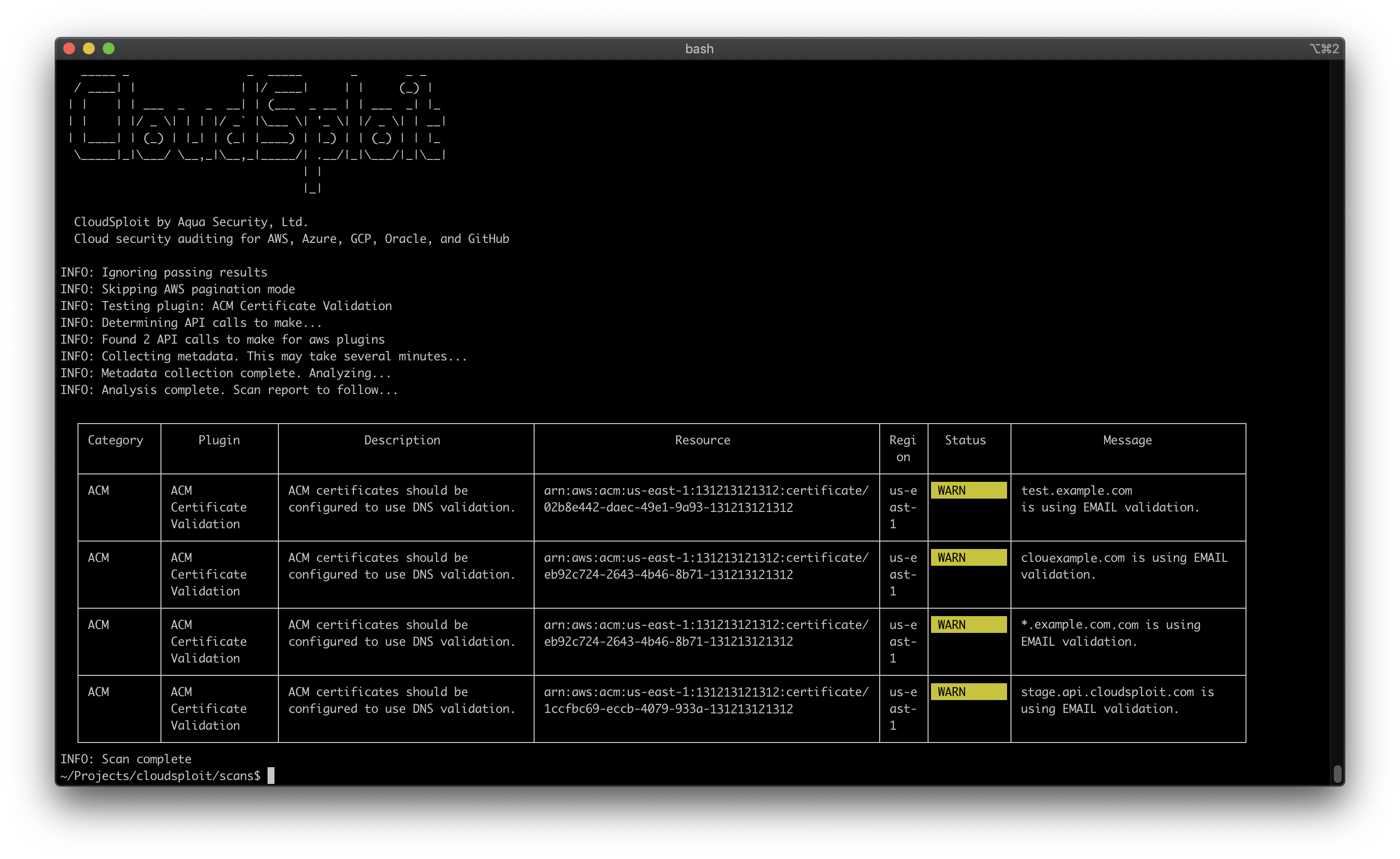
모든 출력과 결과를 표시하는 표준 스캔을 실행하려면 다음을 실행하십시오:
$ ./index.js
CloudSploit은 실행 시간을 사용자 정의하는 많은 옵션을 지원합니다. 인기 있는 옵션은 다음과 같습니다:
--govcloud--china--collection=file.json--ignore-ok--exit-code
--console=text더 많은 출력 옵션은 아래 출력 형식을 참조하십시오.
$ ./index.js -h

  _____ _                 _  _____       _       _ _
  / ____| |               | |/ ____|     | |     (_) |
| |    | | ___  _   _  __| | (___  _ __ | | ___  _| |_
| |    | |/ _ \| | | |/ _` |\___ \| '_ \| |/ _ \| | __|
| |____| | (_) | |_| | (_| |____) | |_) | | (_) | | |_
  \_____|_|\___/ \__,_|\__,_|_____/| .__/|_|\___/|_|\__|
                                  | |
                                  |_|

  CloudSploit by Aqua Security, Ltd.
  Cloud security auditing for AWS, Azure, GCP, Oracle, and GitHub

usage: index.js [-h] --config CONFIG [--compliance {hipaa,cis,cis1,cis2,pci}] [--plugin PLUGIN] [--govcloud] [--china] [--csv CSV] [--json JSON] [--junit JUNIT]
                [--table] [--console {none,text,table}] [--collection COLLECTION] [--ignore-ok] [--exit-code] [--skip-paginate] [--suppress SUPPRESS]
