
Node.js 애플리케이션을 위한 의미 인식 SAST 스캐너로, libsast 패턴 매칭과 semgrep 구문 인식 분석을 사용하여 안전하지 않은 코드 패턴을 탐지합니다.
# njsscan
**njsscan**은 [libsast](https://github.com/ajinabraham/libsast)의 간단한 패턴 매처와 구문 인식 시맨틱 코드 패턴 검색 도구인 [semgrep](https://github.com/returntocorp/semgrep)을 사용하여 node.js 애플리케이션에서 안전하지 않은 코드 패턴을 찾을 수 있는 정적 애플리케이션 테스트(SAST) 도구입니다.
인도에서 로 제작됨 [](https://twitter.com/intent/tweet/?text=njsscan%20is%20a%20semantic%20aware%20SAST%20tool%20that%20can%20find%20insecure%20code%20patterns%20in%20your%20Node.js%20applications%20by%20%40ajinabraham%20%40OpenSecurity_IN&url=https://github.com/ajinabraham/njsscan)
[](https://badge.fury.io/py/njsscan)
[](https://github.com/ajinabraham/njsscan)
[](https://www.gnu.org/licenses/lgpl-3.0.en.html)
[](https://www.python.org/downloads/)
[](https://github.com/ajinabraham/njsscan/actions?query=workflow%3ABuild)
### njsscan 후원
* **Paypal로 기부하기:** [](https://paypal.me/ajinabraham)
* **프로젝트 후원하기:** [](https://github.com/sponsors/ajinabraham)
### e-Learning 과정 및 자격증
[](https://opsecx.com/index.php/product/node-js-security-pentesting-and-exploitation/?uid=github) [OpSecX Node.js Security: Pentesting and Exploitation - NJS](https://opsecx.com/index.php/product/node-js-security-pentesting-and-exploitation/?uid=github)
## 설치
`pip install njsscan`
Python 3.10+가 필요하며 Mac과 Linux만 지원합니다
## 명령줄 옵션
```bash
$ njsscan
usage: njsscan [-h] [--json] [--sarif] [--sonarqube] [--defectdojo] [--gitlab-sast] [--html] [-o OUTPUT] [-c CONFIG] [--missing-controls] [-w] [-v] [path ...]
positional arguments:
path Path can be file(s) or directories with source code
optional arguments:
-h, --help show this help message and exit
--json set output format as JSON
--sarif set output format as SARIF 2.1.0
--sonarqube set output format compatible with SonarQube
--defectdojo set output format compatible with DefectDojo Generic Findings Import
--gitlab-sast set output format as GitLab SAST report
--html set output format as HTML
-o OUTPUT, --output OUTPUT
output filename to save the result
-c CONFIG, --config CONFIG
Location to .njsscan config file
--missing-controls enable missing security controls check
-w, --exit-warning non zero exit code on warning
-v, --version show njsscan version
```
## 사용 예시
```bash
$ njsscan test.js
- Pattern Match ████████████████████████████████████████████████████████████ 1
- Semantic Grep ███████████████████████████ 160
njsscan: v0.1.9 | Ajin Abraham | opensecurity.in
╒═════════════╤═══════════════════════════════════════════════════════════════════════════════════════════════╕
│ RULE ID │ express_xss │
├─────────────┼───────────────────────────────────────────────────────────────────────────────────────────────┤
│ OWASP │ A1: Injection │
├─────────────┼───────────────────────────────────────────────────────────────────────────────────────────────┤
│ CWE │ CWE-79: Improper Neutralization of Input During Web Page Generation ('Cross-site Scripting') │
├─────────────┼───────────────────────────────────────────────────────────────────────────────────────────────┤
│ DESCRIPTION │ Untrusted User Input in Response will result in Reflected Cross Site Scripting Vulnerability. │
├─────────────┼───────────────────────────────────────────────────────────────────────────────────────────────┤
│ SEVERITY │ ERROR │
├─────────────┼───────────────────────────────────────────────────────────────────────────────────────────────┤
│ FILES │ ╒════════════════╤═══════════════════════════════════════════════╕ │
│ │ │ File │ test.js │ │
│ │ ├────────────────┼───────────────────────────────────────────────┤ │
│ │ │ Match Position │ 5 - 46 │ │
│ │ ├────────────────┼───────────────────────────────────────────────┤ │
│ │ │ Line Number(s) │ 7: 8 │ │
│ │ ├────────────────┼───────────────────────────────────────────────┤ │
│ │ │ Match String │ const { name } = req.query; │ │
│ │ │ │ res.send('<h1> Hello :' + name + "</h1>") │ │
│ │ ╘════════════════╧═══════════════════════════════════════════════╛ │
╘═════════════╧═══════════════════════════════════════════════════════════════════════════════════════════════╛
```
## nodejsscan SAST
**njsscan**을 기반으로 구축된 **nodejsscan**은 다른 유용한 통합 기능과 함께 완전한 취약점 관리 사용자 인터페이스를 제공합니다.
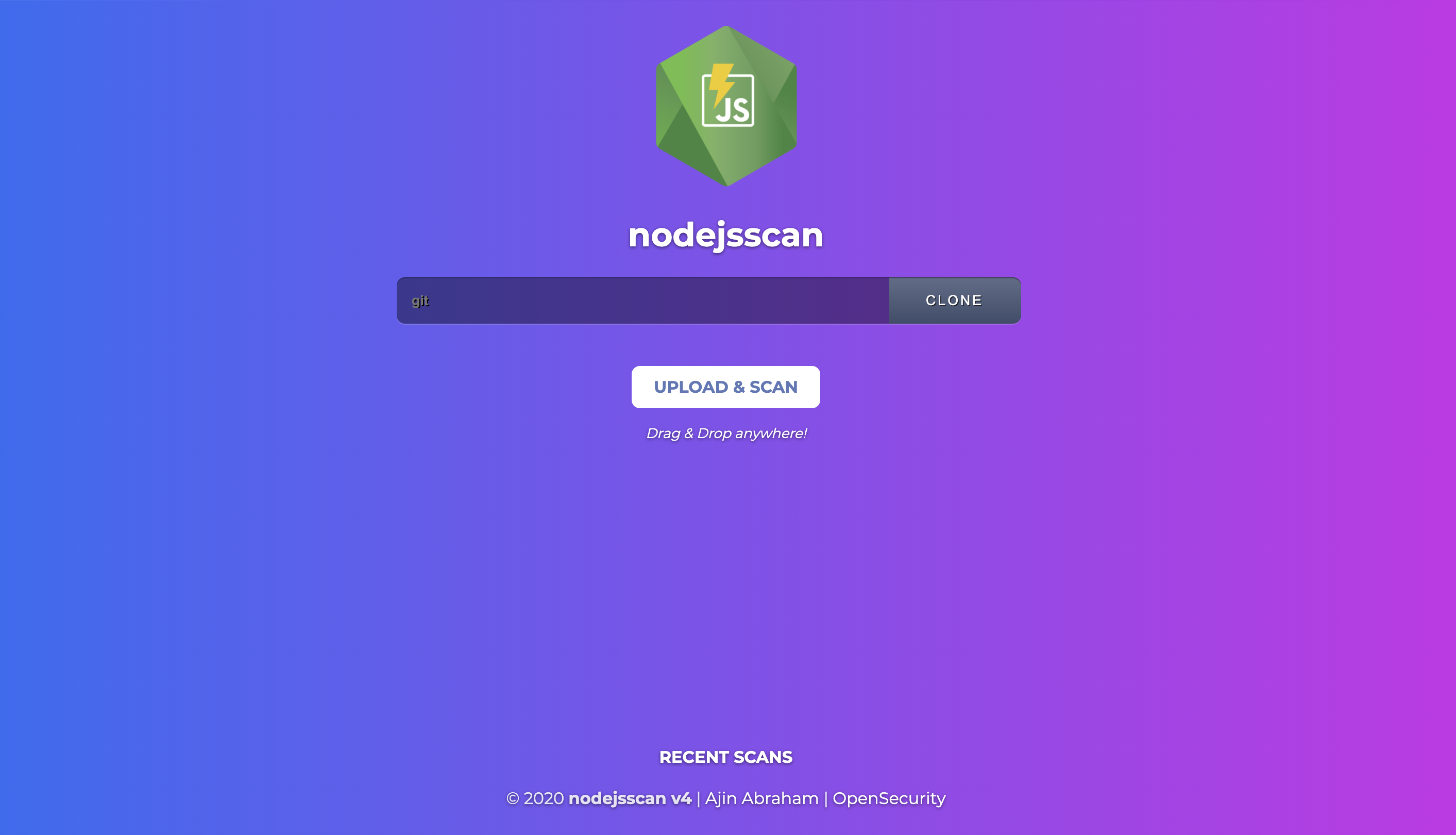
[nodejsscan](https://github.com/ajinabraham/nodejsscan) 참조
## Python API
```python
>>> from njsscan.njsscan import NJSScan
>>> node_source = '/node_source/true_positives/sqli_node.js'
>>> scanner = NJSScan([node_source], json=True, check_controls=False)
>>> scanner.scan()
{
'templates': {},
'nodejs': {
'node_sqli_injection': {
'files': [{
'file_path': '/node_source/true_positives/sqli_node.js',
'match_position': (1, 24),
'match_lines': (4, 11),
'match_string': 'var employeeId = req.foo;\n\nvar sql = "SELECT * FROM trn_employee WHERE employee_id = " + employeeId;\n\n\n\nconnection.query(sql, function (error, results, fields) {\n\n if (error) {\n\n throw error;\n\n }\n\n console.log(results);'
}],
'metadata': {
'owasp': 'A1: Injection',
'cwe': "CWE-89: Improper Neutralization of Special Elements used in an SQL Command ('SQL Injection')",
'description': 'Untrusted input concatinated with raw SQL query can result in SQL Injection.',
'severity': 'ERROR'
}
}
},
'errors': []
}
```
## njsscan 구성
소스 코드 디렉토리 루트에 있는 `.njsscan` 파일을 통해 njsscan을 구성할 수 있습니다. `--config` 인수를 사용하여 사용자 정의 `.njsscan` 파일을 사용할 수도 있습니다.
```yaml
---
- nodejs-extensions:
- .js
template-extensions:
- .new
- .hbs
- ''
ignore-filenames:
- skip.js
ignore-paths:
- __MACOSX
- skip_dir
- node_modules
ignore-extensions:
- .jsx
ignore-rules:
- regex_injection_dos
- pug_jade_template
severity-filter:
- WARNING
- ERROR
severity-overrides:
express_xss: WARNING
node_secret: ERROR
```
## 검출 결과 억제
검출 결과를 트리거하는 줄에 `// njsscan-ignore: rule_id1, rule_id2` 주석을 추가하여 javascript 소스 파일의 검출 결과를 억제할 수 있습니다.
예시:
```javascript
app.get('/some/redirect', function (req, res) {
var target = req.param("target");
res.redirect(target); // njsscan-ignore: express_open_redirect
});
```
## CI/CD 통합
CI/CD 또는 DevSecOps 파이프라인에서 njsscan을 활성화할 수 있습니다.
#### Github Action
`.github/workflows/njsscan.yml` 파일에 다음을 추가하세요.
```yaml
name: njsscan
on:
push:
branches: [ master, main ]
pull_request:
branches: [ master, main ]
jobs:
njsscan:
runs-on: ubuntu-latest
name: njsscan check
steps:
- name: Checkout the code
uses: actions/checkout@3d3c42e5aac5ba805825da76410c181273ba90b1 # v7.0.1
- uses: actions/setup-python@5fda3b95a4ea91299a34e894583c3862153e4b97 # v7.0.0
with:
python-version: '3.12'
- name: nodejsscan scan
id: njsscan
uses: ajinabraham/njsscan-action@231750a435d85095d33be7d192d52ec650625146 # v9
with:
args: '.'
```
예시: [dvna with njsscan github action](https://github.com/ajinabraham/dvna/actions?query=workflow%3Anjsscan)
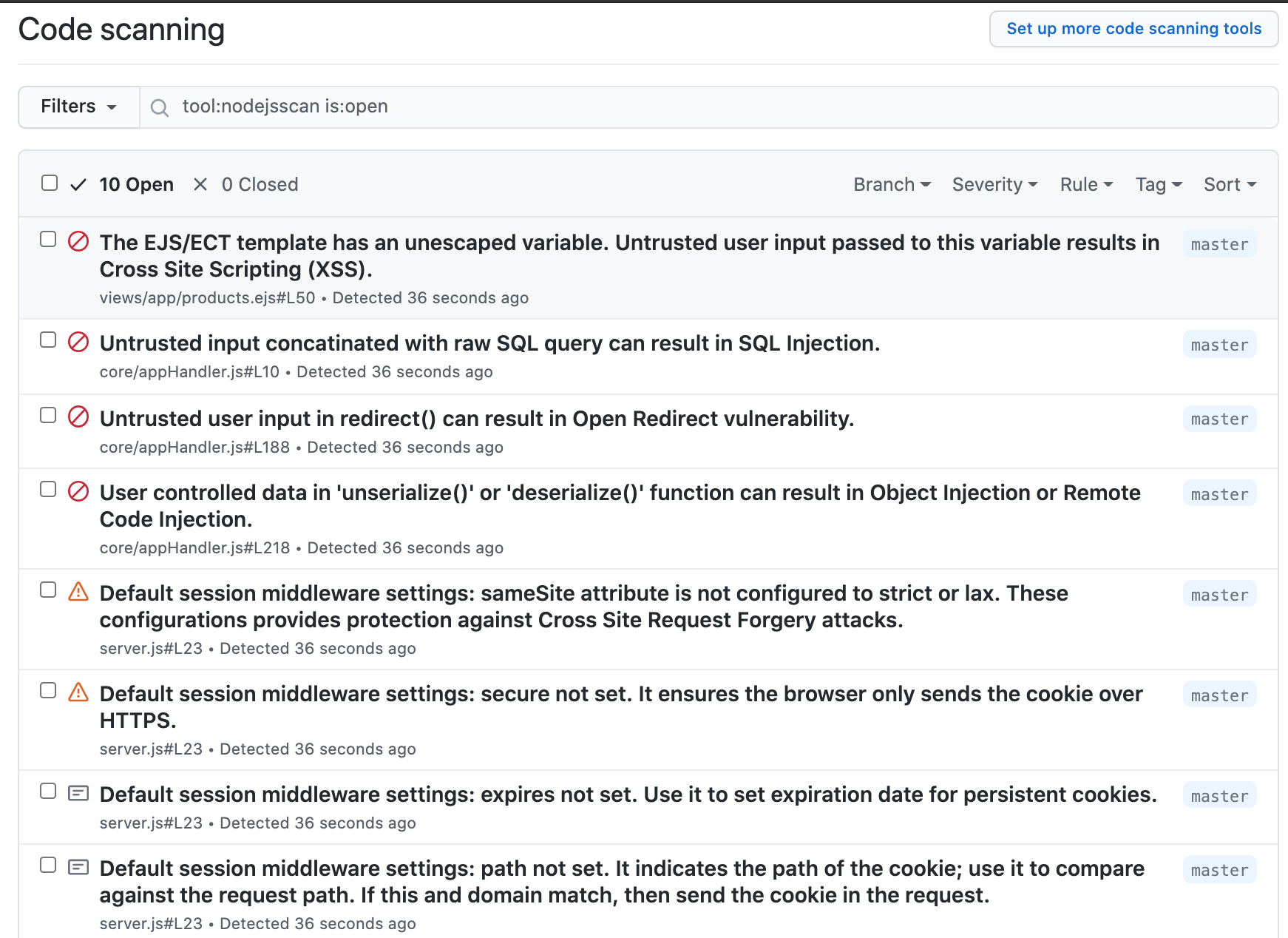
#### Github 코드 스캐닝 통합
`.github/workflows/njsscan_sarif.yml` 파일에 다음을 추가하세요.
```yaml
name: njsscan sarif
on:
push:
branches: [ master, main ]
pull_request:
branches: [ master, main ]
jobs:
njsscan:
runs-on: ubuntu-latest
name: njsscan code scanning
steps:
- name: Checkout the code
uses: actions/checkout@3d3c42e5aac5ba805825da76410c181273ba90b1 # v7.0.1
- uses: actions/setup-python@5fda3b95a4ea91299a34e894583c3862153e4b97 # v7.0.0
with:
python-version: '3.12'
- name: nodejsscan scan
id: njsscan
uses: ajinabraham/njsscan-action@231750a435d85095d33be7d192d52ec650625146 # v9
with:
args: '. --sarif --output results.sarif || true'
- name: Upload njsscan report
uses: github/codeql-action/upload-sarif@1c5b675653bb5c22dbe9b12b556ec555138e09fd # v4.38.1
with:
sarif_file: results.sarif
```
#### Gitlab CI/CD
`.gitlab-ci.yml` 파일에 다음을 추가하세요.
```yaml
stages:
- test
njsscan:
image: python:3.12
stage: test
before_script:
- pip3 install --upgrade njsscan
script:
- njsscan . --gitlab-sast -o gl-sast-report.json
artifacts:
when: always
reports:
sast: gl-sast-report.json
```
예시 명령(로컬):
```bash
njsscan . --gitlab-sast -o gl-sast-report.json
```
이 명령은 네이티브 [GitLab SAST 보고서](https://docs.gitlab.com/user/application_security/sast/)를 작성하므로 SARIF 변환기 없이도 검출 결과가 취약점 보고서 / MR 보안 위젯에 표시됩니다.
예시: [dvna with njsscan gitlab](https://gitlab.com/ajinabraham/dvna/-/jobs/602110439)
#### Travis CI
`.travis.yml` 파일에 다음을 추가하세요.
```yaml
language: python
install:
- pip3 install --upgrade njsscan
script:
- njsscan .
```
#### Circle CI
`.circleci/config.yaml` 파일에 다음을 추가하세요.
```yaml
version: 2.1
jobs:
njsscan:
docker:
- image: cimg/python:3.9.6
steps:
- checkout
- run:
name: Install njsscan
command: pip install --upgrade njsscan
- run:
name: njsscan check
command: njsscan .
```
## Docker
### [DockerHub](https://hub.docker.com/r/opensecurity/njsscan)의 사전 빌드된 이미지
```bash
docker pull opensecurity/njsscan
docker run -v /path-to-source-dir:/src opensecurity/njsscan /src
```
### 로컬에서 빌드
```
docker build -t njsscan .
docker run -v /path-to-source-dir:/src njsscan /src
```
