
Skip to content
KitploitKITPLOIT
도구익스플로잇블로그
Log in
제출
도구익스플로잇블로그
제출

해킹, 침투 테스트 및 사이버 보안 도구를 당신의 보안 무기고에!

Kitploit은 해킹, 사이버 보안 및 침투 테스트 도구 디렉토리입니다. 최신 프로젝트 업데이트를 발견하여 취약점을 찾고, 시스템을 분석하고, 테스트를 자동화하고, 보안을 강화하세요.

··피드·문의·개인정보·© 2026 Kitploit

도구 디렉토리

카테고리

모든 카테고리 보기
Loading categories
haruspex — IDA Hex-Rays 디컴파일러에서 의사 코드를 추출하는 취약점 연구 보조 도구 | Kitploit
도구/GitHubGitHub/0xdea/haruspex
Static Code Analysis (SAST)Vulnerability AnalysisReverse EngineeringBinary Analysis
GitHub0xdea/haruspex

haruspex

IDA Hex-Rays 디컴파일러에서 의사 코드를 추출하는 취약점 연구 보조 도구

저장소 보기웹사이트
13110312일 전Kitploit 검토 완료

인기

모두 보기 →

커뮤니티에서 가장 많이 사용되는 도구를 찾아보세요.

모든 도구 탐색

도구 컬렉션을 둘러보세요

모든 도구 보기 →
공유

haruspex

build doc

"해킹은 항상 자신의 모든 가정에 의문을 제기하는 규율이다."

-- Dave Aitel

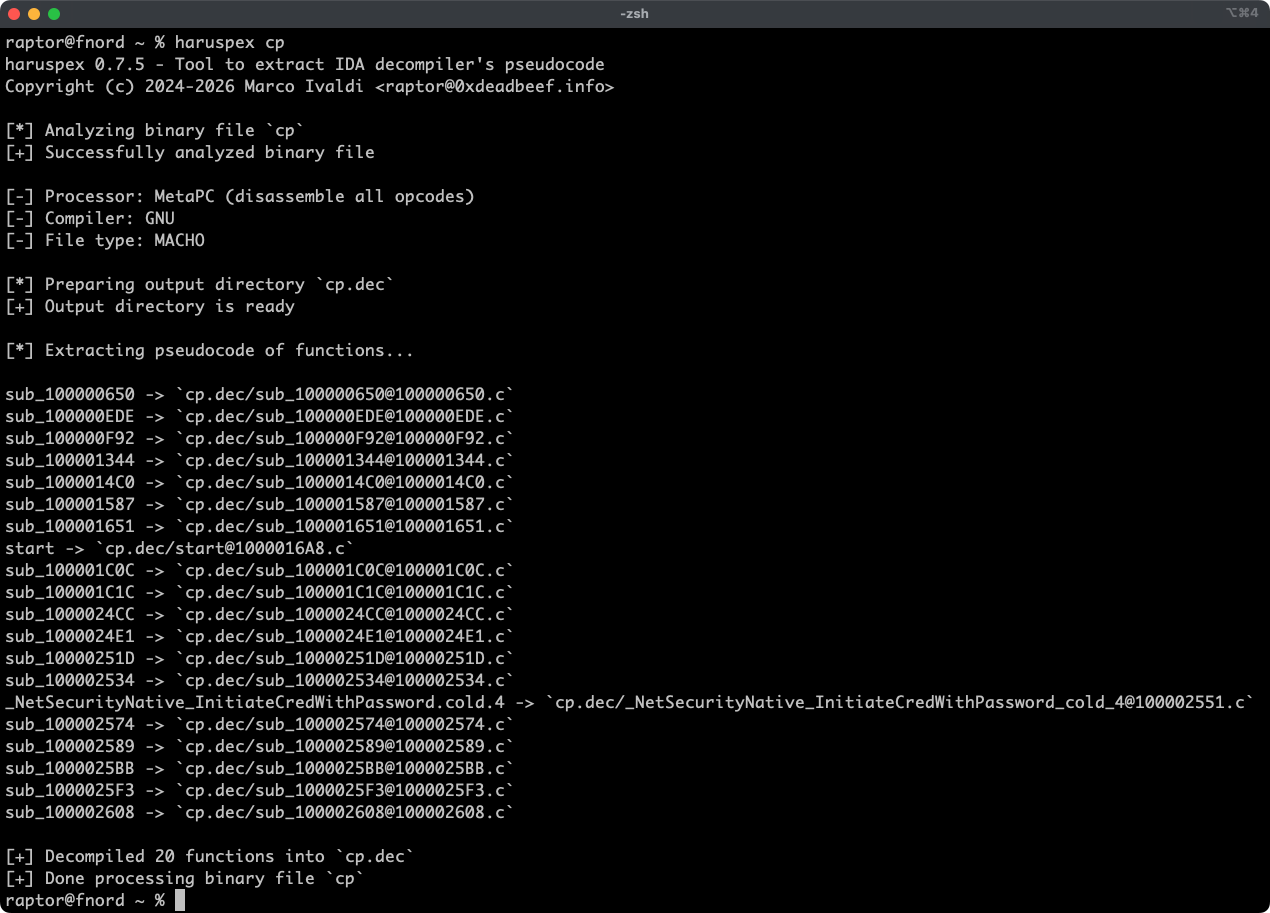
Haruspex는 IDA의 디컴파일러가 생성한 의사코드를 추출하는 매우 빠른 IDA 헤드리스 플러그인으로, IDE로 가져오거나 Semgrep, weggli, oneiromancer와 같은 정적 분석 도구로 파싱하기에 적합한 형식으로 출력합니다.
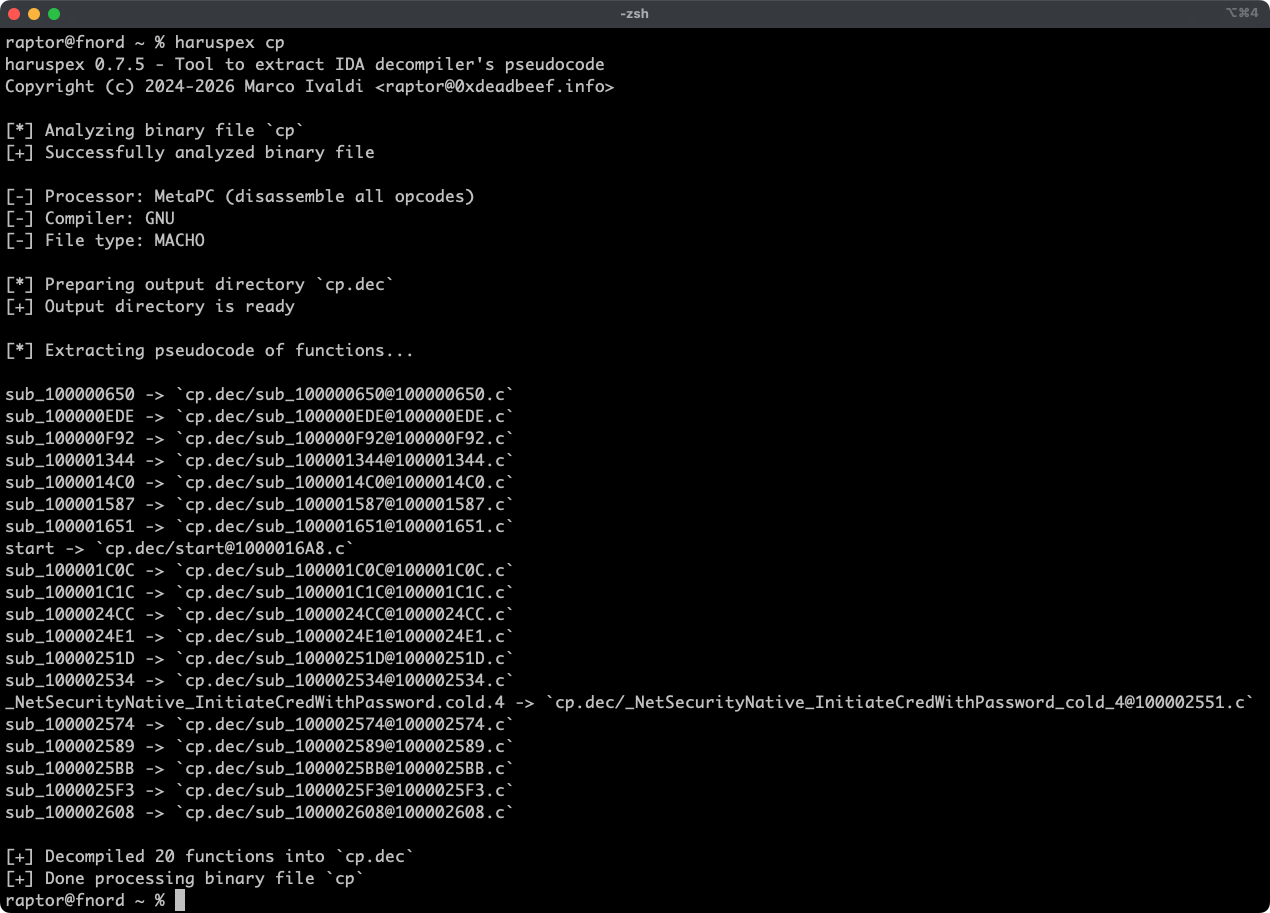
기능

  • IDA 9.x와 idalib-rs Rust 바인딩을 통해 제공되는 매우 빠른 헤드리스 사용자 경험.
  • IDA의 Hex-Rays 디컴파일러가 지원하는 모든 아키텍처의 바이너리 타겟 지원.
  • 각 함수의 의사코드는 쉽게 검토할 수 있도록 출력 디렉터리의 별도 파일에 저장됩니다.
  • 전역 및 함수별 타입 정의가 의사코드와 함께 헤더 파일로 추출됩니다.
  • 외부 크레이트는 [decompile_to_file]을 호출하여 함수를 디컴파일하고 그 의사코드와 타입 정의를 디스크에 저장할 수 있습니다.

기사

  • https://hex-rays.com/blog/streamlining-vulnerability-research-idalib-rust-bindings
  • https://hnsecurity.it/blog/streamlining-vulnerability-research-with-ida-pro-and-rust

함께 보기

  • https://github.com/0xdea/ghidra-scripts/blob/main/Haruspex.java
  • https://github.com/0xdea/semgrep-rules
  • https://github.com/0xdea/weggli-patterns
  • https://docs.hex-rays.com/release-notes/9_0#headless-processing-with-idalib
  • https://github.com/idalib-rs/idalib
  • https://github.com/xorpse/parascope
  • https://hnsecurity.it/blog/automating-binary-vulnerability-discovery-with-ghidra-and-semgrep

설치

최신 릴리스를 얻는 가장 쉬운 방법은 crates.io를 이용하는 것입니다:

  1. IDA를 다운로드, 설치 및 구성합니다 (https://hex-rays.com/ida-pro 참조).
  2. LLVM/Clang을 설치합니다 (https://rust-lang.github.io/rust-bindgen/requirements.html 참조).
  3. Linux/macOS에서는 다음과 같이 설치합니다:
    export IDADIR=/path/to/ida # if not set, the build script will check common locations
    cargo install haruspex --locked
    
    Windows에서는 대신 다음 명령을 사용합니다:
    $env:LIBCLANG_PATH="\path\to\clang+llvm\bin"
    $env:PATH="\path\to\ida;$env:PATH"
    $env:IDADIR="\path\to\ida" # if not set, the build script will check common locations
    cargo install haruspex --locked
    

컴파일

또는 소스에서 빌드할 수 있습니다:

  1. IDA를 다운로드, 설치 및 구성합니다 (https://hex-rays.com/ida-pro 참조).
  2. LLVM/Clang을 설치합니다 (https://rust-lang.github.io/rust-bindgen/requirements.html 참조).
  3. Linux/macOS에서는 다음과 같이 컴파일합니다:
    git clone --depth 1 https://github.com/0xdea/haruspex
    cd haruspex
    export IDADIR=/path/to/ida # if not set, the build script will check common locations
    cargo build --release --locked
    
    Windows에서는 대신 다음 명령을 사용합니다:
    git clone --depth 1 https://github.com/0xdea/haruspex
    cd haruspex
    $env:LIBCLANG_PATH="\path\to\clang+llvm\bin"
    $env:PATH="\path\to\ida;$env:PATH"
    $env:IDADIR="\path\to\ida" # if not set, the build script will check common locations
    cargo build --release --locked
    

사용법

  1. IDA가 유효한 라이선스로 제대로 구성되어 있는지 확인합니다.
  2. IDA 설치가 비표준 위치에 있다면 IDADIR 환경 변수가 설정되어 있는지 확인합니다.
  3. 다음과 같이 실행합니다:
    haruspex <binary_file>
    
  4. 추출된 의사코드와 타입 정의는 binary_file.dec 디렉터리에서 찾을 수 있습니다:
    vim <binary_file>.dec
    code <binary_file>.dec
    

호환성

최신 IDA 릴리스만 공식적으로 지원되지만, 이전 버전도 작동할 수 있습니다. 다음 표는 각 IDA 버전에 대한 최신 호환 릴리스를 요약한 것입니다:

IDA versionLatest compatible release
v9.0.240925v0.2.4
v9.0.241217v0.3.5
v9.1.250226v0.6.2
v9.2.250908v0.7.5
v9.3.260213v0.8.1
v9.3.260327v0.9.0
v9.3.260421v0.9.3
v9.4.260714current release
v9.4.260915current release

[!NOTE] 추가 정보는 idalib-rs 문서를 확인하세요.

크레딧

이 프로젝트의 개발은 다음 조직의 지원을 받았습니다:

  • HN Security
  • Hex-Rays의 Contributor Program

변경 내역

  • CHANGELOG.md

TODO

  • 파싱된 라인의 비율이 감소하지 않도록 Semgrep CI 회귀 테스트를 추가합니다.
  • 의사코드 출력에 .c 대신 .cpp 확장자를 사용할까요 (이 이슈 참조)?
  • 자동화된 파싱과 분석을 용이하게 하기 위해 직렬화된 출력을 구현합니다.
  • Semgrep 스캐닝과 통합합니다 (https://github.com/0xdea/semgrep-rules 참조).
  • weggli 스캐닝과 통합합니다 (https://github.com/0xdea/weggli-patterns 참조).
  • HexRaysPyTools와 abyss 스타일로 디컴파일러 출력을 개선합니다.
  • 병렬 분석을 구현합니다 (https://github.com/fugue-re/fugue-mptp 참조).
도구 다운로드