전 세계의 취약한 안드로이드 장치를 검색하고 익스플로잇 할 수 있는 도구입니다.
Features
Features:
  - Post-Exploitation modules to control and tinker with the device you are connected to.
  - Scanners to search for vulnerable android devices across the world to exploit.
  - Options for managing how many devices you have connected.
  - Options for checking whether the devices you are connected to are online or offline.
  - IP-Lookup for retrieving information on a certain IP.
  - Options to dump the IP Addresses of the vulnerable android devices. [This makes your life easier so you dont have to find it yourself]
필요한 API 키 얻기
censys.io에 계정을 만든 다음 계정 페이지로 이동하여 무료 api_id 및 api_secret 키를 받고 'adbnet.py'를 열고 여기에 api id와 api key를 입력하세요:

shodan.io에 계정을 만든 다음 계정으로 이동하여 무료 api 키를 받으세요. 복사한 후 'adbnet.py'를 열고 여기에 api 키를 입력하세요:

간단한 튜토리얼
First, run the 'dump shodan' or 'dump censy' (dump shodan is recommended) command to
dump the IP addresses of the vulnerable devices.

Then, after you find an IP-address you want to try, run the 'connect' command and you will be prompted to enter
the target IP address, once you enter the target ip address, you will be prompter to enter the port. For the port,
you can try entering '5555' or '4444' since those are the most common ports. If you want, you can try finding the
specific port yourself, but it might take some time.

Now AdbNet will now try to connect to the vulnerable android device.
If it fails to connect, try another IP.

If you manage to connect to a device, now you can check if you are really connected by using the 'devices' command.

< Warning! > You can only be connected to one device at a time! To kill the sessions use the 'killall' command! < Warning! >

To open a shell and execute commands on the device, use the 'terminal' command.

To run post-exploitation modules, run the 'post' command for the post-exploitation menu to load. Then, you
can run any module you like.

REMEMBER: IF YOU WANT TO CONNECT TO A DIFFERENT DEVICE, RUN THE 'killall' COMMAND, AND REPEAT THE PROCESS AGAIN.
설치/실행 방법
sudo apt install pq
sudo apt install adb
pip3 install colorama
pip3 install requests
python3 adbnet.py or python adbnet.py or py adbnet.py

TIP: For people that are new to this, if you are having issues install a certain python module, just do this: pip3 install <modulename>
스크린샷
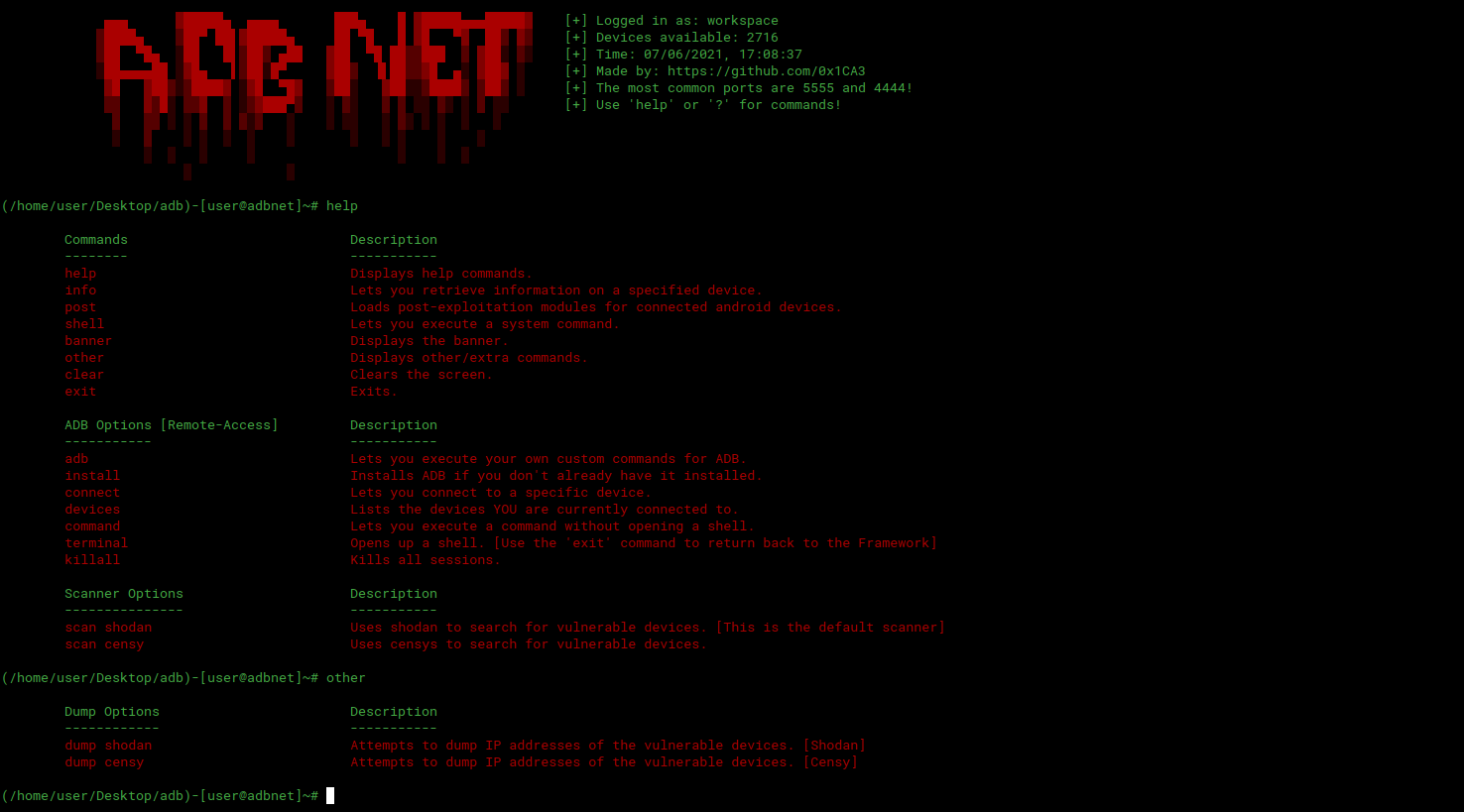
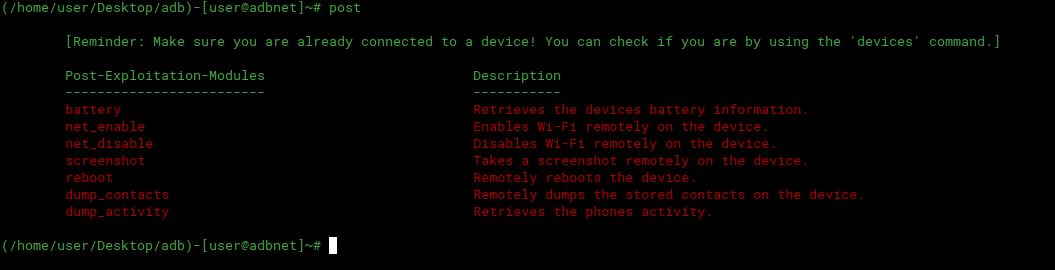
크레딧
https://github.com/0x1CA3
기여 🎉
모든 기여를 환영합니다. Issue 또는 Pull request를 열어주세요.
 0x1ca3/adbnet