
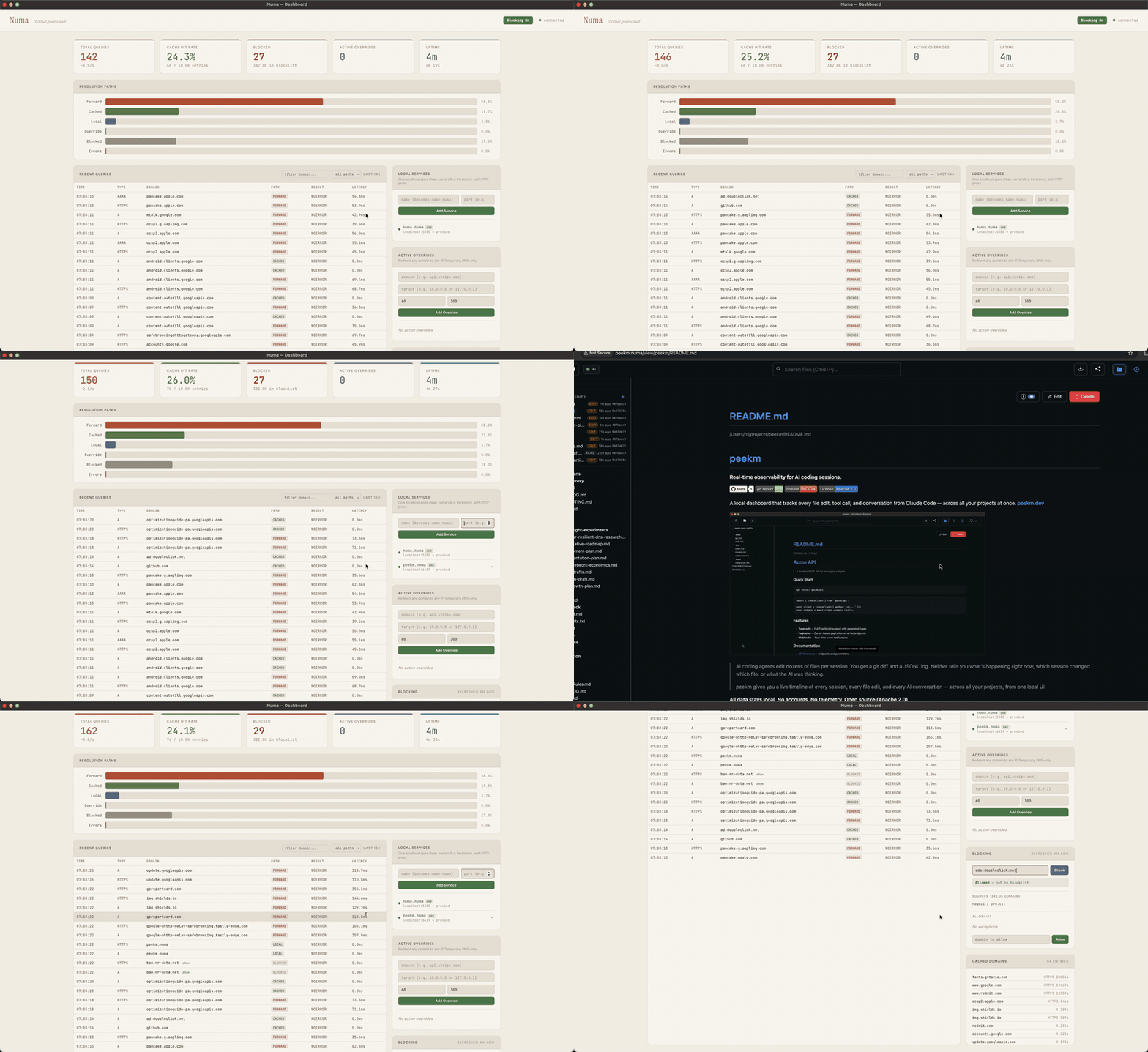
numa v0.23.0
Rust로 작성된 휴대용 DNS 리졸버 — .numa 로컬 도메인, 광고 차단, 개발자 오버라이드
Numa



DNS you own. Everywhere you go. · numa.rs
A portable DNS resolver in a single binary. Block ads on any network, name your local services (frontend.numa), override any hostname with auto-revert, and optionally seal every outbound query with ODoH (RFC 9230), so no single party sees both who you are and what you asked. It all runs on your laptop, with no cloud account or Raspberry Pi needed.
Built from scratch in Rust, with no DNS libraries. Numa can also resolve recursively with DNSSEC validation, serve DoT and DoH clients, and run as a public ODoH relay (numa relay).
The DNS wire-protocol parser is hand-written. Most later code was drafted with AI and reviewed by hand.
Quick Start
1. Try it in Docker (nothing installed on the host)
docker run -d --name numa -p 127.0.0.1:5553:53/udp -p 127.0.0.1:5553:53/tcp \
  -p 127.0.0.1:5380:5380 ghcr.io/razvandimescu/numa
dig @127.0.0.1 -p 5553 example.com
docker exec numa numa token            # API token for the dashboard login
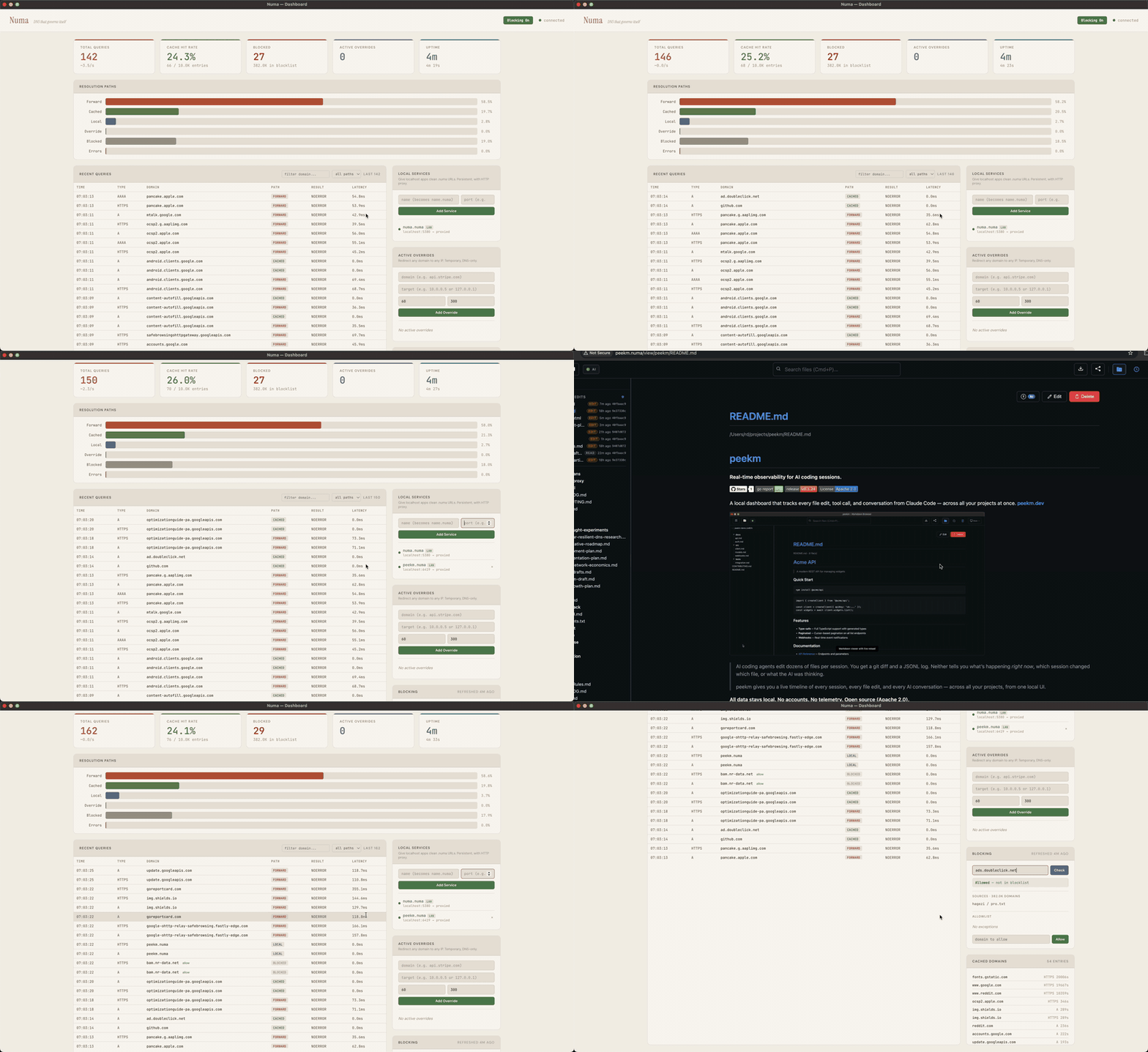
Open http://localhost:5380 and log in with any username and that token. Port 5553 avoids whatever already holds port 53 on the host. numa.numa does not resolve here, because the host does not use Numa for DNS. Clean up with docker rm -f numa.
2. Run in the foreground (system DNS untouched)
Get the binary:
# macOS
brew install razvandimescu/tap/numa

# Linux
curl -fsSL https://raw.githubusercontent.com/razvandimescu/numa/main/install.sh | sh

# Arch Linux
pacman -S numa

# Windows: download from GitHub Releases
# All platforms
cargo install numa

# Nix
nix profile install github:razvandimescu/numa
On Linux, sudo does not search ~/.cargo/bin, ~/.nix-profile/bin or Linuxbrew. If numa is in one of these, use sudo "$(command -v numa)" wherever this page says sudo numa.
sudo numa # Ctrl-C to stop (port 53 requires root/admin)
Test it with dig @127.0.0.1 example.com (@127.0.0.2 on Windows). The dashboard is at http://localhost:5380. By default, other devices on your network can also query Numa. To limit this, set [server] allow_from to the networks you trust.
3. Set as system DNS
| Platform | Install | Upgrade | Uninstall |
|---|---|---|---|
| macOS | sudo numa install | update the binary, then sudo numa install | sudo numa uninstall |
| Linux | sudo numa install | update the binary, then sudo "$(command -v numa)" install | sudo numa uninstall |
| Windows | numa install (admin) + reboot | run the new numa.exe install (admin) | numa uninstall (admin) + reboot |
install registers a service, points system DNS at Numa and trusts its local CA. uninstall reverses all three. To check the install, open http://numa.numa. If the dashboard loads, Numa is your system DNS.
Update the binary the way you installed it (brew upgrade, cargo install numa, or rerun install.sh). Re-running install restarts the service on the new binary and keeps the token and CA.
On Linux, install reconfigures systemd-resolved with a drop-in file. uninstall removes it. Stop any other process that holds port 53 (dnsmasq, including NetworkManager's) before you install.
Logging in
Over loopback (localhost, 127.0.0.1, numa.numa), the dashboard and API need no login. From any other address, including Docker port mapping and this machine's LAN address, they ask for the API token. Numa creates the token on first start. Print it with sudo numa token (an administrator shell on Windows). Log in with any username and that token. To set your own token, use [server] api_token or NUMA_API_TOKEN.
Removing every trace
uninstall restores DNS but keeps the data directory, so a reinstall keeps the same token and CA. To remove everything, run uninstall first, then delete:
| Platform | Left behind |
|---|---|
| macOS | the binary, /usr/local/var/numa, /usr/local/var/log/numa.log |
| Linux | the binary and any copy at /usr/local/bin/numa, /var/lib/numa |
| Windows | the binary, %PROGRAMDATA%\numa |
| iPhone | the "Numa DNS" profile (Settings → General → VPN & Device Management) |
Also delete ~/.config/numa if you created a user config. If you set [server] data_dir, delete that path too.
How It Compares
| Pi-hole | AdGuard Home | Unbound | Numa | |
|---|---|---|---|---|
| Local service proxy + auto TLS | No | No | No | .numa domains, HTTPS, WebSocket |
| LAN service discovery | No | No | No | mDNS (numa lan on) |
| Overrides with auto-revert | No | No | No | REST API, scriptable |
| Recursive resolver | No | No | Yes | Yes |
| DNSSEC validation | Yes | Relies on upstream | Yes | Yes (recursive mode) |
| Ad blocking | Yes | Yes | No | Yes (Hagezi Pro default, custom lists) |
| Per-client rules | Groups | Yes | Views / tags | By CIDR ([[client_policy]]), config file only |
| Web admin UI | Full | Full | No | Dashboard |
| Encrypted upstream | Needs cloudflared | DoH, DoT, DoQ, DNSCrypt | DoT | DoH, DoT, ODoH |
| Encrypted clients (DoT listener) | Needs stunnel sidecar | Yes | Yes | Yes (RFC 7858) |
| DoH server endpoint | No | Yes | Yes | Yes (RFC 8484) |
| Parallel upstream queries | dnsmasq all-servers | Parallel mode | No | Request hedging (UDP, DoH, DoT) |
| Serve-stale + prefetch | No | Optimistic cache | Yes (RFC 8767, prefetch) | Yes (RFC 8767, prefetch) |
| Conditional forwarding | Yes | Yes | Yes | Yes (per-suffix rules) |
| Maturity | Mature | Mature | Mature | New |
What Numa doesn't do. No DHCP, no clustering, no config sync between instances. Most settings live in the config file, not the dashboard.
Configuration
Settings live in one TOML file. numa config path prints which file your install uses. numa config edit opens it. After a change, run sudo numa service restart. numa -c FILE runs Numa, or these commands, on a file you choose. numa.toml documents every option inline.
On Windows, Numa listens on 127.0.0.2:53, because the DNS Client service (Dnscache) owns 127.0.0.1:53. Keep 127.0.0.2 when you edit bind_addr.
Local Services
Name your dev services instead of remembering port numbers:
curl -X POST localhost:5380/services -H 'Content-Type: application/json' \
  -d '{"name":"frontend","target_port":5173}'
Once Numa is your system DNS (numa install), https://frontend.numa works in your browser, with a valid certificate and WebSocket passthrough for HMR. No mkcert, no nginx, no /etc/hosts.
You can also add path-based routing (app.numa/api → :5001) or define services in numa.toml. Firefox keeps its own certificate store and ignores the system one. To use .numa HTTPS in Firefox, trust the Numa CA there manually.
Ad Blocking & Privacy
Numa blocks ads and trackers with Hagezi Pro, refreshed daily.
Resolution modes, set with [upstream] mode: