
New releaseJul 20, 2026
dnsx v1.3.0
빠른 다목적 DNS 툴킷으로, 사용자 지정 리졸버로 A, AAAA, CNAME, MX, TXT 및 기타 레코드를 조회하고, 와일드카드 필터링, 무차별 대입(brute-force) 하위 도메인 열거, ASN/CDN 프로빙을 지원합니다.

DNS 쿼리 실행을 위해 설계된 빠르고 다목적 DNS 툴킷




기능 • 설치 • 사용법 • `dnsx` 실행 • 와일드카드 • 참고사항 • Discord 참여
dnsx는 retryabledns 라이브러리를 통해 다양한 프로브를 실행하도록 설계된 빠르고 다목적 DNS 툴킷입니다. 여러 DNS 쿼리, 사용자 제공 리졸버, shuffledns와 같은 DNS 와일드카드 필터링 등을 지원합니다.
기능
- DNS 레코드를 쿼리하는 간단하고 편리한 유틸리티.
- A, AAAA, CNAME, PTR, NS, MX, TXT, SRV, SOA 쿼리 지원
- DNS 해석(Resolution) / 브루트포스(Brute-force) 지원
- 사용자 정의 리졸버(resolver) 입력 지원
- 다양한 리졸버 형식 (TCP/UDP/DOH/DOT) 지원
- stdin 및 stdout 지원
- 자동 와일드카드 처리 지원
설치 지침
dnsx를 성공적으로 설치하려면 go1.21이 필요합니다. 최신 버전을 설치하려면 다음 명령을 실행하세요:
go install -v github.com/projectdiscovery/dnsx/cmd/dnsx@latest
사용법
dnsx -h
이 명령은 도구에 대한 도움말을 표시합니다. 지원하는 모든 스위치는 다음과 같습니다.
INPUT:
   -l, -list string      list of sub(domains)/hosts to resolve (file or stdin)
   -d, -domain string    list of domain to bruteforce (file or comma separated or stdin)
   -w, -wordlist string  list of words to bruteforce (file or comma separated or stdin)

QUERY:
   -a                       query A record (default)
   -aaaa                    query AAAA record
   -cname                   query CNAME record
   -ns                      query NS record
   -txt                     query TXT record
   -srv                     query SRV record
   -ptr                     query PTR record
   -mx                      query MX record
   -soa                     query SOA record
   -any                     query ANY record
   -axfr                    query AXFR
   -caa                     query CAA record
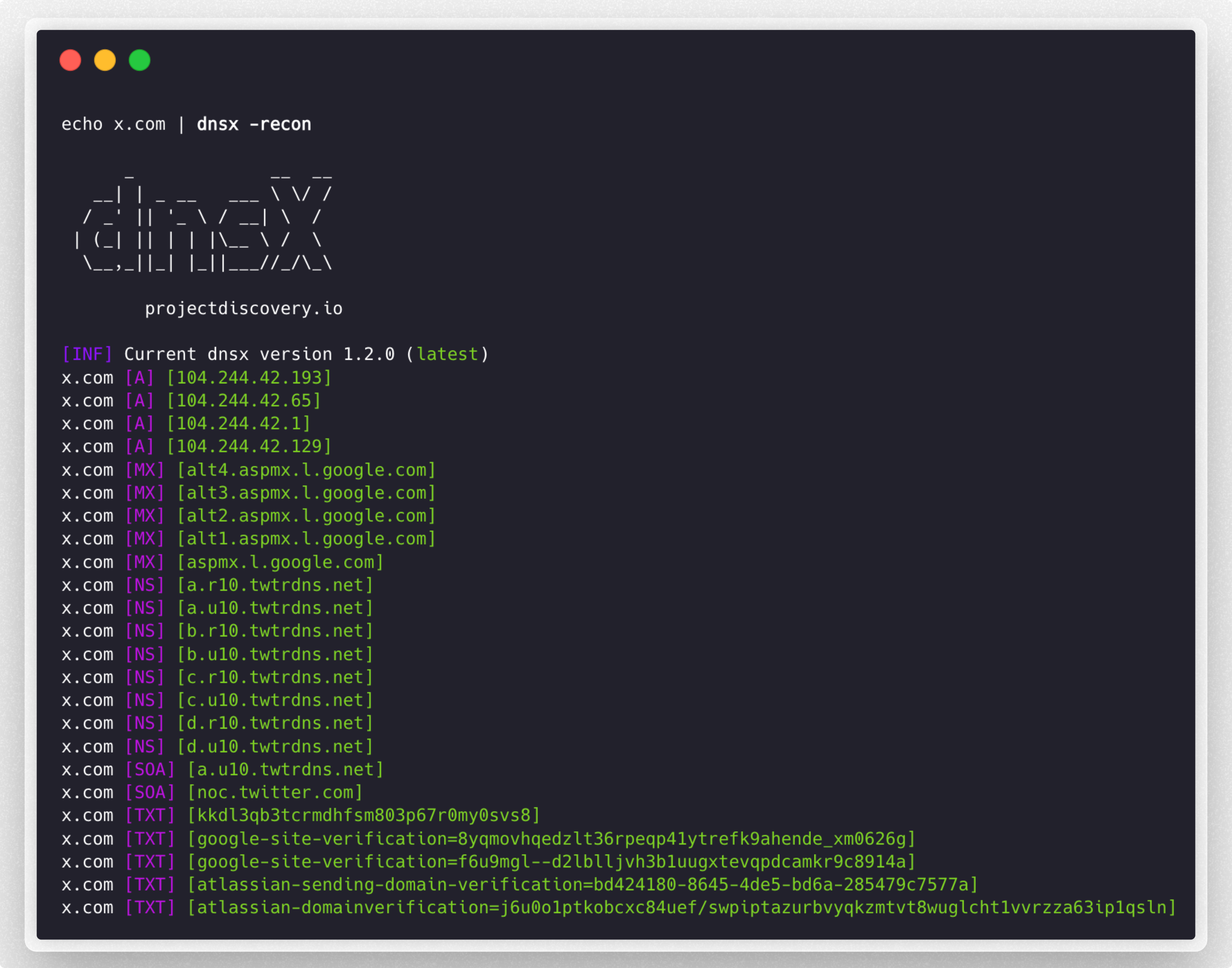
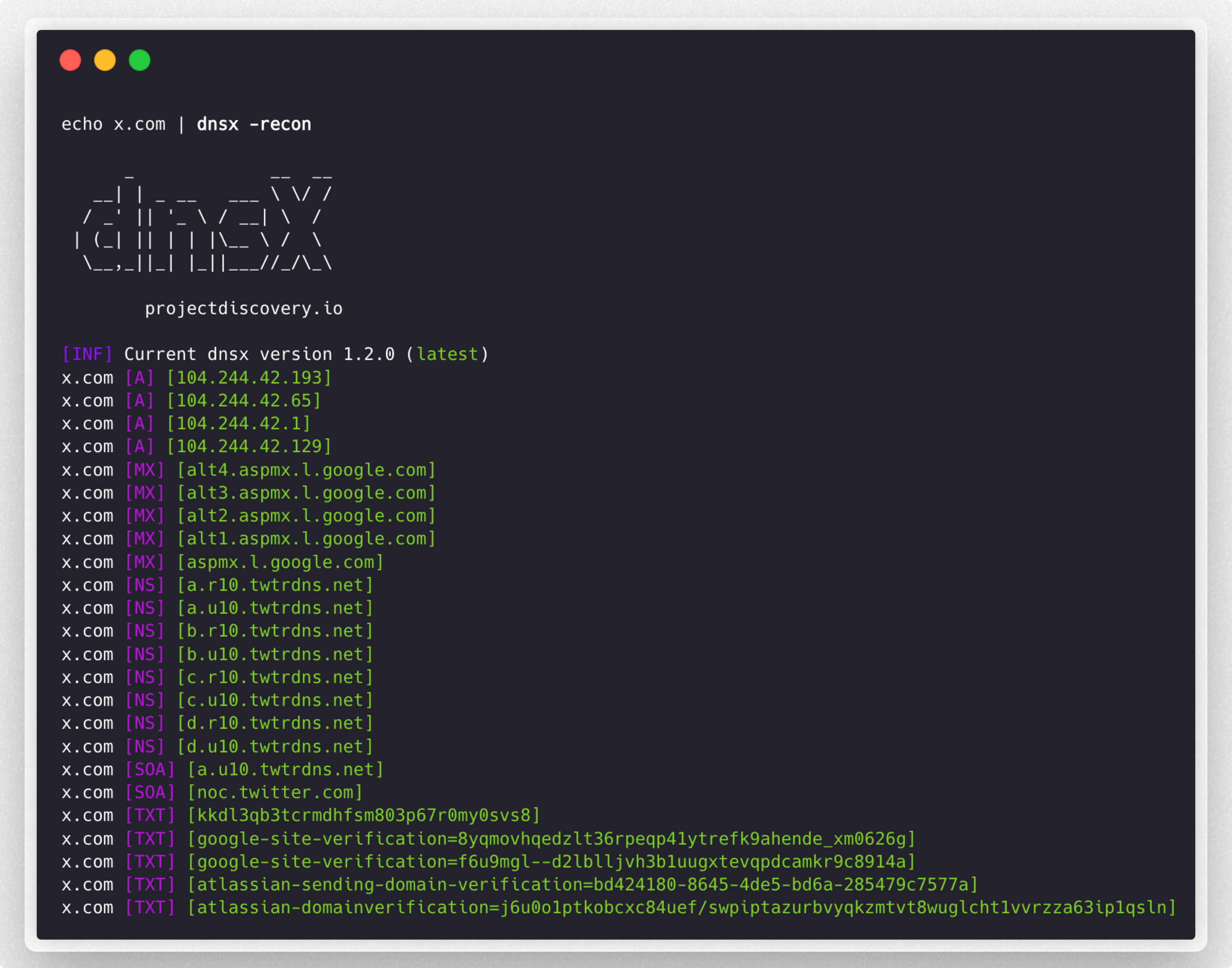
   -recon                   query all the dns records (a,aaaa,cname,ns,txt,srv,ptr,mx,soa,axfr,caa)
   -e, -exclude-type value  dns query type to exclude (a,aaaa,cname,ns,txt,srv,ptr,mx,soa,axfr,caa) (default none)

FILTER:
   -re, -resp          display dns response
   -ro, -resp-only     display dns response only
   -rc, -rcode string  filter result by dns status code (eg. -rcode noerror,servfail,refused)

PROBE:
   -cdn  display cdn name
   -asn  display host asn information

RATE-LIMIT:
   -t, -threads int      number of concurrent threads to use (default 100)
   -rl, -rate-limit int  number of dns request/second to make (disabled as default) (default -1)

UPDATE:
   -up, -update                 update dnsx to latest version
   -duc, -disable-update-check  disable automatic dnsx update check

OUTPUT:
   -o, -output string           file to write output
   -j, -json                    write output in JSONL(ines) format
   -omit-raw, -or               omit raw dns response from jsonl output
   -ot, -output-template string custom output template (e.g. -ot '{{host}} {{a}}')

DEBUG:
   -hc, -health-check  run diagnostic check up
   -silent             display only results in the output
   -v, -verbose        display verbose output
   -raw, -debug        display raw dns response
   -stats              display stats of the running scan
   -version            display version of dnsx
   -nc, -no-color      disable color in output

OPTIMIZATION:
   -retry int                number of dns attempts to make (must be at least 1) (default 2)
   -hf, -hostsfile           use system host file
   -trace                    perform dns tracing
   -trace-max-recursion int  Max recursion for dns trace (default 32767)
   -resume                   resume existing scan
   -stream                   stream mode (wordlist, wildcard, stats and stop/resume will be disabled)
   -timeout value            maximum time to wait for a DNS query to complete (default 3s)

CONFIGURATIONS:
   -auth                         configure projectdiscovery cloud (pdcp) api key (default true)
   -r, -resolver string          list of resolvers to use (file or comma separated)
   -wt, -wildcard-threshold int  wildcard filter threshold (default 5)
   -aw, -auto-wildcard           automatically detect wildcard domains for filtering
   -wd, -wildcard-domain string  domain name for manual wildcard filtering (mutually exclusive with -auto-wildcard; other flags will be ignored - json output recommended)
dnsx 실행
DNS 해석
다양한 소스에서 얻은 패시브 서브도메인 목록에서 활성 호스트 이름을 필터링합니다:
subfinder -silent -d hackerone.com | dnsx -silent

a.ns.hackerone.com
www.hackerone.com
api.hackerone.com
docs.hackerone.com
mta-sts.managed.hackerone.com
mta-sts.hackerone.com
resources.hackerone.com
b.ns.hackerone.com
mta-sts.forwarding.hackerone.com
events.hackerone.com
support.hackerone.com
주어진 서브도메인 목록에 대한 A 레코드를 출력합니다:
subfinder -silent -d hackerone.com | dnsx -silent -a -resp

www.hackerone.com [104.16.100.52]
www.hackerone.com [104.16.99.52]
hackerone.com [104.16.99.52]
hackerone.com [104.16.100.52]
api.hackerone.com [104.16.99.52]
api.hackerone.com [104.16.100.52]
mta-sts.forwarding.hackerone.com [185.199.108.153]
mta-sts.forwarding.hackerone.com [185.199.109.153]
mta-sts.forwarding.hackerone.com [185.199.110.153]
mta-sts.forwarding.hackerone.com [185.199.111.153]
a.ns.hackerone.com [162.159.0.31]
resources.hackerone.com [52.60.160.16]
resources.hackerone.com [3.98.63.202]
resources.hackerone.com [52.60.165.183]
resources.hackerone.com [read.uberflip.com]
mta-sts.hackerone.com [185.199.110.153]
mta-sts.hackerone.com [185.199.111.153]
mta-sts.hackerone.com [185.199.109.153]
mta-sts.hackerone.com [185.199.108.153]
gslink.hackerone.com [13.35.210.17]
gslink.hackerone.com [13.35.210.38]
gslink.hackerone.com [13.35.210.83]
gslink.hackerone.com [13.35.210.19]
b.ns.hackerone.com [162.159.1.31]
docs.hackerone.com [185.199.109.153]
docs.hackerone.com [185.199.110.153]
docs.hackerone.com [185.199.111.153]
docs.hackerone.com [185.199.108.153]
support.hackerone.com [104.16.51.111]
support.hackerone.com [104.16.53.111]
mta-sts.managed.hackerone.com [185.199.108.153]
mta-sts.managed.hackerone.com [185.199.109.153]
mta-sts.managed.hackerone.com [185.199.110.153]
mta-sts.managed.hackerone.com [185.199.111.153]
주어진 서브도메인 목록에 대한 A 레코드를 추출합니다:
subfinder -silent -d hackerone.com | dnsx -silent -a -resp-only

104.16.99.52
104.16.100.52
162.159.1.31
104.16.99.52
104.16.100.52
185.199.110.153
185.199.111.153
185.199.108.153
185.199.109.153
104.16.99.52
104.16.100.52
104.16.51.111
104.16.53.111
185.199.108.153
185.199.111.153
185.199.110.153
185.199.111.153
주어진 서브도메인 목록에 대한 CNAME 레코드를 추출합니다:
subfinder -silent -d hackerone.com | dnsx -silent -cname -resp