urx v0.11.0
OSINT 아카이브에서 URL을 추출하여 보안 인사이트를 제공합니다

OSINT 아카이브에서 보안 인사이트를 위한 URL을 추출합니다.
Urx는 Wayback Machine과 Common Crawl 같은 OSINT 아카이브에서 URL을 수집하기 위해 설계된 명령줄 도구입니다. 효율성을 위해 Rust로 구축되었으며, 비동기 처리를 활용하여 여러 데이터 소스를 신속하게 쿼리합니다. 이 도구는 지정된 도메인에 대한 URL 정보를 수집하는 과정을 단순화하여, 보안 테스트와 분석을 비롯한 다양한 목적에 사용할 수 있는 포괄적인 데이터셋을 제공합니다.
Features
- 여러 소스에서 병렬로 URL 가져오기 (Wayback Machine, Common Crawl, OTX, Arquivo.pt)
--cdx-endpoint URL로 다른 CDX 인덱스 서버(국가 웹 아카이브, 사설 pywb, OutbackCDX)를 코드 변경 없이 연결- 기본적으로 키 불필요: Wayback, Common Crawl, OTX, Arquivo.pt, URLScan(익명) 모두 API 키 없이 작동
- BeVigil 제공자: 언패킹된 Android 앱에서 추출된 URL — 어떤 웹 아카이브도 크롤링한 적 없는 엔드포인트
- VirusTotal 및 URLScan 제공자의 API 키 로테이션 지원으로 속도 제한 완화
- 인증된 테스트:
-H,--cookie,--user-agent는 urx가 대상에 보내는 모든 요청(--check-status,--extract-links,--extract-js-endpoints,--expand-specs)에 적용되며, 아카이브에는 의도적으로 절대 전송되지 않음 - 파일 확장자, 부분 문자열 패턴 또는 전체 정규식(
--match-regex/--filter-regex)으로 결과 필터링 - 파일 계열별("no-images", "only-js") 및 보안 관심사별("only-secrets", "only-backup", "only-config", "only-api") 사전 정의된 프리셋
- 아카이브 측 필터링: 상태 코드, MIME 타입, 날짜 범위를 CDX 쿼리 자체에 밀어넣어 필터링된 캡처가 네트워크를 넘지 않도록 함
- 클라이언트 측 메타데이터 필터링(
--meta-*): 수집 후 모든 제공자에 걸쳐 최초/최종 캡처 날짜, 기록된 MIME 타입, 기록된 상태를 균일하게 필터링 - 경로 범위 대상:
urx example.com/shop은 범위를 CDX 쿼리 자체에 밀어넣어(url=example.com/shop*) 대규모 사이트의 하위 트리가 클라이언트 측에서 필터링되는 대신 전체 인덱스의 일부만 소비하도록 함 - 버그 바운티 범위 파일(
--scope-file): 프로그램 자체의*.example.com/!admin.example.com목록을 그대로 사용하며, 반복 가능하고 합집합으로 처리되며 제외가 항상 우선 - URL 정규화 및 중복 제거: 쿼리 매개변수 정렬, 후행 슬래시 제거, 의미상 동일한 URL 병합, id·해시·날짜만 다른 거의 중복된 항목 축소(
--dedup-similar) - 다양한 출력 형식 지원: 일반 텍스트, JSON, JSON Lines, CSV,
wordlist— 대상이 구성된 경로 세그먼트와 매개변수 이름을 id·해시·날짜 없이 제공 - 매개변수 및 퍼즈 뷰:
--params(대상 전체의 매개변수 인벤토리),--params-by-endpoint(어떤 엔드포인트가 무엇을 받는지),--fuzz-placeholder FUZZ(매개변수 시그니처당 하나의 템플릿화된 URL, ffuf 또는 dalfox에 바로 사용 가능) - 아카이브 캡처 메타데이터:
first_seen,last_seen,mime,archive_status,digest가 CDX 아카이브가 보고한 모든 URL과 함께 추가 네트워크 비용 없이 반환됨 - 스트리밍 출력(
--stream): 각 제공자가 URL을 보고하는 즉시 기록되므로, 가장 느린 아카이브를 기다리지 않고 파이프라인이 즉시 작동 시작 - 직접 파일 입력 지원: WARC 파일, URLTeam 압축 파일, 텍스트 파일에서 URL 직접 읽기
- 결과를 콘솔이나 파일로 출력하거나 파이프라인 통합을 위해 stdin으로 스트리밍
- URL 테스트:
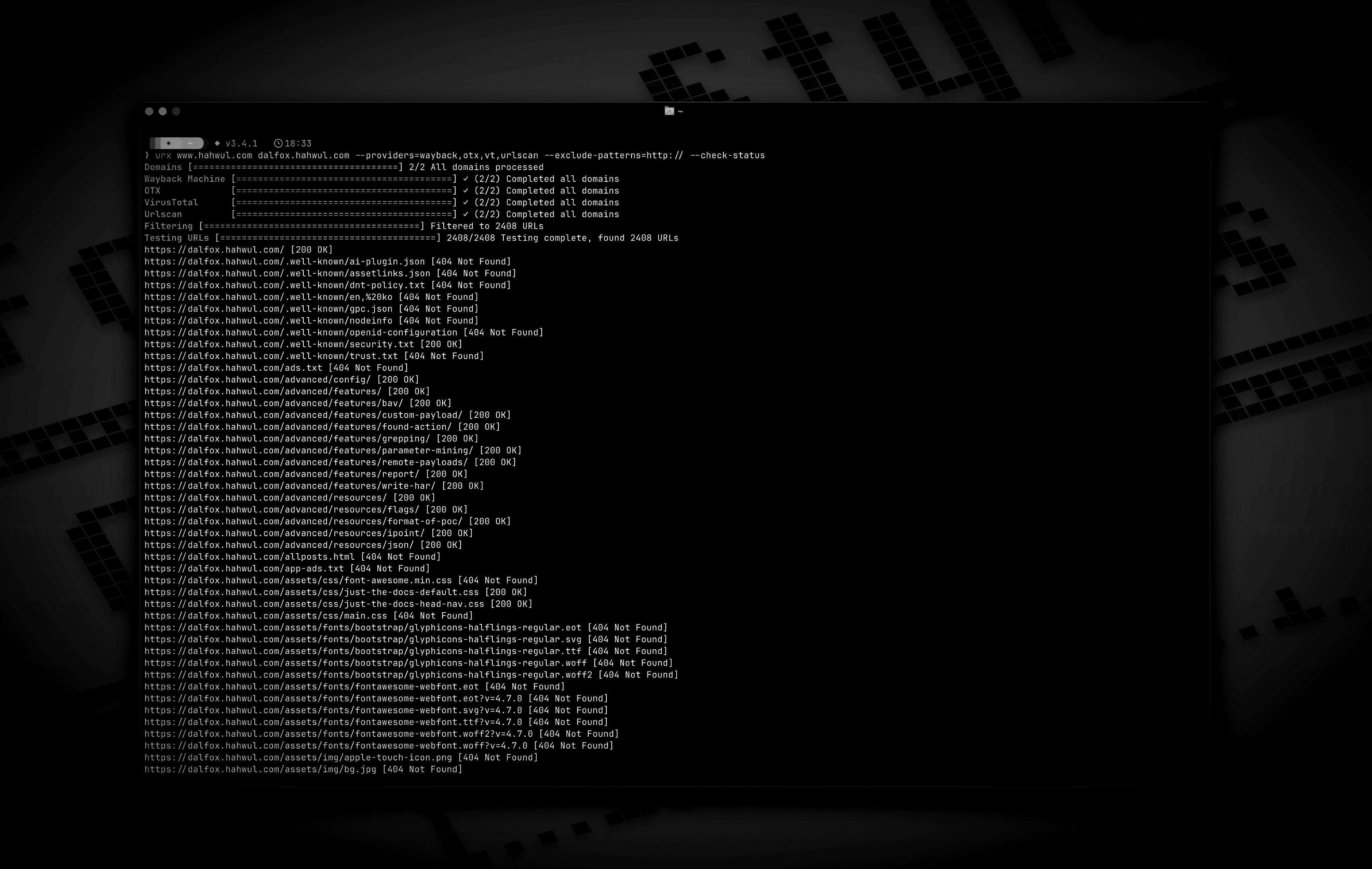
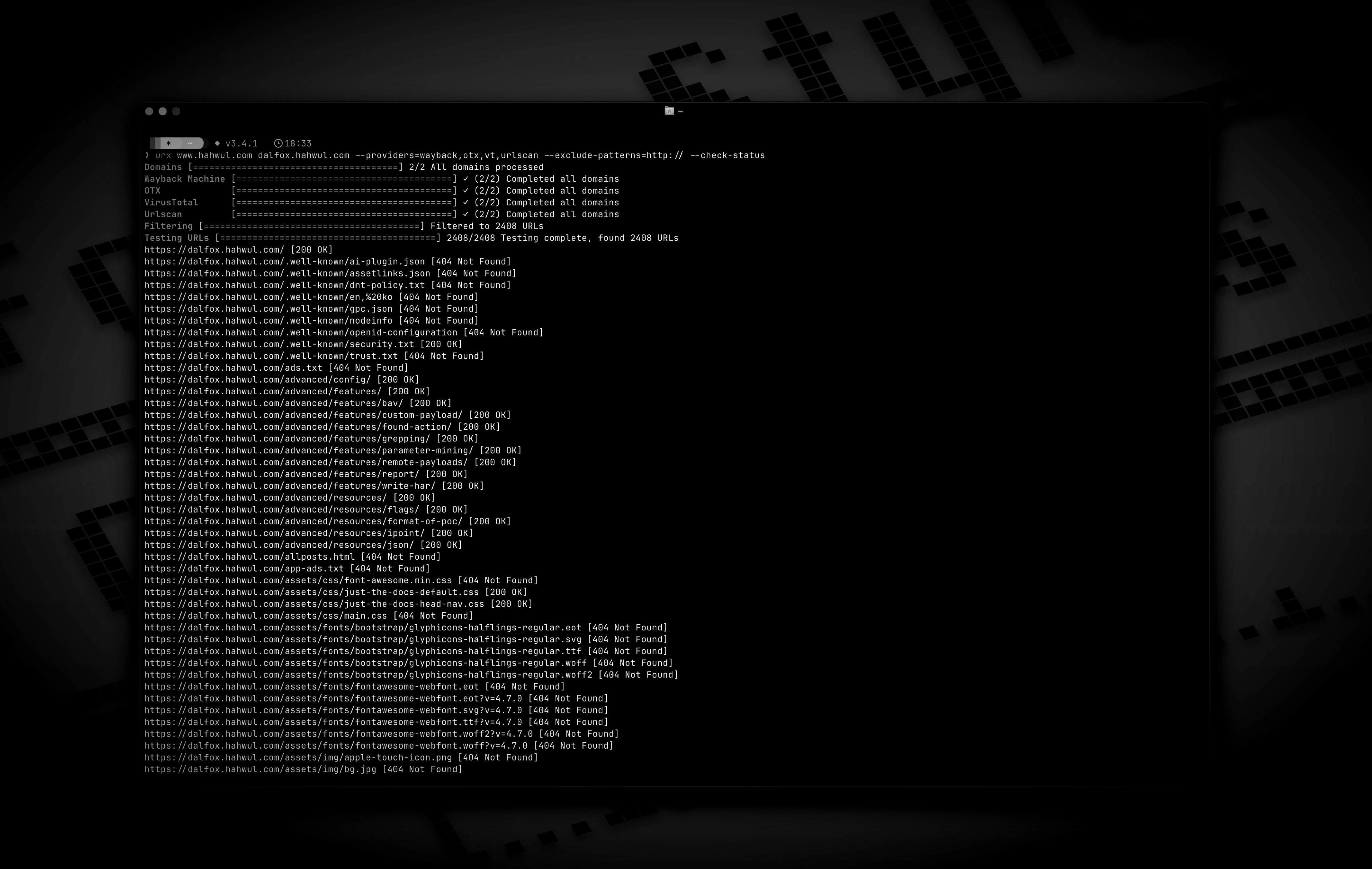
- HTTP 상태 코드와 패턴에 따라 URL 필터링 및 검증.
- 수집된 URL에서 추가 링크 추출 — 앵커, 스크립트, 스타일시트, 폼 액션, iframe, 이미지, 미디어 소스, 객체, 임베드, 메타 리프레시 대상
- 수집된 URL의 아카이브된 응답 본문 마이닝(
--archive-body) — 더 이상 존재하지 않는 페이지도 포함했던 링크를 여전히 제공하며, CDX digest 중복 제거 덕분에 고유 본문당 한 번의 요청 --extract-js-endpoints로 아카이브된 JavaScript도 마이닝: 빌드 해시로 명명된 번들은 사이트가 재배포되는 순간 404가 되며, 아카이브는 그 API 표면이 여전히 존재하는 유일한 장소- 재생된 본문 유지(
--archive-body-dir)로 어떤 링크 추출기도 찾지 않는 것 — 개발자 주석, 인라인 자격 증명, 내부 호스트명 — 을 grep할 코퍼스로 확보, 추가 요청 없이 - API 명세 확장(
--expand-specs): OpenAPI 3.x, Swagger 2.0, GraphQL introspection 문서(JSON 또는 YAML)를 기술된 모든 라우트로 변환 — 한 번의 요청으로 문서화된 전체 표면 확보 - 응답 메타데이터:
--check-status는Location,Content-Length,Content-Type도 기록하며,--check-title은 HTML<title>을 추가
- 아카이브된 robots.txt 및 sitemap.xml 검색(
--archived-discovery): Wayback Machine이 보유한 모든 고유 버전을 대상으로 하므로, 2015년의Disallow:가 사이트가 이후 언급을 중단한 경로를 여전히 알려줌 - 캐싱 및 증분 스캔:
- 로컬 SQLite 또는 원격 Redis 캐싱으로 도메인 재스캔 방지
- 마지막 스캔 이후 새로운 URL만 검색하는 증분 모드
- 구성 가능한 캐시 TTL 및 만료된 항목의 자동 정리
- 캐시를 검사하고 유지 관리하는
urx cache하위 명령:stats,list,prune,drop <domain>,clear

Installation
From Cargo```bash
https://crates.io/crates/urx
cargo install urx
### Homebrew에서```bash
# https://formulae.brew.sh/formula/urx
brew install urx
소스에서```bash
git clone https://github.com/hahwul/urx.git cd urx cargo build --release
컴파일된 바이너리는 `target/release/urx`에서 사용할 수 있습니다.
### Docker에서
[ghcr.io/hahwul/urx](https://github.com/hahwul/urx/pkgs/container/urx)
### 셸 자동 완성
`urx`는 자체 완성 스크립트를 생성하므로, 실제로 설치된 바이너리의 플래그와 항상 일치합니다.```bash
# zsh — any directory on your $fpath works
urx --completions zsh > ~/.zfunc/_urx
# (make sure ~/.zfunc is on the fpath, then `compinit`)
# bash
urx --completions bash > ~/.local/share/bash-completion/completions/urx
# fish
urx --completions fish > ~/.config/fish/completions/urx.fish
powershell과 elvish도 지원됩니다. 이 플래그에는 대상 도메인이 필요하지 않습니다.
Man Page```bash
urx --manpage > ~/.local/share/man/man1/urx.1 man urx
## 사용법
### 기본 사용법```bash
# Scan a single domain
urx example.com
# Scan multiple domains
urx example.com example.org
# Scan domains from a file
cat domains.txt | urx
옵션```
Usage: urx [OPTIONS] [DOMAINS]... [COMMAND]
Commands: cache Inspect and maintain the URL cache: stats, list, prune, drop ..., clear
Arguments: [DOMAINS]... Domains to fetch URLs for
Options: -c, --config Config file to load --provider-config Separate provider config file holding only API keys (default: $XDG_CONFIG_HOME/urx/provider-config.toml). CLI/env > provider-config > main config. --completions Print a shell completion script (bash, zsh, fish, powershell, elvish) to stdout and exit --manpage Print the roff man page to stdout and exit -h, --help Print help -V, --version Print version
Input Options:
--files ... Read URLs directly from files (supports WARC, URLTeam compressed, and text files)
--domain-list File of newline-separated domains to scan (repeatable; merged with positional DOMAINS and stdin; # comments allowed)
Output Options:
-o, --output Output file to write results
--output-dir Write one file per domain into this directory (extension matches --format). Coexists with --output / stdout.
-f, --format Output format: "plain", "json" (one array), "jsonl" (one JSON object per line), "csv", "wordlist" (path segments and parameter names, deduplicated and sorted) [default: plain]
--stream Write URLs as each provider reports them instead of once at the end (unsorted; bypasses cache; rejects options needing the full result set)
--merge-endpoint Merge endpoints with the same path and merge URL parameters
--normalize-url Normalize URLs for better deduplication (sorts query parameters, removes trailing slashes)
--dedup-similar Collapse URLs that differ only in variable data (numeric ids, UUIDs, hashes, dates, query values)
--params Replace the URL list with every query parameter name the run saw, once each
--params-by-endpoint
One line per endpoint: the endpoint and the comma-separated union of the parameter names seen on it (id-looking path segments collapse to {id})
--fuzz-placeholder
Replace every query parameter value with VALUE, keeping one URL per parameter signature — output you can feed straight to ffuf or dalfox
Provider Options:
--providers
Providers to use (comma-separated, e.g., "wayback,cc,otx,arquivo,vt,urlscan") [default: wayback,cc,otx]
--exclude-providers <EXCLUDE_PROVIDERS>
Providers to exclude (comma-separated). Wins on conflict with --providers / --all-providers.
--all-providers
Enable every supported provider. API-keyed providers only activate when a key is available.
--list-providers
List every supported provider then exit.
--subs
Include subdomains when searching
--cc-index <CC_INDEX>
Common Crawl index to use; accepts comma-separated list to query multiple indexes in parallel (e.g. CC-MAIN-2026-17,CC-MAIN-2025-51). latest (the default) resolves the newest via collinfo.json. [default: latest]
--cdx-endpoint
Query an additional CDX index server (any pywb, OutbackCDX, or classic Internet-Archive-style CDX API) by its full API URL, e.g. https://vefsafn.is/cdx. Repeatable. Each endpoint becomes a provider with id cdx:<host> and honours --subs, --from/--to and the --archive-* filters. See "Custom CDX Endpoints" below
--cdx-dialect
Which CDX dialect the --cdx-endpoint servers speak: pywb or classic. Unset: urx probes each endpoint once and falls back to pywb when the answer is ambiguous
--from
Restrict every CDX-backed provider (wayback, cc, arquivo, --cdx-endpoint) to captures at or after DATE (YYYY/YYYYMM/YYYYMMDD/YYYYMMDDhhmmss). Alias: --wayback-from
--to
Restrict every CDX-backed provider to captures at or before DATE (same format as --from). Alias: --wayback-to
--archive-status
Keep only captures the archive recorded with this HTTP status code (e.g. "200"). Applied by the CDX index itself, so unlike --include-status it costs no extra requests. A multi-value list works on wayback only — see "Archive-side Filtering" below
--archive-exclude-status
Drop captures the archive recorded with these HTTP status codes (comma-separated, e.g. "404,500"). Multi-value works on every CDX provider
--archive-mime
Keep only captures with this recorded MIME type (e.g. "application/json"). Catches endpoints with no file extension, which -e/--extensions cannot
--archive-exclude-mime
Drop captures with these recorded MIME types (comma-separated, e.g. "text/html,image/png")
--vt-api-key <VT_API_KEY>
API key for VirusTotal (can be used multiple times for rotation, can also use URX_VT_API_KEY environment variable with comma-separated keys)
--urlscan-api-key <URLSCAN_API_KEY>
Optional API key for Urlscan; the provider also works anonymously (rate-limited ~30 req/min per IP). Can be used multiple times for rotation, or via URX_URLSCAN_API_KEY (comma-separated keys)
--github-api-key <GITHUB_API_KEY>
Personal access token for the GitHub Code Search provider (also reads URX_GITHUB_API_KEY, comma-separated for rotation)
--bevigil-api-key <BEVIGIL_API_KEY>
API key for BeVigil, which returns URLs extracted from unpacked Android apps (also reads URX_BEVIGIL_API_KEY, comma-separated for rotation). Required for the bevigil provider
Discovery Options:
--exclude-robots
Exclude robots.txt discovery
--exclude-sitemap
Exclude sitemap.xml discovery
--archived-discovery
Also read every distinct archived version of robots.txt and sitemap.xml the Wayback Machine holds
--archived-discovery-limit
Maximum archived documents fetched per domain by each archived provider (nested sitemaps count) [default: 50]
Display Options:
-v, --verbose Show verbose output
--silent Silent mode (no output)
--no-progress No progress bar
--no-color Disable ANSI color in the progress UI and output (NO_COLOR is also honored)
--show-sources Annotate output URLs with the providers that returned them
--show-meta Annotate plain-text URLs with the archive capture metadata
--stats Print a per-provider summary to stderr at end of run
Filter Options:
-p, --preset
Filter Presets (e.g., "no-resources,no-images,no-audio,only-js,only-style,only-secrets,only-backup,only-config,only-api")
-e, --extensions
Filter URLs to only include those with specific extensions (comma-separated, e.g., "js,php,aspx")
--exclude-extensions <EXCLUDE_EXTENSIONS>
Filter URLs to exclude those with specific extensions (comma-separated, e.g., "html,txt")
--patterns
Filter URLs to only include those containing specific patterns (comma-separated)
--exclude-patterns <EXCLUDE_PATTERNS>
Filter URLs to exclude those containing specific patterns (comma-separated)
--match-regex
Keep only URLs matching this regular expression (repeatable, ORed; case-sensitive; never comma-split)
--filter-regex
Drop URLs matching this regular expression (repeatable; one match is enough)
--show-only-host
Only show the host part of the URLs
--show-only-path
Only show the path part of the URLs
--show-only-param
Only show the parameters part of the URLs
--min-length <MIN_LENGTH>
Minimum URL length to include
--max-length <MAX_LENGTH>
Maximum URL length to include
--strict
Enforce exact host validation (default)
--no-strict
Disable host validation (keep URLs on any host a provider returns). Wins over --strict. A target's path scope still applies: only the host check is waived
--scope-file
Bug-bounty scope file: one host pattern per line, ! to exclude, *.example.com for a wildcard (which covers the apex too), # for a comment. Repeatable and unioned; exclusions always win. See "Scope Files" below
--meta-first-seen-after
Keep URLs whose oldest archived capture is on or after DATE (YYYY/YYYYMM/YYYYMMDD/YYYYMMDDhhmmss)
--meta-first-seen-before
Keep URLs whose oldest archived capture is on or before DATE
--meta-last-seen-after
Keep URLs whose newest archived capture is on or after DATE — "still alive as of"
--meta-last-seen-before
Keep URLs whose newest archived capture is on or before DATE — "dead since"
--meta-mime
Keep only URLs whose archived MIME type is one of these (comma-separated; image/* matches any subtype)
--meta-exclude-mime
Drop URLs whose archived MIME type is one of these
--meta-status
Keep only URLs whose archived status code matches (comma-separated; 20x / 5xx patterns)
--meta-exclude-status
Drop URLs whose archived status code matches
Network Options:
--network-scope <NETWORK_SCOPE> Control which components network settings apply to (all, providers, testers, or providers,testers) [default: all]
--proxy Use proxy for HTTP requests (format: http://proxy.example.com:8080)
--proxy-auth <PROXY_AUTH> Proxy authentication credentials (format: username:password)
--insecure Skip SSL certificate verification (accept self-signed certs)
--random-agent Use a random User-Agent for HTTP requests
-H, --header <NAME: VALUE> Extra request header, repeatable; sent only on requests urx makes to the target, never to an archive
--cookie Cookie header for requests to the target; shorthand for -H "Cookie: ..."
--user-agent User-Agent for requests to the target, overriding the default and --random-agent
--timeout Request timeout in seconds [default: 120]
--retries Number of retries for failed requests [default: 2]
--parallel Maximum domains fetched concurrently per provider (and concurrent URL tests); a provider's --rate-limit is shared across them [default: 5]
--rate-limit <RATE_LIMIT> Rate limit (requests per second)
--rate-limit-by Per-provider rate overrides (e.g. vt=1,wayback=10); falls back to --rate-limit for unlisted providers
--max-time <MAX_TIME> Global ceiling on provider enumeration time in seconds (0 = unlimited) [default: 0]
Testing Options:
--check-status
Check HTTP status code of collected URLs [aliases: ----cs]
--check-title
Also record each response's HTML while checking statuses; implies --check-status
--include-status <INCLUDE_STATUS>
Include URLs with specific HTTP status codes or patterns (e.g., --is=200,30x) [aliases: ----is]
--exclude-status <EXCLUDE_STATUS>
Exclude URLs with specific HTTP status codes or patterns (e.g., --es=404,50x,5xx) [aliases: ----es]
--extract-links
Extract additional links from collected URLs (requires HTTP requests)
--extract-js-endpoints
Fetch collected JavaScript files and extract the endpoint paths and URLs found in their string literals (requires HTTP requests); with --archive-body this also mines the archived copy of each script
--max-js-files
Maximum number of files --extract-js-endpoints will fetch (0 = unlimited) [default: 500]
--archive-body
Fetch the archived body of each collected URL from the Wayback Machine and extract the links inside it (works for pages that no longer exist)
--archive-body-limit
Maximum number of archived bodies --archive-body fetches per run; bounds distinct bodies, not URLs [default: 500]
--archive-body-dir
Keep every body --archive-body replays in DIR, with an index.jsonl mapping each file back to its URL, capture and content type
--expand-specs
Fetch the API specification documents among the collected URLs (OpenAPI, Swagger, GraphQL introspection; JSON or YAML) and expand every route they document into a URL. See "Expanding API Specifications" below
--max-spec-files
Maximum number of specification documents --expand-specs will fetch (0 = unlimited) [default: 50]
Cache Options:
--incremental Enable incremental scanning mode (only return new URLs compared to previous scans)
--cache-type Cache backend: sqlite or redis [default: sqlite]
--cache-path Path for the SQLite cache database
--redis-url Redis connection URL for remote caching
--cache-ttl Cache time-to-live in seconds [default: 86400]
--no-cache Disable caching entirely
Notification Options:
--notify POST a run summary to this webhook when the run ends (repeatable; also URX_NOTIFY_URL, provider-config notify_url, or [notify].url)
--notify-on <NOTIFY_ON> When to send: new (only if URLs were emitted), always, or never [default: new]
--notify-format <NOTIFY_FORMAT> Payload shape: json (urx summary), slack ({"text"}), or discord ({"content"}) [default: json]
`--extract-links`는 앵커뿐 아니라 URL을 포함하는 모든 태그를 읽습니다: `<a href>`,
`<script src>`, `<link href>`, `<form action>`, ``, ``,
`<source src>`, `<object data>`, `<embed src>`, 그리고 `<meta http-equiv="refresh">`
대상까지 포함합니다. 상대 URL은 페이지를 기준으로 해석되며(`<base href>`를 준수),
중복은 제거되고, 발견된 링크는 실행의 나머지 부분과 동일한 필터
및 호스트 검증을 통과합니다. 전체 표는
[docs/content/guide/cli-options.md](https://github.com/hahwul/urx/blob/main/docs/content/guide/cli-options.md)를 참조하세요.
`--extract-js-endpoints`는 한 단계 더 나아가 JavaScript 자체를 읽습니다:
스크립트로 보이는 수집된 모든 URL을 가져와 그 문자열 리터럴에서 앱이 호출하는
경로와 URL을 추출합니다 —
`fetch("/api/v2/users")`, `axios.post("/graphql")`, `` `/api/orders/${id}` ``의 정적 접두사.
이들은 HTML에는 결코 나타나지 않는 엔드포인트입니다.
출력은 공격적으로 노이즈가 제거되며(MIME 타입, 모듈 지정자, base64,
CSS 값, 정규식 조각 등이 제거됨), 각 본문은 10 MiB로 제한되고,
가져오는 파일 수는 `--max-js-files`로 제한되며, 발견된 엔드포인트는
다른 모든 것과 동일한 필터 및 호스트 검증을 통과합니다. 전체 추출 및
노이즈 억제 정책은
[docs/content/guide/cli-options.md](https://github.com/hahwul/urx/blob/main/docs/content/guide/cli-options.md#javascript-endpoint-extraction)에 있습니다.
`--archive-body`는 라이브 사이트가 아니라 Wayback Machine이
*저장한* 본문에 대해 동일한 추출을 수행하므로, 수년 전에 삭제된 페이지도
포함하고 있던 링크를 여전히 산출합니다. [아카이브된 응답 본문 마이닝](#mining-archived-response-bodies)을 참조하세요.
### 예시```bash
# Save results to a file
urx example.com -o results.txt
# Output in JSON format
urx example.com -f json -o results.json
# Filter for JavaScript files only
urx example.com -e js
# Exclude HTML and text files
urx example.com --exclude-extensions html,txt
# Filter for API endpoints
urx example.com --patterns api,v1,graphql
# Exclude specific patterns
urx example.com --exclude-patterns static,images
# Use Fileter Preset (similar to --exclude-extensions=png,jpg,.....)
urx example.com -p no-images
# Use specific providers
urx example.com --providers wayback,otx
# Add the keyless Arquivo.pt (Portuguese web archive) provider
urx example.com --providers wayback,cc,otx,arquivo
# Query another CDX index server alongside the defaults (id: cdx:vefsafn.is)
urx example.is --cdx-endpoint https://vefsafn.is/cdx
# ...or on its own, rate-limited, with the archive-side filters it shares with wayback/cc
urx example.is --cdx-endpoint https://vefsafn.is/cdx --providers cdx:vefsafn.is \
--rate-limit-by cdx:vefsafn.is=1 --from 2020 --archive-status 200
# URLScan works without a key (anonymous, rate-limited); a key just raises limits
urx example.com --providers urlscan
# BeVigil: endpoints pulled out of unpacked Android apps (key required; auto-enables the provider)
URX_BEVIGIL_API_KEY=*** urx example.com
# Using VirusTotal and URLScan providers
# 1. Explicitly add to providers (with API keys via command line)
urx example.com --providers=vt,urlscan --vt-api-key=*** --urlscan-api-key=***
# 2. Using environment variables for API keys
URX_VT_API_KEY=*** URX_URLSCAN_API_KEY=*** urx example.com --providers=vt,urlscan
# 3. Auto-enabling: providers are automatically added when API keys are provided
urx example.com --vt-api-key=*** --urlscan-api-key=*** # No need to specify in --providers
# 4. Multiple API key rotation (to mitigate rate limits)
# Using repeated flags for multiple keys
urx example.com --vt-api-key=key1 --vt-api-key=key2 --vt-api-key=key3
# Using environment variables with comma-separated keys
URX_VT_API_KEY=key1,key2,key3 URX_URLSCAN_API_KEY=ukey1,ukey2 urx example.com
# Combining CLI flags and environment variables (CLI keys are used first)
URX_VT_API_KEY=env_key1,env_key2 urx example.com --vt-api-key=cli_key1 --vt-api-key=cli_key2
# URLs from robots.txt and sitemap.xml are included by default
# Exclude URLs from robots.txt files
urx example.com --exclude-robots
# Exclude URLs from sitemap
urx example.com --exclude-sitemap
# Also read every archived version of robots.txt and sitemap.xml, so paths the
# site once listed and has since removed come back
urx example.com --archived-discovery
# Only the versions captured in a given era
urx example.com --archived-discovery --from 2014 --to 2016 --exclude-sitemap
# Include subdomains
urx example.com --subs
# Check status of collected URLs
urx example.com --check-status
# Read URLs directly from a text file
urx --files urls.txt
# Combine file input with filtering
urx --files urls.txt --patterns api,admin -f json
# Extract additional links from collected URLs
# (anchors, scripts, stylesheets, form actions, iframes, images, media
# sources, objects, embeds, and meta-refresh targets)
urx example.com --extract-links
# Discovered links go through the same filters as everything else, so this
# keeps only the JavaScript the pages reference
urx example.com --extract-links -e js
# Read the collected JavaScript and pull out the API paths it calls
urx example.com --extract-js-endpoints --patterns api
# Chain them: collect the site's bundles, then mine those for endpoints
urx example.com --extract-links --extract-js-endpoints --max-js-files 100
# Mine the links inside the *archived* bodies instead — dead pages included.
# One request per distinct body; the limit bounds bodies, not URLs
urx example.com --archive-body --archive-body-limit 200 --rate-limit 5
# Network configuration
urx example.com --proxy http://localhost:8080 --timeout 60 --parallel 10 --insecure
# Advanced filtering
urx example.com -e js,php --patterns admin,login --exclude-patterns logout,static --min-length 20
# HTTP Status code based filtering (live requests: urx re-fetches each URL)
urx example.com --include-status 200,30x,405 --exclude-status 20x
# Archive-side filtering (free: the CDX index already knows these)
# Skip everything the archive recorded as a 404 — no extra requests
urx example.com --archive-exclude-status 404
# Only captures the archive served as JSON — finds extensionless API endpoints
urx example.com --archive-mime application/json
# Drop HTML to leave assets and endpoints behind
urx example.com --archive-exclude-mime text/html
# Restrict the crawl window across wayback, cc, arquivo, and any --cdx-endpoint alike
urx example.com --from 2023 --to 2024
# Disable host validation
urx example.com --strict false
# URL normalization and deduplication
# Normalize URLs by sorting query parameters and removing trailing slashes
urx example.com --normalize-url
# Combine normalization with endpoint merging for comprehensive deduplication
urx example.com --normalize-url --merge-endpoint
# URL normalization with file input
urx --files urls.txt --normalize-url
# Collapse /post/1, /post/2, /post/99999 ... into a single representative line
urx example.com --dedup-similar
# Regular-expression filtering (repeat either flag; they are never comma-split)
urx example.com --match-regex '/api/v[0-9]+/'
urx example.com --match-regex '\.php$' --match-regex '\.aspx$'
urx example.com --filter-regex '/(assets|static)/'
# Regexes are case-sensitive; ask for insensitivity explicitly
urx example.com --match-regex '(?i)admin'
# Security presets: match by path shape as well as by extension
urx example.com -p only-secrets # /.env, /.git/config, id_rsa, *.pem
urx example.com -p only-backup # *.bak, *.sql, /backup/, index.php~
urx example.com -p only-config # *.yaml, web.config, .htaccess, Dockerfile
urx example.com -p only-api # /api/, /v1/, /graphql, /swagger, *.wsdl
# Scope files: a bug bounty program's own host list, used verbatim
urx example.com --subs --scope-file scope.txt
# Metadata filters, applied after collection so every provider is covered
urx example.com --providers wayback --meta-last-seen-after 2024 --meta-exclude-mime 'image/*'
urx example.com --providers wayback --meta-mime application/json --meta-status 200
# What parameters does this target take, and where?
urx example.com --params
urx example.com --params-by-endpoint
# One templated URL per parameter signature, straight into a fuzzer
urx example.com --fuzz-placeholder FUZZ | ffuf -w - -u FUZZ
# A target-specific wordlist instead of a URL list
urx example.com --subs -f wordlist -o words.txt
# Open the API specifications the sweep found and expand every route in them
urx example.com -p only-api --expand-specs
# Status checks also keep the response head; --check-title adds the <title>
urx example.com --check-status -f jsonl
urx example.com --check-title --show-meta
# Inspect and maintain the cache
urx cache stats
urx cache drop example.com
실행 범위를 경로로 지정하기
대상은 경로를 지정할 수 있으며, 이는 말 그대로의 의미입니다: urx example.com/shop은
/shop 아래의 사이트 부분을 수집합니다.```bash
urx example.com/shop
urx https://example.com/api/v2 # a pasted URL works too
이것은 사후에 적용되는 필터가 아니다. CDX 인덱스는 접두사 쿼리에
네이티브로 응답하므로, urx는 `url=example.com/shop*`를 전송하고 아카이브는
사이트의 나머지 부분을 네트워크로 전송하지 않는다 — 대규모 타겟에서는 이것이
수백 행과 수십만 행의 차이다. 쿼리에서 경로를 표현할 수 없는 제공자(OTX,
VirusTotal, urlscan, GitHub, BeVigil, ZoomEye)에게는 호스트에 대해 질의하고
그 답변은 나중에 좁혀지며, `--subs` 실행의 결과도 마찬가지인데, 여기서는
`*.host` 형식과 경로 접두사를 하나의 CDX 쿼리로 결합할 수 없다.
범위는 경로 *상에 또는 그 아래*를 의미한다: `/shop`과 `/shop/cart`는 포함되고,
`/shopping`은 아니다. 대소문자는 무시되는데, CDX 서버가 인덱스 키를 만들 때
전체 URL을 소문자로 바꾸기 때문이다 — `example.com/Shop*`과
`example.com/shop*`은 동일한 행을 반환하며 모두 소문자로 표기되므로,
대소문자를 구분하는 검사는 아카이브가 방금 반환한 모든 것을 버리게 된다.
타겟의 쿼리 문자열이나 프래그먼트는 버려진다 — 그것들은 요청을 좁히는 것이지
범위를 좁히는 것이 아니다.
> 참고: urx는 예전에 타겟에서 경로를 버렸기 때문에,
> `urx https://example.com/shop`은 `example.com` 전체를 스캔했다. 이제는
> `/shop`을 스캔한다. 예전 동작을 원하면 호스트만 전달하라; 타겟에 경로가
> 있는 실행은 stderr에 그렇게 표시한다.
### 정규식 필터링
`--patterns` / `--exclude-patterns`는 단순한 부분 문자열 테스트이다: 양쪽 모두
소문자로 변환되고, 모든 메타문자는 리터럴이다. `--match-regex` /
`--filter-regex`는 정규식 대응물이며, 기억할 가치가 있는 세 가지 점에서
다르다:
| | `--patterns` | `--match-regex` |
|---|---|---|
| 매칭 | 부분 문자열 | 전체 [정규식 구문](https://docs.rs/regex/latest/regex/#syntax) |
| 대소문자 | 구분 안 함 (양쪽 모두 소문자로 변환) | **구분함** — 옵트아웃하려면 `(?i)` 사용 |
| 다중 값 | 하나의 쉼표로 구분된 플래그 | 플래그 반복; 쉼표는 절대 분리되지 않음 |
두 정규식 플래그 모두 수집된 **전체 URL 문자열**(스킴, 호스트, 경로, 쿼리)에
대해 평가되므로, `^https://`와 `\.js$` 둘 다 작동한다. 제외가 우선한다:
`--filter-regex`에 매칭되는 URL은 `--match-regex`에도 매칭되더라도 버려진다.
잘못된 표현식은 아카이브가 질의되기 전에 시작 시점에 실행을 실패시킨다.
### 범위 파일
버그 바운티 프로그램의 범위는 호스트 목록이며, 모든 플랫폼이 동일한 방식으로
작성한다. `--scope-file`은 그것을 앵커링된 정규식 대안으로 직접 변환하도록
하는 대신 그 목록을 그대로 받는다 — 앵커링을 잘못하면 실패하는 대신 조용히
범위를 *넓히게* 된다.```text
# scope.txt — in scope
*.example.com
api.example.org
# out of scope, even though the wildcard above covers them
!admin.example.com
!*.internal.example.com
주요 기능
- 다중 소스 수집: 로컬 파일, 원격 URL, Git 저장소, Docker 이미지, Kubernetes 클러스터, 클라우드 스토리지
- 지능형 파싱: 자동 언어 감지, 구문 강조, 구조화된 데이터 추출
- 보안 스캐닝: SAST, 시크릿 감지, 의존성 취약점 분석
- AI 기반 분석: LLM 기반 코드 리뷰, 위협 모델링, 위험 평가
- 유연한 보고: JSON, SARIF, HTML, Markdown, PDF 출력 형식
- CI/CD 통합: GitHub Actions, GitLab CI, Jenkins, Azure DevOps
- 확장 가능한 아키텍처: 플러그인 시스템, 사용자 정의 규칙, API 액세스
설치
사전 요구 사항
- Python 3.9 이상
- pip 또는 poetry
- (선택 사항) Docker 20.10 이상
- (선택 사항) Kubernetes 1.24 이상
pip를 통한 설치
pip install codescanner
소스에서 설치
git clone https://github.com/example/codescanner.git
cd codescanner
pip install -e .
Docker를 통한 설치
docker pull example/codescanner:latest
docker run --rm -v $(pwd):/workspace example/codescanner scan /workspace
빠른 시작
기본 사용법
# 로컬 디렉터리 스캔
codescanner scan ./my-project
# 특정 파일 스캔
codescanner scan ./src/main.py
# 원격 저장소 스캔
codescanner scan https://github.com/example/repo.git
구성
프로젝트 루트에 codescanner.yaml 파일을 생성하세요:
version: "1.0"
scan:
sources:
- path: ./src
language: auto
- url: https://example.com/data.json
type: json
rules:
- id: SEC001
severity: high
enabled: true
- id: SEC002
severity: medium
enabled: true
output:
format: sarif
path: ./reports/results.sarif
ai:
enabled: true
provider: openai
model: gpt-4
api_key: ${OPENAI_API_KEY}
CLI 옵션
옵션 설명 기본값 --config구성 파일 경로 codescanner.yaml--output출력 형식 (json, sarif, html, md, pdf) json--severity최소 심각도 수준 low--threads병렬 스레드 수 4--verbose상세 출력 활성화 false--aiAI 기반 분석 활성화 false
사용 예시
예시 1: 기본 스캔
codescanner scan ./project --output html --severity high
예시 2: AI 분석을 사용한 스캔
export OPENAI_API_KEY="sk-..."
codescanner scan ./project --ai --output sarif
예시 3: CI/CD 통합
# .github/workflows/scan.yml
name: Security Scan
on: [push, pull_request]
jobs:
scan:
runs-on: ubuntu-latest
steps:
- uses: actions/checkout@v4
- name: Run CodeScanner
uses: example/codescanner-action@v1
with:
path: ./
output: sarif
upload-sarif: true
출력 형식
JSON 출력
{
"version": "1.0",
"scan_id": "abc123",
"timestamp": "2024-01-15T10:30:00Z",
"findings": [
{
"id": "SEC001",
"severity": "high",
"message": "SQL injection vulnerability detected",
"file": "src/db.py",
"line": 42,
"column": 10
}
]
}
SARIF 출력
{
"$schema": "https://json.schemastore.org/sarif-2.1.0.json",
"version": "2.1.0",
"runs": [
{
"tool": {
"driver": {
"name": "CodeScanner",
"version": "1.0.0"
}
},
"results": []
}
]
}
플러그인 개발
사용자 정의 규칙 생성
from codescanner.rules import BaseRule, Finding
class MyCustomRule(BaseRule):
id = "CUSTOM001"
name = "My Custom Rule"
severity = "medium"
def check(self, context):
findings = []
for node in context.ast_nodes:
if node.type == "function_call":
if node.name == "eval":
findings.append(Finding(
rule_id=self.id,
message="Use of eval() detected",
file=context.file_path,
line=node.line,
))
return findings
플러그인 등록
from codescanner.plugins import register_rule
register_rule(MyCustomRule)
문제 해결
일반적인 문제
문제: ModuleNotFoundError: No module named 'codescanner'
해결 방법: 패키지가 설치되어 있는지 확인하세요:
pip install codescanner
문제: AI 분석이 실패함
해결 방법: API 키가 올바르게 설정되었는지 확인하세요:
echo $OPENAI_API_KEY
문제: 스캔 속도가 느림
해결 방법: 스레드 수를 늘리거나 특정 디렉터리를 제외하세요:
codescanner scan ./project --threads 8 --exclude "node_modules,venv,.git"
기여하기
기여를 환영합니다! 자세한 내용은 CONTRIBUTING.md를 참조하세요.
- 저장소를 포크하세요
- 기능 브랜치를 생성하세요 (
git checkout -b feature/amazing-feature)
- 변경 사항을 커밋하세요 (
git commit -m 'Add amazing feature')
- 브랜치에 푸시하세요 (
git push origin feature/amazing-feature)
- Pull Request를 여세요
라이선스
이 프로젝트는 MIT 라이선스에 따라 라이선스가 부여됩니다. 자세한 내용은 LICENSE 파일을 참조하세요.
감사의 글
- Semgrep - 영감을 준 정적 분석 도구
- Bandit - Python 보안 린터
- Tree-sitter - 파서 생성기
- OpenAI - AI 기능 제공
연락처
- 저자: John Doe
- 이메일: [email protected]
- GitHub: @johndoe
- 웹사이트: https://codescanner.example.com```bash
urx example.com --subs --scope-file scope.txt
urx --domain-list targets.txt --subs --scope-file scope-a.txt --scope-file scope-b.txt
`*.example.com`은 apex와 그 아래의 모든 항목을 매칭하며(버그 바운티 해석, 즉 플랫폼의 범위 테이블이 의미하는 바), 단독 호스트는 정확히 그 호스트만 매칭하고, 단독 `*`는 파일을 순수 거부 목록으로 만듭니다. 제외는 항상 우선하며, `#`은 주석을 시작합니다. urx가 존중할 수 없는 것 — 포트, 경로, 중간의 와일드카드 — 은 조용히 더 넓은 범위가 되는 대신 파일과 줄을 명시하는 시작 오류입니다. 필터는 모든 제공자와 추출된 링크에 적용되며, `--strict`를 대체하는 것이 아니라 결합하므로 `*.example.com` 범위 줄에는 여전히 `--subs`가 필요합니다.
### 아카이브 메타데이터 필터
`--from`/`--to`와 `--archive-*` 조건자는 아카이브 자체의 쿼리에 푸시되어 무료이며 CDX 기반 제공자로 제한됩니다 — 그리고 두 CDX 방언은 긍정적인 다중 값 목록(`--archive-status 200,301`)이 pywb 서버에서 충족 불가능할 정도로 심하게 불일치합니다. 여덟 개의 `--meta-*` 필터는 대신 수집 *이후*에 실행되며, URL당 하나의 병합된 캡처 메타데이터 집합에 대해 작동하므로 모든 제공자에 균일하게 적용됩니다.```bash
# Endpoints still being captured recently, with HTML and images out of the way
urx example.com --providers wayback --meta-last-seen-after 2024 --meta-exclude-mime 'text/html,image/*'
# Pages that died: nothing captured since 2019
urx example.com --providers wayback --meta-last-seen-before 2019
# JSON the archive served successfully
urx example.com --providers wayback --meta-mime application/json --meta-status 200
# First archived during 2020 (partial dates pad to the start / end of the period)
urx example.com --providers wayback --meta-first-seen-after 2020 --meta-first-seen-before 2020
메타데이터를 포함하지 않는 URL — CDX가 아닌 제공자, --files 입력, 캐시 히트 — 은 술어의 방향에 따라 분류됩니다. 긍정 술어는 부재하는 값으로 충족될 수 없으므로 해당 URL은 버려지고, 제외 술어는 긍정적으로 일치하는 것만 버리므로 해당 URL은 살아남습니다. --verbose는 이 분류를 보고하며, 누락된 메타데이터가 전체 결과 집합을 차지할 때는 urx가 -v 없이도 그 사실을 알려줍니다. 그렇지 않으면 캐시 히트 때문에 빈 실행이 찾을 것이 없는 대상처럼 보이기 때문입니다.
근접 중복 축약
아카이브는 /post/1부터 /post/99999까지 기꺼이 돌려줍니다. 이들은 하나의 엔드포인트이며, --dedup-similar는 이들에 대해 한 줄을 출력합니다. 경로 세그먼트가 다음 중 하나에 전적으로 해당할 때 데이터로 취급됩니다 — 라우트의 일부가 아니라:
- 숫자 연속 (
/post/1, /page/42)
- UUID (
/u/550e8400-e29b-41d4-a716-446655440000)
- 32/40/64자 hex 다이제스트 (md5, sha1, sha256)
- 구분된 날짜 (
/blog/2024-01-02/)
- 숫자가 포함된 긴 대소문자 혼합 토큰 (세션 id, 서명된 blob)
단지 숫자를 포함하는 세그먼트는 그대로 유지되므로 /api/v1/과 /api/v2/는 여전히 두 개의 엔드포인트이며, 소문자 슬러그는 토큰이 아니라 산문입니다. 쿼리 문자열은 매개변수 이름만으로 그룹화됩니다: ?q=cats&page=1과 ?q=dogs&page=7은 축약되지만, ?q=cats 단독은 그렇지 않습니다 — 매개변수를 버리면 요청이 달라지기 때문입니다.
각 그룹의 생존자는 사전순으로 가장 작은 URL이므로, 같은 데이터에 대한 두 번의 실행이 같은 것을 출력합니다. --verbose는 축약된 URL의 개수를 보고합니다. 이 옵션은 --normalize-url 및 --merge-endpoint와 독립적이며 어느 쪽과도 결합됩니다. 세 가지 모두 완전한 결과 집합이 필요하므로 어느 것도 --stream과 함께 작동하지 않습니다.
매개변수 및 퍼즈 뷰
--show-only-param은 각 URL에서 쿼리 문자열을 잘라낼 뿐이며, 이는 테스터가 가장 먼저 묻는 질문에 답할 수 없습니다: 이 대상은 어떤 매개변수를 받는가? 세 가지 뷰가 이에 답하며, --dedup-similar가 사용하는 것과 동일한 그룹화를 기반으로 구축됩니다.```console
$ urx example.com --params
page
q
ref
sort
utm_source
$ urx example.com --params-by-endpoint
https://example.com/post/{id} ref,utm_source
https://example.com/search page,q,sort
$ urx example.com --fuzz-placeholder FUZZ
https://example.com/post/1?ref=FUZZ
https://example.com/post/2?utm_source=FUZZ
https://example.com/search?q=FUZZ&page=FUZZ
https://example.com/search?q=FUZZ&sort=FUZZ
`--params-by-endpoint`는 `--dedup-similar`와 마찬가지로 id처럼 보이는 경로 세그먼트를 `{id}`로 축약하고, urx가 한 번의 실행에서 여러 호스트를 일상적으로 스캔하기 때문에 엔드포인트를 전체 형태로 표기합니다. `--fuzz-placeholder`는 파라미터 시그니처당 URL 하나를 유지하고 실제 경로를 그대로 둡니다 — `{id}`는 라우팅되지 않기 때문입니다 — 따라서 출력은 퍼저에 바로 입력할 수 있습니다:```bash
urx example.com --fuzz-placeholder FUZZ | ffuf -w - -u FUZZ
urx example.com --fuzz-placeholder FUZZ | dalfox pipe
세 가지 모두 전체 결과 집합이 필요하므로 배치 전용이며, 서로 그리고 --show-only-* 뷰와 상호 배타적입니다.
Wordlist 출력
-f wordlist는 실행을 대상별 wordlist로 변환합니다. 실행 전체에서 확인된 모든 경로 세그먼트와 쿼리 매개변수 이름을 중복 제거하고 정렬하여 한 줄에 하나씩 출력합니다.```bash
urx example.com --subs -f wordlist -o words.txt
ffuf -w words.txt -u https://example.com/FUZZ
데이터처럼 보이는 세그먼트는 경로 이름이 아니라면 제외되며, `--dedup-similar` 그룹 테스트를 재사용합니다. `4711`, UUID, 날짜, 세션 토큰으로 가득 찬 워드리스트는 워드리스트가 없는 것보다 worse합니다. 왜냐하면 그 단어들 각각은 정확히 하나의 대상에만 존재하기 때문입니다. stem이 식별자인 세그먼트도 마찬가지로 제외됩니다(`article-1234.html`). 대소문자는 보존됩니다. 경로 세그먼트는 대부분의 origin에서 대소문자를 구분하므로, `WebResource.axd`를 소문자로 바꾸면 시도되는 모든 곳에서 404가 발생하는 단어가 만들어집니다. 합집합은 전체 집합에 대해 취해야 하므로, 형식은 batch-only입니다.
### 스트리밍 출력
기본적으로 urx는 모든 것을 수집한 다음 필터링, 정렬하고 한 번에 출력합니다. 큰 대상에서는 가장 느린 아카이브가 끝날 때까지 출력이 전혀 없다는 뜻입니다. `--stream`은 이를 보고하는 provider가 돌아오는 즉시 각 URL을 씁니다:```bash
# Matches start appearing immediately instead of after the slowest provider
urx big-target.com --stream | grep admin
# Line-delimited JSON stays valid while it is still being written
urx big-target.com --stream -f jsonl | jq -r 'select(.url | test("/api/")) | .url'
스트리밍 URL은 배치 실행과 정확히 동일한 필터를 통과하며 여전히
중복 제거됩니다. 두 가지가 다릅니다:
- 순서. 결과는 제공자 완료 순서대로 도착하므로 출력은
정렬되지 않습니다. 순서가 필요하면
sort로 파이프하세요.
- 범위. 전체 결과 집합이 필요한 옵션은 사전에 거부됩니다
(각 옵션의 이름을 명시하는 메시지와 함께):
--merge-endpoint, --dedup-similar,
--check-status /
--include-status / --exclude-status, --extract-links,
--extract-js-endpoints, --archive-body, --expand-specs,
--incremental, --show-sources, --show-meta, --meta-* 필터,
--params, --params-by-endpoint, --fuzz-placeholder, --output-dir, 그리고
--files. 캐싱은 우회됩니다;
--format json은 JSON 배열이 어느 항목이 마지막인지 알아야 하므로 jsonl 대신 거부되며,
--format wordlist는 모든 URL이 도착하기 전까지 어떤 용어가 새로운지 알 수 없기 때문에 거부됩니다.
이 모드에서는 배치 결과 맵이 채워지지 않으므로, 스트리밍 실행은
메모리도 훨씬 적게 사용합니다 — 이미 기록된 URL의 중복 제거 집합만 유지합니다.
아카이브 캡처 메타데이터
CDX 인덱스는 URL 이상을 기록합니다: 모든 캡처는 타임스탬프, 아카이브가 본
MIME 타입과 HTTP 상태, 그리고 본문의 다이제스트를 담고 있습니다. urx는
이 모두를 유지하므로, CDX 기반 제공자 — wayback, cc, arquivo, 그리고 모든
--cdx-endpoint — 는 각 URL을 다음과 함께 보고합니다:
필드 의미 first_seen가장 오래된 캡처 타임스탬프, 14자리 CDX 형식 (YYYYMMDDhhmmss) last_seen가장 최근 캡처 타임스탬프 mimeMIME 타입을 기록한 가장 최근 캡처의 MIME 타입 archive_status캡처 시점에 아카이브가 기록한 HTTP 상태 digest캡처들에 걸친 대표 콘텐츠 다이제스트
archive_status는 status가 아닙니다: status는 --check-status에서만 나타나며,
이는 지금 URL을 실시간으로 다시 요청하는 반면, archive_status는 크롤러가
페이지를 캡처했을 때 얻은 것입니다. URL은 archive_status가
200이면서 오늘 죽어 있을 수 있습니다.
동일한 URL이 여러 캡처나 여러 아카이브에서 나오는 경우, 값들은
병합됩니다: first_seen은 누군가 보고한 가장 오래된 타임스탬프, last_seen은
가장 최근, 그리고 mime/archive_status는 이를 가진 가장 최근 캡처에서 옵니다.
캡처 인덱스가 없는 제공자 (otx, vt, urlscan, zoomeye,
github, bevigil, robots, sitemap, 그리고 --files 입력)는 URL만
보고합니다 — 이들에게 값을 만들어내지 않습니다.
메타데이터가 표시되는 방식은 형식에 따라 다릅니다:
json / jsonl — 각 필드는 값이 있을 때 키로 나타나고
없을 때는 완전히 생략됩니다, sources와 정확히 같습니다.
csv — 열은 적어도 하나의 행이 해당 값이 있을 때만 추가되므로,
메타데이터가 없는 실행은 여전히 단일 url 열만 생성합니다.
- 일반 텍스트 — 기본적으로 변경되지 않고, 한 줄에 하나의 URL만 있어 기존
파이프라인이 계속 작동합니다. 필드를 덧붙이려면
--show-meta를 전달하세요.```bash
Rich records: when the URL was alive, and what it served
urx example.com --providers wayback -f jsonl
{"url":"https://example.com/old.php","first_seen":"20040112093000",
"last_seen":"20180722140311","mime":"text/html","archive_status":"200",
"digest":"HT2DYGA5UKZCPBSFVCV3JOBXGW2G5UUA"}
Triage by age: everything last captured before 2010
urx example.com -f jsonl | jq -r 'select(.last_seen < "20100101000000") | .url'
Opt plain output into the metadata
urx example.com --providers wayback --show-meta
스트리밍(`--stream`)은 URL만 보고합니다. URL은 처음 발견되는 즉시 출력되며, 이때 `first_seen`/`last_seen` 범위를 넓혀줄 캡처가 아직 도착하지 않은 상태이므로, `--show-sources`가 거부되는 것과 같은 이유로 `--show-meta`도 거부됩니다.
캐시 히트 역시 메타데이터를 포함하지 않습니다. 캐시는 URL을 저장하므로, 캐시에서 제공되는 도메인은 캡처 필드 없이 URL만 보고합니다. 이를 다시 채우는 실행을 원한다면 `--no-cache`를 사용하거나 TTL이 만료될 때까지 기다리세요.
### 라이브 응답 메타데이터
`--check-status`는 이미 요청을 보내고 응답 헤드를 기다리므로, 그 헤드가 담고 있는 정보는 공짜로 얻어집니다. `Location`, `Content-Length`, `Content-Type`이 상태 코드와 함께 기록됩니다. 리다이렉트는 여전히 절대 따라가지 않으므로, 보고된 상태는 항상 요청한 URL에 속하며 `location`은 단순히 3xx가 어디를 가리켰는지를 나타냅니다.
`--check-title`은 HTML `<title>`을 추가합니다. 이것은 공짜가 아닌 유일한 필드입니다. 타이틀은 응답 본문이 필요하기 때문에 자체 플래그 뒤에 위치합니다. 읽기는 두 번 제한되며(최대 64 KiB, 그리고 닫는 태그에서 중단), 서버가 비HTML로 선언한 본문에 대해서는 완전히 건너뛰므로 JSON API나 이미지는 아무 비용도 들지 않습니다. 타이틀은 공백이 축약되고 엔티티가 디코딩되며 200자로 잘립니다. `--check-title`은 `--check-status`를 암시합니다.```bash
urx example.com --check-status -f jsonl
urx example.com --check-title --show-meta
urx example.com --check-status --is 30x -f jsonl | jq -r '.url + " -> " + .location'
노출은 아카이브 메타데이터가 이미 설정한 규칙을 따릅니다: json/jsonl/csv는 항상 해당 필드를 포함하며(없는 키는 생략되고, CSV 열은 기존 열 뒤에 추가됩니다), 반면 일반 텍스트는 --show-meta가 달리 요청하지 않는 한 한 줄에 하나의 URL만 유지됩니다. 일반 출력에서는 제목이 따옴표로 묶이는데, 이는 제목이 일상적으로 공백을 포함하는 유일한 값이기 때문입니다.
인증 및 사용자 정의 요청
--check-status, --extract-links, --extract-js-endpoints 및
--expand-specs는 모두 대상 자체에서 수집된 URL을 다시 요청합니다. -H는
해당 요청에 필요한 헤더를 제공합니다:```bash
urx example.com --check-status -H "Authorization: Bearer $TOKEN"
urx example.com --extract-links --cookie "session=abc; role=admin"
urx example.com --check-status --user-agent "acme-security-scan/1.0"
`-H`는 반복 지정할 수 있고 `Name: value` 형식을 취하며, 형식이 잘못된 항목은 눈에 띄지 않게 넘어가는 대신 실행을 중단시킵니다. 조용히 무시된 인자는 인증된 스캔을 익명 스캔으로 읽히게 남겨두기 때문입니다. `--cookie`와 `--user-agent`는 해당 헤더에 대한 축약형입니다.
**이 헤더들은 아카이브에 도달하지 않습니다.** 이들은 대상과 통신하는 컴포넌트, 즉 위의 네 가지 테스터와 대상에서 가져오는 `robots` 및 `sitemap` 프로바이더에 의해서만 전송됩니다. 다른 모든 프로바이더는 web.archive.org, index.commoncrawl.org 또는 서드파티 API를 조회하며, 캡처를 재생할 때의 `--archive-body`도 마찬가지입니다. 이들에게 대상의 세션 쿠키를 넘기면 아무 이득 없이 수신한 것을 보관하는 서비스에 자격 증명을 우편으로 보내는 셈이 됩니다. 아카이브 조회는 urx 자체의 User-Agent를 유지하며, `--random-agent`는 여전히 이를 회전시킵니다.
### 아카이브된 응답 본문 마이닝
`--extract-links`는 수집된 모든 URL을 라이브 사이트에서 가져오는데, 이는 OSINT 스윕이 가장 중요하게 여기는 페이지, 즉 더 이상 존재하지 않는 페이지를 찾기에 정확히 잘못된 장소입니다. `--archive-body`는 대신 Wayback Machine이 저장한 본문을 가져옵니다. 캡처 타임스탬프가 있는 수집된 모든 URL에 대해, urx는 해당 캡처를 원시 형태(`https://web.archive.org/web/<timestamp>id_/<url>` — `id_` 플래그는 Wayback 툴바와 링크 재작성을 비활성화하므로 본문은 원본 바이트입니다)로 재생하고, `--extract-links`가 사용하는 것과 동일한 링크 추출을 그 위에서 실행합니다.```bash
# Links from the archived bodies of everything the CDX providers found
urx example.com --archive-body
# Bound the run and pace it; the archive is one host no matter how many URLs
urx example.com --archive-body --archive-body-limit 200 --rate-limit 5
# Only the JavaScript those pages referenced back then
urx example.com --archive-body -e js
waymore보다 훨씬 적은 요청이 필요한 이유. 모든 CDX 행에는 콘텐츠 다이제스트가 포함되어 있으며, 동일한 다이제스트를 가진 두 개의 캡처는 바이트 단위로 동일한 본문입니다. 아카이브는 이런 것들로 가득 차 있습니다. 페이지의 모든 ?utm_source= 변형, / 옆의 모든 /index.html, 모든 추적 매개변수 순열이 동일한 바이트를 제공하므로, 수만 개의 URL 목록이 일상적으로 수천 개의 서로 다른 본문으로 축소됩니다. waymore에는 이런 개념이 없습니다. URL당 하나의 응답을 다운로드하고, 무딘 -l 5000 상한으로 볼륨을 처리하는데, 이는 아카이브를 두들겨 패면서 커버리지를 잘라냅니다. urx는 각 다이제스트를 처음 볼 때 청구하고, 동일한 바이트를 재생할 모든 이후 URL을 건너뛰므로, 동일한 커버리지가 서로 다른 본문당 하나의 요청 비용으로 처리됩니다. --archive-body-limit(기본값 500)은 URL이 아닌 서로 다른 본문을 제한합니다. 중복은 여기에 포함되지 않으며, --verbose는 얼마나 많이 건너뛰었는지 보고합니다.
아카이브된 JavaScript 마이닝. 현대 앱의 API 표면은 번들에 문자열 리터럴로 존재하며, --extract-js-endpoints는 이를 라이브 사이트에서 가져옵니다. 하지만 거기에는 자주 사라져 있습니다. 번들은 빌드 해시로 이름이 지정되므로, app.a3f9c2.js는 사이트가 재배포되는 순간 404가 되고, 그것이 지칭하던 엔드포인트도 함께 사라집니다. 두 플래그를 함께 실행하면 urx는 대신 아카이브된 복사본을 마이닝하고, 아카이브된 페이지의 인라인 <script> 블록을 링크와 함께 마이닝합니다:```bash
urx example.com --archive-body --extract-js-endpoints
**본문 유지.** 요청은 이미 이루어지고 있으므로, 본문을 디스크에 기록하는 데 추가 비용이 들지 않으며 링크 추출기가 묻지 않는 질문들에 답할 수 있습니다: `<!-- staging.internal -->` 주석, 2019년 빌드가 인라인한 토큰, 프레임워크 버전을 명시한 스택 트레이스.```bash
urx example.com --archive-body --archive-body-dir ./corpus
grep -ri "api[_-]key" ./corpus
각 파일은 URL과 그 해시를 따서 이름이 붙으며, corpus/index.jsonl은
모든 파일을 다시 URL, 캡처 타임스탬프, 다이제스트, 콘텐츠 타입에 매핑한다.
텍스트 형태의 본문만 저장된다 — HTML, script, JSON, XML, CSS, 일반 텍스트 —
따라서 디렉터리가 사이트의 이미지와 폰트로 가득 차지 않는다. 페치가
다이제스트로 중복 제거되기 때문에, 코퍼스는 URL당 하나의 응답보다 요청당
훨씬 더 많은 대상 범위를 커버한다.
알아둘 만한 세부 사항:
- 캡처 타임스탬프가 있는 URL만 자격을 갖는다. CDX 제공자(
wayback,
cc, arquivo)는 이를 제공하지만, --files 입력, 비-CDX 제공자,
캐시된 결과(캐시는 URL만 저장한다)에는 없다. urx는 재생할 것이 없을 때
그렇게 알려준다 — 새로운 캡처를 얻으려면 --no-cache를 전달하라.
- 각 URL의 가장 최신 캡처가 재생된다. 다른 아카이브가 보고한 타임스탬프는
가장 가까운 Wayback 캡처에 귀속된다; Wayback Machine이 본 적 없는 URL은
404를 응답하고 건너뛴다. 아카이브가 오류로 기록한 캡처는 채굴되지 않으며,
이는
--extract-links가 라이브 오류 페이지를 무시하는 것과 정확히 같다.
- 발견된 링크는 다른 모든 것과 동일한 필터, 호스트 검증, 출력 변환을
거치며, 각 본문은 10 MiB로 제한된다.
--rate-limit, --rate-limit-by wayback=N, --parallel, --proxy,
--timeout, --retries는 모두 재생 요청에 적용된다.
- 수집 후 실행되는 모든 옵션과 마찬가지로
--stream과 호환되지 않는다.
API 명세 확장하기
-p only-api 스윕은 /swagger.json, /openapi.yaml, /v3/api-docs를
찾지만 결코 열지 않는다: --extract-links는 HTML을 파싱하고,
--extract-js-endpoints는 application/json 본문을 버리며,
--archive-body는 아카이브가 반환하는 것 위에서 HTML 파서를 실행한다.
--expand-specs는 그것들을 읽고 그들이 기술하는 모든 라우트를 결과
집합으로 확장한다 — 한 번의 요청으로 문서화된 전체 표면을 정확하고
이미 매개변수화된 상태로 얻는다.```bash
urx example.com -p only-api --expand-specs
urx example.com --expand-specs --max-spec-files 10 --rate-limit 2
Recover an API the live host no longer serves: read the archived document
urx example.com --archive-body --expand-specs
확장되는 항목:
* **OpenAPI 3.x** — `servers[].url`(절대, 문서 상대, 템플릿 형식 포함,
`{var}`는 `variables[var].default` 또는 첫 번째 `enum` 값에서 해석됨)을
모든 `paths` 키와 교차 적용하며, path item 자체의 `servers`는 문서의
설정을 재정의한다.
* **Swagger 2.0** — `schemes` × `host` + `basePath`로, 각 부분은 문서 자체
URL의 해당 부분으로 폴백된다. `ws`/`wss`는 제거된다.
* **GraphQL introspection** — 각 query, mutation, subscription 필드마다
하나의 URL을 생성하며, 엔드포인트에 `?query=…`를 붙여 작성한다. 파일로
저장된 스키마는 해당 엔드포인트로 해석된다(`/graphql/schema.json` →
`/graphql`).
JSON과 YAML 모두 읽는다. 대상은 먼저 이름으로 무료로 선택된다(스펙 마커
부분 문자열 — `swagger`, `openapi`, `api-docs`, `graphql`, `introspection`
— 과 확장자가 있을 경우 `json`/`yaml`/`yml` 확장자, 따라서
`swagger-ui.html`은 요청 비용이 들지 않는다). 그다음으로 응답의
`Content-Type`으로 선택된다. 경로 템플릿은 문서에 기록된 그대로 출력된다
(`/users/%7Bid%7D`가 아닌 `/users/{id}`). 본문은 10 MiB로 제한되며, 32개
이상의 alias 참조를 가진 YAML 문서는 확장 폭탄을 배제하기 위해 파싱 전에
거부된다. `--max-spec-files`(기본값 50)는 가져오는 문서 수를 제한한다.
`--archive-body`도 함께 켜져 있으면 아카이브된 스펙은 추가 요청 비용 없이
하나로 읽힌다 — 본문은 이미 가져오고 있었기 때문이다.
### 아카이브된 robots.txt와 sitemap.xml
`robots`와 `sitemap` 프로바이더는 *라이브* 파일을 읽으며, 이는 사이트가
오늘 숨기거나 나열하는 것만 알려준다. `--archived-discovery`는 Wayback
Machine이 저장한 해당 파일들의 모든 고유 버전도 읽는다. 2015년의
`Disallow:`는 사이트가 그 이후 언급을 중단한 경로를 지목한다 — 종종
잊히기 위해 의도된 것이지 사라졌기 때문이 아니다 — 그리고 오래된
sitemap은 사이트가 한때 크롤링되기를 원했던 모든 것을 나열한다.```bash
# Every archived version of robots.txt and sitemap.xml, alongside the live ones
urx example.com --archived-discovery
# Bound it and pace it; both archived providers answer to --rate-limit-by
urx example.com --archived-discovery --archived-discovery-limit 20 --rate-limit-by robots=2,sitemap=2
# Only the versions captured in a given era
urx example.com --archived-discovery --from 2014 --to 2016
작동 방식과 저렴한 이유:
- 문서의 버전들은 파일당 하나의 CDX 쿼리(
robots.txt, sitemap.xml, sitemap_index.xml, sitemap.txt)로 나열되며, collapse=digest를 사용하여 동일한 바이트를 제공한 연속 캡처가 하나의 행으로 합쳐집니다. 성공으로 기록된 행만 요청됩니다: 인덱스는 www.와 apex를 하나의 목록으로 합치며, 그렇지 않으면 이들의 교차된 301/200 행이 collapse를 무력화합니다 — github.com/robots.txt의 경우 필터 없이는 325k 행, 필터를 사용하면 14k 행이지만 동일한 107개의 고유 버전입니다.
- 각 고유 버전은 원시 형식(
/web/<timestamp>id_/…)으로 재생되며 라이브 파일과 동일한 파서에 전달됩니다. 두 번째 파서는 없습니다: 2015년의 robots.txt는 절대 경로 및 패턴 건너뛰기 가드를 포함하여 현재의 것과 정확히 동일한 규칙으로 읽힙니다. 아카이브된 <sitemapindex>는 같은 시점의 자식들로 따라 들어갑니다.
- 아카이브가 오류로 기록한 캡처(github.com의 robots.txt는 2007년 일부 기간 동안 401이었음)는 요청 없이 건너뛰며
--verbose에서만 보고됩니다.
--archived-discovery-limit(기본값 50)는 각 아카이브 제공자가 도메인당 가져오는 문서 수를 제한하며, 최신 버전 우선이고 중첩된 사이트맵도 포함됩니다. --verbose는 제한으로 목록이 잘렸을 때 알려줍니다.
- 아카이브된 변형은 자체 제공자 인스턴스로 실행됩니다 —
--stats와 --show-sources에서 "Robots.txt (archived)" 및 "Sitemap (archived)" — 하지만 기존 robots / sitemap id 아래에서 실행되므로, --exclude-robots, --exclude-sitemap, --rate-limit-by robots=N이 라이브 및 아카이브 읽기 모두를 제어합니다. --from / --to는 고려되는 버전을 좁힙니다.
--stream과 함께 작동합니다; 다른 제공자와 마찬가지입니다.
아카이브 측 필터링
--archive-status, --archive-mime, --from, --to는 urx가 아닌 아카이브의 CDX 인덱스에 의해 평가됩니다. 두 가지 결과를 알아둘 가치가 있습니다:
- 이들은 CDX 기반 제공자에만 적용됩니다 —
wayback, cc, arquivo, 그리고 모든 --cdx-endpoint. 다른 제공자는 이를 무시합니다; 아무것도 활성화되지 않으면 urx가 경고합니다.
- 아카이브들은 하나의 필터 방언을 공유하지 않습니다. Wayback Machine(및 모든
--cdx-dialect classic 엔드포인트)은 값을 정규 표현식으로 취급하므로, --archive-status "30."은 모든 3xx와 일치합니다. Common Crawl, Arquivo.pt 및 pywb 엔드포인트는 정확히 일치하며, 그들의 인덱스는 반복된 필터를 AND로 결합합니다 — 따라서 --archive-status 200,301과 같은 다중 값 긍정 목록은 그곳에서 충족될 수 없습니다. urx는 빈 결과로 돌아올 쿼리를 보내는 대신 해당 제공자에 대해 그 필터를 건너뜁니다(경고와 함께). 다중 값 제외는 "이것도 아니고 저것도 아님"을 의미하며 모든 곳에서 작동합니다.
크롤 시점에 아카이브가 기록한 것을 원할 때는 --archive-status를 사용하고, 대상의 현재 상태를 원할 때는 --check-status / --include-status를 사용하세요; 후자는 모든 URL을 다시 요청합니다.
사용자 정의 CDX 엔드포인트
pywb, OutbackCDX 또는 Internet Archive의 CDX 서버로 구축된 모든 웹 아카이브는 동일한 쿼리 API를 노출합니다. 아카이브마다 제공자를 하드코딩하는 대신, --cdx-endpoint URL은 그러한 서버를 즉석에서 제공자로 만듭니다:```bash
The Icelandic web archive, alongside the default providers
urx example.is --cdx-endpoint https://vefsafn.is/cdx
Several at once; each gets its own progress line, stats row and rate limit
urx example.com --cdx-endpoint https://vefsafn.is/cdx --cdx-endpoint http://localhost:8080/cdx
--rate-limit-by cdx:vefsafn.is=1
* provider id는 `cdx:<host>`(`cdx:vefsafn.is`)이며, 이는 `--exclude-providers`, `--rate-limit-by`, `--stats` 및 `--show-sources`에서 사용하는 값입니다.
endpoint를 지정하면 해당 endpoint가 활성화되며, `--providers` 항목은 필요하지 않고, `--providers cdx:vefsafn.is`는 해당 endpoint만 단독으로 실행합니다. `--list-providers`는 같은 명령줄에서 지정된 endpoint들을 실행될 id와 함께 표시합니다.
* 내장 CDX provider가 지원하는 모든 항목이 여기에도 적용됩니다: `--subs`, `--from`/`--to`, `--archive-*` 필터, 페이지네이션, `--rate-limit`, 그리고 위에서 설명한 캡처 메타데이터.
* `--cdx-dialect classic|pywb`는 서버의 dialect를 지정합니다(필드 이름, 필터 의미 체계, 행 형식 및 페이지네이션 방식이 모두 이에 따릅니다 — "Archive-side Filtering" 참조). 설정하지 않으면 urx는 실행당 한 번 endpoint를 probe하고 더 일반적인 dialect인 `pywb`로 폴백합니다. probe로 판별할 수 없는 경우(예: 알 수 없는 도메인에 대한 빈 응답)에는 명시적으로 설정하십시오.
* 구성 파일에서도 설정할 수 있습니다(`cdx_endpoint = [...]`, `cdx_dialect`).
**검증된 endpoint.** 이 글을 쓰는 시점에서 end to end로 작동하는 것이 확인된 유일한 공개 endpoint는 `https://vefsafn.is/cdx`(Landsbókasafn의 아이슬란드 웹 아카이브, pywb dialect)입니다. 이 endpoint에 대해 알아야 할 두 가지가 있습니다: `limit`, `page`, `showNumPages`를 무시하고 모든 쿼리에 대해 전체 결과 집합을 반환하며, urx는 이를 처리합니다. 그리고 몇 번의 요청 후에는 Anubis 스타일의 봇 보호 페이지("Session Verification")로 응답하기 시작할 수 있습니다. urx는 CDX 행 대신 HTML 응답을 감지하면 해당 endpoint를 명시한 provider 오류로 보고합니다 — 이는 "URL 없음"으로 계산되지 않습니다. 이 문제가 발생하면 `--rate-limit-by cdx:vefsafn.is=1`로 속도를 늦추거나 나중에 다시 시도하십시오.
**작동하지 않는 것으로 알려진 것.** UK Web Archive(`webarchive.org.uk`), Library of Congress 웹 아카이브(`webarchive.loc.gov`), Bibliotheca Alexandrina, 그리고 National Library of Australia(`web.archive.org.au`)는 모두 봇 보호 또는 리다이렉트 뒤에 있어 명령줄 클라이언트에서 CDX API를 차단합니다. urx는 이를 우회하려고 시도하지 않으므로, 이들을 `--cdx-endpoint`로 지정하면 위의 HTML 응답 오류가 발생합니다.
### 캐싱 및 증분 스캔
Urx는 반복 스캔의 성능을 향상시키기 위한 캐싱과 새로운 URL만 발견하기 위한 증분 스캔을 지원합니다.```bash
# Enable caching with SQLite (default)
urx example.com --cache-type sqlite --cache-path ~/.urx/cache.db
# Use Redis for distributed caching
urx example.com --cache-type redis --redis-url redis://localhost:6379
# Incremental scanning - only show new URLs since last scan
urx example.com --incremental
# Set cache TTL (time-to-live) to 12 hours
urx example.com --cache-ttl 43200
# Disable caching entirely
urx example.com --no-cache
# Combine incremental scanning with filters
urx example.com --incremental -e js,php --patterns api
# Configuration file with caching settings
urx -c example/config.toml example.com
캐시 관리
urx cache는 데이터베이스를 직접 건드리지 않고 캐시를 검사하고 유지 관리합니다. 모든 하위 명령은 스캔과 동일한 --cache-type, --cache-path, --redis-url, --cache-ttl을 따르며, 다섯 가지 모두 두 백엔드에서 작동합니다.```bash
urx cache stats # entries, domains, URLs, age span, size, expired count
urx cache list # per-domain counts, last scan, TTL remaining
urx cache list --domain '*.example.com'
urx cache prune # delete only what --cache-ttl has expired
urx cache drop example.com # rescan one target without clearing the rest
urx cache clear --yes # delete everything
machine-readable
urx cache stats -f json | jq '.expired_entries'
도메인 매칭은 대소문자를 구분하지 않으며 패턴에 `*`가 포함되지 않는 한 **정확**합니다 — 부분 문자열 기본값이었다면 `drop example.com`이 `notexample.com`까지 제거했을 것입니다. `clear`는 삭제 전에 확인을 요청하고 답변을 가정하는 대신 비대화형 stdin을 거부하며, `drop`은 아무것도 매칭되지 않은 패턴의 이름을 밝히고, 캐시를 조회하는 것만으로는 캐시가 생성되지 않으며, Redis는 차단성 `KEYS` 대신 `SCAN`으로 훑습니다(`--redis-url`의 비밀번호는 출력 전에 마스킹됩니다).
#### 캐싱 사용 사례```bash
# Daily monitoring - only alert on new URLs (built-in webhook, see below)
urx target.com --incremental --silent --notify https://hooks.slack.com/services/... --notify-format slack
# ...or hand the new URLs to an external notifier
urx target.com --incremental --silent | notify-tool
# Efficient domain lists processing
cat domains.txt | urx --incremental --cache-ttl 3600 > new_urls.txt
# Distributed team scanning with Redis
urx example.com --cache-type redis --redis-url redis://shared-cache:6379
# Fast re-scans during development
urx test-domain.com --cache-ttl 300 # 5-minute cache for rapid iterations
웹훅 알림
--notify <URL>는 실행이 종료될 때 실행 요약을 웹훅으로 POST하며,
이를 통해 --incremental을 모니터로 활용할 수 있습니다. cron에 넣어두면
새로운 항목이 나타날 때만 웹훅이 발생합니다.```bash
Slack incoming webhook, only when the run finds new URLs (the default)
urx target.com --incremental --silent
--notify https://hooks.slack.com/services/T000/B000/XXXX --notify-format slack
Discord, and send even when nothing is new
urx target.com --incremental --notify "$DISCORD_HOOK" --notify-format discord --notify-on always
Several receivers, urx's own JSON schema (the default format)
urx target.com --incremental --notify https://n8n.example/hook --notify https://ntfy.example/urx
Keep the webhook out of the shell history
export URX_NOTIFY_URL=https://hooks.slack.com/services/...
urx target.com --incremental --notify-format slack
- `--notify-on`은 기본값이 `new`입니다. 실행에서 URL이 하나도 나오지 않으면 아무것도 전송되지 않으므로 조용한 cron 실행은 조용하게 유지됩니다. `always`는 결과와 관계없이 전송하고, `never`는 설정은 유지하되 전송을 비활성화합니다.
- `--notify-format json`(기본값)은 urx의 스키마를 전송합니다: `domains`, `incremental`, `url_count`, `new_url_count`, `elapsed_ms`, 프로바이더별 `providers` 목록(`--stats`가 출력하는 것과 동일한 수치), 그리고 최대 20개의 출력 URL `sample`(더 많이 발견된 경우 `sample_truncated`가 설정됨)을 포함합니다. `slack`은 `{"text": ...}`를, `discord`는 `{"content": ...}`를 짧은 사람이 읽을 수 있는 메시지와 함께 전송합니다. 서비스가 허용하는 길이를 초과하는 메시지는 줄 경계에서 잘리고 `[truncated: N lines cut ...]`로 끝납니다.
- 전송은 종료 코드를 변경하지 않습니다. 웹훅이 호출될 시점에는 URL이 이미 stdout이나 `--output`에 있으므로, 죽은 웹훅은 stderr에 경고로 남고 실행은 여전히 0으로 종료됩니다. `--verbose`는 응답 상태를 보여줍니다.
- 웹훅 URL은 자격 증명입니다. urx는 스킴과 호스트 이상을 절대 출력하지 않습니다 — `--verbose`에서도, 경고에서도, `--stats`에서도 마찬가지입니다. 체크인되는 설정 파일에서 이를 빼두려면 `URX_NOTIFY_URL`에 넣거나 프로바이더 설정 파일의 `notify_url`로 두십시오. 메인 설정의 `[notify].url`도 작동합니다. 우선순위는 CLI/env > 프로바이더 설정 > 메인 설정입니다.
- 요청은 `--proxy`, `--proxy-auth`, `--timeout`, `--insecure`를 따릅니다. `--network-scope`는 적용되지 않습니다. 이는 대상과 아카이브를 향한 트래픽을 구분하는 것이고, 웹훅은 자신의 엔드포인트이기 때문입니다.
- `--silent`도 여전히 전송합니다(이것이 주요 사용 사례입니다). 단지 진단 정보만 숨깁니다.
## 다른 도구와의 통합
Urx는 다른 보안 및 정찰 도구와의 파이프라인에서 잘 작동합니다:```bash
# Find domains, then discover URLs
echo "example.com" | urx | grep "login" > potential_targets.txt
# Combine with other tools
cat domains.txt | urx --patterns api | other-tool
영감
Urx는 AlienVault의 Open Threat Exchange, Wayback Machine, Common Crawl에서 알려진 URL을 가져오는 도구인 gau (GetAllUrls)에서 영감을 받았습니다. 유사한 핵심 기능을 공유하지만, Urx는 성능, 동시성, 확장된 필터링 기능에 중점을 두고 Rust로 처음부터 새로 구축되었습니다.
기여
Urx는 오픈소스 프로젝트이며 ❤️를 담아 만들었습니다.
이 프로젝트에 기여하고 싶으시다면 CONTRIBUTING.md를 참고하시고, 멋진 내용으로 Pull-Request를 보내주세요.