
 pranshuchittora/simvyn
エージェントと人間のためのユニバーサルモバイル開発ツール - 単一のダッシュボードとCLIからiOSシミュレータ、Androidエミュレーター、実機を制御

ユニバーサルモバイル開発ツール — 単一のダッシュボードとCLIからiOSシミュレータ、Androidエミュレータ、実機を操作


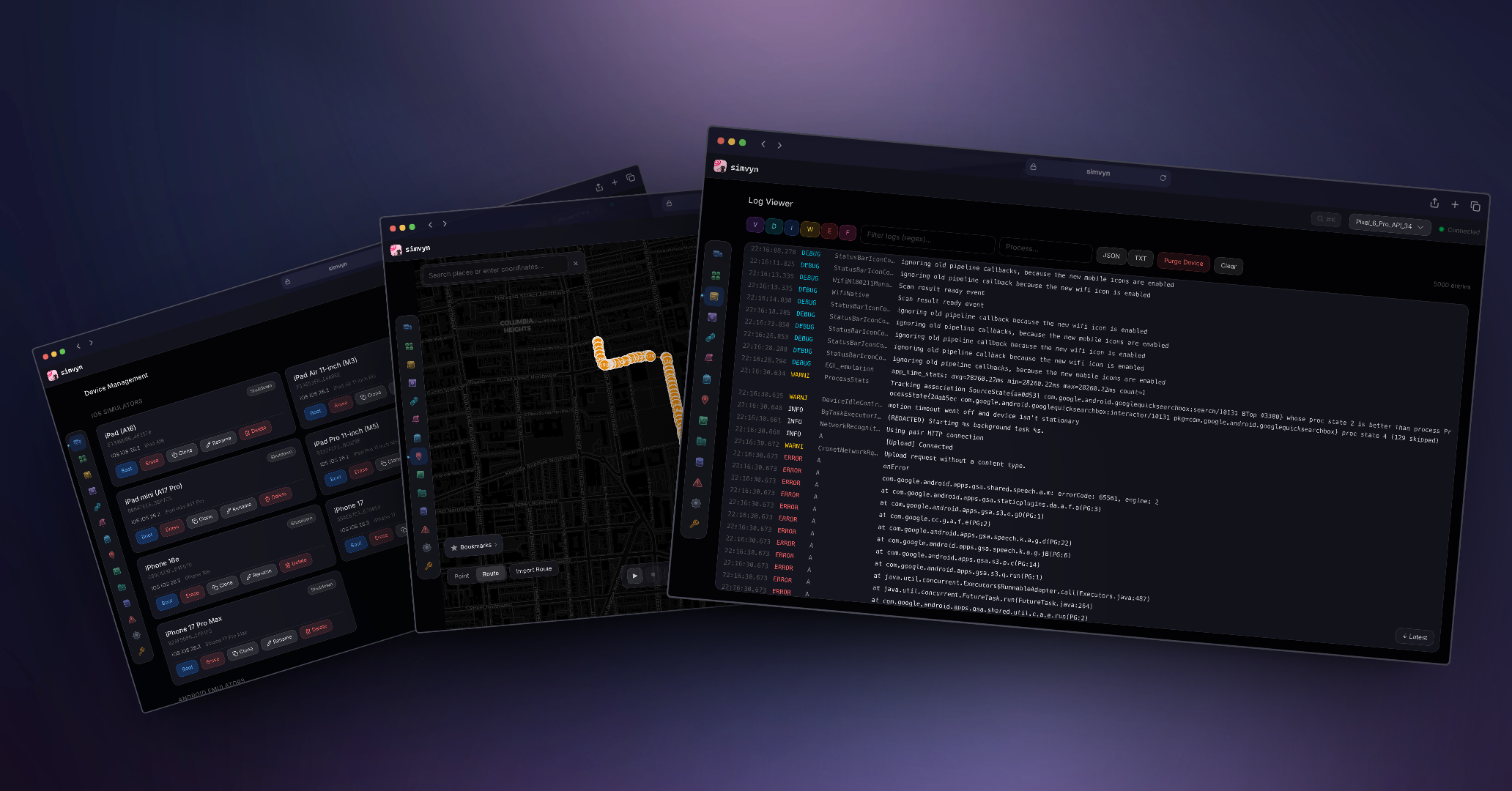
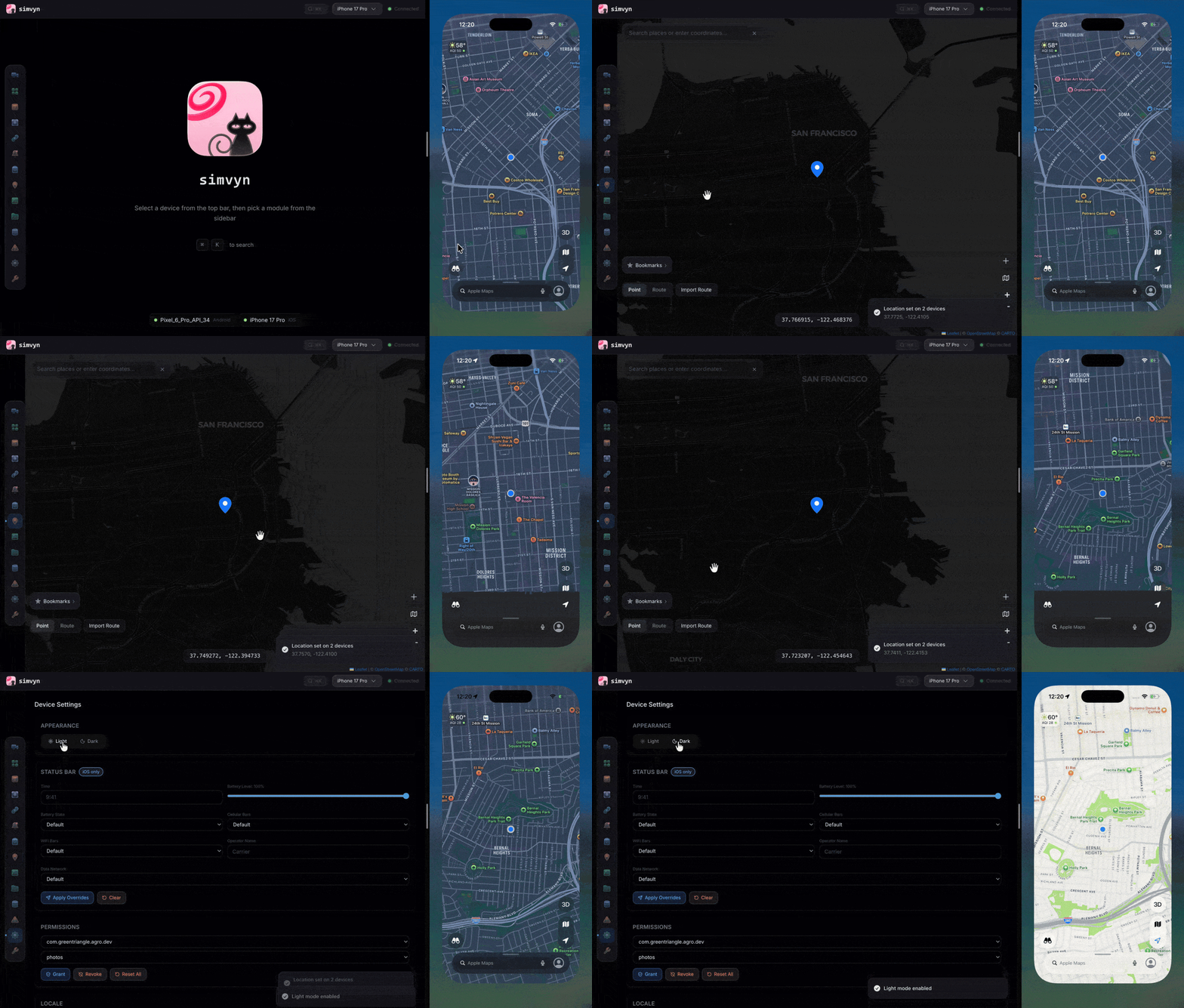
npx simvyn
ローカルサーバーを起動し、ブラウザでWebダッシュボードを開き、接続されているすべてのシミュレーター、エミュレーター、USB接続された物理デバイスを自動的に検出します。

## インストール

**グローバルインストール:**```bash
npm install -g simvyn
一回限りの使用(インストール不要):```bash npx simvyn
**要件:**

- Node.js 22(22.14.0 以降)または 24 以降
- macOS(iOS + Android を完全サポート)または Linux(Android のみ)

## AI コーディングエージェント

simvyn には、デバイスの検出、サポートされている CLI コマンドの実行、スクリーンショットの取得、アプリデータの検査、および制限付きログの収集を行うためのポータブルな [Agent Skill](https://github.com/pranshuchittora/simvyn/blob/main/skills/simvyn/SKILL.md) が含まれています。これは、エージェントに対して明示的なデバイス ID とプラットフォームの制限を指定して CLI を使用する方法を教えます。このスキルはエージェントの既存のターミナルツールを使用し、MCP サーバーや新しいエージェントツールを登録しません。

**Pi:** npm パッケージは [Pi パッケージ](https://pi.dev/packages/simvyn)です。このスキルに加えて、`simvyn`、`simvyn_screenshot`、`simvyn_logs`、`simvyn_record` ツール、ダッシュボードを実行する `/simvyn` コマンド、および `/simvyn-repro`、`/simvyn-screen`、`/simvyn-logs` プロンプトテンプレートを追加します。Pi 0.74 以降が必要です:```bash
pi install npm:simvyn
その他の互換エージェント: GitHubからポータブルスキルをインストールし、お使いのエージェントを選択して、simvyn CLIを別途インストールします:```bash npm install -g simvyn npx skills add pranshuchittora/simvyn --skill simvyn --agent codex --yes
GitHub コマンドでは、これらのスキルファイルがデフォルトブランチに存在している必要があります。Pi コマンドでは、公開されている npm リリースに Pi リソースが含まれている必要があります。未リリースの変更については、[ローカルチェックアウトの手順](https://github.com/pranshuchittora/simvyn/blob/main/docs/agents.md#test-an-unreleased-checkout)を参照してください。

バンドルされたランチャー、サポートされる出力、非対話型操作、および現在の制限事項については、[エージェントのセットアップとワークフローガイド](https://github.com/pranshuchittora/simvyn/blob/main/docs/agents.md)を参照してください。ドキュメント URL を受け付けるツール向けに、コンパクトな[ドキュメントインデックス](https://github.com/pranshuchittora/simvyn/blob/main/llms.txt)も用意されています。

## 機能

- **デバイス管理** — シミュレータ、エミュレータ、実機の検出、起動、シャットダウン、消去、作成、クローンを、お気に入りのピン留めとともに行えます
- **アプリ管理** — ドラッグアンドドロップまたは CLI でアプリのインストール、起動、終了、アンインストールができます
- **ログビューア** — レベルフィルタリング、ページ内検索 (Cmd+F)、正規表現検索、ページネーション、エクスポートを備えたリアルタイムストリーミング
- **位置情報シミュレーション** — GPS 座標の設定、速度制御付きの GPX/KML ルート再生、お気に入りの保存
- **デバイス設定** — ダークモード、ロケール、画面の向き、権限、ステータスバーの上書き、アクセシビリティプリセット
- **スクリーンショットと録画** — スクリーンショットのキャプチャと画面録画を履歴付きで実行
- **ディープリンク** — URL とカスタムスキームを開き、アプリごとにお気に入りを保存
- **データベースインスペクタ** — SQLite テーブルの閲覧、SQL クエリの実行、SharedPreferences と NSUserDefaults の表示
- **ファイルブラウザ** — アプリのサンドボックスの閲覧、ファイルのアップロード/ダウンロード、テキストのインライン編集
- **プッシュ通知** — JSON ペイロードの作成、iOS シミュレータへの送信、テンプレートライブラリ
- **コレクション** — デバイスアクションを再利用可能なシーケンスにまとめ、複数のデバイスに一度に適用
- **クラッシュログ** — iOS 診断レポートと Android logcat/tombstone クラッシュ
- **クリップボード** — デバイスのクリップボード内容の読み取りと書き込み
- **メディア** — 写真や動画をデバイスのカメラロールやギャラリーにプッシュ
- **ツール設定** — サーバー設定、ストレージ管理、診断、デバッグレポート
- **実機サポート** — USB 経由で物理 Android および iOS デバイスを接続し、自動検出
- **Web ダッシュボード** — コマンドパレットとキーボードナビゲーションを備えた Apple Liquid Glass デザイン
- **フル CLI** — すべての機能が `simvyn <command>` でヘッドレスに動作します

## モジュールショーケース

### デバイス管理

接続されているすべての iOS シミュレータ、Android エミュレータ、USB 接続の実機を 1 つの統合リストで検出します。Xcode や Android Studio に触れることなく、デバイスの起動、シャットダウン、消去ができます。デバイスタイプとランタイムを選択して新しい iOS シミュレータを作成したり、既存のものをクローンして複製をすばやく立ち上げたりできます。実機は接続すると自動的に表示され、デバイスセレクタ内で別グループとしてまとめられます。

<p align="center"><img src="https://assets.kitploit.com/production/public/readmes/12264/2b85641878f6015c248311700a1a87a20476ade6c930273a3e47f288a82d6d2e.png" alt="Device Management" width="700" /></p>

- プラットフォーム全体で利用可能なすべてのシミュレータ、エミュレータ、実機を一覧表示
- ワンクリックまたは CLI コマンドでデバイスの起動、シャットダウン、消去
- デバイスタイプとランタイムを選択して新しい iOS シミュレータを作成
- 既存のシミュレータのクローンと名前変更
- お気に入りのデバイスをデバイスセレクタの先頭にピン留め
- WebSocket によるリアルタイムのデバイス状態更新

### アプリ管理

接続されている任意のデバイスにアプリをインストール、起動、終了、アンインストールします。IPA、APK、または iOS シミュレータの .app バンドルをダッシュボードに直接ドラッグアンドドロップできます。手動の adb や simctl コマンドなしで、詳細なアプリ情報の表示やアプリデータの消去ができます。

<p align="center"><img src="https://assets.kitploit.com/production/public/readmes/12264/17757b1ca8ddd41d43ac3a159260598308da6c3f759e1c9d730f61498e18ce8a.png" alt="App Management" width="700" /></p>

- IPA、APK、iOS シミュレータの .app のドラッグアンドドロップインストール
- バンドル ID によるアプリの起動、終了、アンインストール
- バージョン、サイズ、権限を含むアプリ詳細の表示
- Android デバイスでのアプリデータの消去
- 検索フィルタリング付きでインストール済みアプリを一覧表示

### ログビューア

強力なフィルタリングでデバイスログをリアルタイムにストリーミングします。ログレベルでフィルタリングし、正規表現パターンで検索し、プロセス名で絞り込みます。ページ内検索 (Cmd+F) を使えば、周囲のコンテキストを隠さずに特定のエントリをハイライトできます。フィルタリングしたログを共有やアーカイブ用にエクスポートできます。ページネーションされた履歴により、パフォーマンス問題なく数千件のエントリを遡ってスクロールできます。

<p align="center"><img src="https://assets.kitploit.com/production/public/readmes/12264/b909b3515637b4059ebf210c56599f2f022506f09ee35a11e812bd8368d3750e.png" alt="Log Viewer" width="700" /></p>

- WebSocket によるリアルタイムログストリーミング
- レベルによるフィルタリング: debug、info、warning、error、fatal
- マッチのハイライト、ナビゲーション、カウンターを備えたページ内検索 (Cmd+F)
- 正規表現検索とプロセス名フィルタリング
- 仮想スクロール付きのページネーションされた履歴
- フィルタリングしたログのファイルへのエクスポート
- クリア後も状態を保持したログストリーミングの一時停止/再開

### 位置情報

インタラクティブなマップまたは手動入力を使って、任意のデバイスに正確な GPS 座標を設定します。調整可能な速度制御付きで GPX および KML ルートファイルを再生します。よく使う場所をお気に入りとして保存し、すばやくアクセスできます。

<p align="center"><img src="https://assets.kitploit.com/production/public/readmes/12264/47842dfa878ffbc80bd5bb32d83e820e7ed7dd56a4d63368ca6e823ef72889d4.png" alt="Location" width="700" /></p>

- クリックで座標を設定できるインタラクティブマップ
- 速度制御付きの GPX および KML ルートファイル再生
- デバイスごとに保存されるお気に入りの場所
- 複数デバイスへの位置情報ブロードキャスト
- 人間が読める住所への逆ジオコーディング

### デバイス設定

ダークモードの切り替え、ロケールの変更、デバイスの画面の向きの回転 (Android)、アプリ権限の管理、ステータスバー表示の上書きを行います。アクセシビリティプリセットを適用して、さまざまな条件下でアプリをテストできます。すべての設定変更は対象デバイスに即座に反映されます。

<p align="center"><img src="https://assets.kitploit.com/production/public/readmes/12264/d3f6a33c17b773560072f7b94b71abd5ebc82786c073bdeb6d25f828c3f214fa.png" alt="Device Settings" width="700" /></p>

- ダーク/ライトモードの切り替え
- デバイスロケールの変更
- アプリ権限の管理
- ステータスバーの上書き (時刻、バッテリー、電波)
- アクセシビリティプリセット (太字テキスト、コントラストの強調、コンテンツサイズ)

### スクリーンショットと録画

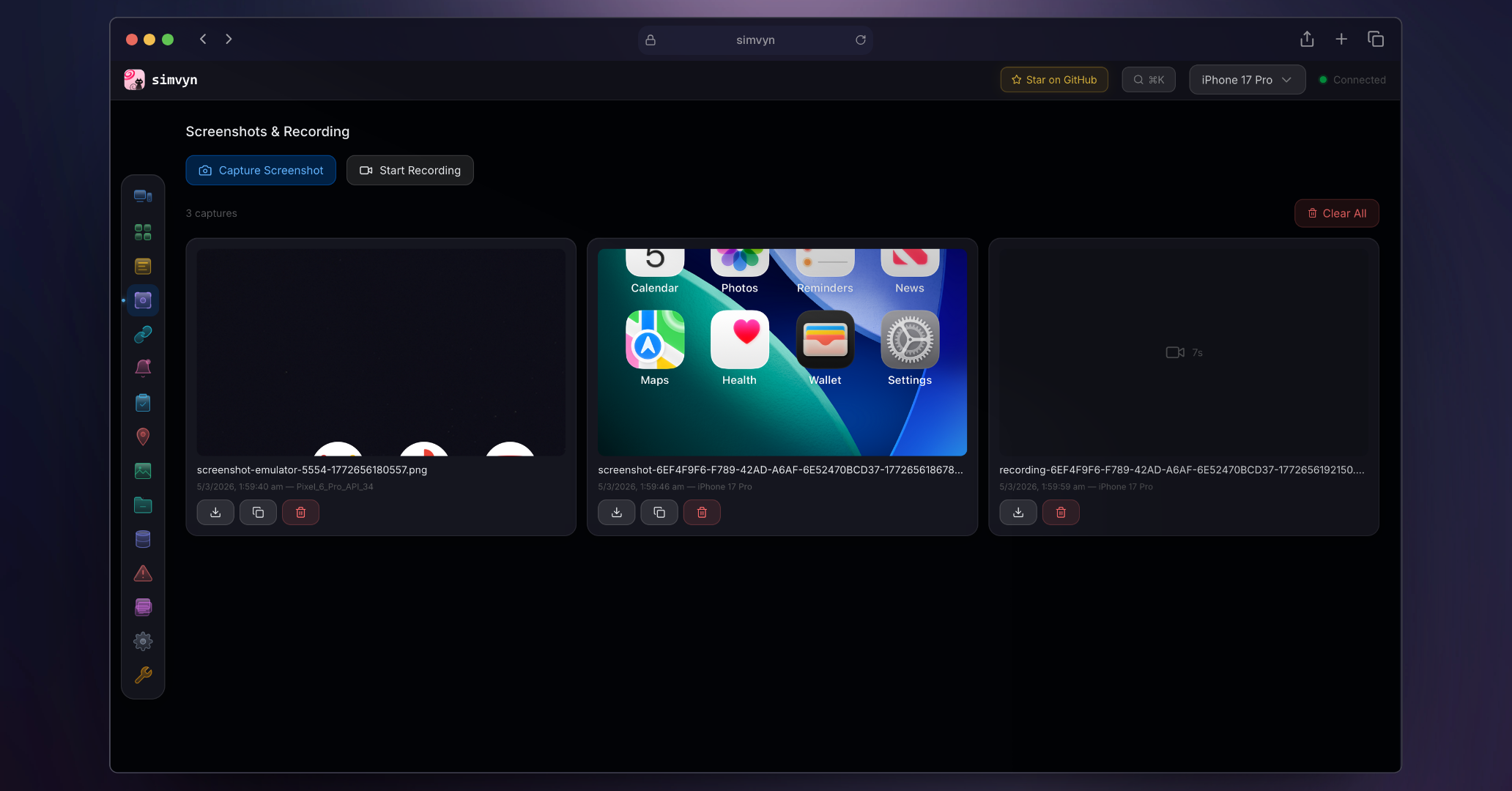
任意のデバイスでスクリーンショットをキャプチャし、画面を録画します。すべてのキャプチャはタイムスタンプ付きで保存され、閲覧可能な履歴として整理されます。ダッシュボードから直接キャプチャをダウンロードまたは削除できます。

<p align="center"><img src="https://assets.kitploit.com/production/public/readmes/12264/58ed8f25d148ed53f39066e42be730f255235dbec47539bbec826c455cba7936.png" alt="Screenshots and Recording" width="700" /></p>

- ワンクリックでのスクリーンショットキャプチャ
- 開始/停止コントロール付きの画面録画
- タイムスタンプ付きのキャプチャ履歴
- ダッシュボードからのキャプチャのダウンロードと削除

### ディープリンク

任意のデバイスで URL とカスタム URI スキームを開きます。よく使うディープリンクをアプリごとに整理してお気に入りとして保存します。ターミナルに手動で URL を入力することなく、アプリのディープリンク処理をテストできます。
