 ngwg/ceasta
リバースエンジニアリングツールで、MCPサーバーを内蔵:AIがバイナリを読むだけでなくデバッグできる — ブレークポイント、ステップ実行、メモリ、関数呼び出し。ディスアセンブラ + デコンパイラ + x64dbgスタイルのデバッガを1つに。Windows GUI、Linux CLI。


逆アセンブラ、デコンパイラ、デバッガを一つに — windows と linux 対応




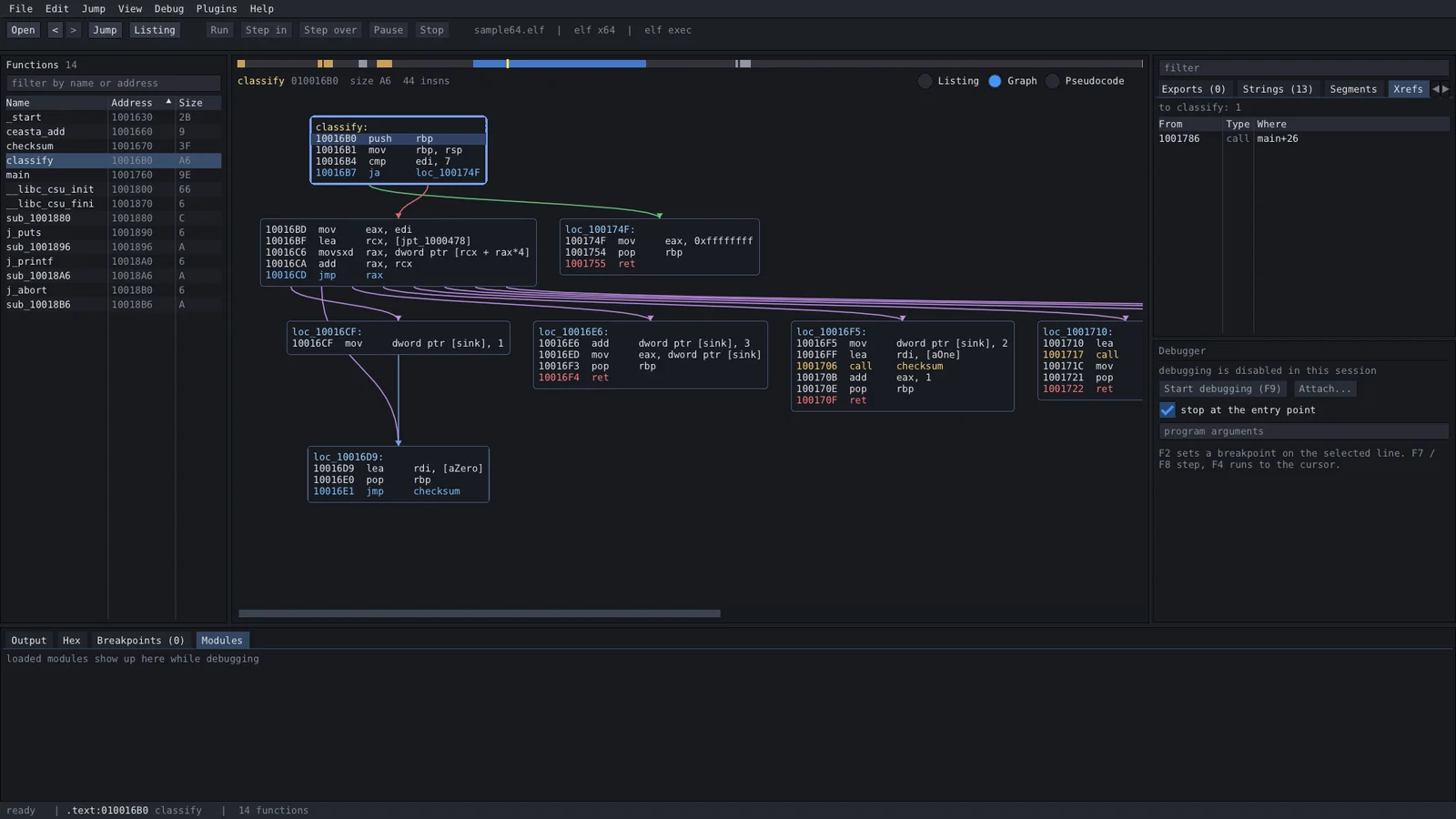
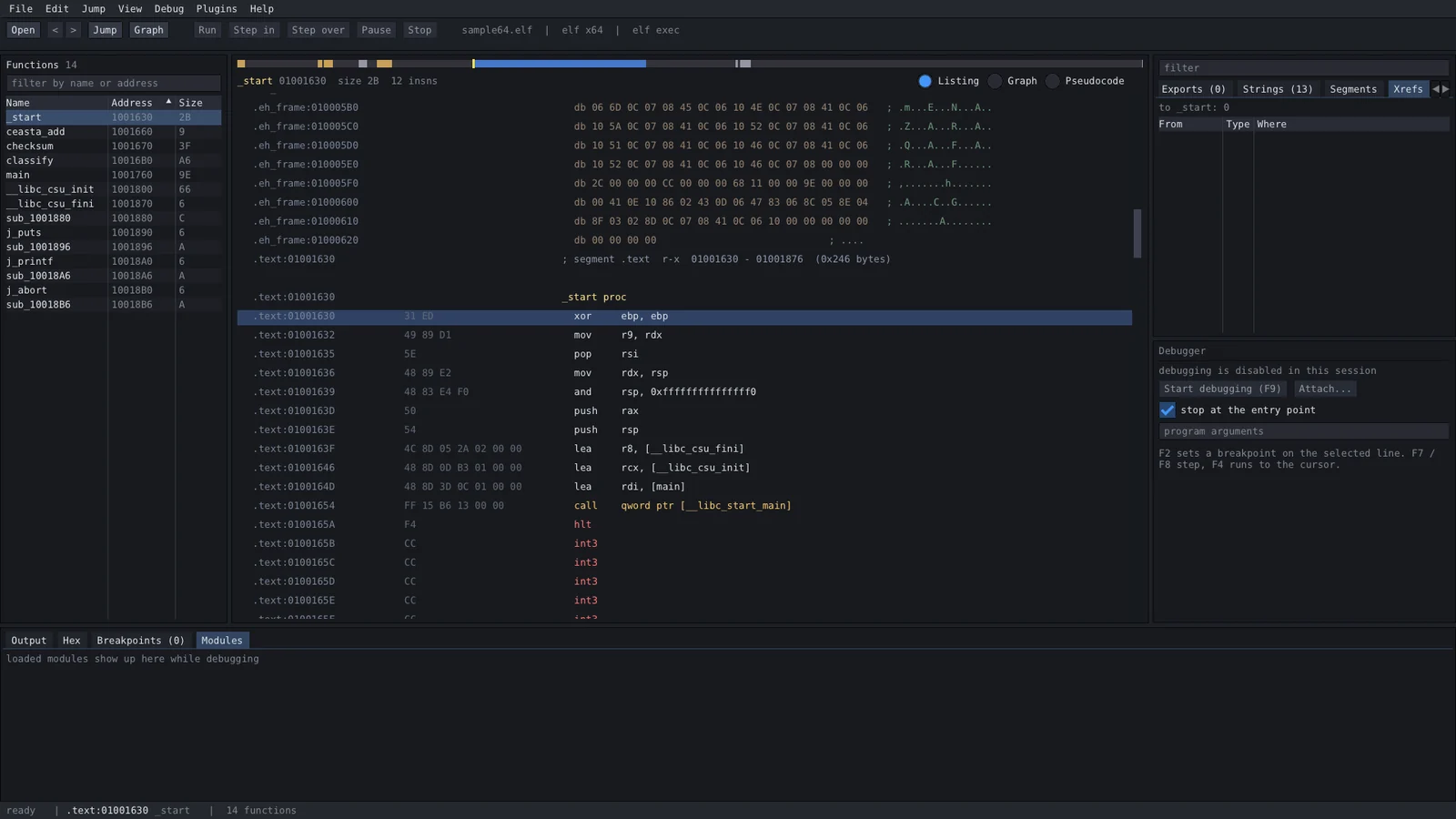
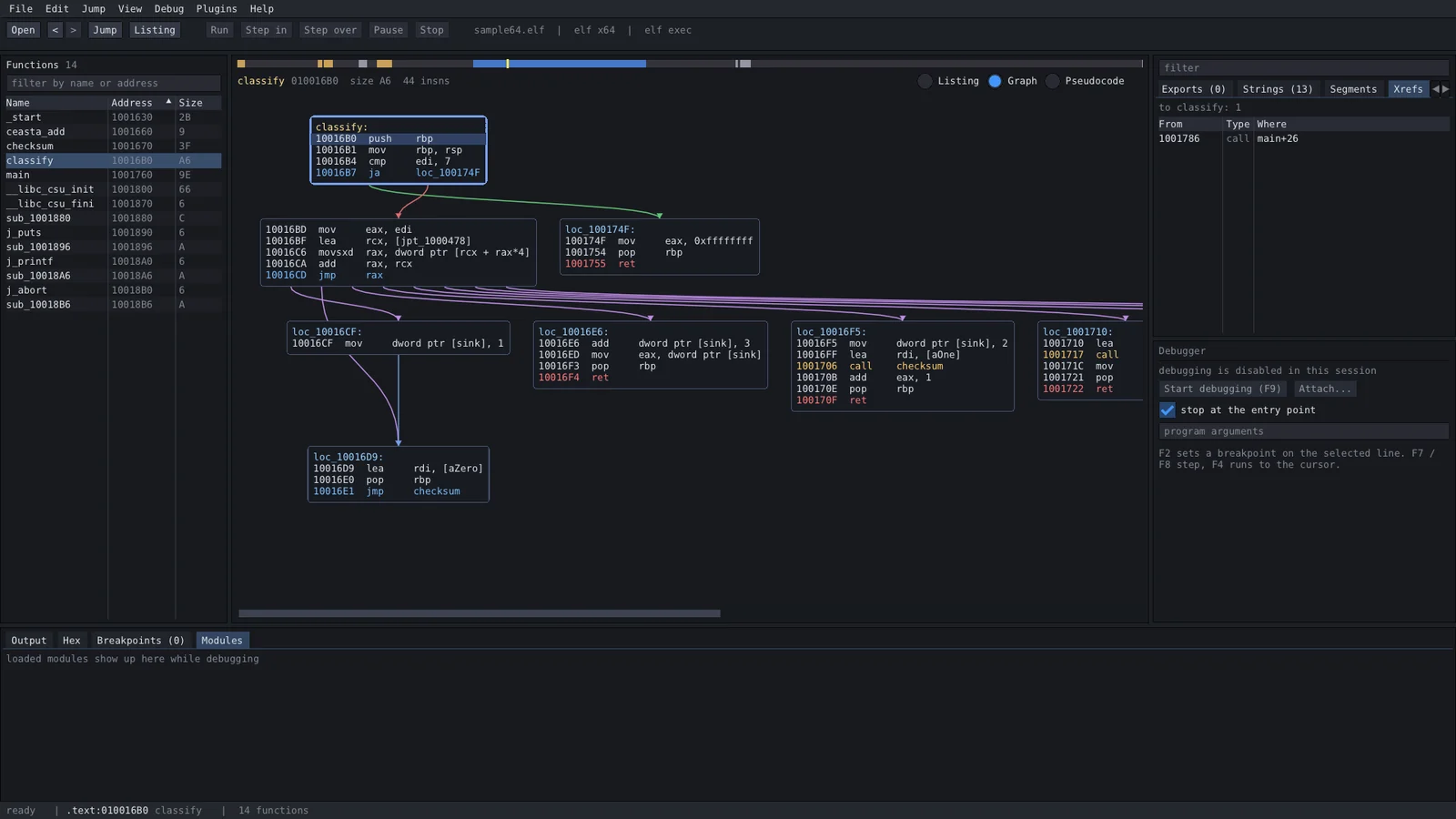
ida スタイルのリスティング、デコンパイラ、関数グラフ、x64dbg スタイルのデバッガ、lua プラグイン、そして AI をバイナリに向けられる組み込み MCP サーバー — 小さな一つのプログラム、すべて同梱、ビルドにインストールは不要。
ceasta は同じコードを生のバイトから読める c まで表示するので、必要なレベルまで降りていけます:
; assembly - the real instructions  // pseudocode (f5) - reconstructed c

checksum proc                       int checksum(int rdi)
  movzx   edx, byte ptr [rdi]       {
  test    dl, dl                        rdx = *(char*)rdi;
  je      loc_1191                      if (rdx == 0) {
  mov     eax, 0x1505                       return 0x1505;
loc_1179:                               }
  mov     ecx, eax                      rax = 0x1505;
  shl     ecx, 5                        do {
  add     eax, ecx                          rax = rax + (rax << 5) + rdx;
  add     rdi, 1                            rdi = rdi + 1;
  movzx   edx, dl                           rdx = *(char*)rdi;
  add     eax, edx                      } while (rdx != 0);
  movzx   edx, byte ptr [rdi]           return rax;
  test    dl, dl                    }
  jne     loc_1179
  ret
loc_1191:
  mov     eax, 0x1505
  ret
これは djb2 です (5381 は 0x1505、そして (h << 5) + h は h * 33)。デコンパイラはベストエフォートです: 型や構造体はまだないので、レジスタとキャストを読むことになります — ルーチンを素早く把握するには最適ですが、リスティングが引き続き信頼できる情報源です。
リリースページから入手してください:
| file | platform | what you get |
|---|---|---|
ceasta-x.y.z-setup.exe | windows 10/11 x64 | 完全なアプリ、ユーザー単位でインストール (管理者不要)、スタートメニュー + オプションの「open with ceasta」 |
ceasta-x.y.z-windows-x64.zip | windows x64 | 完全なアプリ、ポータブル — 解凍して ceasta.exe を実行 |
ceasta-cli-x.y.z-linux-x64.tar.gz | linux x64 | ceasta-cli + プラグイン: 解析、逆アセンブル、デコンパイラ、スクリプト、ターミナルデバッガ (linux の場合) |
ceasta-cli dbg) — ブレークポイント、ステッピング、レジスタ、メモリ。基本的だが本物; シングルスレッドのターゲットで最適call decrypt "...")、間接呼び出しのターゲットを xref として記録 (trace)sigmake / sigapply)<binary>.ceasta にも保存ceasta-cli一つのウィンドウ、浮かぶものは何もない:
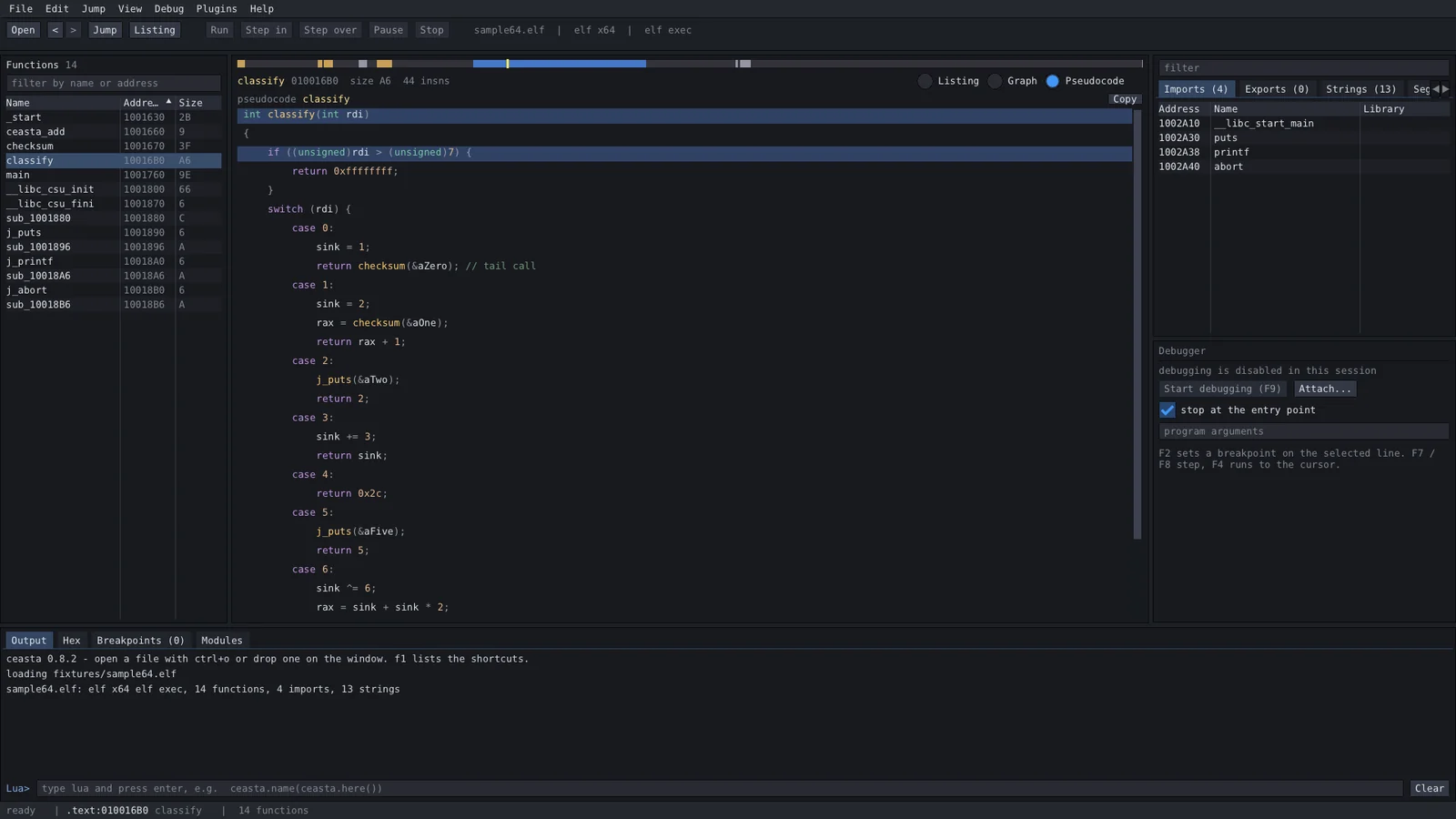
デコンパイラ (f5):
| key | what | key | what |
|---|---|---|---|
| ctrl+o | ファイルを開く | space | リスティング / グラフ |
| g | アドレスまたは名前へジャンプ | f5 | 擬似コード (デコンパイラ) |
| enter / ダブルクリック | オペランドをフォロー | alt+b | バイト検索 |
| esc / ctrl+enter | 戻る / 進む | f9 | デバッグ開始 / 続行 |
| n | リネーム | f7 / f8 | ステップイン / オーバー |
| ; | コメント | f4 | カーソルまで実行 |
| x | ここへの参照 | f2 | ブレークポイントの切り替え |
| ctrl+s | 名前とコメントを保存 | f1 | すべてのショートカット |
プラグインは plugins/ (プログラムの隣) または %APPDATA%\ceasta\plugins 内の lua ファイルです。プラグインメニューにコマンドを追加します。五つが同梱されています: ファイルサマリ、暗号ファインダ、ラッパーネーマ、文字列レポート、コールトレーサ (デバッガ)。
ceasta.register_command("Count calls", function()
    local n = 0
    for _, fn in ipairs(ceasta.functions()) do
        n = n + #ceasta.xrefs_to(fn.addr)
    end
    ceasta.log(n .. " references to functions")
end)
api 全体は lua scripting guide にあります。出力パネルには lua プロンプトもあり — ceasta.name(ceasta.here()) を試してみてください。
ceasta-cli info file.exe            format, entry, segments
ceasta-cli funcs file.exe           functions
ceasta-cli disasm file.exe main 40  listing from a name or address
ceasta-cli graph file.exe start     basic blocks of a function
ceasta-cli decompile file.exe main  pseudocode for a function
ceasta-cli xrefs file.exe CreateFileW
ceasta-cli find file.exe "48 8b ?? 05"
ceasta-cli run file.exe script.lua  run a plugin / script
ceasta-cli dbg ./program [args]     interactive debugger (linux + windows)
ceasta-cli diff old.exe new.exe     match functions, show what changed
ceasta-cli sigmake libc.a lib.sig   make signatures from a file with symbols
ceasta-cli sigapply stripped lib.sig  name matching functions
ceasta-cli mcp file.exe             serve the file to an AI over MCP
ceasta の組み込み MCP サーバーを通じて、AI (Claude Code、Claude Desktop、Cursor、...) をバイナリに向けます:
claude mcp add ceasta -- ceasta-cli mcp /path/to/target.exe
デコンパイル、xref の読み取り、関数のリネーム、ビルドの diff、そして --allow-debug を使えばブレークポイントの設定、ステップ実行、メモリの読み取り、さらには実行中のプログラム内の関数呼び出しも可能です。デバッガツールと安全上の注意を含む完全なガイドは connect an AI にあります。
gui は windows 専用ですが、コマンドラインツールは解析、逆アセンブル、デコンパイラ、スクリプト、ターミナルデバッガを行います。ceasta-cli-x.y.z-linux-x64.tar.gz を入手し、解凍して実行するだけ — 他にインストールするものはありません:
tar xzf ceasta-cli-*-linux-x64.tar.gz
cd ceasta-cli-*-linux-x64

./ceasta-cli info /bin/ls                   format, entry, function / import / string counts
./ceasta-cli decompile /bin/ls start        pseudocode for the entry point
./ceasta-cli run /bin/ls plugins/hello.lua  run a lua plugin
./ceasta-cli dbg ./program                  debug it (break, step, registers, memory)
elf (x86 / x64) と windows pe ファイルの両方を読むので、linux から windows exe を調べることもできます。
ターミナルデバッガ (dbg) は ceasta の名前、逆アセンブル、デコンパイラを組み込んだ ptrace デバッガです:
(ceasta) b main            break at a name or address
(ceasta) c                 continue
(ceasta) ni / si           step over / into      until <addr>  run to
(ceasta) r                 registers             k  stack       x <addr>  memory
(ceasta) u                 disassemble here (with names)
(ceasta) dec               decompile the function you're stopped in
(ceasta) lua ...           run lua against the live process
必要なものはすべてリポジトリ内にあります — コンパイラだけで、何も取得する必要はありません。
windows
ceasta.sln を開き、Release | x64 を選択してビルド → build\msvc\Releasecmake -S . -B build の後 cmake --build build --config Releasepowershell -ExecutionPolicy Bypass -File installer\package.ps1linux (core + cli、gui は windows 専用)
cmake -S . -B build && cmake --build build -j
src/app.* — 状態、アクション、メインレイアウトsrc/ui/ — パネルごとに一ファイル (top_bar、left_panel、ida_view、graph_view、pseudo_view、right_panel、cpu_panel、bottom_panel、status_bar、dialogs)src/widgets/ — 小さな共有部品 (nav_band、splitter)src/core/ — ui なし: ローダ (binary、pe、elf)、disasm (capstone)、analysis、database、decompiler、lua_host、debugger (win32) + debugger_linux (ptrace)、ossrc/cli/ — ceasta-cli と dbg ターミナルデバッガplugins/ — 同梱の lua プラグインdocs/ — lua guide、changelog、サードパーティライセンス、スクリーンショットinstaller/ — inno setup スクリプトとパッケージングthird_party/ — imgui、capstone (x86 のみ)、lua 5.4ceasta は GPLv3 です。同梱のライブラリはそれぞれ独自の (寛容な) ライセンスを保持しています — dear imgui と lua は MIT、capstone は BSD; 詳細は docs/THIRD_PARTY_NOTICES.md にあります。
