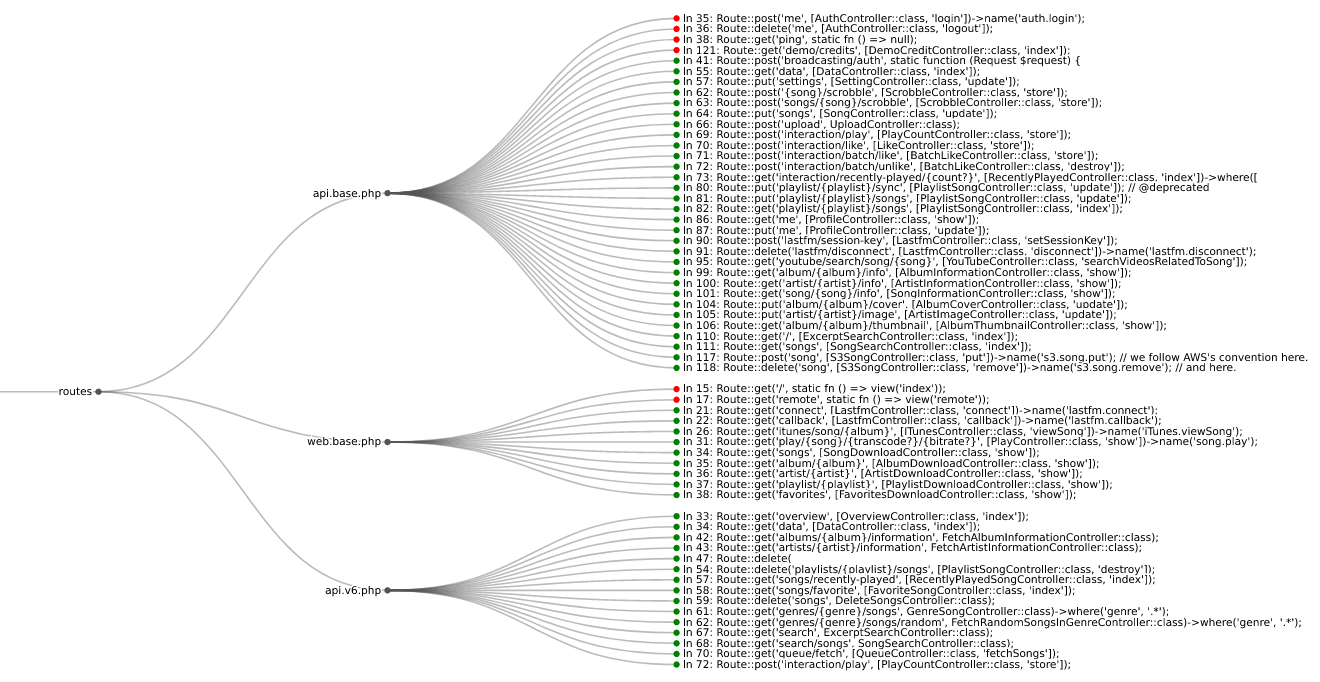
Webアプリケーションのルートにおける認証(authn)と認可(authz)のセキュリティバグを見つけます:
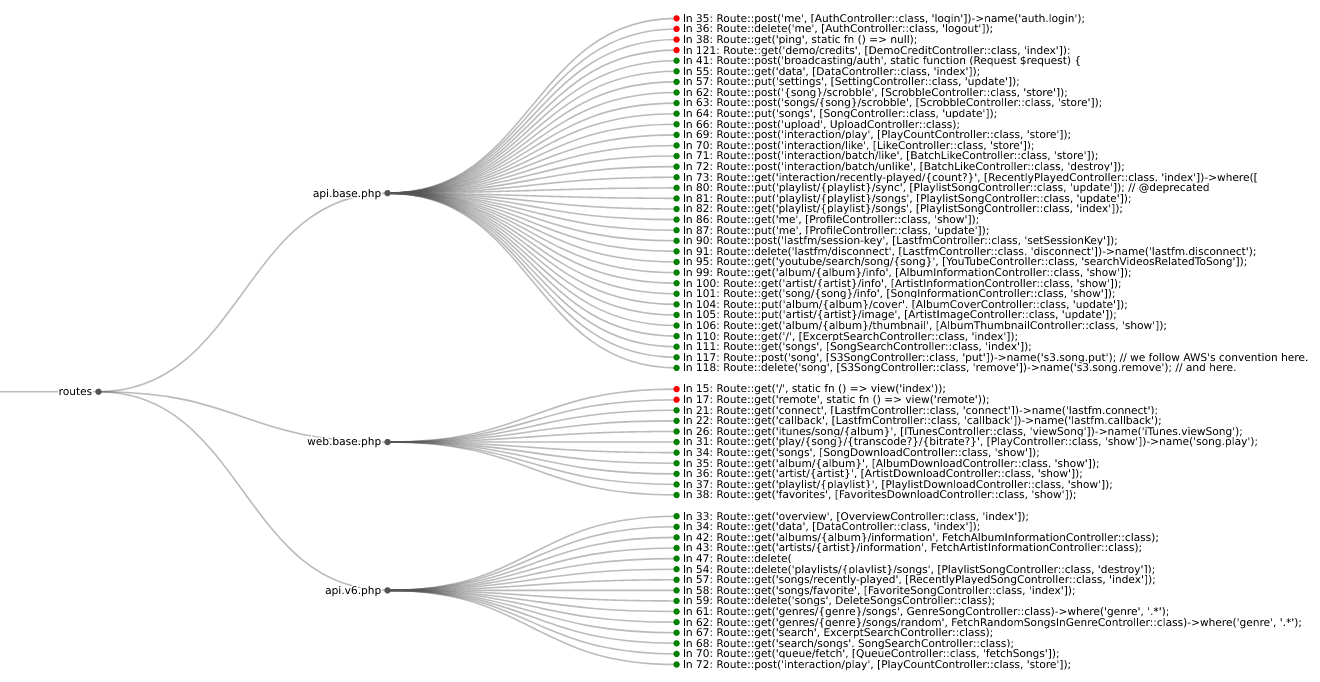
WebアプリケーションのHTTPルートにおけるauthnおよびauthzのバグは、今日見られる最も一般的なセキュリティ問題の一部です。以下の業界標準のリソースは、その問題の深刻さを強調しています:
| 言語 | フレームワーク | Semgrep | CodeQL |
|---|---|---|---|
| Python | Django | ✅ | ❌ |
| Python | Django REST framework | ✅ | ❌ |
| Python | Flask | ✅ | ❌ |
| Python | Sanic | ✅ | ❌ |
| Python | FastAPI | ✅ | ❌ |
| PHP | Laravel | ✅ | ❌ |
| PHP | Symfony | ✅ | ❌ |
| PHP | CakePHP | ✅ | ❌ |
| Ruby | Rails | ❌ | ✅ |
| Ruby | Grape | ✅ | ❌ |
| Java | JAX-RS | ✅ | ❌ |
| Java | Spring | ✅ | ❌ |
| Go | Gorilla | ✅ | ❌ |
| Go | Gin | ✅ | ❌ |
| Go | Chi | ✅ | ❌ |
| JavaScript/TypeScript | Express | ✅ | ❌ |
| JavaScript/TypeScript | React | ✅ | ❌ |
| JavaScript/TypeScript | Angular | ✅ | ❌ |
pipを使ってroute-detectをインストールします:
$ python -m pip install --upgrade route-detect
次のコマンドでroute-detectが正しくインストールされていることを確認できます:
$ echo 'print(1 == 1)' | semgrep --config $(routes which test-route-detect) -
Scanning 1 file.

Findings:

  /tmp/stdin
     routes.rules.test-route-detect
        Found '1 == 1', your route-detect installation is working correctly

          1┆ print(1 == 1)


Ran 1 rule on 1 file: 1 finding.
route-detectはroutes CLIコマンドを使用し、次のコマンドツリーを提供します:
routes
whichvizまず、semgrepがインストールされ、PATHに含まれていることを確認してください。
[!IMPORTANT]
route-detectがコードスニペットを表示するために依存しているSemgrepの機能は、同社のクラウドアプリの背後に移動されました。詳細は#10762を参照してください。ただし、Semgrepの以前のバージョンではこの動作が引き続きサポートされています。route-detectを使用する際は、Semgrepのバージョン1.97.0より前のものをインストールしてください。これは次のコマンドで実行できます:python -m pip install 'semgrep<1.97.0'。
whichサブコマンドを使用して、semgrepを適切なWebアプリケーションルールに向けます:
$ semgrep --config $(routes which django) path/to/django/code
vizサブコマンドを使用して、ブラウザでルート情報を可視化します:
$ semgrep --json --config $(routes which django) --output routes.json path/to/django/code
$ routes viz --browser routes.json
どのフレームワークを探すべきかわからない場合は、特別なall IDを使用してすべてをチェックできます:
$ semgrep --json --config $(routes which all) --output routes.json path/to/code
カスタムのauthnまたはauthzロジックがある場合は、route-detectのルールをコピーできます:
$ cp $(routes which django) my-django.yml
その後、必要に応じてルールを変更し、上記のように実行できます:
$ semgrep --json --config my-django.yml --output routes.json path/to/django/code
$ routes viz --browser routes.json
まず、codeqlがインストールされ、PATHに含まれていることを確認してください。
whichサブコマンドを使用して、まずパックの依存関係をインストールし、次に適切なクエリを実行します:
$ codeql pack install $(poetry run routes which -c rails)
$ codeql database analyze \
    --output routes.sarif \
    --format sarif-latest \
    --sarif-add-file-contents \
    --no-group-results \
    -- \
    /path/to/codeql/db \
    $(routes which --codeql rails)
vizサブコマンドを使用して、ブラウザでルート情報を可視化します:
$ routes viz --codeql --browser routes.sarif
route-detectは依存関係と設定管理にpoetryを使用しています。
続行する前に、次のコマンドでプロジェクトの依存関係をインストールしてください:
$ poetry install --with dev
次のコマンドで全てのプロジェクトファイルをlintします:
$ poetry run pre-commit run --all-files
次のコマンドでPythonテストを実行します:
$ poetry run pytest --cov
次のコマンドでSemgrepルールテストを実行します:
$ poetry run semgrep --test --config routes/rules/ tests/test_rules/
次のコマンドでCodeQLクエリテストを実行します:
$ codeql test run routes/queries/rails/test/