
 momo5502/sogen
🪅 Windows & Linux userspace emulator





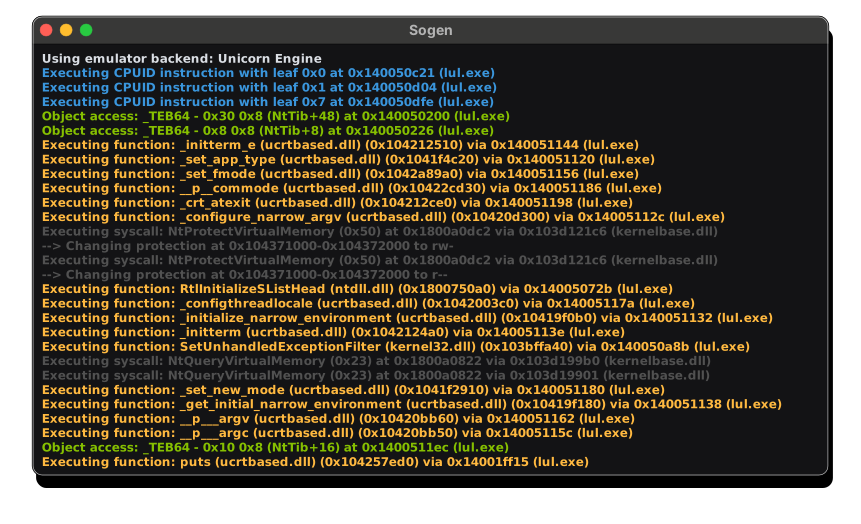
Sogen runs Windows and Linux programs without a real operating system: It lets you see and control everything they do.
Instead of reimplementing thousands of OS APIs, Sogen emulates binaries at CPU and syscall level and runs the real system DLLs, so behavior closely matches the real OS.
Every instruction, memory access and API call can be hooked, inspected or rewritten, runs are fully deterministic, and the entire emulator state can be snapshotted and restored.
Built in C++ and powered by the CPU backend of your choice:
Try it out: sogen.dev
Join the community: Discord
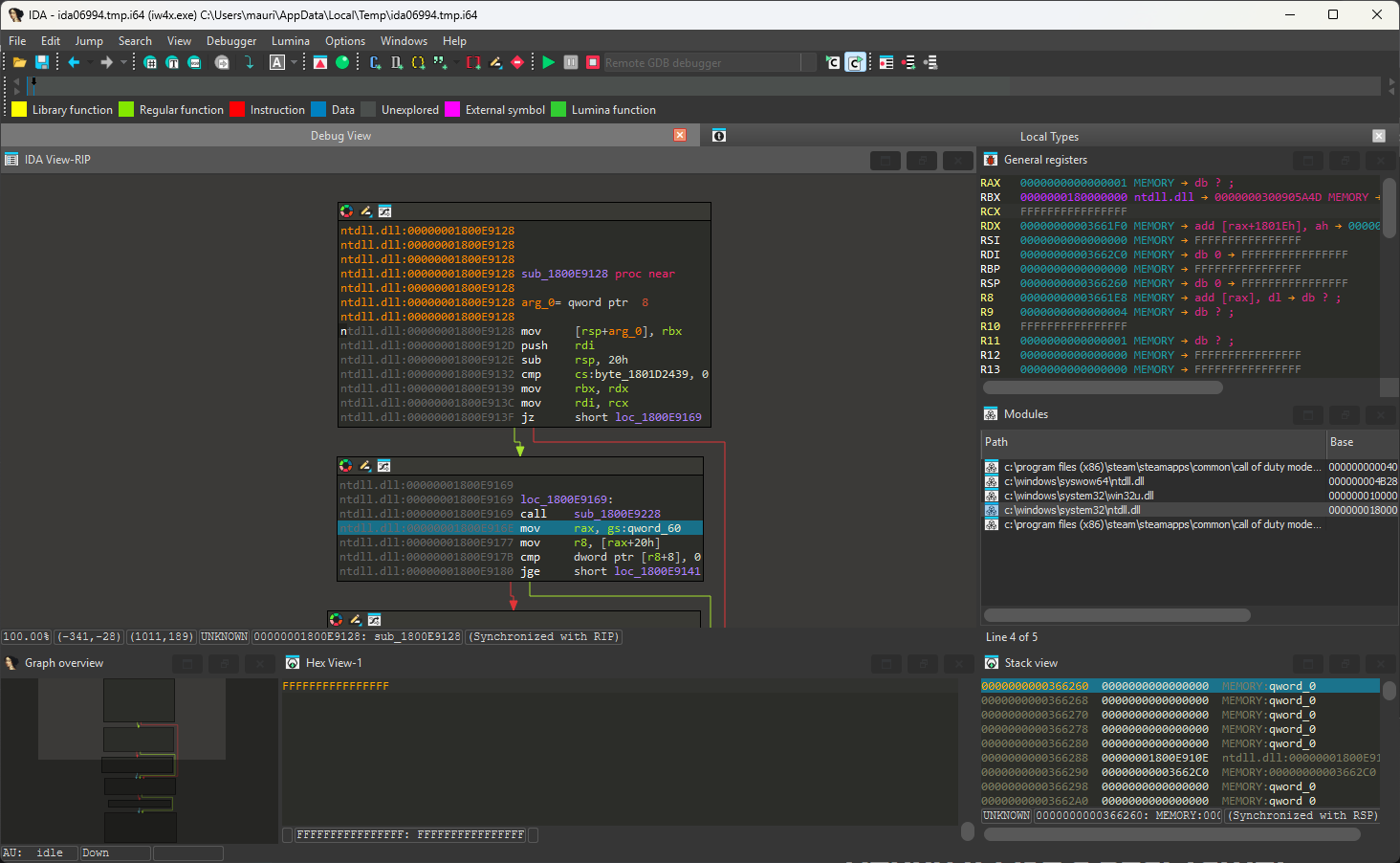
Debug with the tools you already know, like IDA Pro or GDB, over the GDB protocol, or use the built-in in-browser debugger.
The debugger runs at the emulator level, outside the process, so it stays invisible to anti-debug checks.
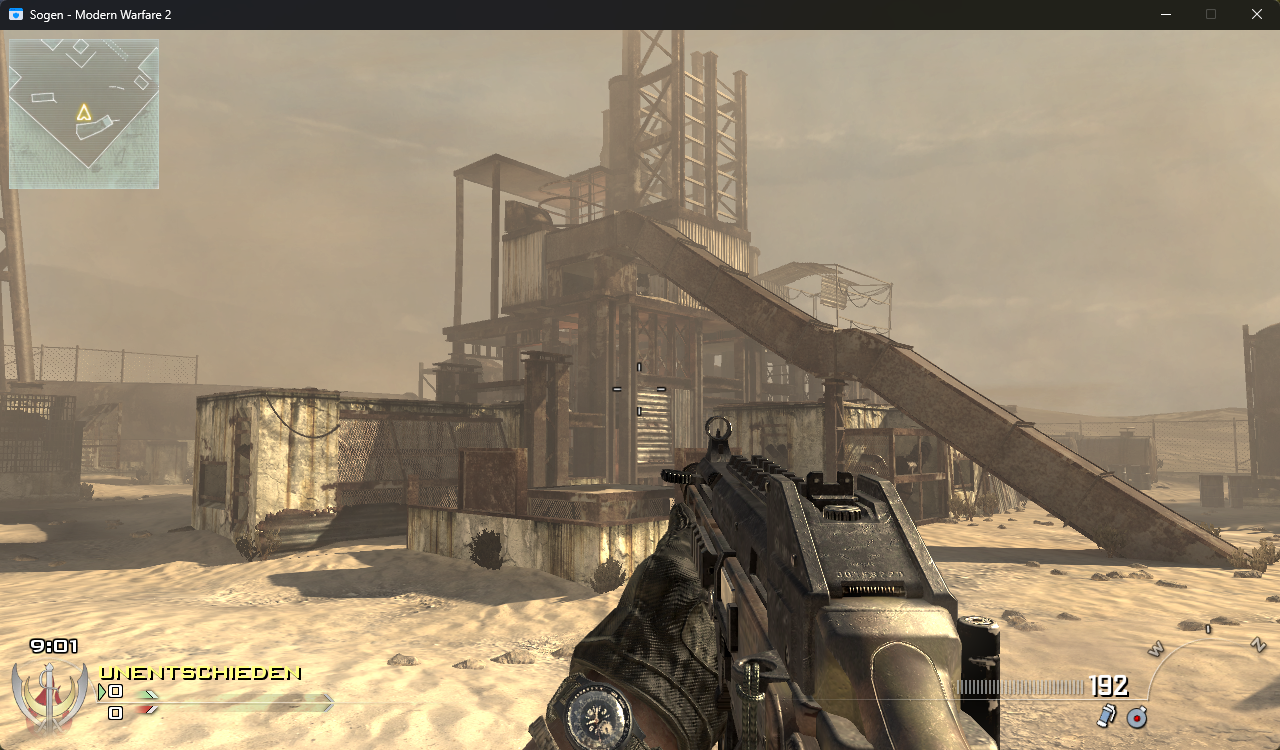
Native GUI apps run, with working windows, dialogs and controls.
GPU paravirtualization enables 3D acceleration on your real GPU, while the Hyper-V backend runs the code natively on your CPU. Fast enough for games.
Direct3D 8/9/10/11 titles run through DXVK, which translates Direct3D to Vulkan on top of the GPU bridge.
Click here for the slides.
Install with:
pip install sogen
Python bindings require an emulation root. You can download a ready-made root here, or create your own by following the instructions in the wiki.
Example:
import sogen

emu = sogen.windows.create_application("c:/test-sample.exe", emulation_root="./root")


def on_module_load(module):
    if module.name.lower() == "test-sample.exe":
        emu.hooks.memory_execution_at(module.entry_point, lambda address: print(f"hit entry point: 0x{address:x}"))

emu.callbacks.on_module_load = on_module_load
emu.start()
print(emu.process.exit_status)
See examples/python/README.md for setup details and a larger example.
Dart bindings are available in a separate repository.
[!TIP]
Checkout the Wiki for more details on how to build & run the emulator on Windows, Linux, macOS, ...
1. Checkout the code:
git clone --recurse-submodules https://github.com/momo5502/sogen.git
2. Run the following command in an x64 Development Command Prompt in the cloned directory:
cmake --preset=vs2022
3. Build the solution that was generated at build/vs2022/sogen.sln
4. Create a registry dump by running the grab-registry.bat as administrator and place it in the artifacts folder next to the analyzer.exe
5. Run the program of your choice:
analyzer.exe C:\example.exe
By default, the guest has no access to the host network. Guest sockets use an in-process loopback, DNS queries resolve to no addresses, and the Steam bridge is disabled. To give the guest access to the host network, add --network live:
analyzer.exe --network live C:\example.exe
The guest file system is read-only by default, and guest writes fail with STATUS_ACCESS_DENIED. Use
--root-mode rw to let the guest change the emulation root, or the host drives when no root is set. Use
--mount HOST:GUEST[:MODE] to add a host file or directory at a guest path, for example
--mount .\out:C:\out:rw. See docs/filesystem.md for the details of mounts and modes.
Windows ARM64 executables run the same way, from an emulation root created with create-root.bat on a Windows ARM64 machine. They run on WHP on Windows ARM64, on Hypervisor.framework on Apple Silicon and on Unicorn elsewhere.
--backend overrides environment-based selection. Outside Windows ARM64, where Unicorn's ARM64 backend is not built, EMULATOR_UNICORN=1 runs ARM64 guests on Unicorn instead of the hypervisor.
